English

English 
2026-11-11
Before deleting your account, please check whether your VIP or SVIP membership has already expired. Once the account is deleted, any VIP or SVIP benefits will not be retained.
How to delete an account:
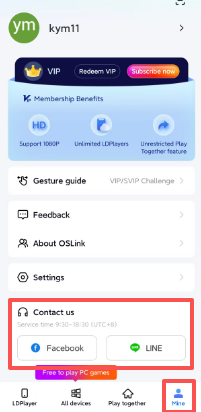
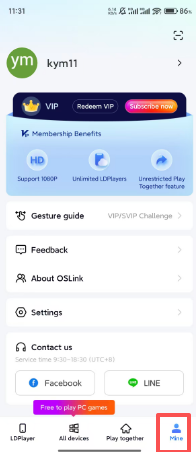
1.Access OSLink and locate the "mine" button.
2.Tap the ">" symbol to the right of your username (displayed at the top of the "Mine" screen) to access your user profile, then select the option to permanently delete your accou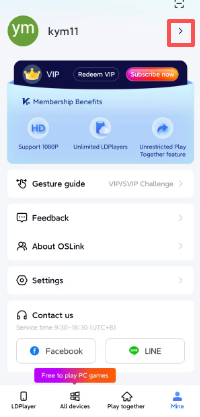
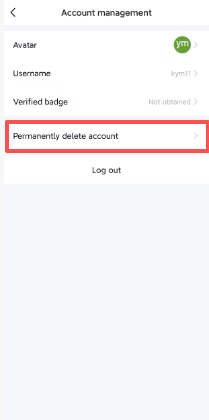
3.After waiting for ten seconds in the pop-up window, select "Permanently" to confirm the deletion.
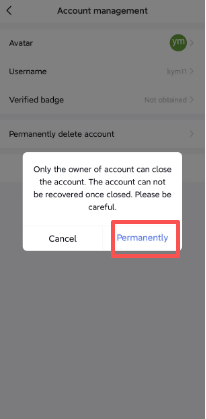
If you have completed the steps above, your OSLink account has been deleted. Once the account is deleted, your device data will no longer be retained. Should you wish to use the service again, you will need to register a new account; please note that this will be an entirely new account, and all your devices will need to be re-linked to it.
If you are unable to complete the process, or if you have any questions afterward, please contact us; we will respond as soon as possible upon receiving your message.