 English
English 
2026-04-21
Mobile gamers have almost all experienced this frustration: wanting to log into multiple game accounts simultaneously to farm daily tasks and accumulate resources, but not knowing how to run multiple games on their phones. Either they waste time switching between accounts, or the multi-account tools they download have numerous problems. So, how can you easily and conveniently run multiple games on your phone? We recommend trying Oslink. It requires no complicated operations, no extra fees, and easily enables running multiple games on your phone, balancing stability and convenience, completely solving the multi-account problem for gamers.
Achieve Multiple Instances of Mobile Games in a Few Simple Steps
On both the primary phone (the one that needs to run multiple games) and the secondary phone (the one being controlled), install OSLink. Log in to the same account on both phones. On the primary phone, click on the controlled device and initiate a connection. After the controlled device confirms authorization, a stable connection will be established within seconds. Then, on the primary phone, find the game you want to run multiple times and click "Start." The controlled device will then run the game synchronously and repeat online operations. Download from the official website (https://www.oslink.io/.

oslink - A powerful tool for running multiple instances of mobile games
1.Truly free, no tricks.
Oslink is truly free and straightforward. From download and installation to long-term multi-instance use, there are no hidden costs or restrictions on the number of instances or usage time. Whether you run two or more accounts simultaneously, there's no need for a paid membership or binding extra accounts. All multi-instance related functions are completely free. Even for high-frequency multi-instance game resource farming, it's completely hassle-free.
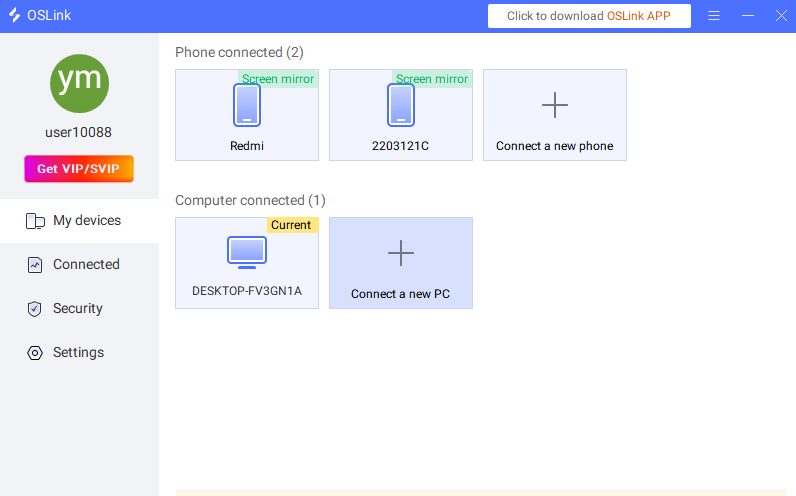
2. Stable connection
Oslink features a self-developed stable connection protocol, ensuring a stable connection whether using home Wi-Fi or mobile data, without unexpected disconnections. Furthermore, the software optimizes resource usage, maintaining smooth gameplay and responsive controls even when multiple phones are running multiple demanding mobile games simultaneously, without lag, crashes, or account disconnections. For example, when running two MMORPGs simultaneously for dungeons or daily tasks, the main control phone can switch between different controlled phones without any lag, ensuring stable game operation regardless of multiple accounts.
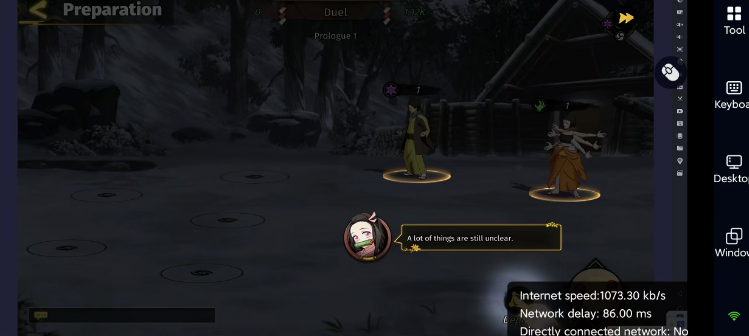
3. Customize game buttons
When running multiple games simultaneously, different accounts have different operating habits, and a fixed button layout is often not convenient enough, and may even lead to accidental touches, affecting the gaming experience. oslink supports custom game buttons, perfectly solving this problem. Players can freely adjust the button position, size, and transparency according to their own operating habits, and can also set button combinations and one-click macro functions to adapt to different types of mobile games.
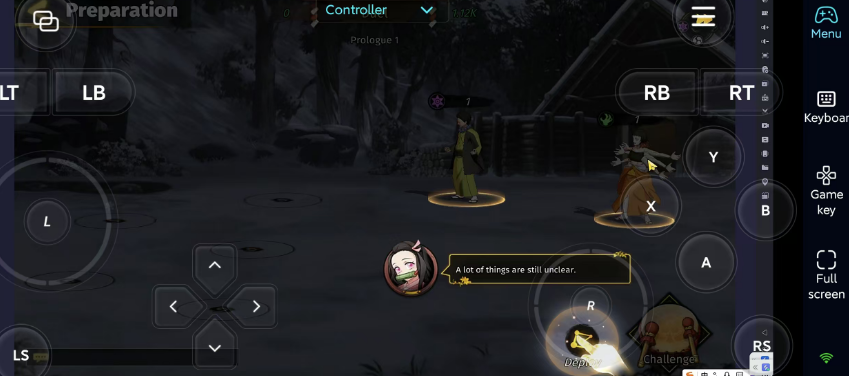
After reading this article, do you know how to run multiple games on your phone? We recommend using the truly low-latency, truly free OSLink app. It only takes three steps to run multiple games on your phone, making multi-game gaming simple and smooth.