English
English 
2026-05-10
Have you ever encountered a situation where your computer displays an offline message and cannot connect when using Oslink? This article teaches you how to troubleshoot and resolve offline situations.
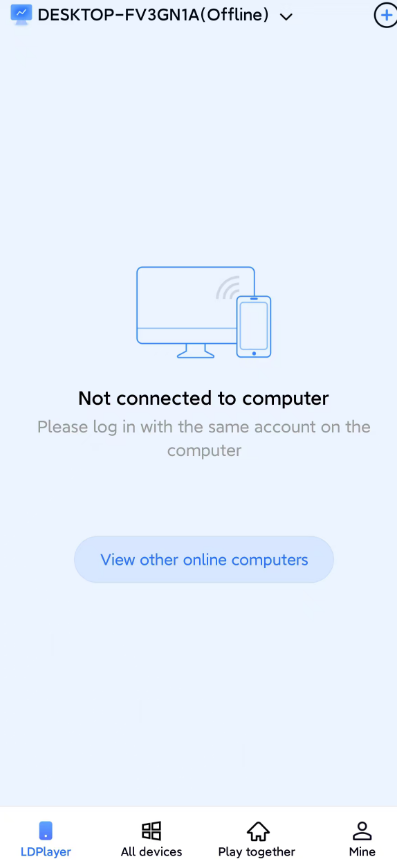
I. Phone connects to computer but displays "Computer device offline" message
1.First, check if your phone/computer is functioning correctly. Check for network outages, power outages, or computer freezes (a frozen computer can also cause the OSLink process to freeze, preventing remote access).
2. Confirm that you are logged into the same OSLink account on both your phone and computer. Not logging into the same account will also result in an offline message.
3. Confirm that your computer is in hibernation or powered off. If it is in hibernation mode, it may be offline.
II. Phone connects to emulator normally, but displays "Offline" message when connecting to computer
In this case, the computer is usually in hibernation mode. On some computers, after the monitor is turned off, the graphics card may think it doesn't need to work and enter hibernation, causing various problems remotely. It's best to use the computer with the monitor on. If you must turn it off, you can buy a graphics card spoofing device online for a few dollars and plug it in.
III. Check if OSLink is updated to the latest version
How to check if it's updated to the latest version:
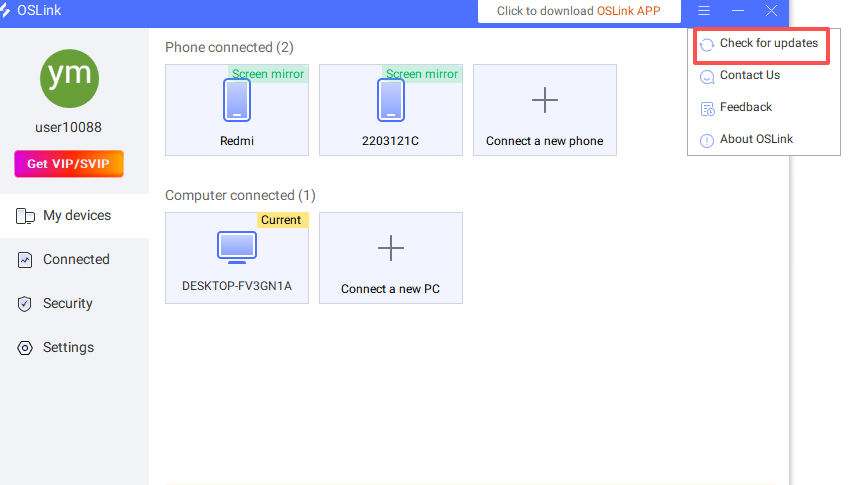
On PC: Click the three-line button in the upper right corner of the client -> click "Check for updates"
Mobile: Tap Mine -> About oslink -> Version Number

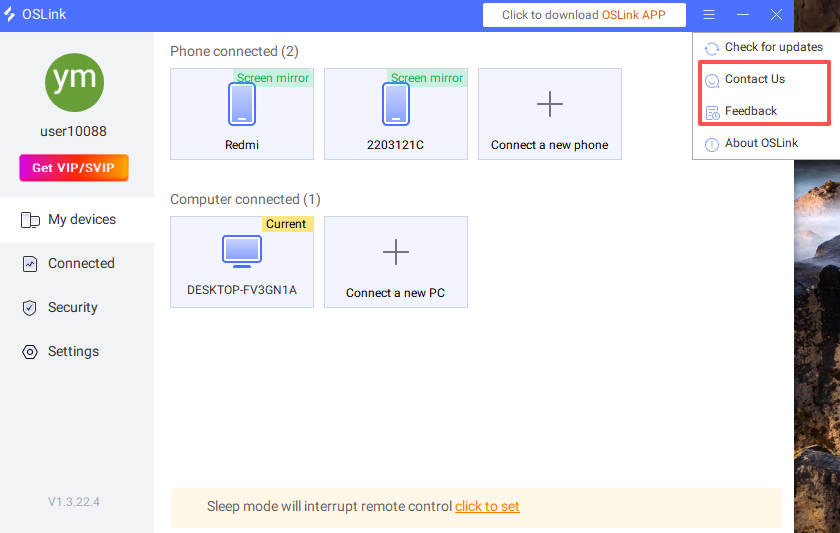
If you've confirmed everything above is correct and you're still experiencing an offline message, please contact us and submit a problem report on both your mobile phone and computer. We will process your request promptly upon receiving your message.
How to submit a problem report on your computer:
How to provide feedback on issues via mobile app: