English
 Step into the mysterious world of Hollow Knight: Silksong, where every thread and melody shapes the fate of an insect kingdom. As Hornet, a swift and skilled warrior, you'll navigate vast, intricate environments filled with hidden secrets and fierce enemies. With OSLink, your adventure no longer depends on where you are — your smartphone becomes a powerful extension of your gaming setup. Whether you’re on the move or simply taking a break, OSLink lets you instantly pick up where you left off, delivering smooth, responsive gameplay on the go. This guide will help you connect and optimize your experience, so the challenges of the Silk Kingdom are always within reach.
Quick Setup Tutorial for Playing Hollow Knight: Silksong on Mobile
Step 1: Download OSLink and Connect Devices
PC Side:
Visit the OSLink official website to download the software and complete the installation.

Mobile Side:
Download the OSLink App from the App Store or Google Play; the official website also offers APK downloads.
Log in with the same account as on the PC side to automatically connect.

Step 2: Control Optimization
1. Launch the Game
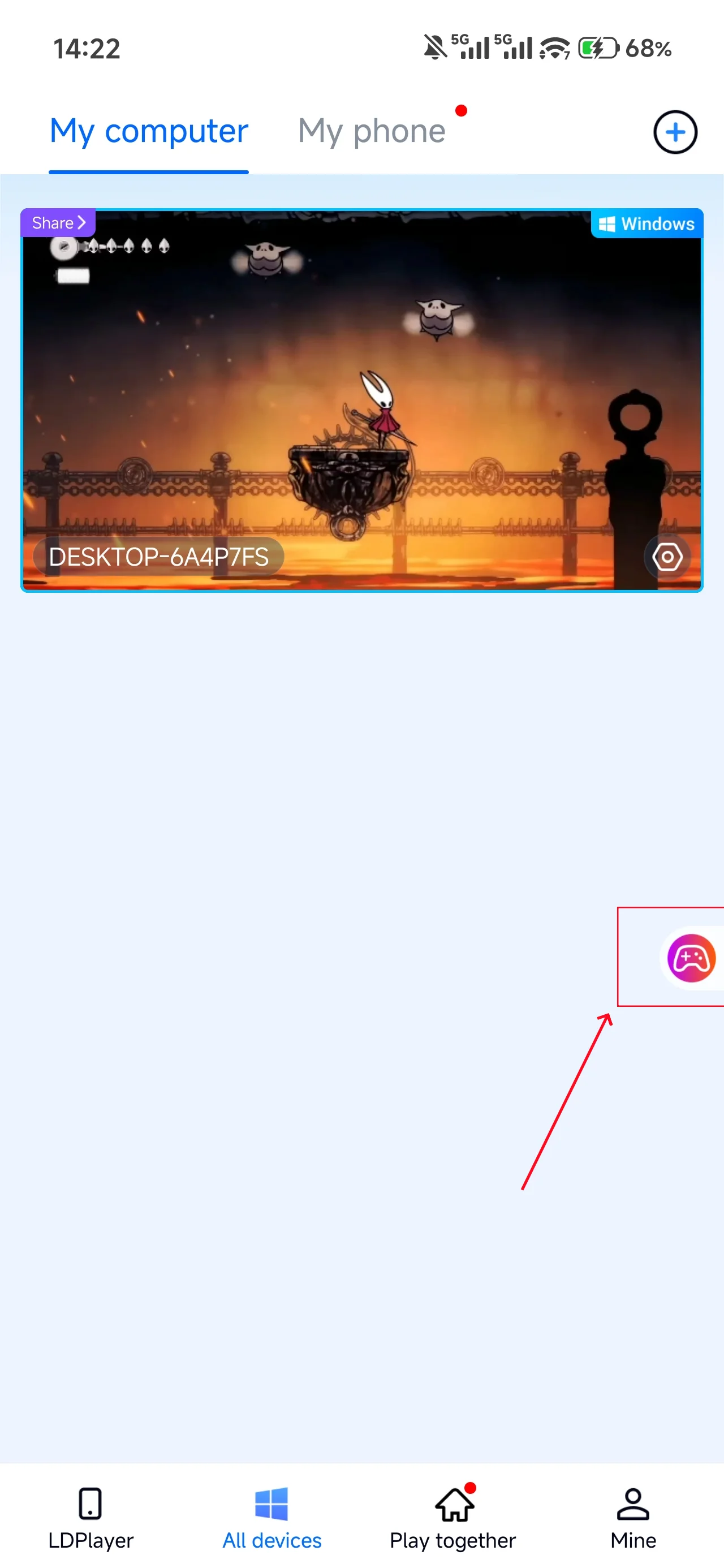
Open Hollow Knight: Silksong on your PC, and the mobile side can connect directly; if Hollow Knight: Silksong hasn't been launched on the PC yet, click the game icon on the mobile side for quick startup.
2. Control Mode
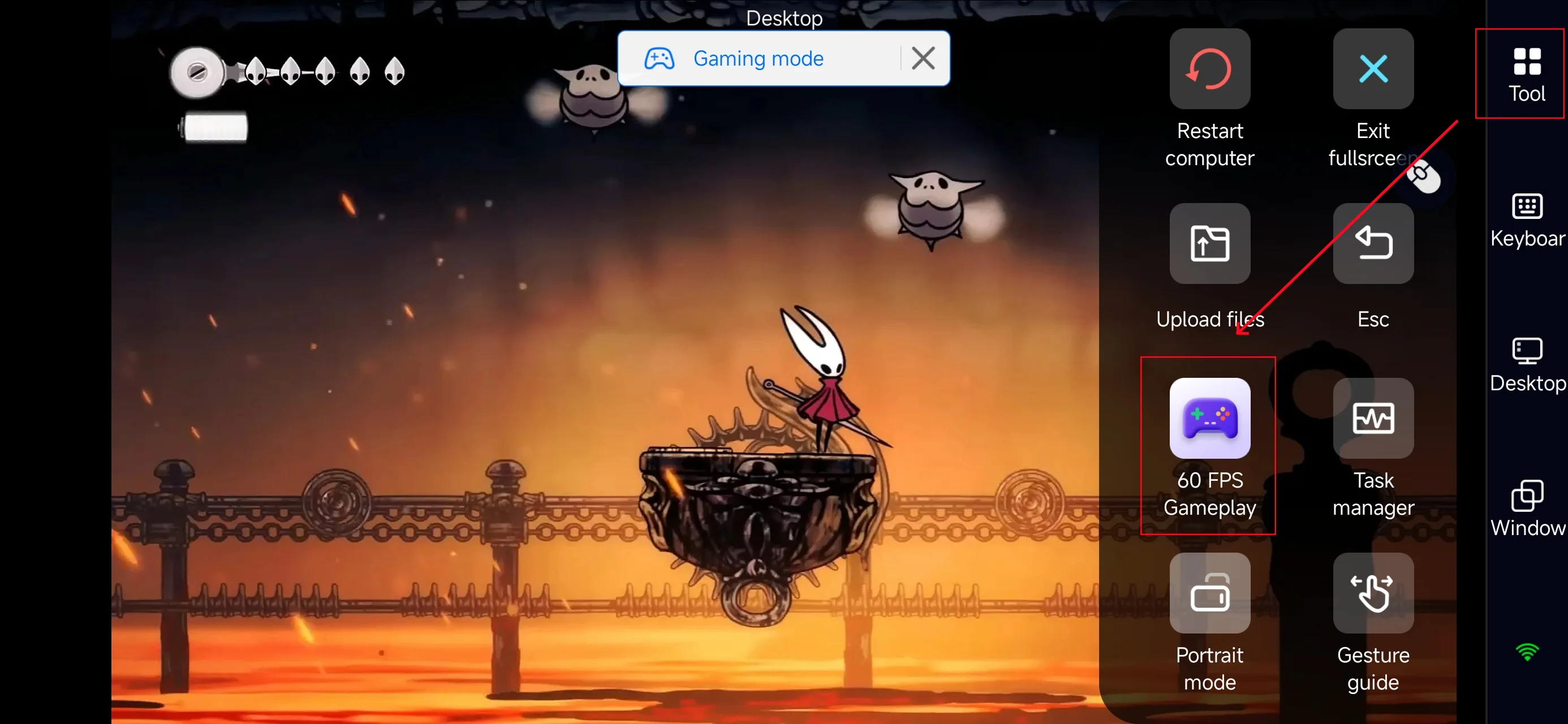
Click the toolbar on the right side of the mobile app, enter "60 FPS Gameplay," and choose key mode or link a controller based on your gaming preferences.
3. Key Selection
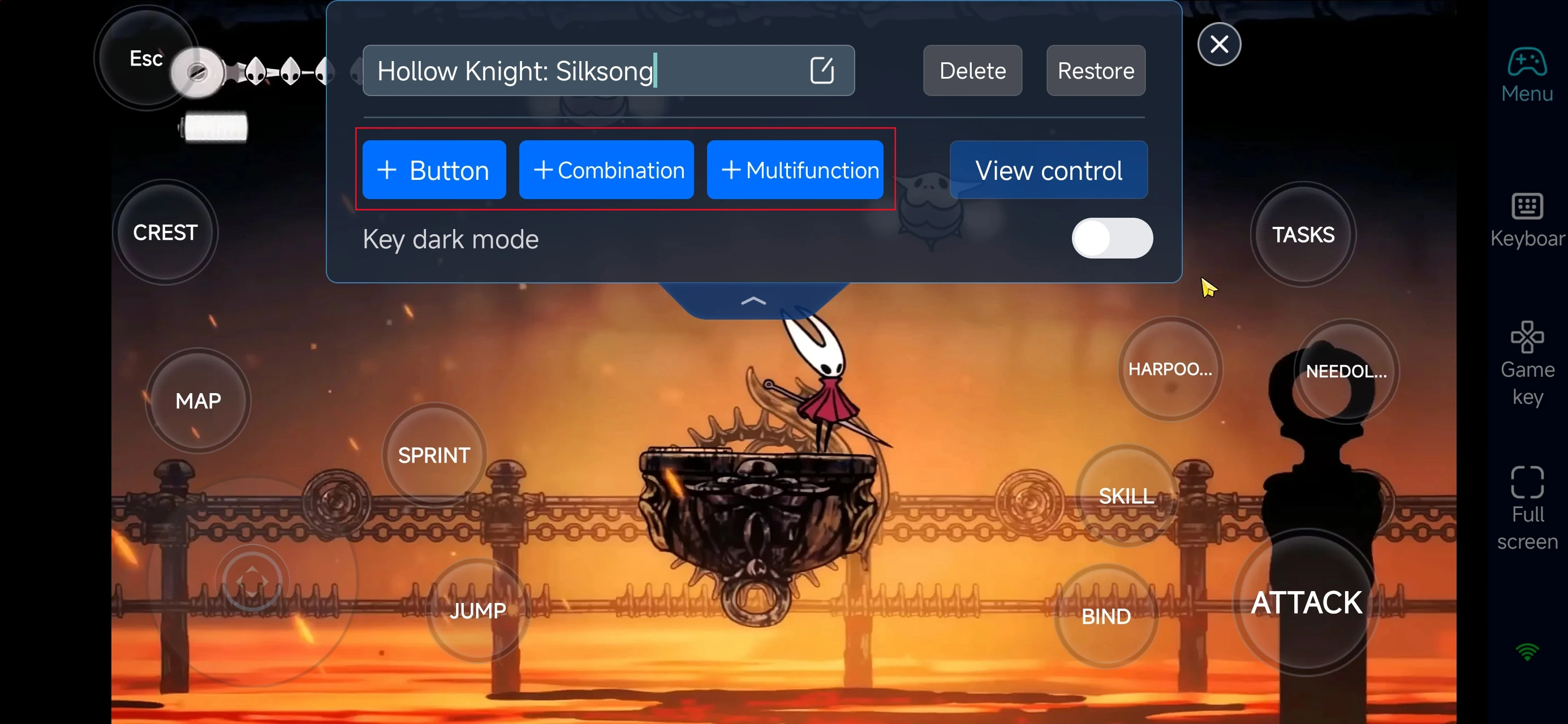
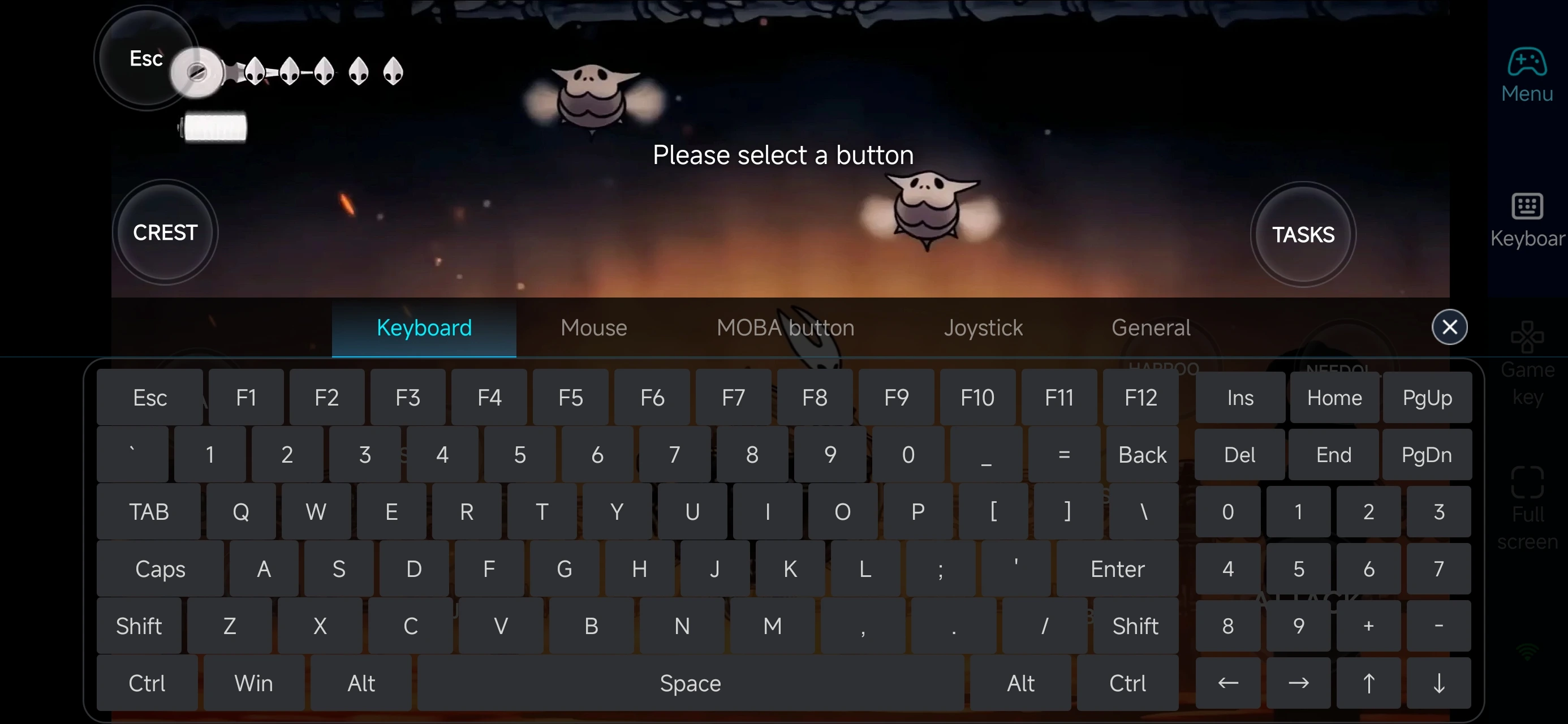
After entering PC game mode, pick pre-configured keys in the “Game Keys” section and adjust camera controls as needed. You can customize keys freely—add, modify, or delete them with adjustable size and transparency. Customize your combos and quick actions to suit Hornet’s fast-paced, precision-driven combat in Hollow Knight: Silksong.
Step 3: Play Anytime, Anywhere!
Once connected, your phone transforms into a portable gateway to the vibrant world of Hollow Knight: Silksong. No matter where you are, just launch OSLink, link up with your home PC, and continue exploring the Silk Kingdom’s mysteries without missing a beat!
Advantages of Using OSLink to Play Hollow Knight: Silksong on Mobile
Adventure Anytime, Anywhere
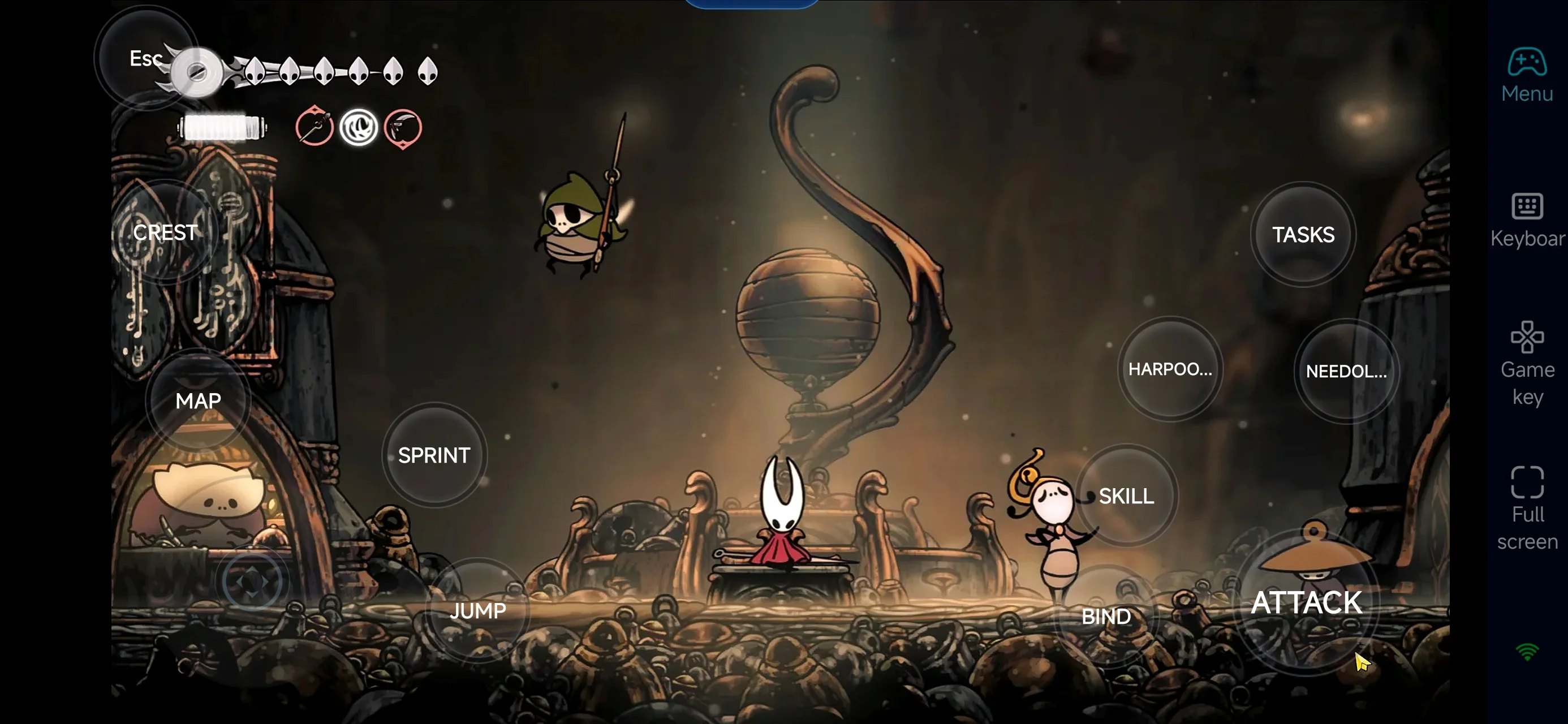
Take Hornet with you on the go — whether you're commuting or waiting around, your phone lets you dive into intense exploration and boss battles. Then, effortlessly switch back to your PC at home to enjoy the full-screen experience without losing progress.
Smooth, Responsive Controls for Precision Combat
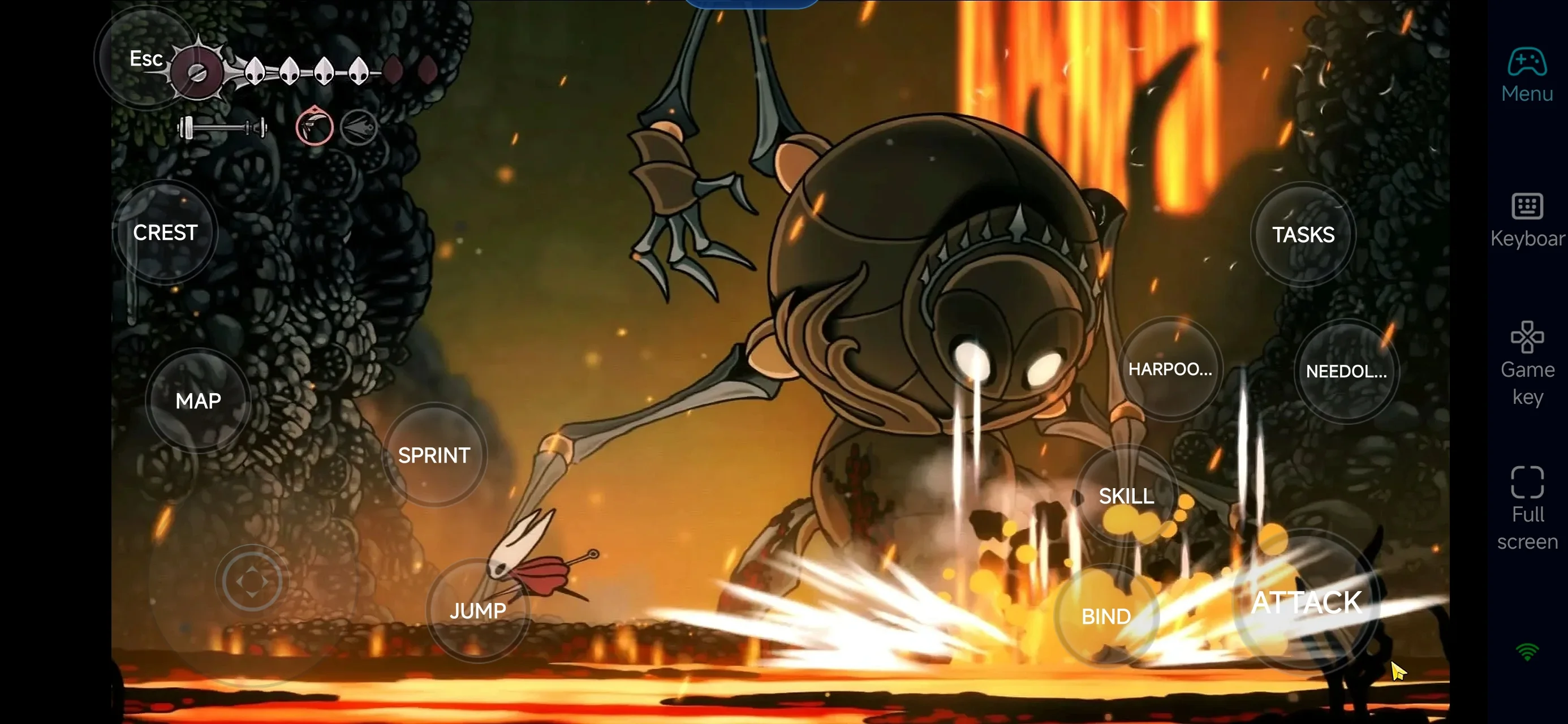
Thanks to OSLink’s low-latency streaming, every dash, jump, and parry feels fluid and exact. This ensures you can tackle Silksong’s challenging enemies and intricate platforming with confidence, just like on a native PC setup.
Seamless Cross-Device Experience
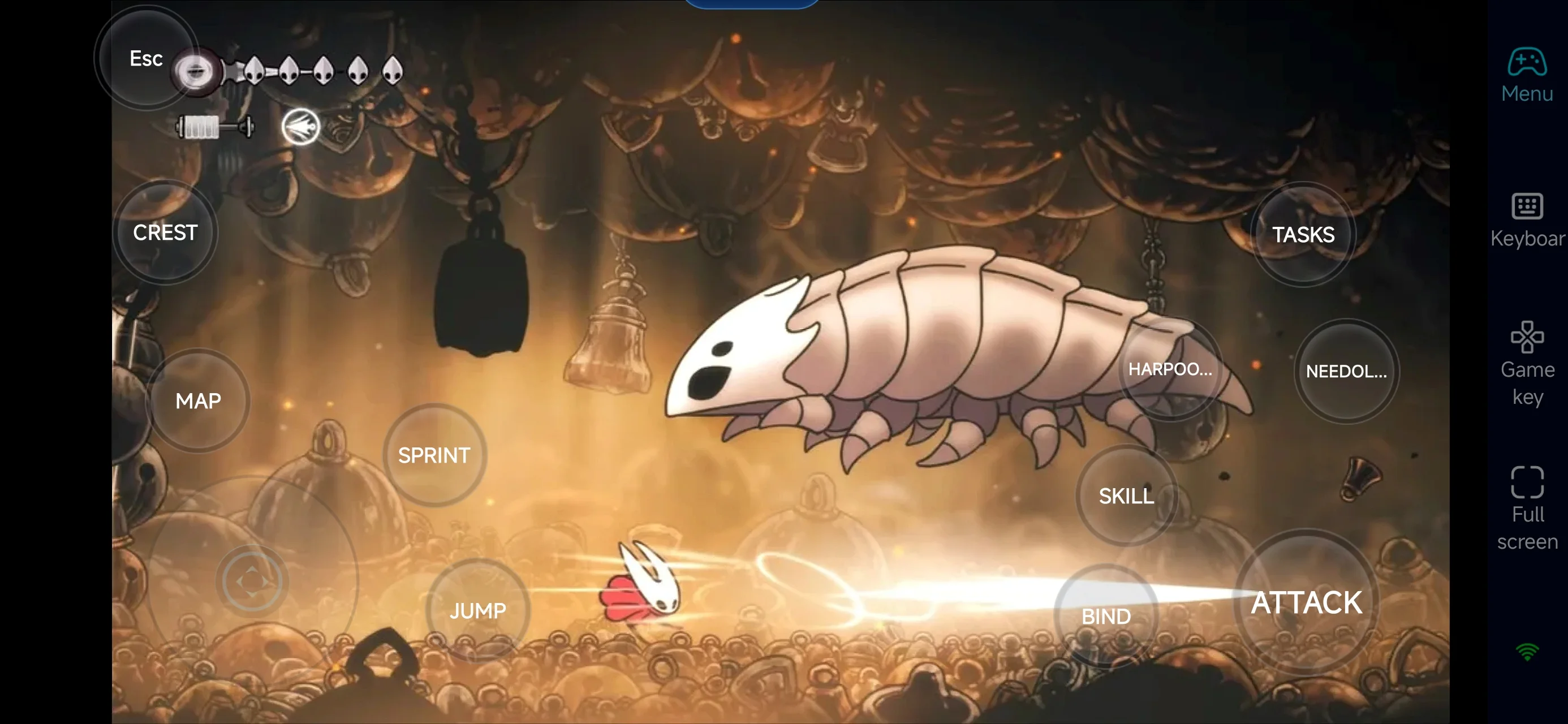
Use your phone or tablet—iOS or Android—to remotely control your PC and keep your save files perfectly synced. Unlock new skills, collect silk threads, and explore hidden corners of the kingdom whenever and wherever inspiration strikes.
Hollow Knight: Silksong — Early Tips & Remote-Play Advice
1.Prioritize finding Shakra to purchase the map and compass.
2.Manage Rosaries carefully — many actions like unlocking fast-travel station , resting at benches, or buying items require spending them.
3.There are many hidden areas in Hollow Knight: Silksong , so explore every corner when possible.
4.Some paths are blocked until you obtain certain abilities from other areas, so don’t get stuck trying to force your way past a single enemy or route.
Conclusion
OSLink turns Hollow Knight: Silksong into an adventure you can carry anywhere. We hope this guide helps you stay connected to the Silk Kingdom, explore its secrets on the go, and enjoy Hornet’s journey whenever inspiration strikes. Happy exploring!
 Download