English
 For an action card game like BLEACH Mirrors High, the strength of your starting characters can make a noticeable difference to your early-game experience. Although the launch rewards provide plenty of free pulls, getting the characters you want often means spending a lot of time manually rerolling. This guide covers an easy multi-instance AFK reroll setup that lets you manage multiple accounts at once, overcome device limitations, and quickly identify strong starting accounts.
OSLink connects PC emulators with mobile devices, allowing you to remotely view and control multiple emulator instances running on your PC from your phone. When playing BLEACH Mirrors High, you can even check your pull results remotely while you're away from your computer, giving you more flexibility without being tied to a single device.
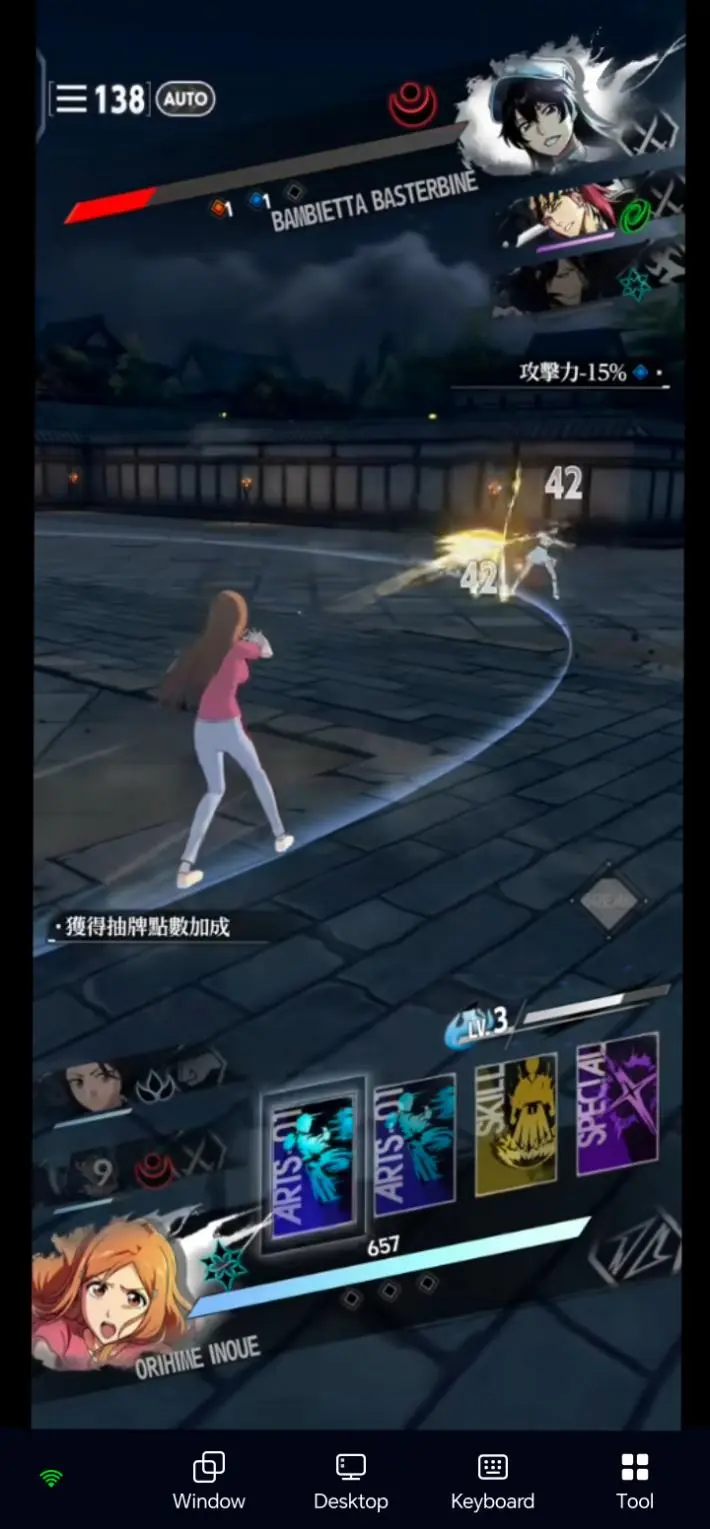
1. Recommended Starting Characters
New Player Summon Guide
The target banner for rerolling is the Free Soul Summon, commonly referred to by players as the unlimited 10-pull reroll. This free launch banner becomes available after completing the tutorial. It does not consume summon resources or count toward the regular summon tally. You can reroll the 10-pull as many times as you want before confirming your results. Once you confirm and claim the results, the banner will permanently disappear.
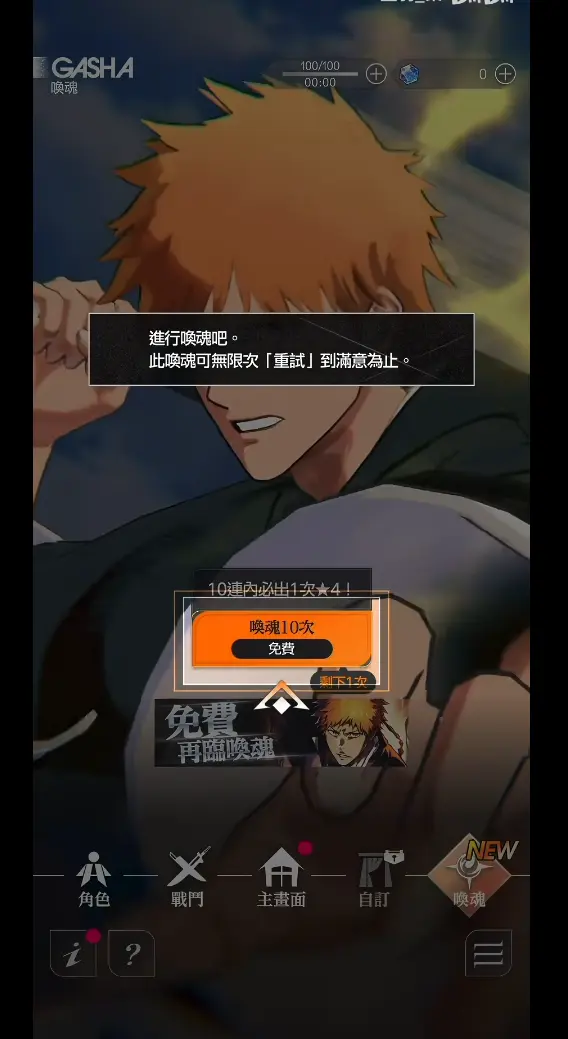
The pity system guarantees exactly one ★4 character per 10-pull, meaning you cannot obtain two ★4 characters in a single 10-pull. The remaining slots are filled with regular ★1–★3 characters, making this the recommended banner for getting a strong starting lineup.
Starting Character Overview
|
Character |
Key Strengths |
Best Use |
|
Ichigo Kurosaki – Bankai |
Comes with a high damage boost, has a short ultimate cooldown, and performs especially well in solo combat. |
Works across all content. Excellent for early progression and material farming with little need for specific team setups. |
|
Rukia Kuchiki |
Can apply debuffs to enemies while also providing team-wide stat buffs, improving team survivability in difficult stages. |
Fits into almost any team and helps cover weaknesses in team survivability. |
|
Tōshirō Hitsugaya |
A critical-hit-focused character who becomes much stronger after fully stacking his effects. |
High-HP boss fights and limited-time speed-clear stages. |
|
Byakuya Kuchiki |
Skills include AoE control effects that can set up follow-up combo damage. |
Stages with large groups of enemies and teams that lack a dedicated crowd-control unit. |




2. PC Software Setup
Install LDPlayer and the Game
Visit the official LDPlayer website to download the PC client. Once installation is complete, launch LDPlayer and search for BLEACH Mirrors High in its built-in game library. Install the game and wait for all game resources to finish unpacking. Then launch the game and test the login and combat interfaces to make sure everything runs normally without crashes before moving on to the next setup step.
Install OSLink on PC
Visit the official OSLink website to download the PC client. Complete the registration and sign-in process, then make sure the program stays running in the background so the streaming connection remains stable during later use.
3. Install OSLink on Mobile
On Android devices, search for OSLink in the app store and download it. iOS users can get the corresponding client from the App Store. Sign in on your phone with the same OSLink account used on your PC. The device list will automatically detect computers that are online, so there is no need to manually enter an address for pairing.
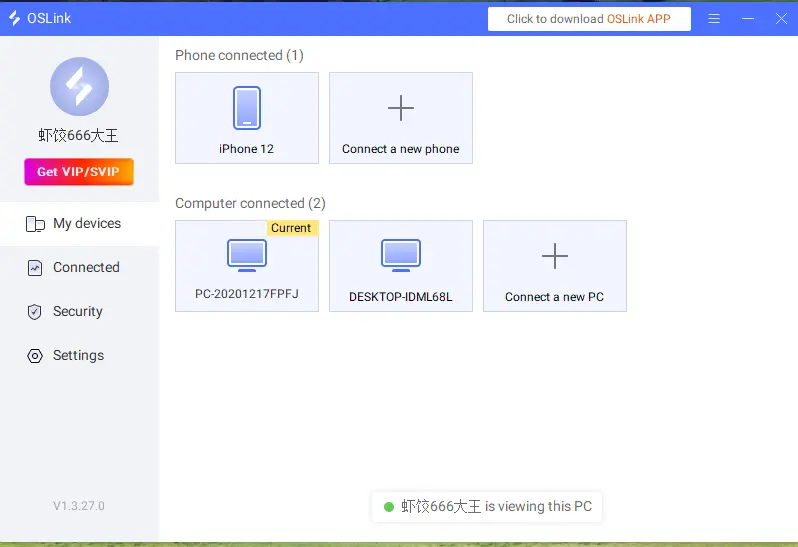
4. Connect PC and Mobile to Run the Game
Launch LDPlayer on your PC and start BLEACH Mirrors High, while keeping OSLink running in the background. Open OSLink on your phone and select the computer running the emulator from the device list to establish a connection.
Once connected, the emulator screen will be streamed to your phone. Touch commands on your phone will be sent directly to the PC emulator. You can resize the display and switch between different emulator instances to check their game status.
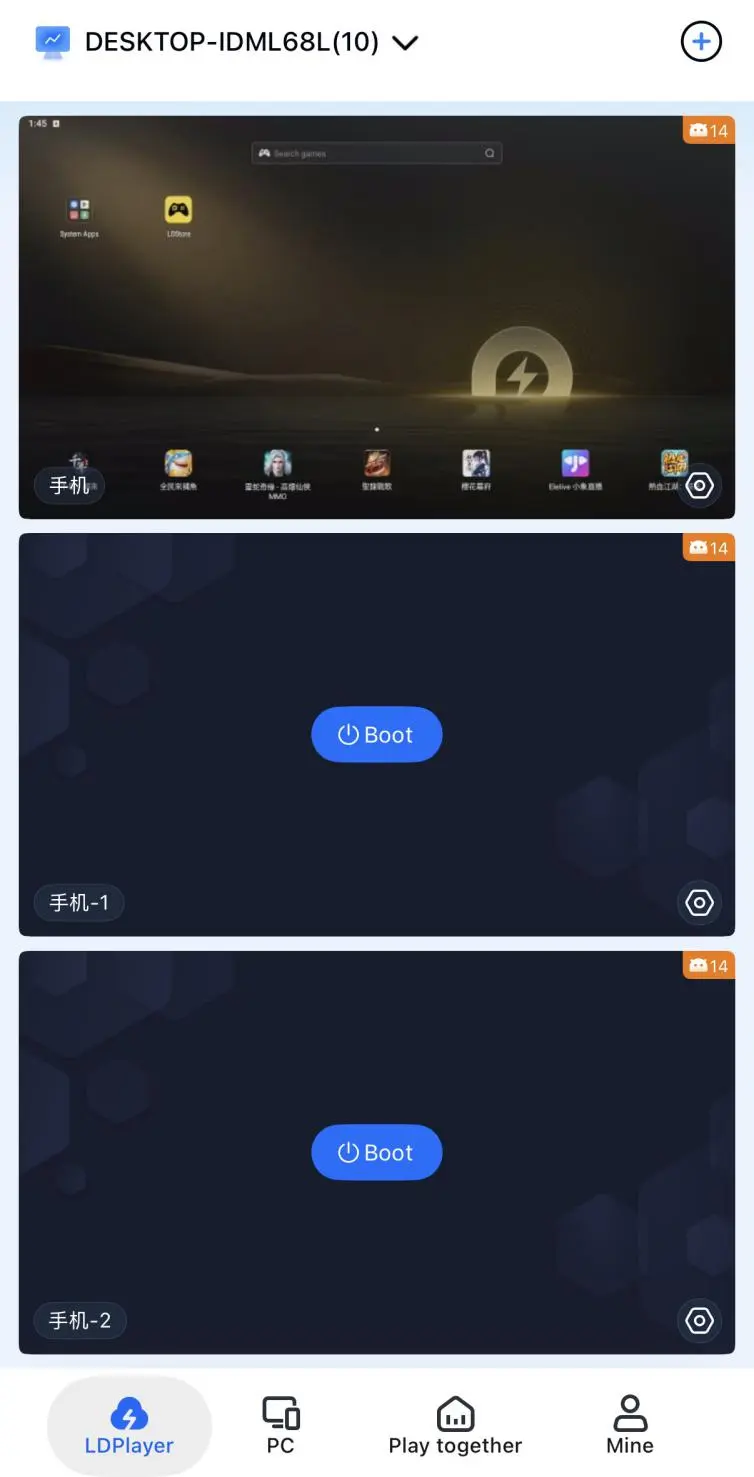
For a smoother streaming experience, keep the network connection on both your PC and phone stable. If the screen starts to lag, lower the streaming quality as needed. If the connection drops, simply select the device again on your phone to reconnect quickly.
5. OSLink Multi-Instance AFK Setup
Multi-Instance Rerolls
Open LDPlayer and click the Multi-instance icon in the toolbar on the right. Create multiple emulator instances, log into a separate game account on each one, and complete the initial game setup for all instances.
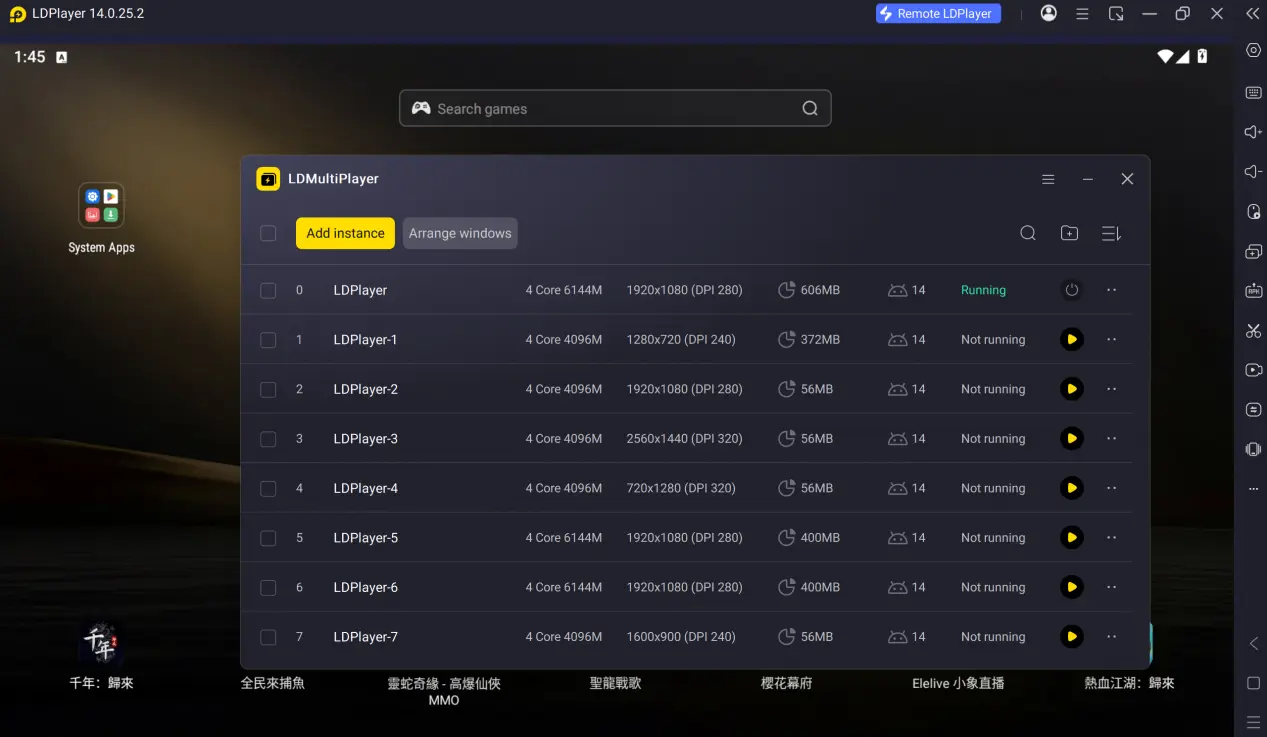
After confirming that all emulator instances are running properly, enable synchronized operation recording. Record the entire process once, including skipping the story, collecting summon resources, and entering the beginner summon banner. Save the recorded script, set the number of loops and the operation interval, then start automatic execution.
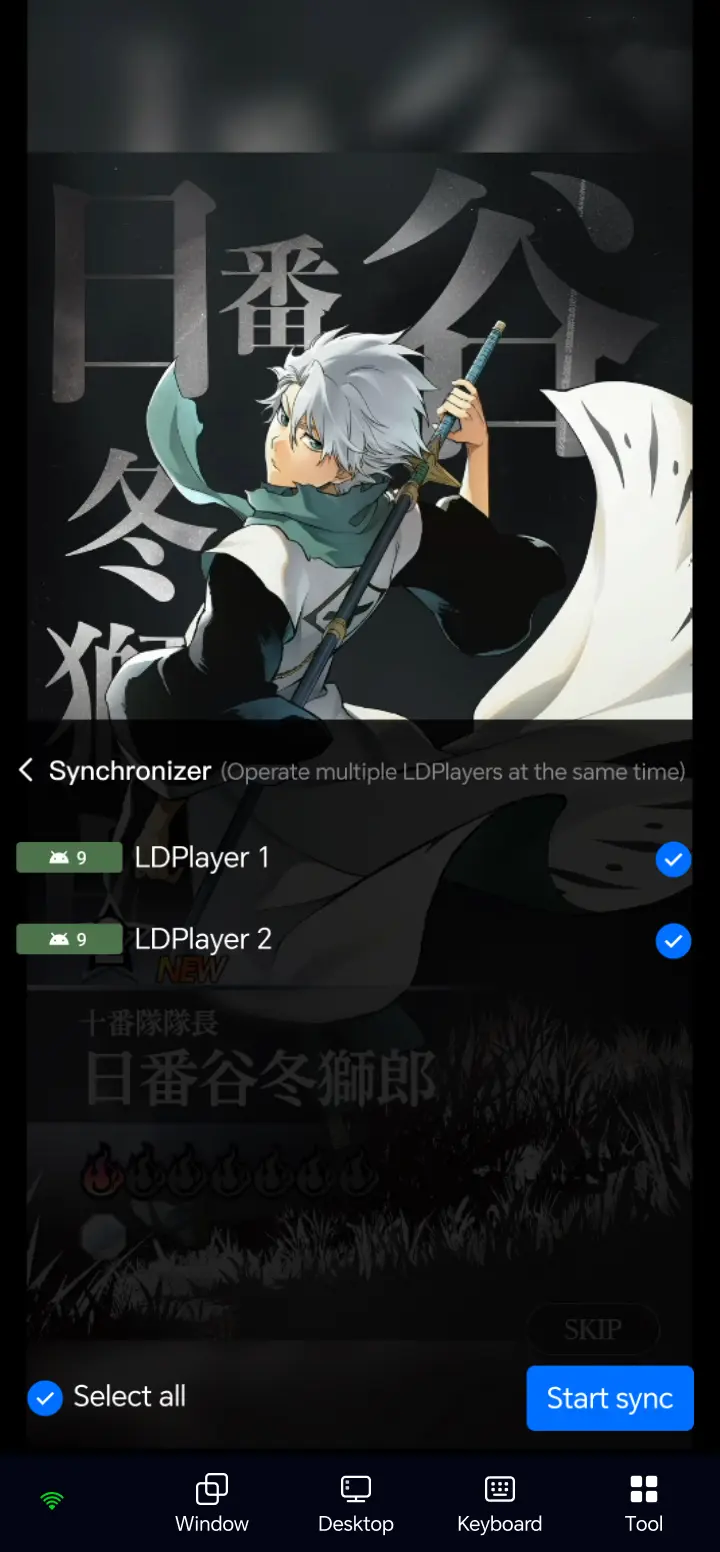
The script will repeatedly run through the entire reroll process. You only need to check the summon results from each instance periodically and keep the accounts that pull your target characters. Once you finish screening the accounts, unwanted ones can be quickly reset by clearing the app data in the emulator, so there is no need to download the game resources again.
AFK Farming
Once you have an account you're happy with, click Auto Click in the toolbar on the right and record a repeatable sequence of actions. The script can then repeatedly perform actions for clearing stages, farming materials, and completing daily missions, helping you collect the resources needed for character breakthroughs and level upgrades.
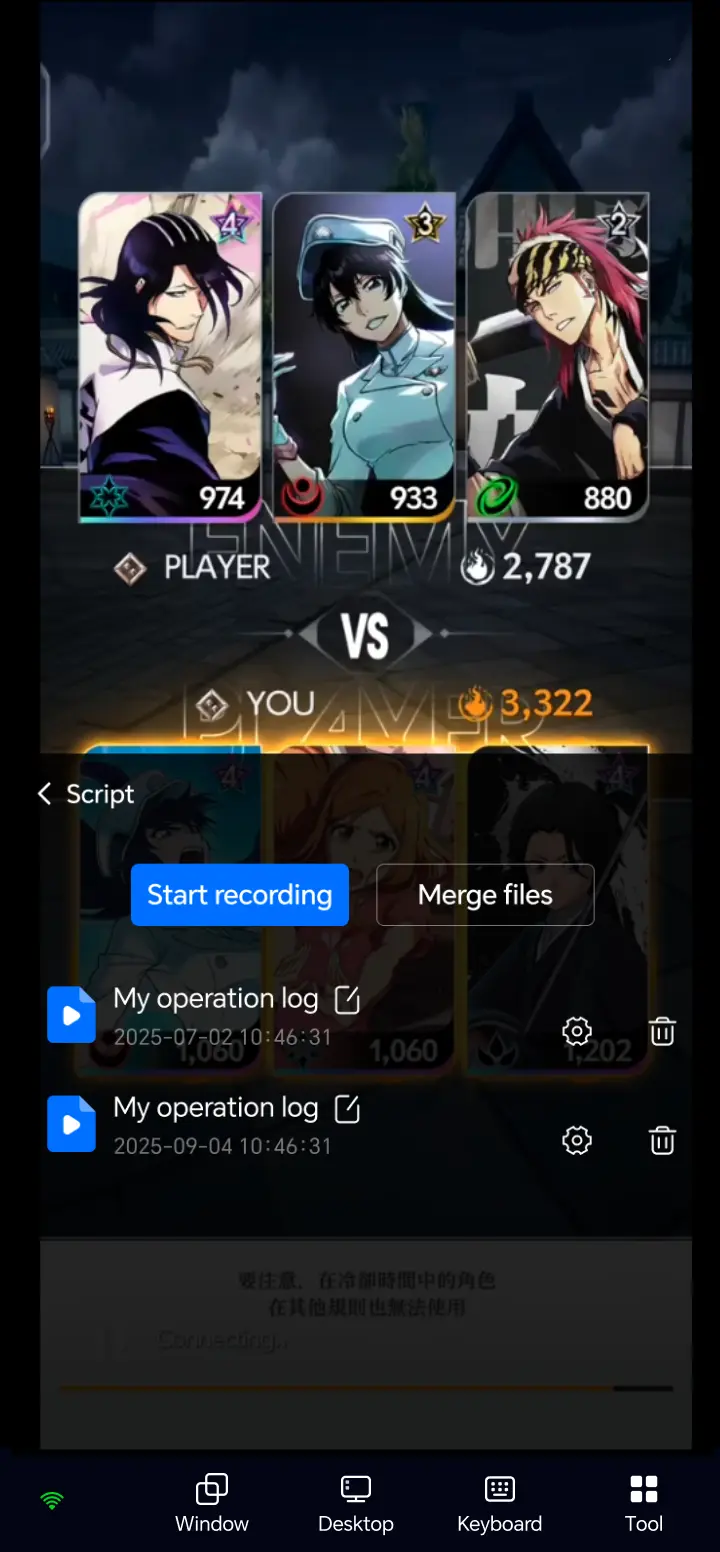
When recording a script, leave a reasonable delay between clicks to prevent pop-ups or loading screens from throwing the script out of sync and causing it to fail. During AFK farming, the computer must not enter sleep mode. Your phone only needs to be used for monitoring, and you do not have to stay on the streaming screen the entire time. Even when OSLink is running in the background, you can still receive status notifications from the emulator instances.
6. Frequently Asked Questions
Q: what is BLEACH Mirrors High release time?
A: BLEACH Mirrors High release date is October 28, 2026.
Q: What PC hardware do I need to run multiple instances and AFK farming?
A: A basic home PC is enough to run a single emulator instance. The minimum recommended setup is a 4-core CPU and 8 GB of RAM, which is sufficient for stable single-instance gameplay and rerolling. If you plan to run multiple emulator instances for batch rerolls while also leaving AFK character progression running, you'll need more powerful hardware. A recommended setup is an 8-core or better CPU with 16 GB of RAM. This can help prevent emulator lag, interrupted AFK scripts, and dropped streaming connections, greatly improving the efficiency of multi-instance rerolls. If your PC has less than 16 GB of RAM, running three or more emulator instances at the same time is not recommended.
Q: Can Android devices use OSLink for multi-instance rerolls and AFK farming?
A: An Android phone is only used for remote monitoring and control. It cannot create multiple game environments directly on the phone. The actual batch reroll and AFK material farming process still relies on LDPlayer running on a PC, while OSLink on Android remotely takes control of all emulator windows.
Q: Can iOS devices use OSLink for multi-instance rerolls and AFK farming?
A: Due to iOS system restrictions, iOS devices can only stream and control a single instance at a time and cannot batch-reroll multiple starting accounts. If you want to run multiple instances for rerolls and AFK farming, you can use OSLink together with LDPlayer to handle the complete process.
Summary
By combining an emulator with OSLink remote control, you can monitor multiple BLEACH Mirrors High instances running on your PC directly from your phone. Whether you're commuting or have a little free time, you can remotely start AFK tasks, manage multiple accounts, reroll summons, and farm progression materials. Adjust the number of emulator instances according to your PC hardware, follow the game's user guidelines, and make character progression and resource farming much easier.
 Download