English
 Light and Night is an immersive otome mobile game with a massive multi-branched storyline system. Each romanceable character has exclusive story branches. Based on the choices you make at diverging points in each chapter, you will trigger either a Light Ending or a Night Ending. The two endings feature completely different story developments, appearing characters and dialogues, which are among the core charms of the game. Since experiencing every storyline branch and ending on a single account can be time-consuming, many players use the multi-instance function of PC emulators to create multiple independent accounts for different characters and story choices. This guide will teach you how to use the OSLink remote control tool together with emulators to manage multiple emulator windows remotely on your mobile phone, switch between accounts smoothly, and explore multiple storylines and endings more efficiently.
Table of Contents
Tool Installation and Preparatory Settings
1.Download and Install OSLink and Android Emulator
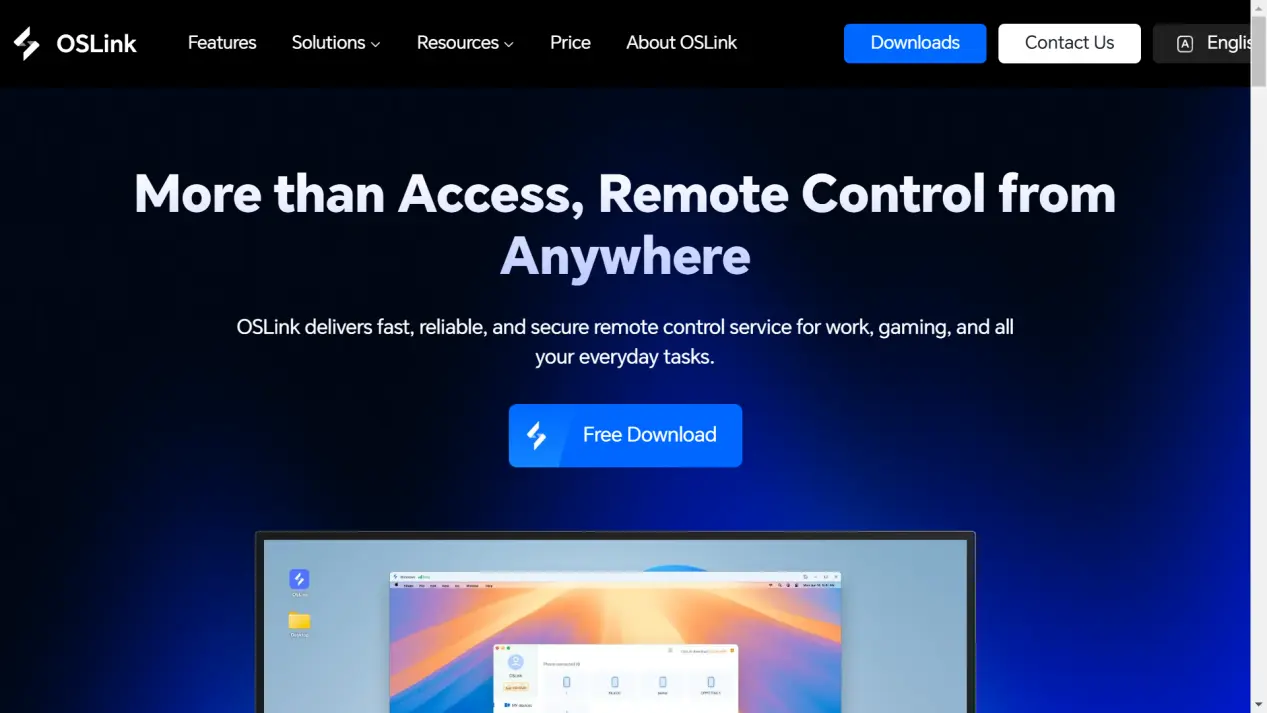
First, open the browser on your computer and visit the official OSLink website to download the PC version installer. Meanwhile, download the latest official version of LDPlayer. Install both programs using the default installation settings.
2.Install Light and Night
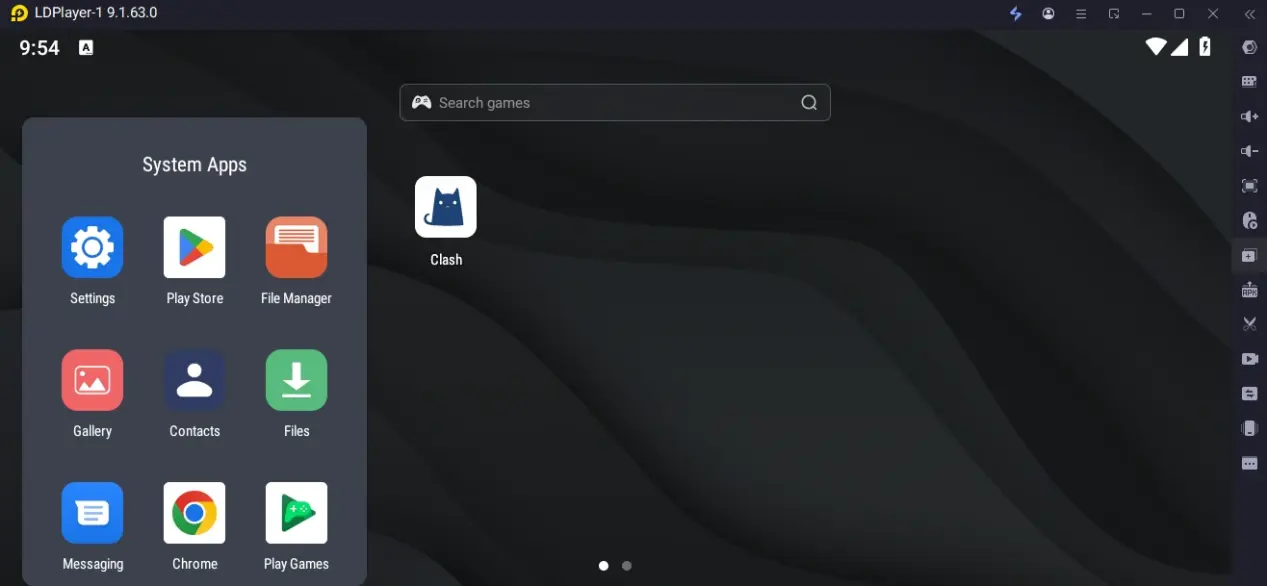
Launch LDPlayer and open the built-in app store. Search for Light and Night and complete the installation.
When launching the game for the first time, it is recommended to download the full game resource package, story animations and voice files. This can prevent loading errors and missing images when switching between multi-instance windows later. After completing the initial game guide, close the game and get ready for multi-instance and remote control settings.
Mobile Remote Control Settings | Manage Multi-Instance Windows Across Devices
After finishing the setup on your PC, you can remotely connect to your computer via mobile phone. You may switch and operate all game multi-instance windows anytime and anywhere without being restricted by the location of your computer.
1.Install OSLink on Mobile Devices
Mobile users can download the OSLink mobile application from the App Store or Google Play. If you cannot find it in the store, you may also download the corresponding APK installation file directly from the official OSLink website.
2.Establish a Stable Remote Connection
Please confirm the following three points to ensure smooth and uninterrupted remote control:
Log in to the same OSLink account on both PC and mobile versions; keep your computer powered on and connected to a stable network (LAN Wi-Fi is recommended for lower latency); keep LDPlayer running with at least one game instance open.
Setup Steps:
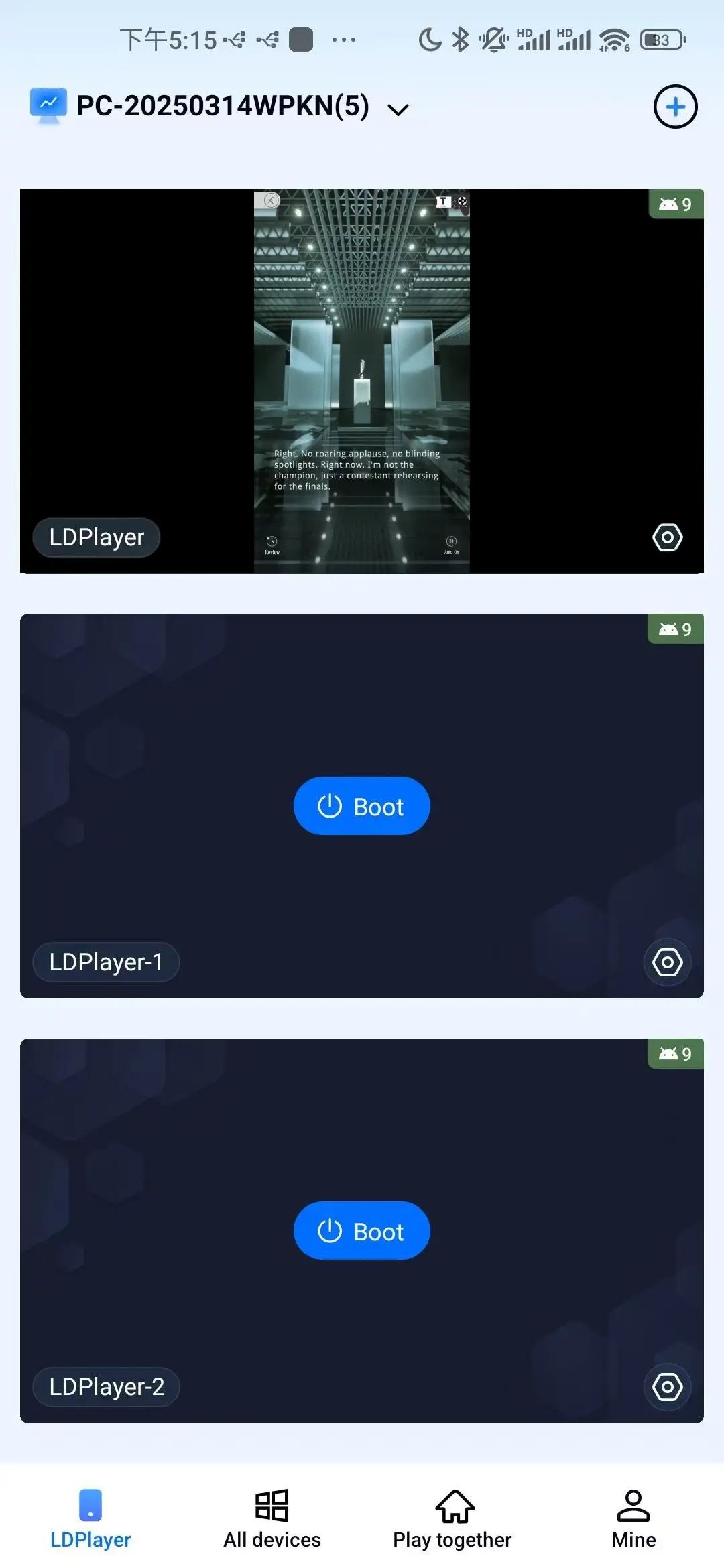
Open the OSLink app on your mobile phone. The application will automatically scan online PC devices logged in with the same account.
Tap the corresponding PC device name to establish a remote connection.
Once connected successfully, your mobile screen will synchronize with the PC emulator in real time. You can tap and slide directly on the screen to fully control the game.
Multi-Instance Setup | Experience All Storylines and Light / Night Dual Endings
Create independent game accounts on different emulator windows to play as different characters and select different story choices, so as to unlock all divergent endings.
Create Basic Multi-Instance Windows (LDPlayer Multi-Instance Manager)
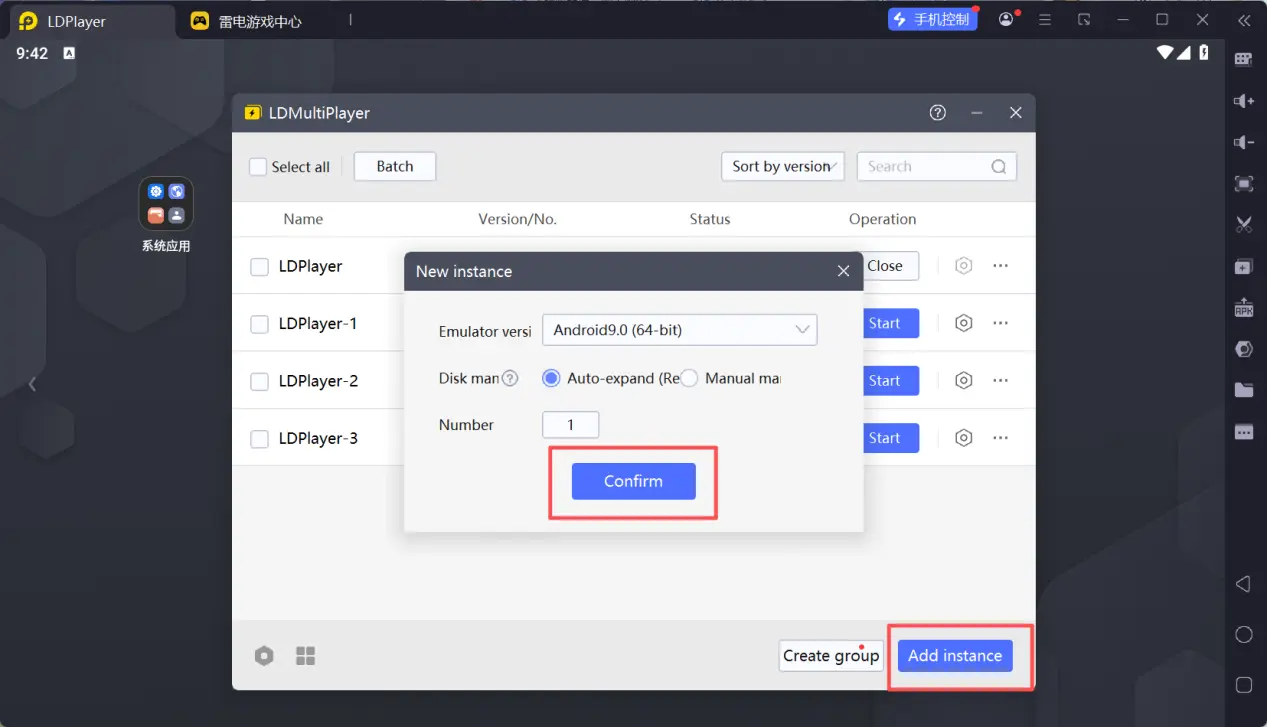
Open LDPlayer Multi-Instance Manager on your PC desktop.
Tap Create New Instance at the bottom right of the interface. You may choose to create a brand-new emulator or copy an existing one. Copying an existing emulator will retain the pre-installed Light and Night, saving you from repeated game downloads. This method is highly recommended.
Create a number of independent windows according to the storylines you want to experience. It is suggested to arrange windows by characters and group them for Light / Night endings.
Start all emulator windows one by one, and log in to brand new independent game accounts for each window. Do not log in to the same account across multiple windows, or it will cause account abnormalities.
OSLink Synchronization | Switch Between Storyline Windows in Batches
If you need to view and switch the storyline progress of multiple accounts at the same time, enable the synchronization function of OSLink to simplify the management of multi-windows:
Turn on the Synchronous Operation function in the remote control interface of mobile OSLink.
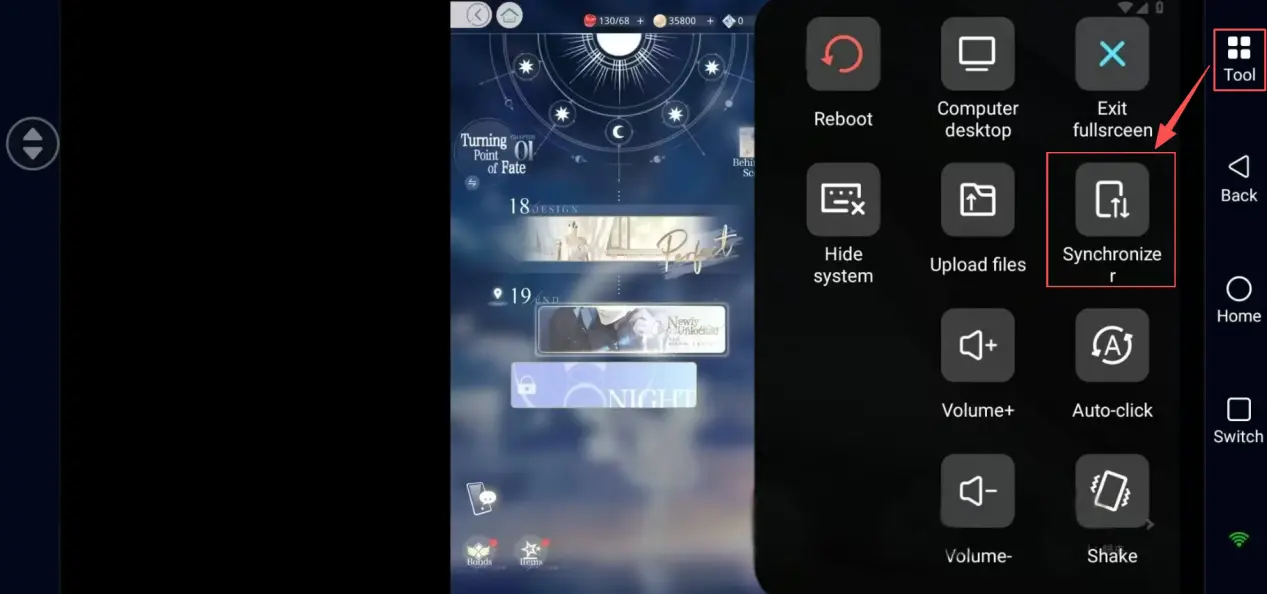
Check all emulator windows that you want to control synchronously.
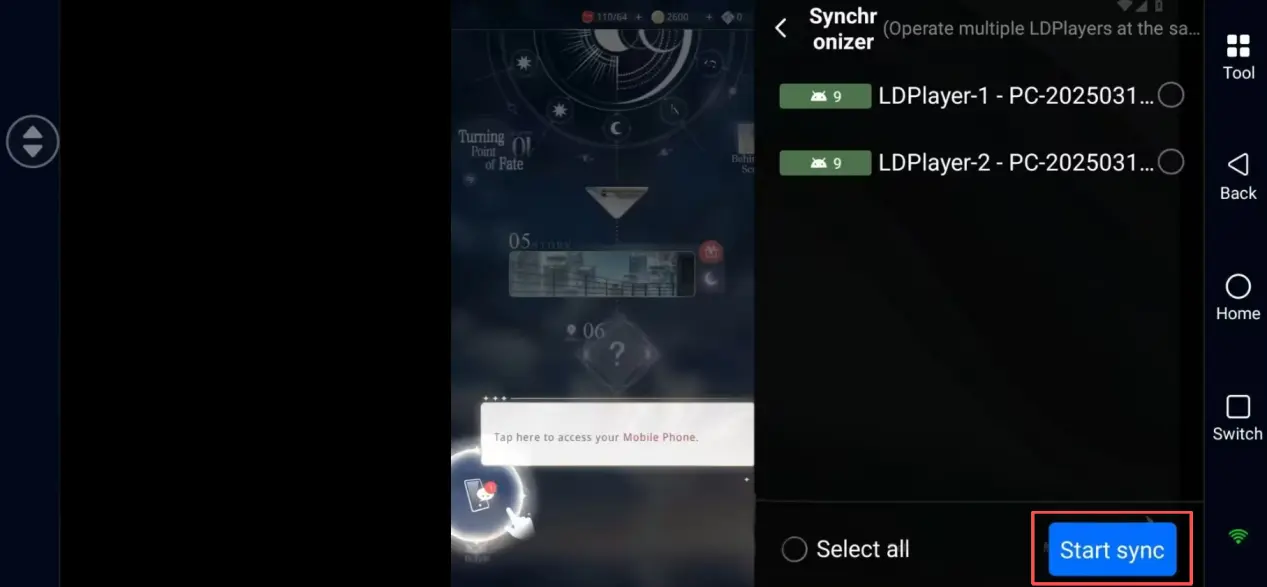
After enabling synchronization, you can quickly switch between different game windows on your mobile phone, progress each storyline more efficiently, and compare the differences brought by different choices.
Account & Storyline Planning for Dedicated Story Routes
This is the key arrangement for experiencing storylines via multi-instance. It is recommended to assign gameplay directions for each multi-instance window following the rules below to collect all content efficiently:
Window 1: Focus on Xiao Yi’s route, and select options leading to the Night Ending in every chapter;
Window 2: Focus on Lu Chen’s route, and unlock the Light Ending of all chapters;
Window 3: Focus on Qi Si Li’s route, and experience two types of divergent endings alternately;
Window 4: Focus on Xia Ming Xing and Charlie Su’s routes to complete the remaining exclusive storylines of other characters.
All independent accounts will not interfere with each other. You can focus on one storyline in a single window without using in-game items to reset plots, and fully enjoy the romantic atmosphere and story development of each character.
FAQ
Q: When was Light and Night launched?
A: The Traditional Chinese server officially launched on June 16, 2023. The Southeast Asian international server is scheduled to officially launch on June 16, 2026
Q: Can I run multiple instances of Light and Night directly on iOS devices?
A: The iOS system does not support native multi-instance for mobile games, so you cannot open multiple game windows directly on your iPhone. However, you can install OSLink on your iPhone to remotely control multiple emulator windows running on your computer, and manage and play all independent accounts via your mobile phone anytime.
Q: What are the recommended PC specifications for multi-instance gameplay? How to ensure smooth storyline playback?
A: To ensure stable operation of multiple emulators and smooth playback of story animations and Live2D illustrations, the recommended specifications are as follows:
Operating System: Windows 10 / Windows 11
Processor: Intel Core i5 or above / AMD Ryzen 5 or above
RAM: 16GB RAM for running 2–3 windows; 32GB RAM for running more than 4 windows to avoid lag during storyline loading
Graphics Card: GTX 1650 or above to ensure smooth playback of animations and character special effects
Q: Is there any risk of account ban when using multi-instance?
A: As long as you use separate game accounts for each emulator window, do not use cheats, automation tools or other illegal programs, and only play storylines normally, you will not trigger the game’s security mechanism. It is advised not to use any auto-click tools on multi-instance windows.
Q: What are the main differences between the two endings?
A: Light Ending and Night Ending differ in appearing characters, dialogues, scene details and affection-related rewards. Some subsequent hidden storylines will also change along with different endings. Playing with multiple separate accounts allows you to compare the two divergent routes and fully complete the game’s worldview and character stories.
Conclusion
Whether you want to experience the exclusive routes of the five romanceable characters one by one, or compare the Light and Night divergent endings of each chapter, this set of tools can greatly save your time on repeated gameplay. Arrange multi-instance windows by characters and endings, switch between different game accounts remotely on your mobile phone, and experience the rich romantic storylines and diverse plots of Light and Night to the fullest, immersing yourself in the romantic world of Luminopolis.

By combining OSLink and LDPlayer emulators, you can easily realize cross-device remote control and multi-window gameplay with independent accounts for Light and Night. This multi-instance setup is designed specifically for exploring multiple story routes and both ending variations, which is completely different from traditional AFK farming multi-instance setups.
 Download