English
 Want to dive into Hades II anytime, anywhere, and keep your build momentum going without interruption? With OSLink's remote control feature, you can seamlessly connect to your home PC and play the full PC version of Hades II right on your mobile device. Whether you're progressing through the story, grinding runs, experimenting with weapon and boon combos, or just farming resources and learning boss patterns, everything runs smoothly. This guide walks you through setting up OSLink and optimizing both controls and display, so you can jump into the action during your commute, breaks, or any spare moment—never missing a crucial dodge or damage window.
Quick Setup Tutorial for Playing Hades II on Mobile
Step 1: Download OSLink and Connect Devices
PC Side:
Visit the OSLink official website to download the software and complete the installation.

Mobile Side:
Download the OSLink App from the App Store or Google Play; the official website also offers APK downloads.
Log in with the same account as on the PC side to automatically connect.

Step 2: Control Optimization
1. Launch the Game
Open Hades II on your PC, and the mobile side can connect directly; if Hades II hasn't been launched on the PC yet, click the game icon on the mobile side for quick startup.
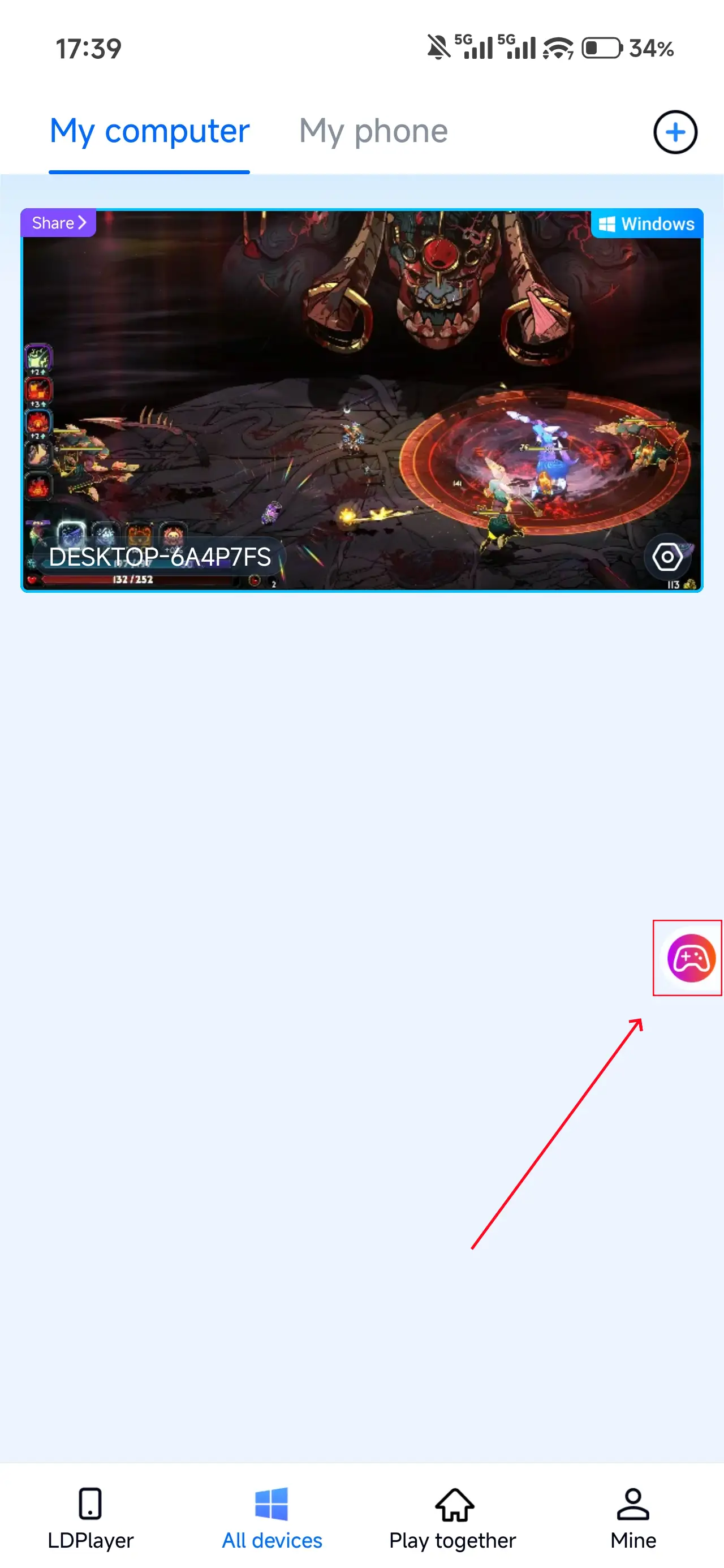
2. Control Mode
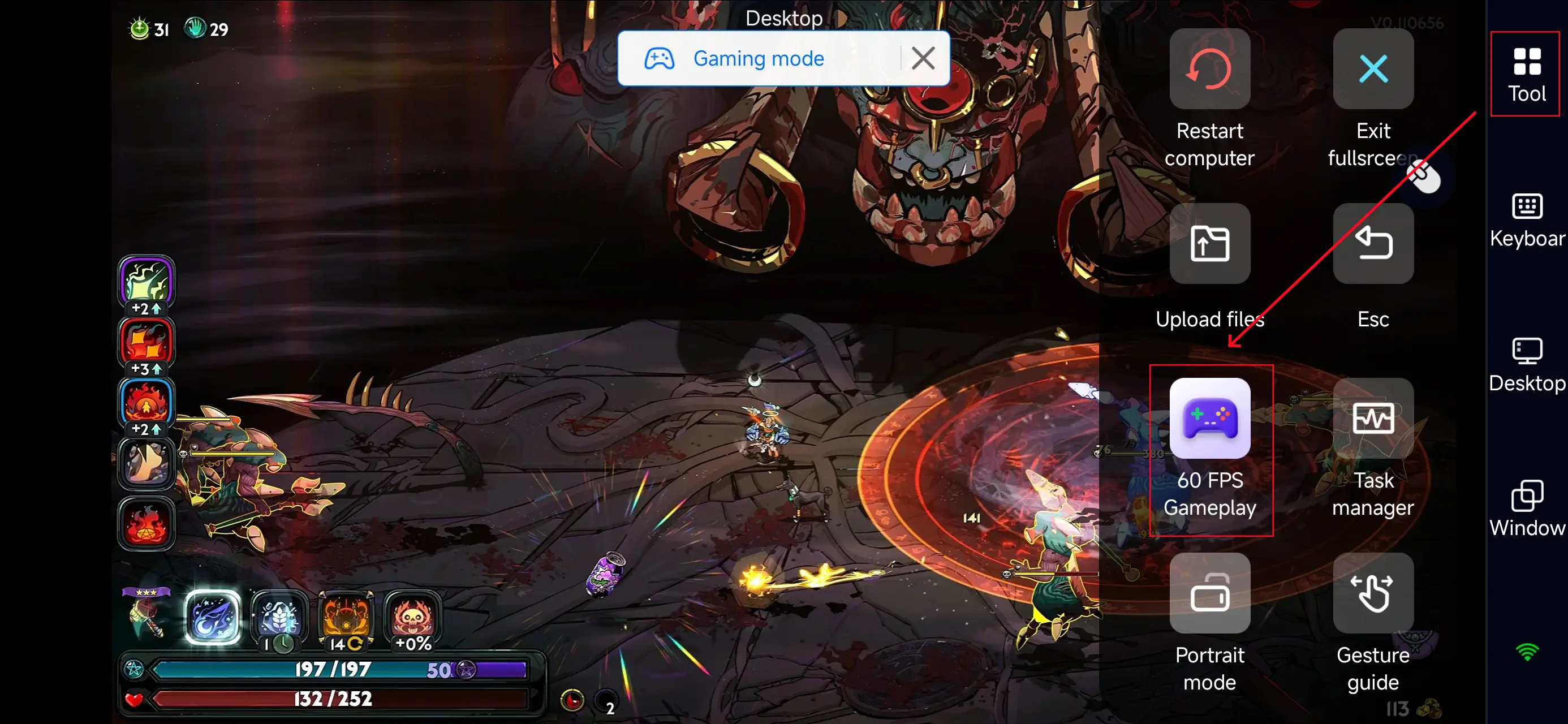
Click the toolbar on the right side of the mobile app, enter "60 FPS Gameplay," and choose key mode or link a controller based on your gaming preferences.
3. Key Selection
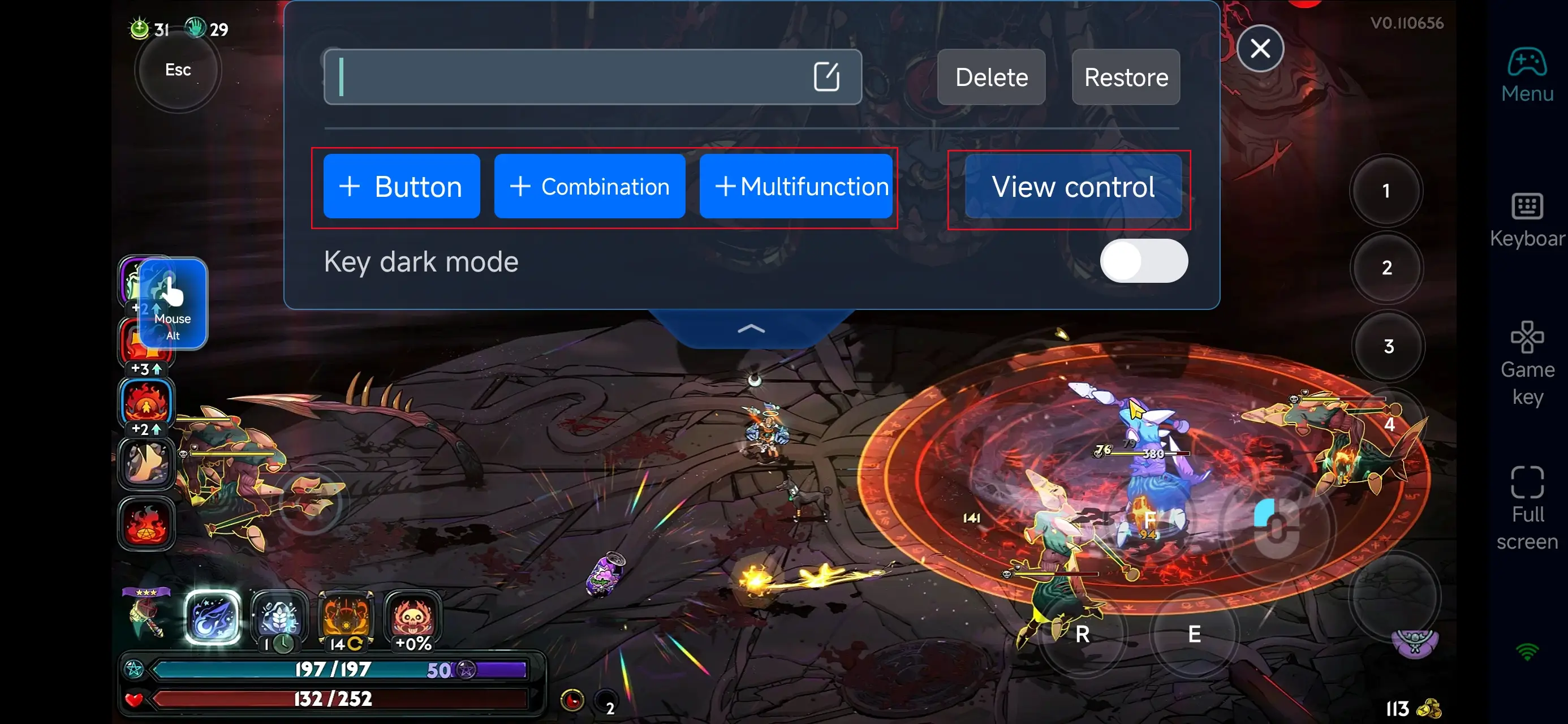
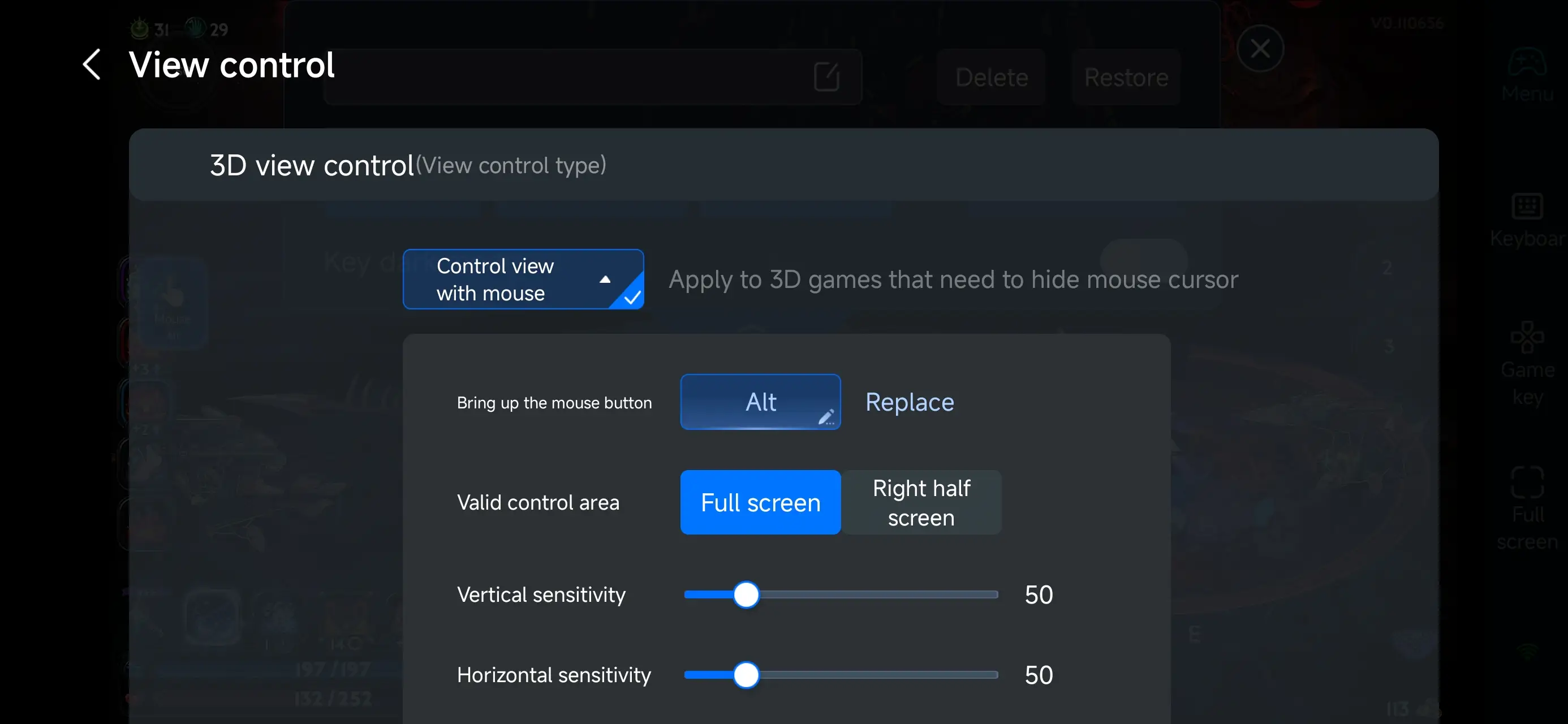
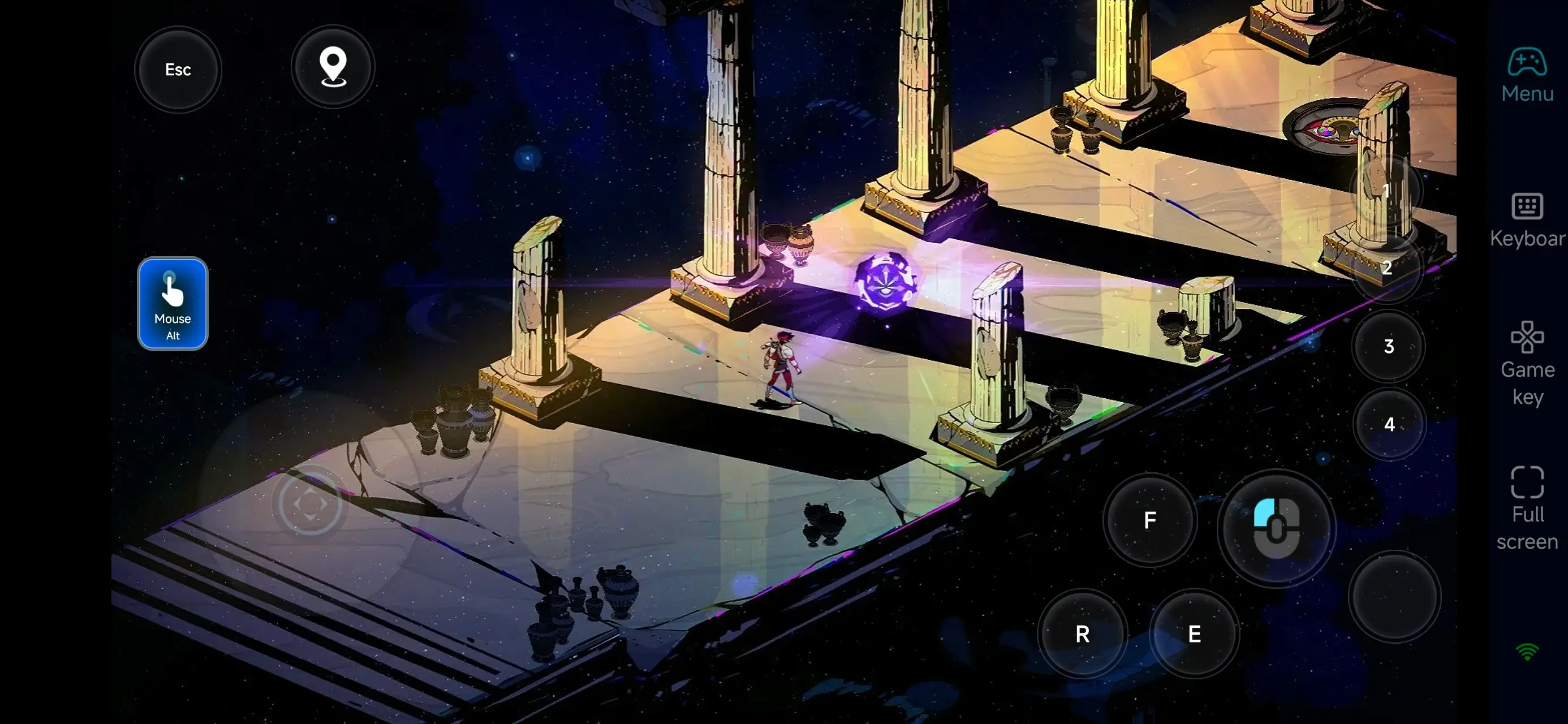
Once you enter PC Game Mode, you can select a preset control layout tailored for Hades II in the "Game Buttons" area on the right side of your mobile screen. Customize everything from movement, dash, attack, and special to cast and interact—all based on your personal preference. OSLink offers deeply customizable controls, letting you freely add, adjust, or remove buttons. Fine-tune their size, transparency, and activation to keep your combat view clear while ensuring instant, precise responses even during intense action.
If you prefer a fast, combo-heavy playstyle, you can use macro keys to chain frequent actions into one-tap commands—like move → dash → attack—perfectly matching Hades II's high-speed roguelike combat flow. This setup reduces input load and lets you maintain consistent DPS and agile movement even while playing remotely, delivering a smooth and reliable mobile battle experience.
4.Connect external devices
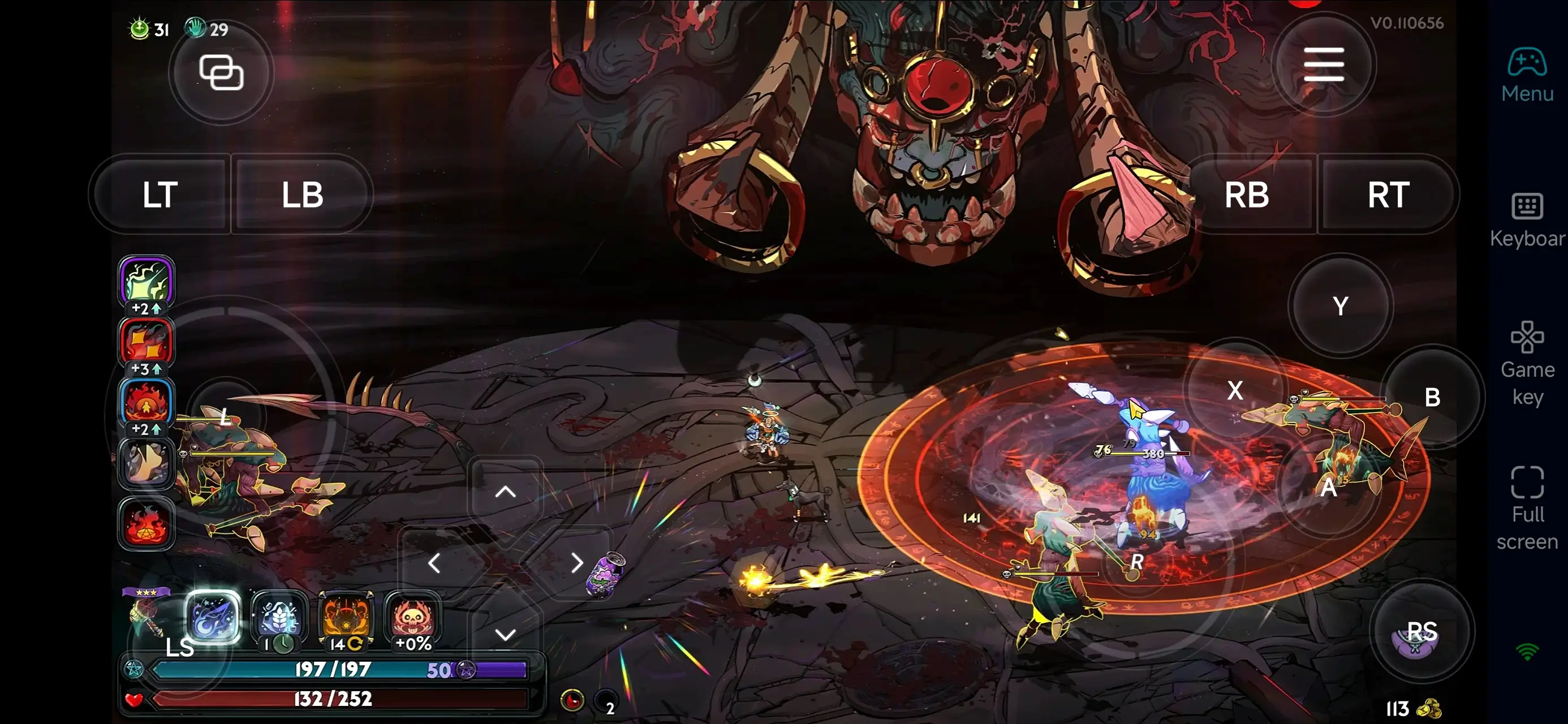
Beyond customizable buttons, OSLink supports a variety of external devices such as Bluetooth controllers and mobile gamepads clipped to your phone. This compatibility frees you from touchscreen limitations and offers a wider range of control options.
Step 3: Jump Back into the Anytime, Anywhere
Once set up, your phone becomes a portable command center for Hades II. Whether you're on the go or taking a quick break, just launch OSLink to instantly reconnect to your home PC. Continue your dungeon runs, tweak your boons and build, or dive back into fast-paced combat—all without missing a beat. Even away from your desk, you’ll keep full control over every run and every fight.
Why Choose OSLink for Hades II?
1.Break Free from Time and Hardware Limits
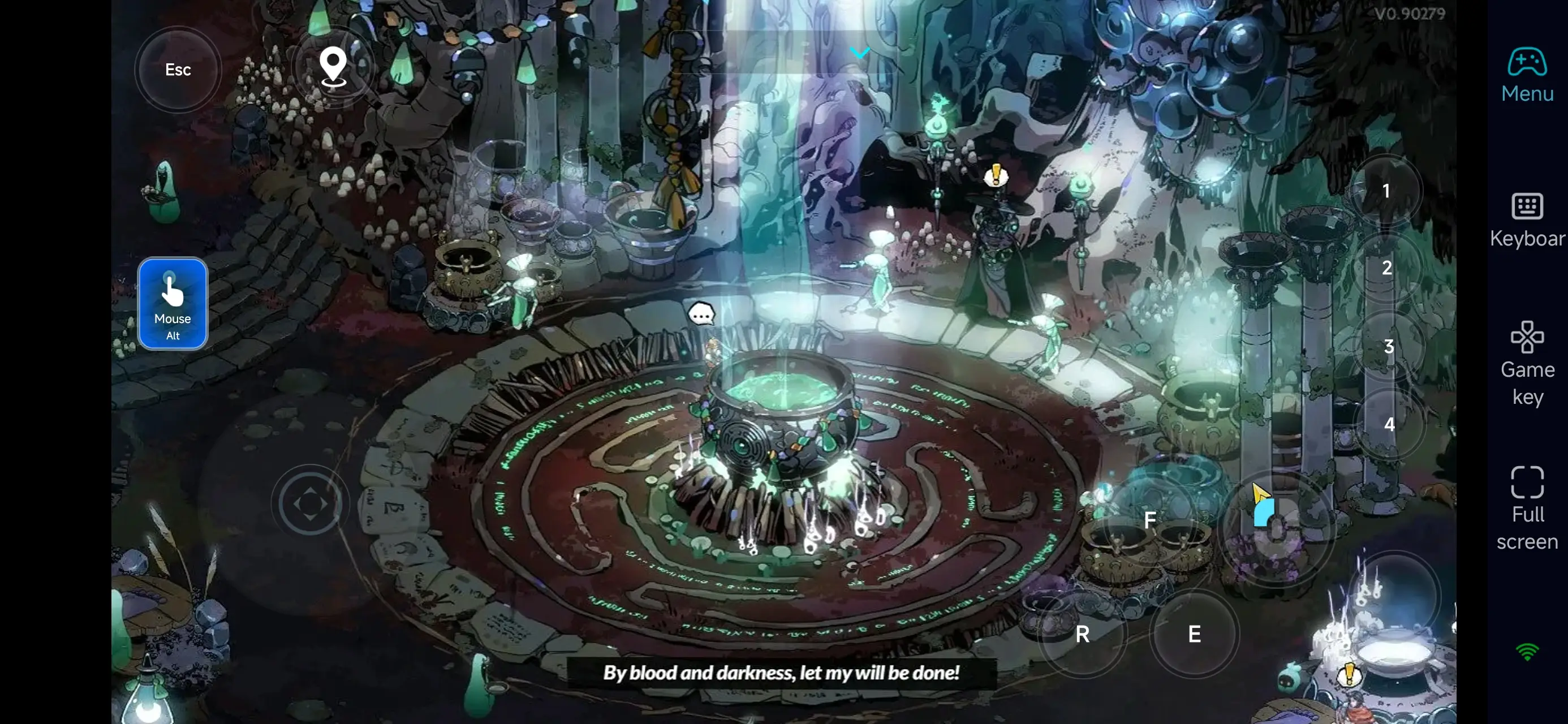
With OSLink, you can play Hades II remotely from your phone whenever you want. Stuck commuting, waiting around, or just can’t sit at your desk? As long as you’re connected, you can keep pushing through Tartarus, testing new weapon and boon combos, and keeping your run streak alive.
2.Highly Customizable Controls for High-Speed Combat
Hades II demands precise movement, frequent skill use, and well-timed dodges. OSLink delivers fully customizable touch controls and virtual layouts, so you can arrange movement, attacks, casts, and interacts exactly how you like on your mobile screen. Paired with virtual sticks and shortcut keys, you’ll keep reactions sharp and movement fluid—even in the heat of remote play.
3.Handle Prep and Progression Remotely
A big part of Hades II happens outside of combat: picking weapons, planning boon builds, upgrading resources, and adjusting your strategy. With OSLink, you can review your progress, tweak your loadout, or plan your next run from anywhere. Then, when you’re back at your PC, you can focus entirely on the action—making your overall play session more efficient and less fatiguing.
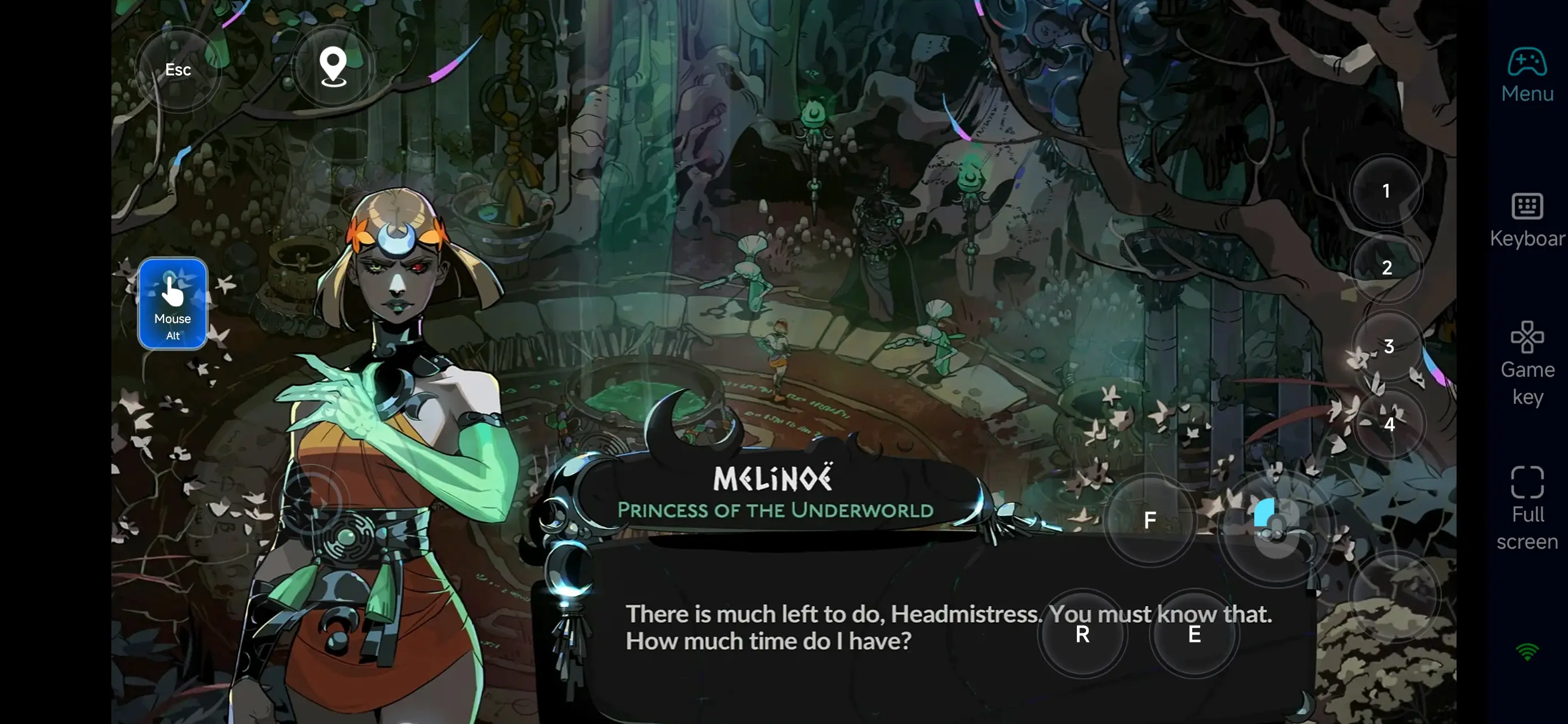
With OSLink, your mobile device becomes an extension of your Hades II battlefield. Launch the app, connect instantly, and you’re ready to adjust builds, take on new challenges, or jump straight back into the fight—free from time or location limits. For players who love experimenting with builds and committing to long challenge runs, remote play adds flexibility and turns spare moments into meaningful progress, making every escape attempt count.
 Download