English
 Want to fully experience FINAL FANTASY TACTICS - The Ivalice Chronicles anytime on your phone or tablet without being tied to your PC? With OSLink’s remote control feature, you can seamlessly connect to your home computer and play the full PC version remotely. Whether you’re progressing through story battles, fine-tuning job builds, or carefully planning turn-based tactics on the battlefield, the experience remains smooth and responsive.
This guide walks you through setting up OSLink step by step, optimizing controls and screen settings for tactical gameplay, so you can manage battles, equipment, and party setups during your commute, breaks, or downtime. With OSLink, you’ll never miss a key decision or strategic moment in FFT The Ivalice Chronicles.
Quick Setup Tutorial for Playing FFT The Ivalice Chronicles on Mobile
Step 1: Download OSLink and Connect Devices
PC Side:
Visit the OSLink official website to download the software and complete the installation.

Mobile Side:
Download the OSLink App from the App Store or Google Play; the official website also offers APK downloads.
Log in with the same account as on the PC side to automatically connect.

Step 2: Control Optimization
1. Launch the Game
Open FFT The Ivalice Chronicles on your PC, and the mobile side can connect directly; if FFT The Ivalice Chronicles hasn't been launched on the PC yet, click the game icon on the mobile side for quick startup.
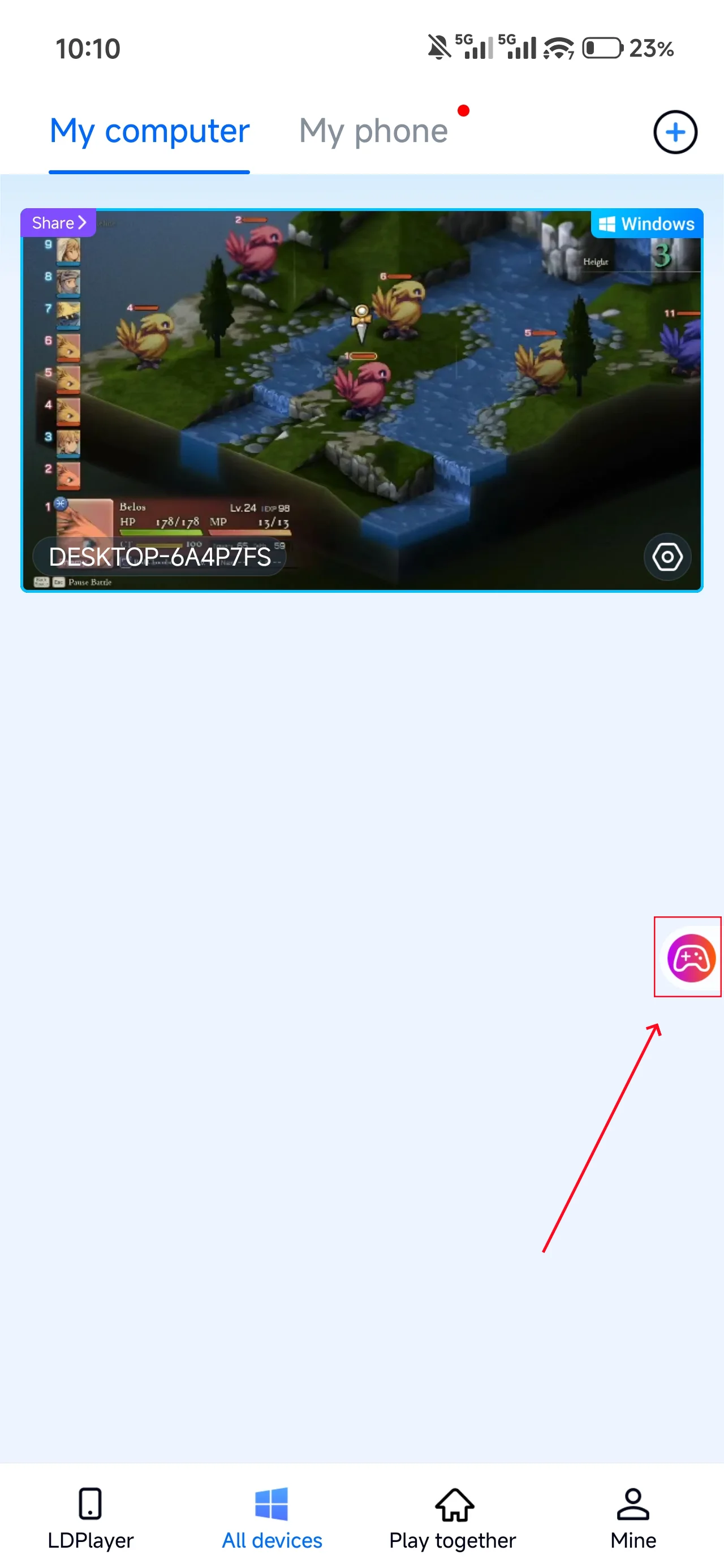
2. Control Mode
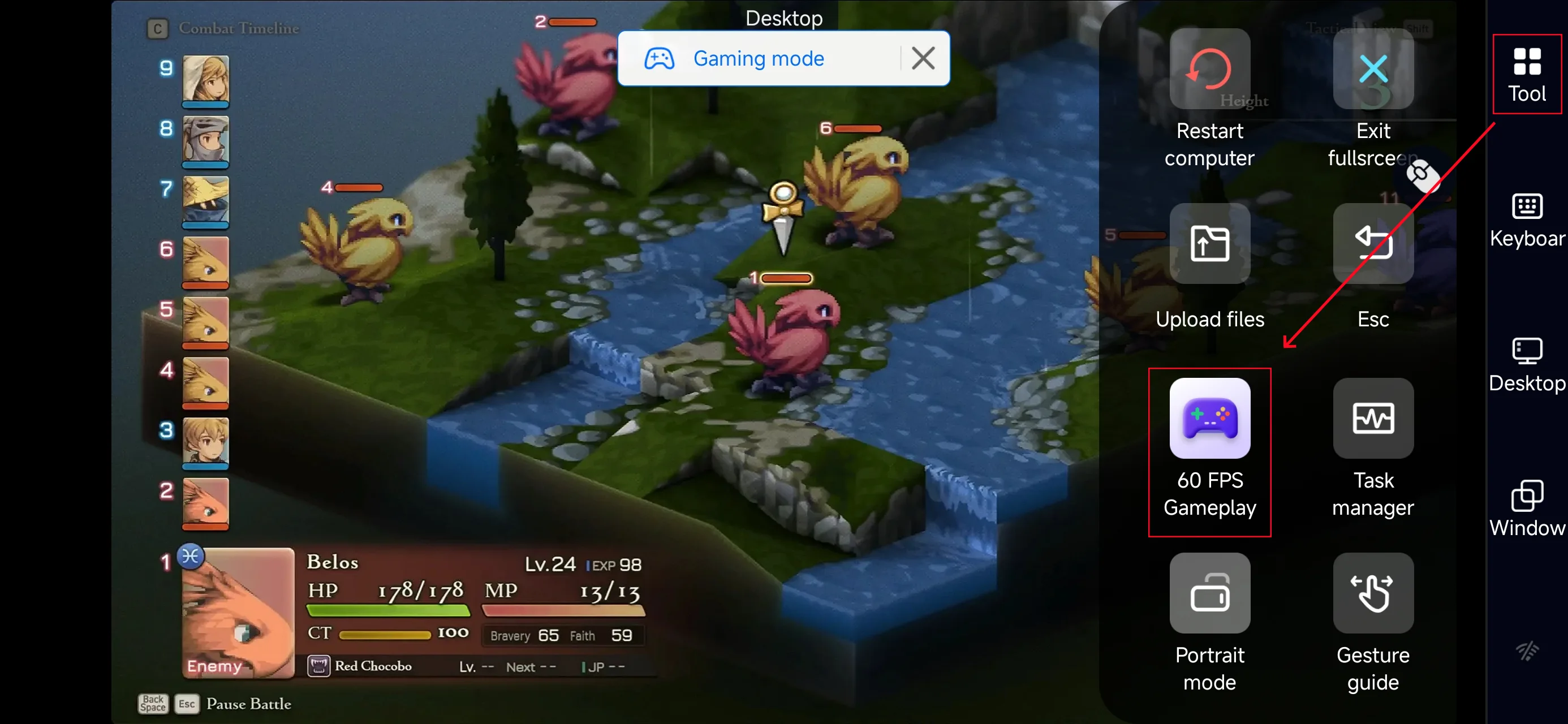
Click the toolbar on the right side of the mobile app, enter "60 FPS Gameplay," and choose key mode or link a controller based on your gaming preferences.
3. Key Selection
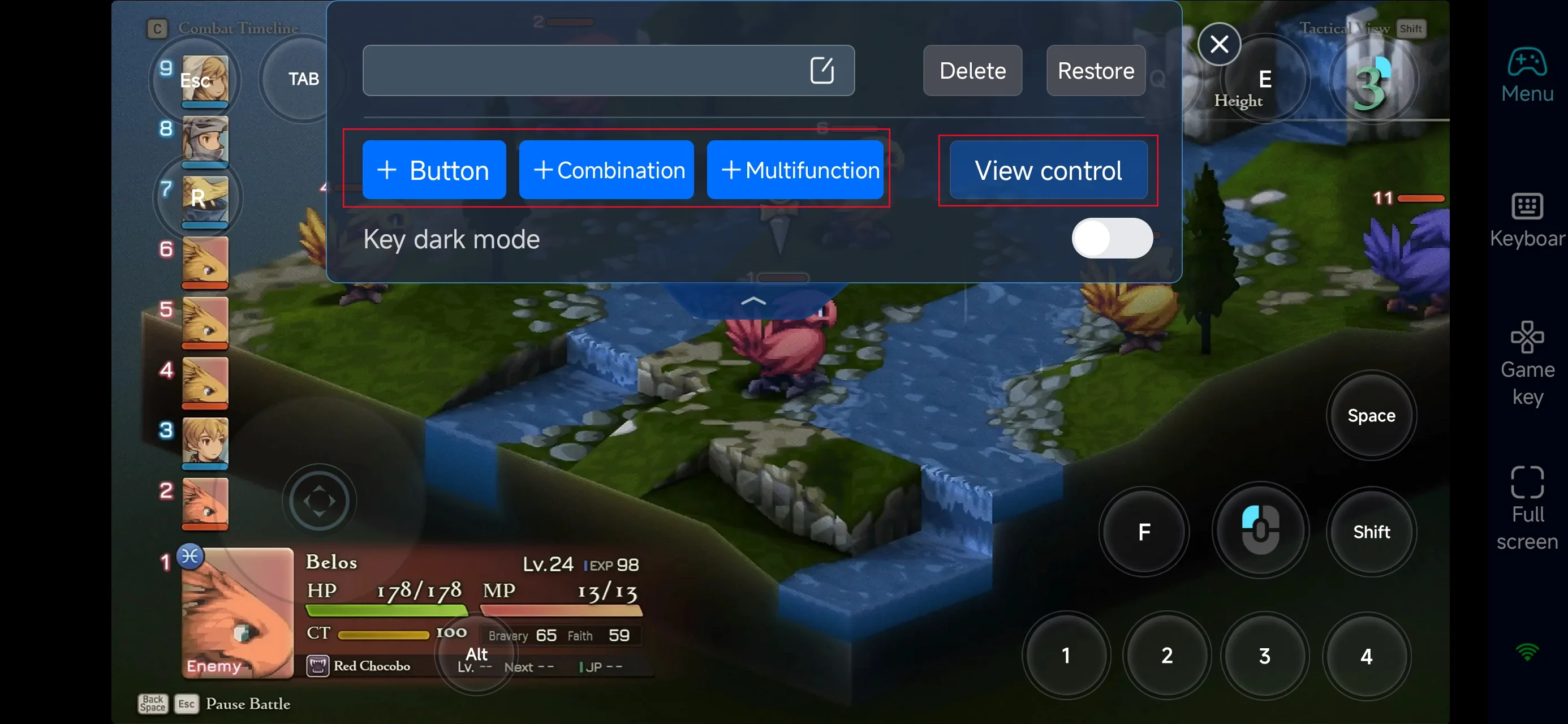
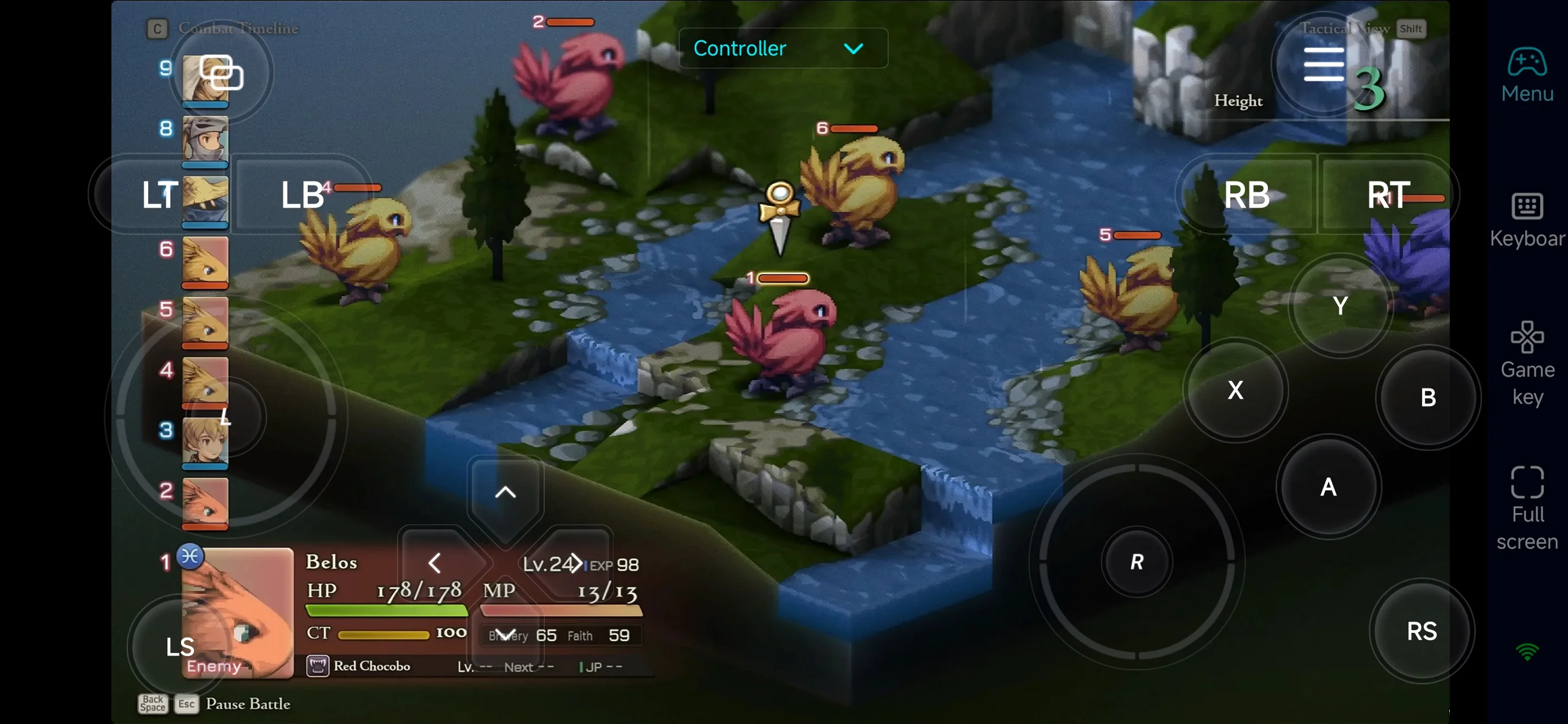
Once PC mode is enabled, you’ll see preset tactical control layouts on the right side of your mobile screen, designed specifically for turn-based command input. You can customize camera dragging, unit selection, map navigation, command confirmation, and menu shortcuts to match your preferred playstyle. OSLink’s highly flexible control system allows you to add, reposition, or remove buttons, as well as adjust their size and transparency—keeping the battlefield view clean while ensuring precise command input.
For players who value efficiency and strategic flow, OSLink supports multifunction buttons that combine multiple actions into a single tap. You can chain commands such as unit selection → ability menu → skill confirmation, equipment checks, or formation adjustments, streamlining complex tactical operations. This setup is ideal for maintaining smooth, deliberate pacing and decision-making in FFT The Ivalice Chronicles, delivering a stable and intuitive remote strategy experience.
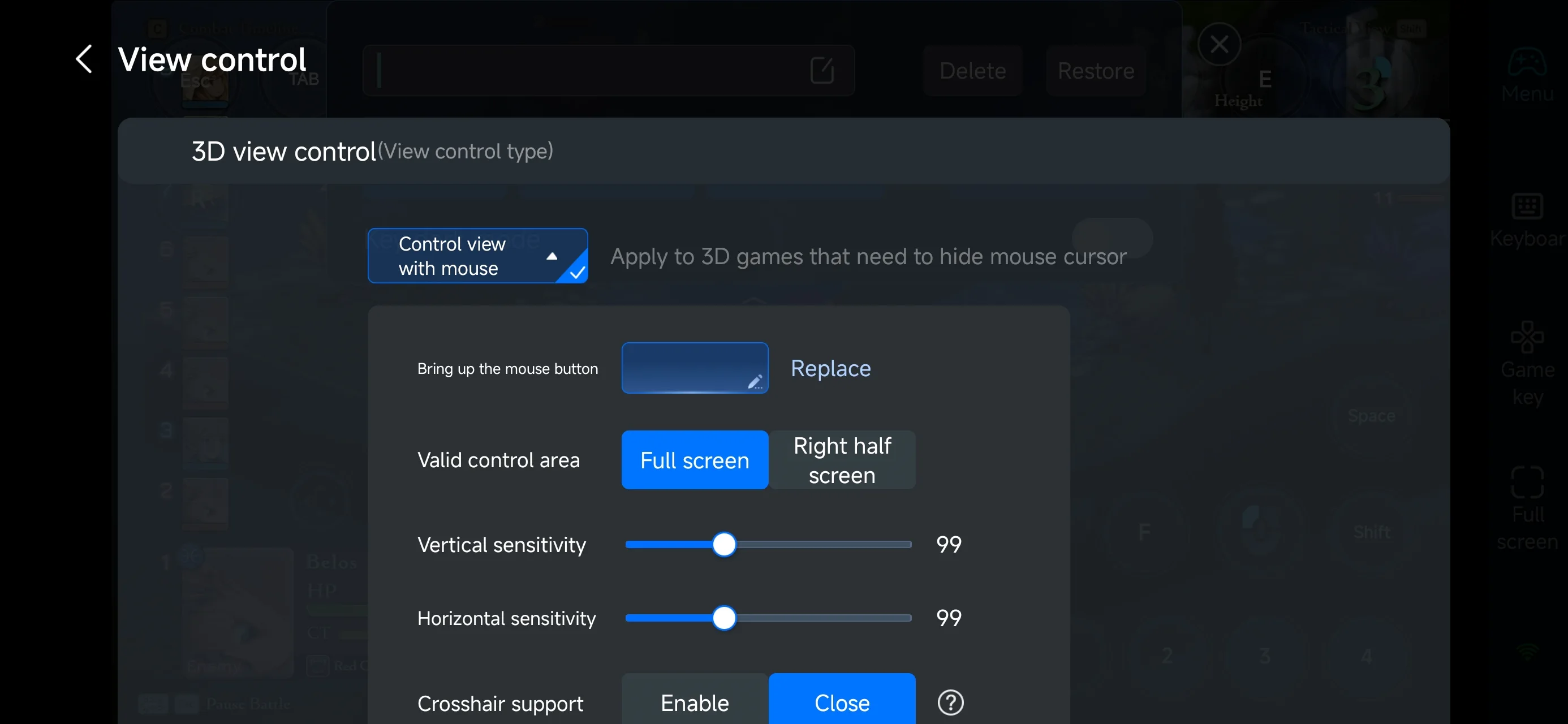
4.Connect external devices
Beyond customizable buttons, OSLink supports a variety of external devices such as Bluetooth controllers and mobile gamepads clipped to your phone. This compatibility frees you from touchscreen limitations and offers a wider range of control options.
Step 3: Continue your campaign anytime
Once everything is set up, your mobile device becomes a portable command hub for FFT The Ivalice Chronicles. Whether you’re commuting or taking a short break, simply open OSLink to reconnect to your home PC and resume managing battles, adjusting formations, or progressing through story scenarios at your own pace. With seamless synchronization and precise remote control, your campaign in FFT The Ivalice Chronicles is always within reach—no momentum lost, no decisions delayed.
Why choose OSLink for playing FFT The Ivalice Chronicles?
1. Break free from time and device limits
With OSLink, you can access the full PC version of FFT The Ivalice Chronicles directly from your phone or tablet. Whether you’re commuting, waiting in line, or away from your desk, you can manage units, adjust job setups, progress story battles, or handle side content at your own pace—without interrupting your campaign flow.
2. Custom controls tailored for tactical play
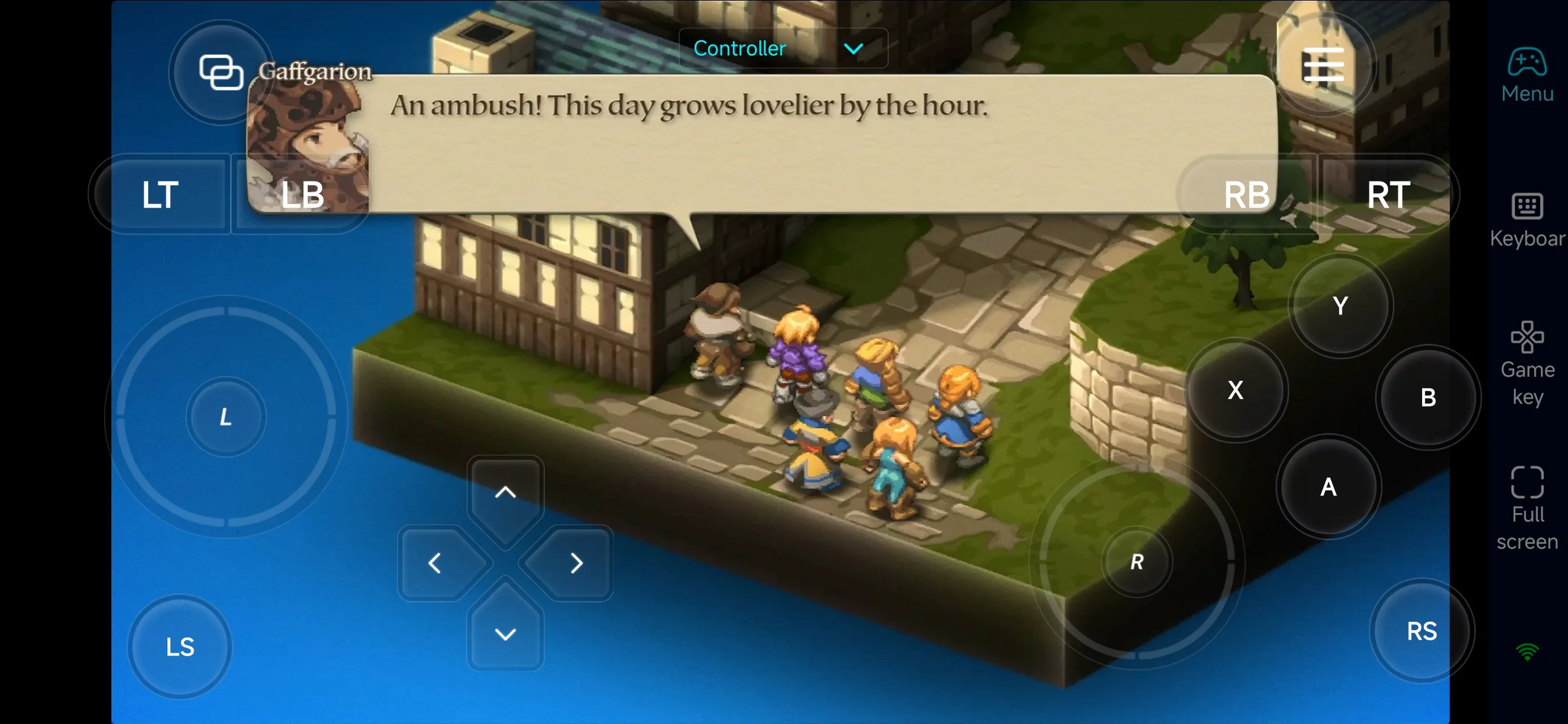
FFT The Ivalice Chronicles emphasizes precise decision-making rather than fast reflexes, and OSLink’s flexible control mapping fits perfectly. You can customize touch inputs for camera movement, unit selection, menu navigation, skill confirmation, and turn execution, keeping the interface clean while ensuring accurate commands during complex tactical encounters.
3. Streamline preparation and management phases
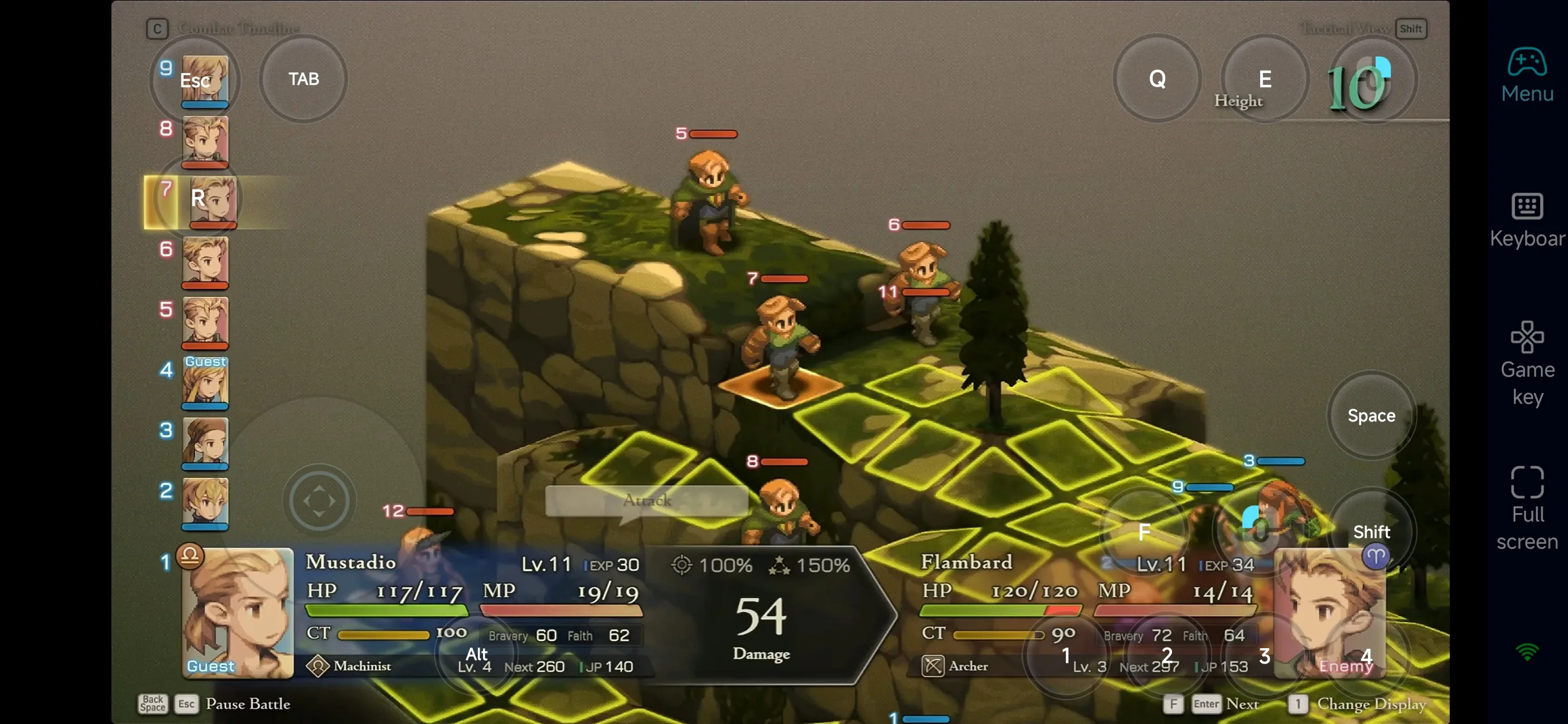
A large part of FFT The Ivalice Chronicles happens outside combat: job changes, equipment optimization, ability management, and formation planning. OSLink lets you handle these low-pressure but time-consuming tasks remotely, so when you’re back at your PC, you can focus fully on key story battles and challenging encounters without unnecessary setup delays.
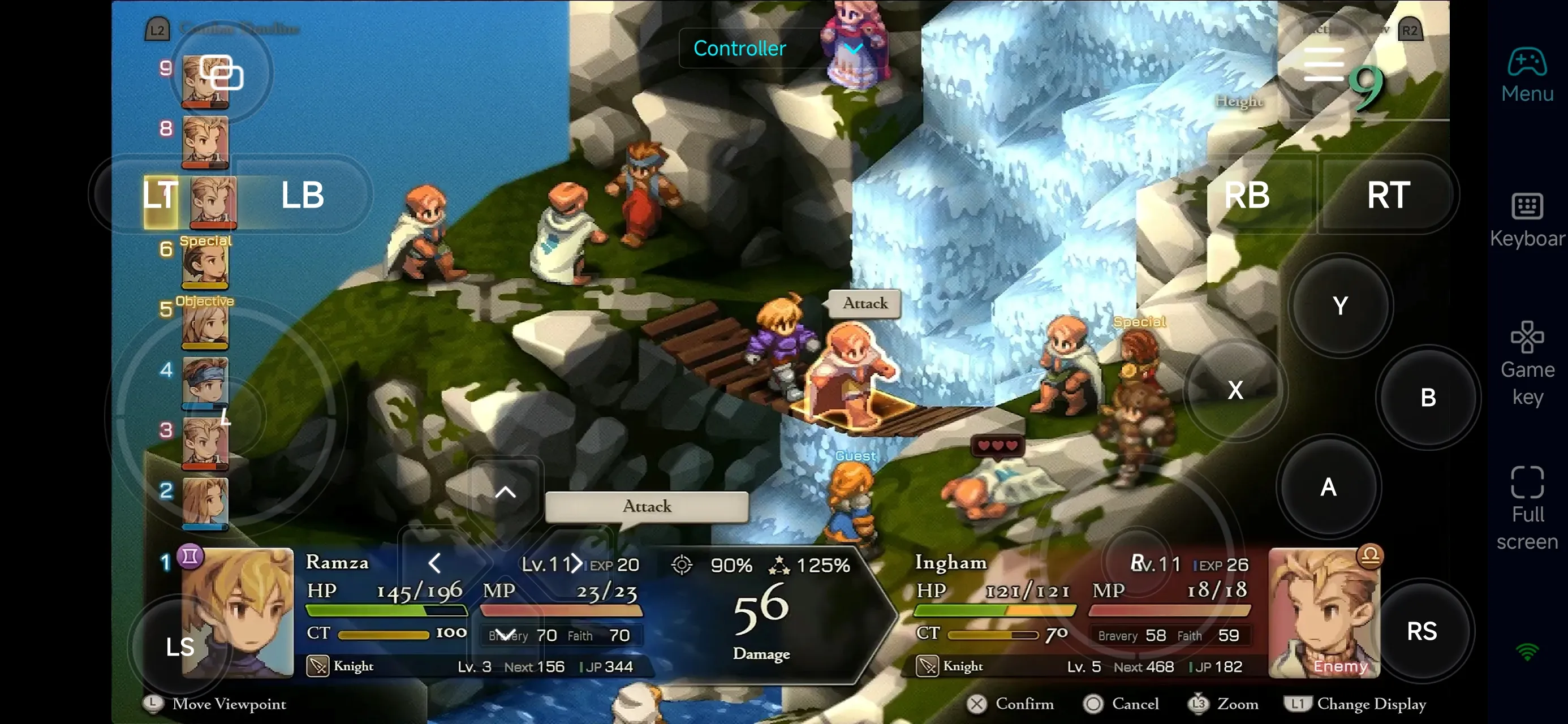
With OSLink, your mobile device becomes a tactical extension of FINAL FANTASY TACTICS - The Ivalice Chronicles. Instantly connect to your PC to organize parties, refine builds, or push story progress anytime, anywhere. For players who invest heavily in unit development and long-term planning, remote access turns spare moments into steady progress—making every tactical decision count.
 Download