English
 Want to jump into ARC Raiders anytime on your phone or tablet without breaking the flow of exploration and extraction? With OSLink’s remote control feature, you can seamlessly connect to your home PC and fully control ARC Raiders from a mobile device. Whether you’re scouting surface zones, looting resources, fighting ARC machines, managing gear, or preparing for your next run, everything stays smooth and responsive.
This guide walks you through the practical setup of OSLink and shows you how to optimize controls and visuals, so you can take over the battlefield during commutes, breaks, or spare moments—never missing a critical timing window or a clean extraction.
Quick Setup Tutorial for Playing ARC Raiders on Mobile
Step 1: Download OSLink and Connect Devices
PC Side:
Visit the OSLink official website to download the software and complete the installation.

Mobile Side:
Download the OSLink App from the App Store or Google Play; the official website also offers APK downloads.
Log in with the same account as on the PC side to automatically connect.

Step 2: Control Optimization
1. Launch the Game
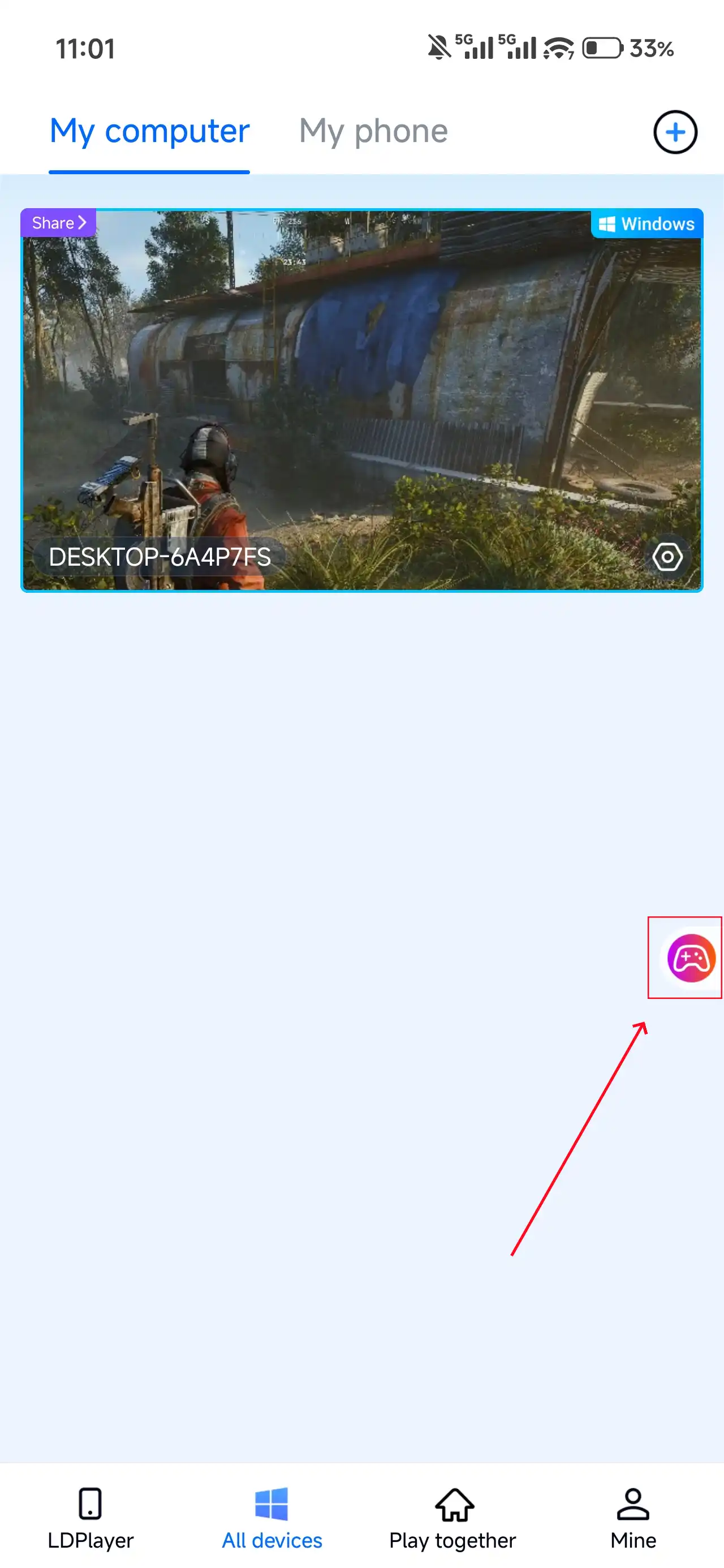
Open ARC Raiders on your PC, and the mobile side can connect directly; if ARC Raiders hasn't been launched on the PC yet, click the game icon on the mobile side for quick startup.
2. Control Mode
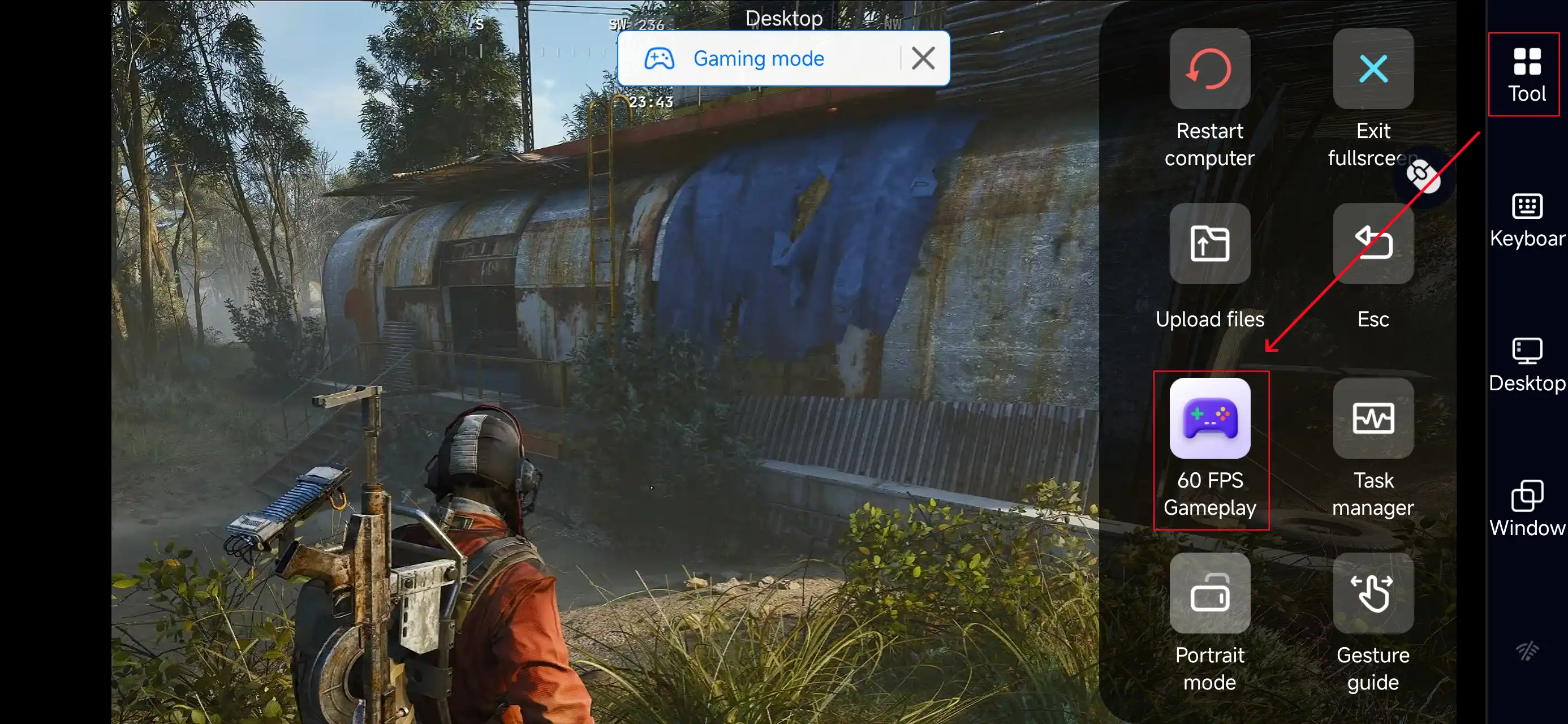
Click the toolbar on the right side of the mobile app, enter "60 FPS Gameplay," and choose key mode or link a controller based on your gaming preferences.
3. Key Selection
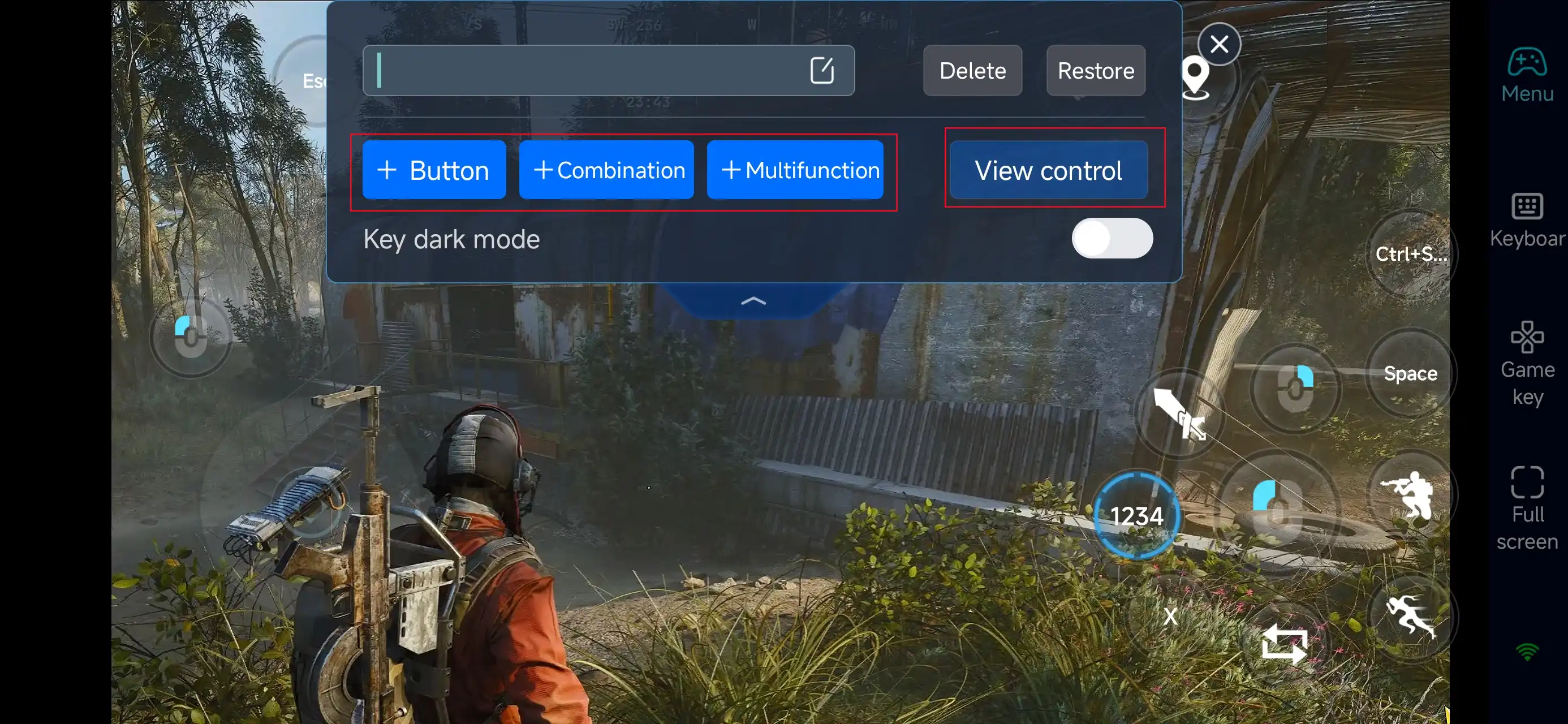
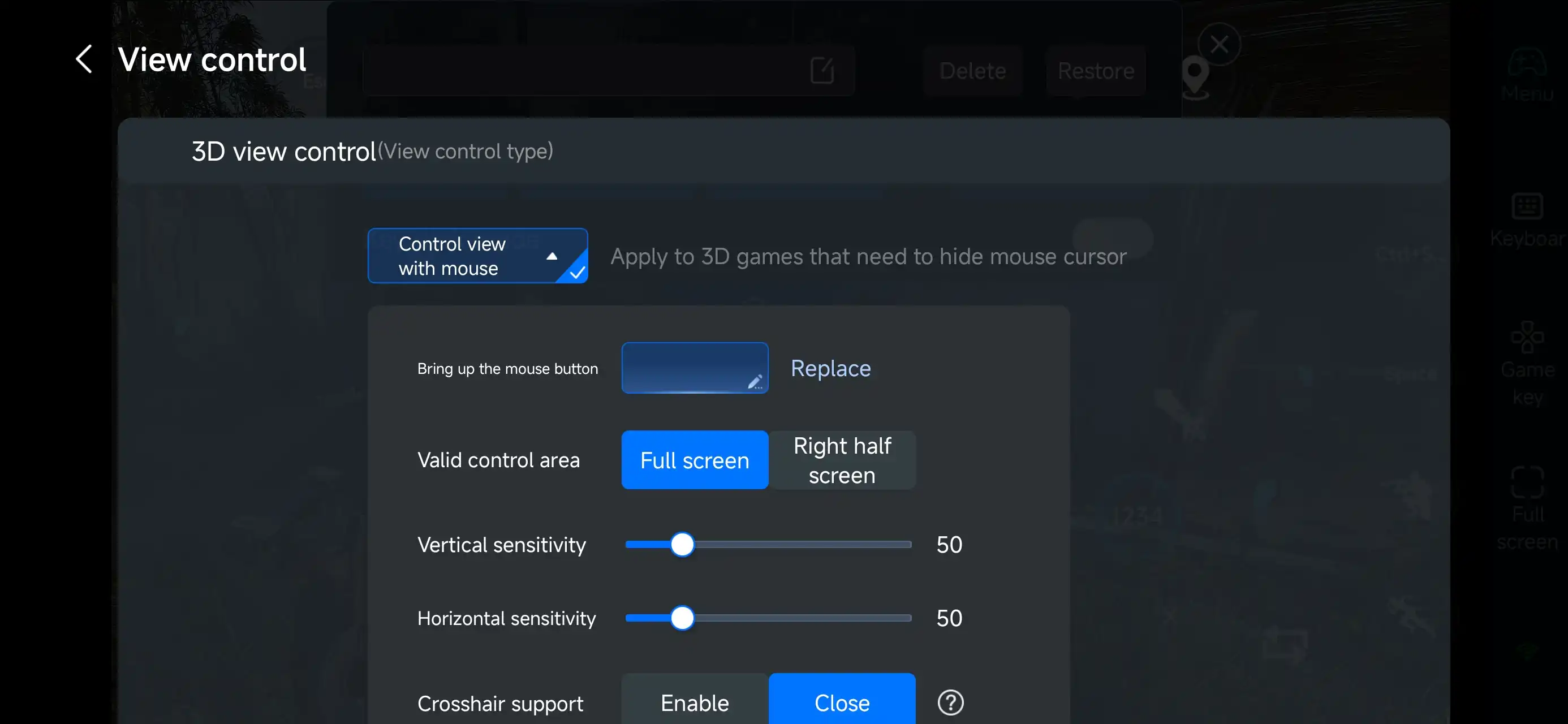
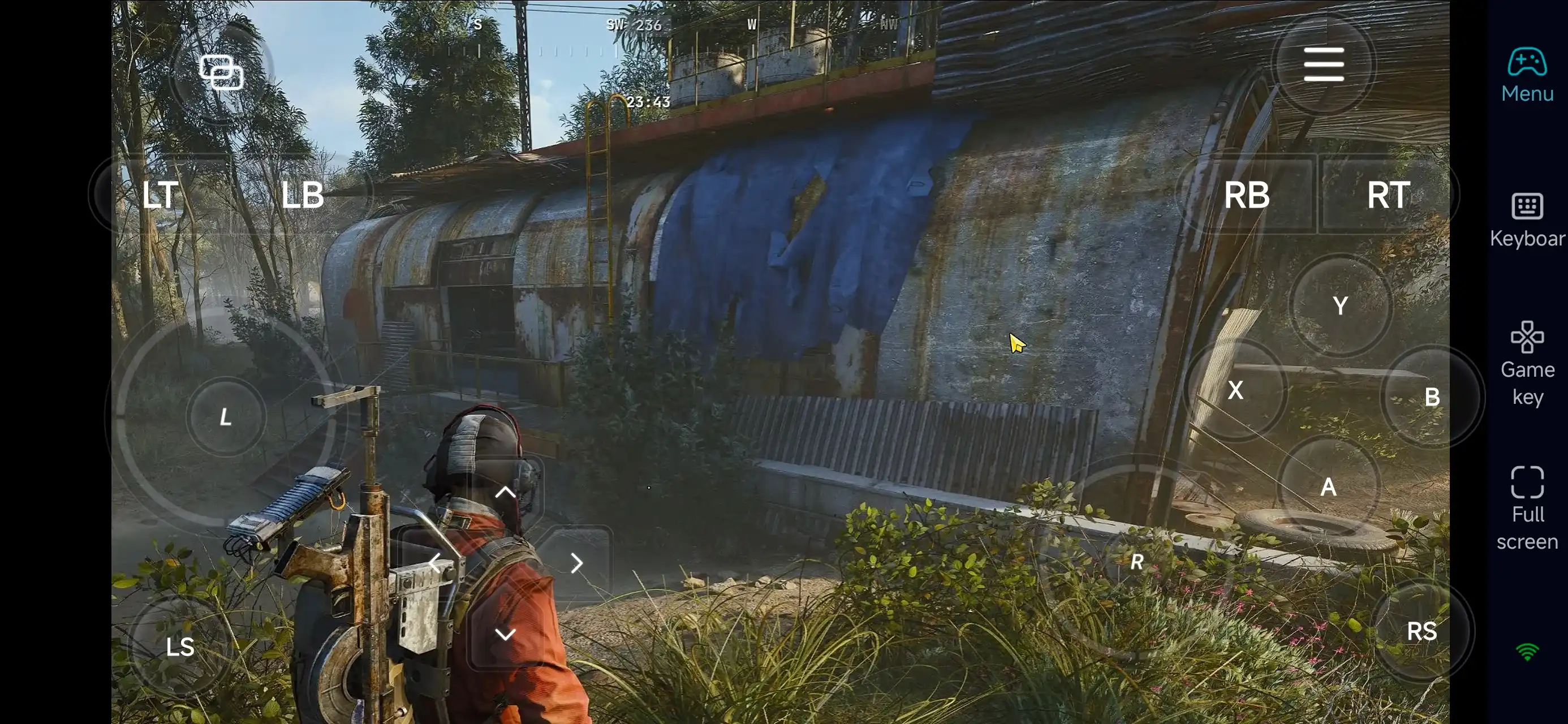
After enabling PC mode, you’ll see a preset control layout designed for ARC Raiders on the right side of your screen. You can freely adjust buttons for movement, camera control, aiming, shooting, interactions, reloading, and equipment switching.
OSLink offers deep customization—add, remove, or reposition buttons, and fine-tune their size, transparency, and activation style. This ensures a clear field of view while keeping remote shooting and movement fast and precise.
4.Connect external devices
Beyond customizable buttons, OSLink supports a variety of external devices such as Bluetooth controllers and mobile gamepads clipped to your phone. This compatibility frees you from touchscreen limitations and offers a wider range of control options.
Step 3: Jump Back into the Field Anytime
Once everything is set up, your phone becomes a portable command terminal for ARC Raiders.Whether you’re commuting or taking a short break, simply open OSLink to reconnect to your home PC and continue surface exploration, loot management, or preparation for the next drop.
Even away from your desk, you can keep track of progress and stay in control—ensuring every mission flows smoothly and every extraction stays on schedule.
Why Choose OSLink for ARC Raiders?
1. Freedom from Time and Device Limits
With OSLink, you can remotely access ARC Raiders from your phone anytime.Whether you’re commuting, waiting around, or unable to sit at your PC, you can check character status, manage gear and resources, or prepare for the next expedition—keeping your momentum intact.
2. Fully Customizable Controls for Shooting and Exploration
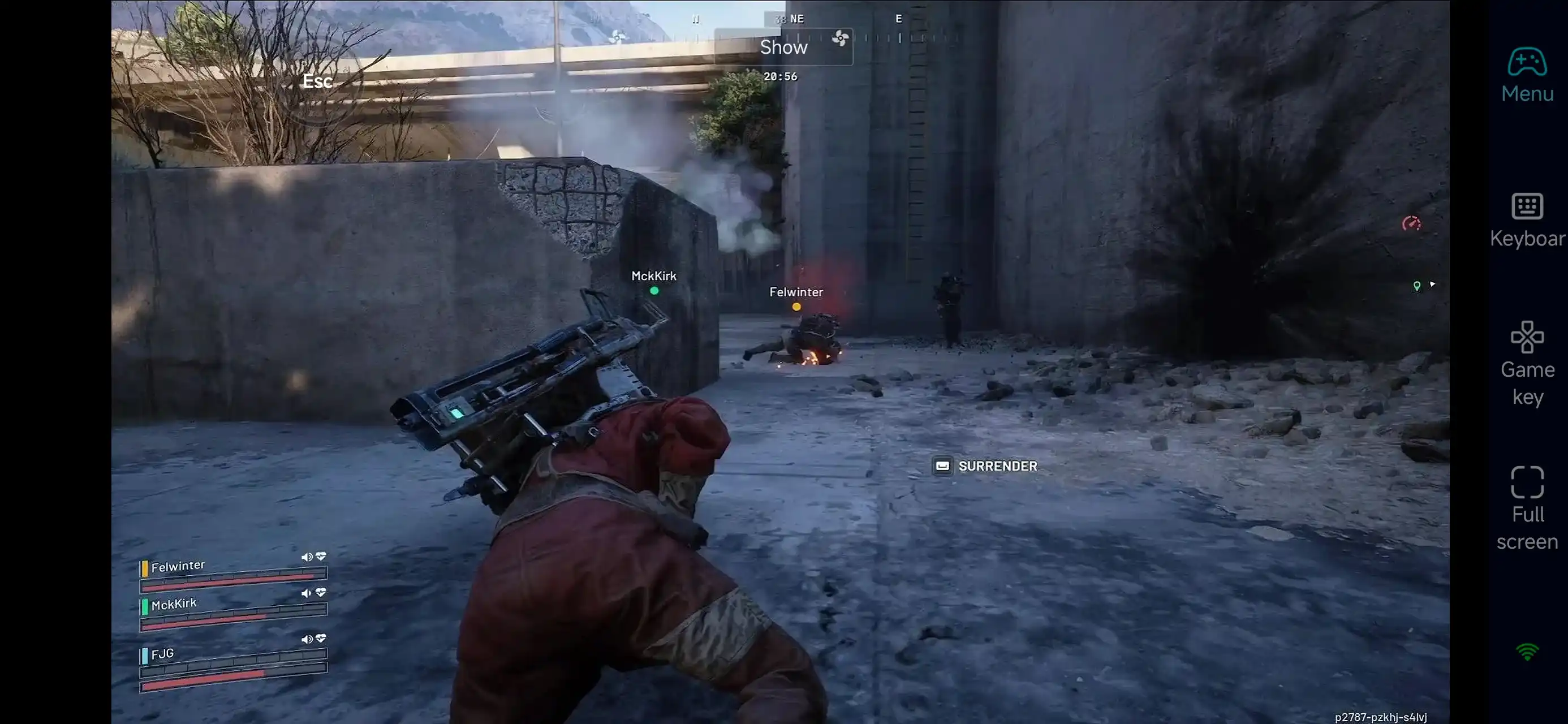
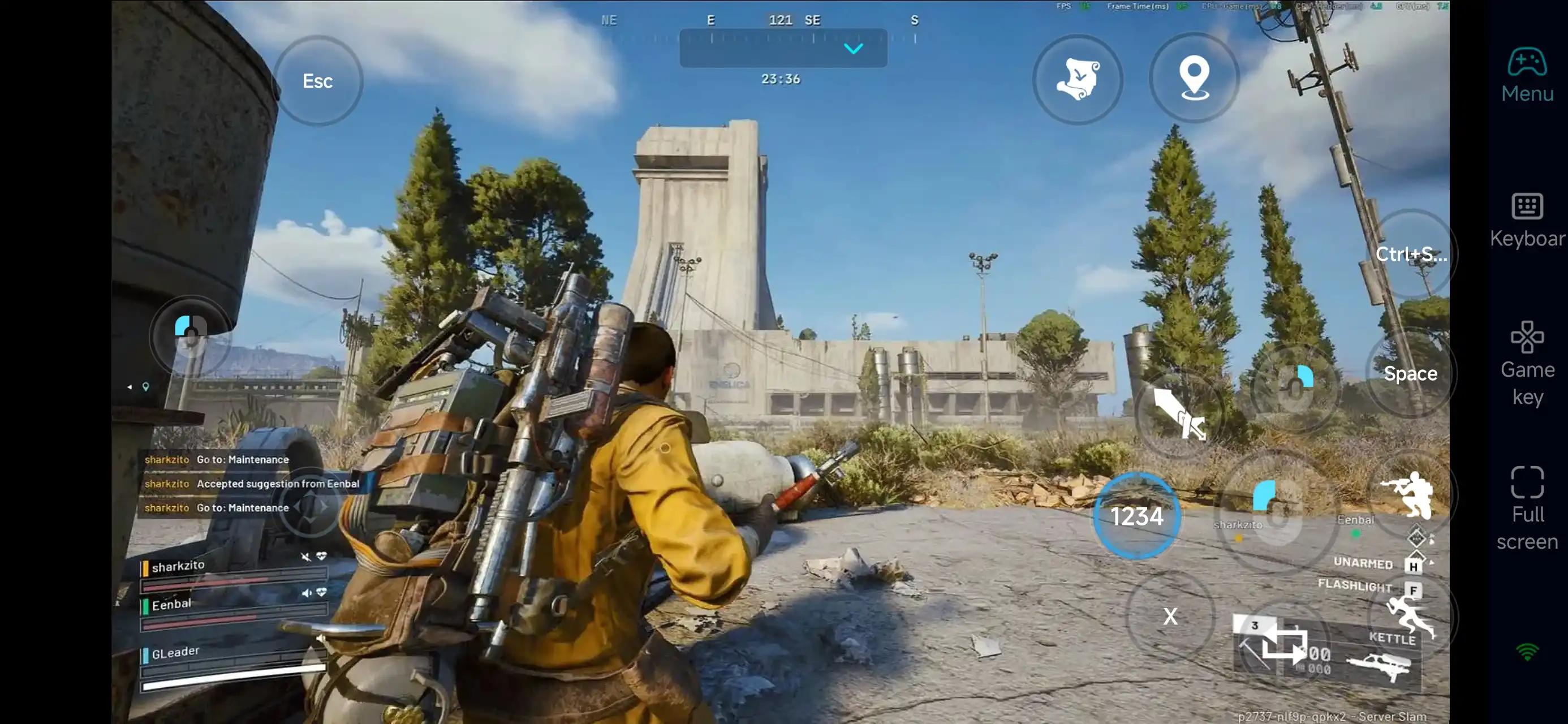
ARC Raiders blends real-time shooting, positioning, cover usage, and environmental interaction, demanding fast reactions and precise camera control.OSLink’s flexible key mapping lets you tailor movement, aiming, shooting, interactions, reloading, and equipment switching to your playstyle. Even remotely, controls remain stable and responsive—ideal for sudden encounters and extraction decisions.
3. Remote Loadout and Resource Management
A major part of ARC Raiders happens between runs: sorting loot, adjusting weapons, managing resources, and planning routes.With OSLink, you can handle these tasks remotely during downtime, so when you return to your PC, you can focus entirely on high-risk exploration and combat. This keeps gameplay smoother and reduces fatigue from long sessions.
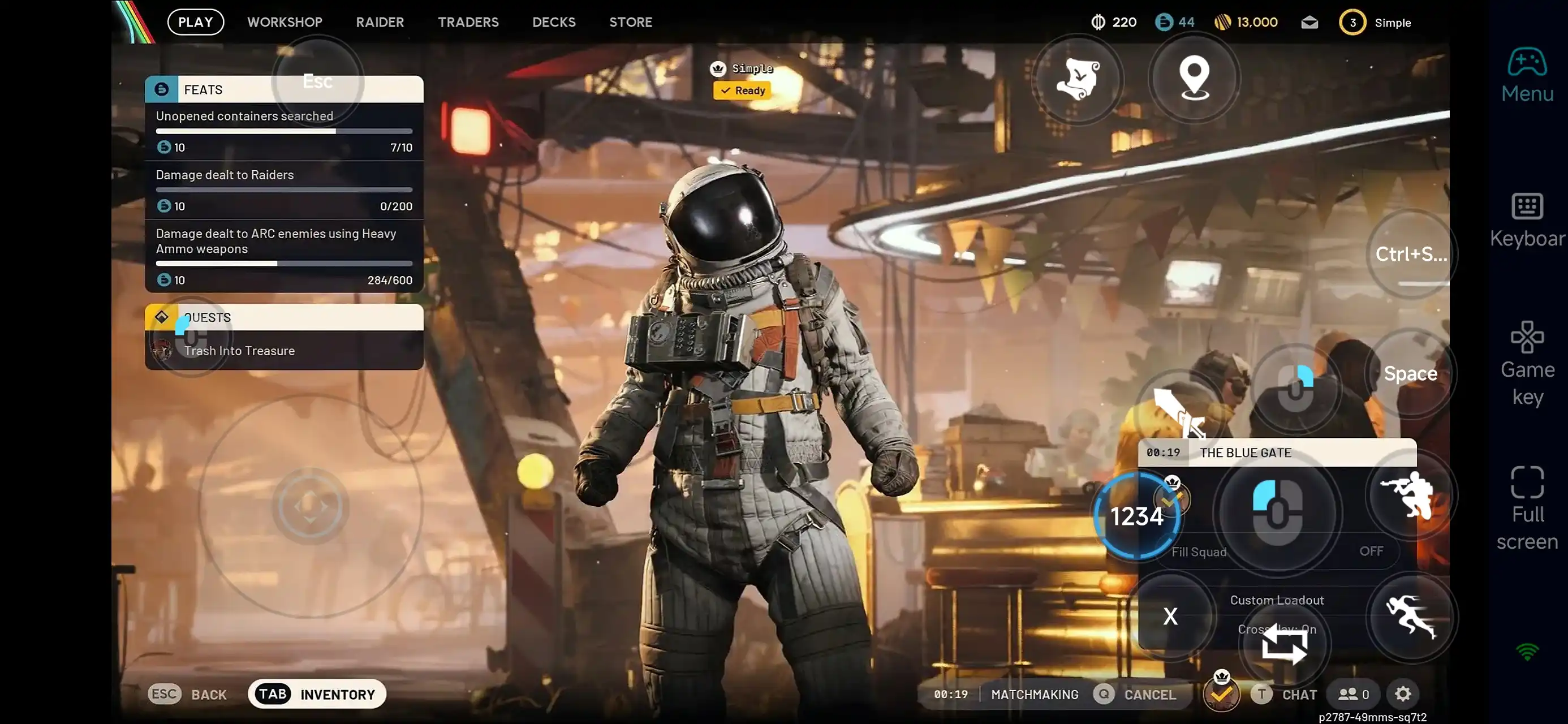
With OSLink, your mobile device becomes an extension of the ARC Raiders battlefield.Open OSLink to instantly connect to your PC, manage equipment, prep for deployment, or continue exploration—without being tied to a specific place or schedule.
 Download