English
 GODDESS OF VICTORY: NIKKE is a sci-fi RPG that combines beautiful character development with over-the-shoulder shooting gameplay. The game requires significant time for grinding materials, advancing through stages, and leveling up multiple characters. Manual play is not only time-consuming but also makes it difficult to manage several accounts at once (such as reroll accounts or resource accounts).
This farming guide walks you through using OSLink remote control with LDPlayer to set up a “mobile-controlled PC emulator” workflow, allowing you to idle-farm multiple instances and dramatically boost your training efficiency.
Table of Contents
1. Setting Up the Basic Environment
Before you start multi-instance afk farming, you first need to set up an emulator on your PC to run NIKKE.
Download and Install
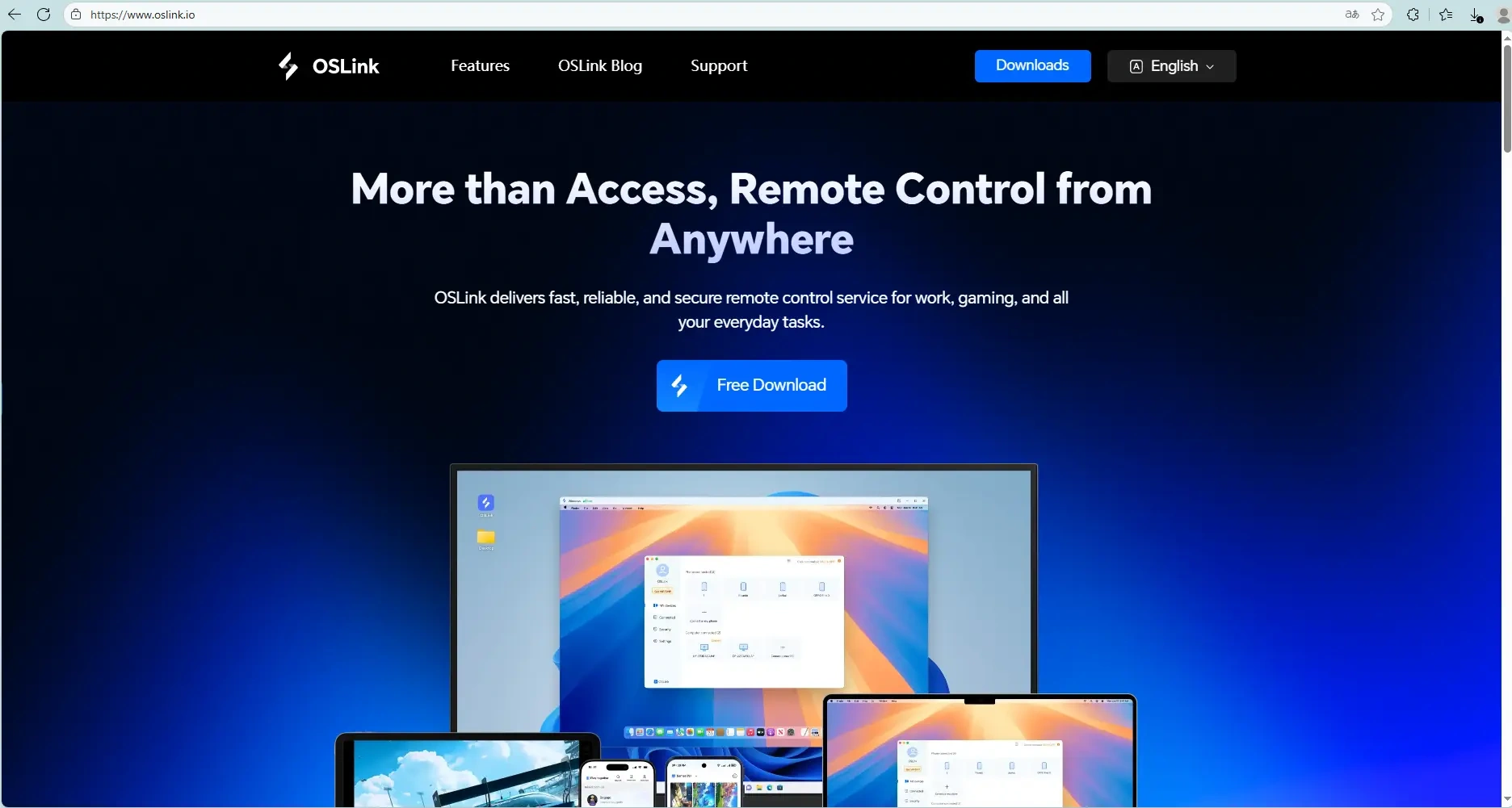
Download and install both tools from the official OSLink and LDPlayer websites.
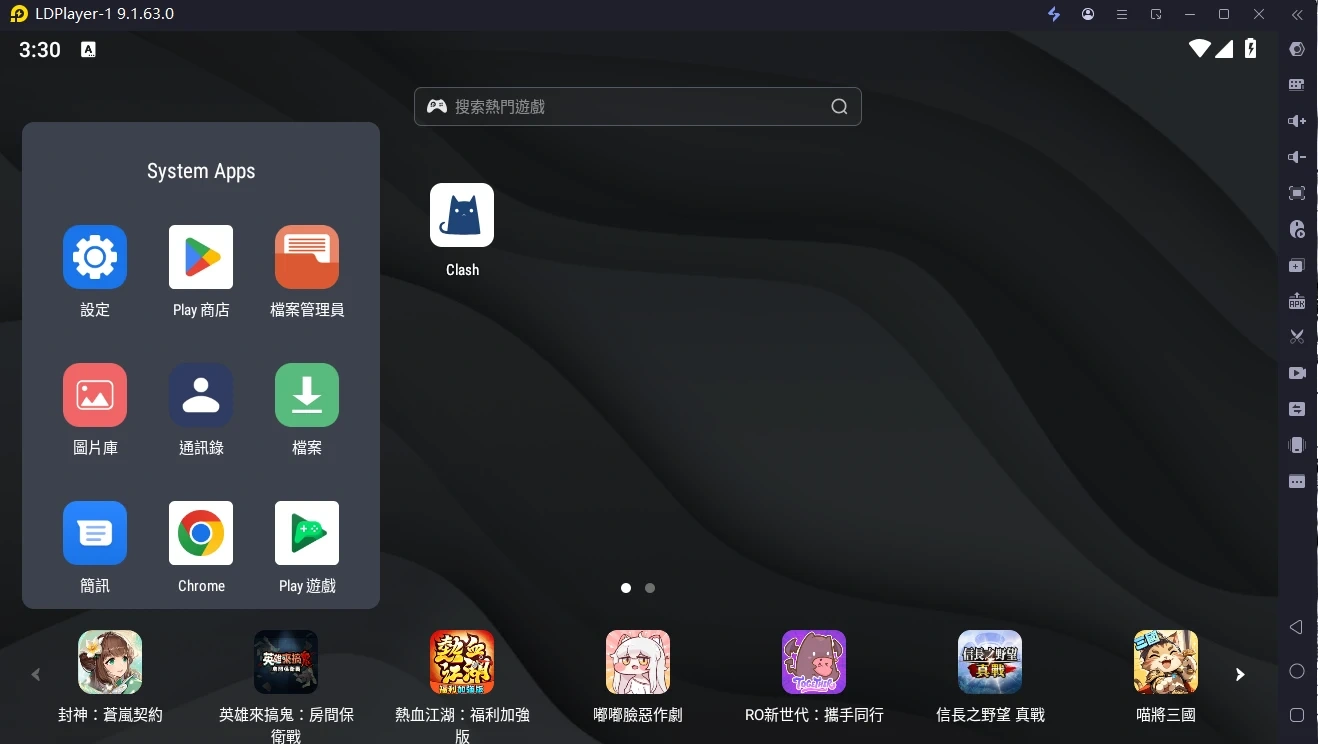
Install the game: Launch LDPlayer, then search for “GODDESS OF VICTORY: NIKKE” in the built-in app store or Google Play and install it.
2. Mobile Remote Control Setup (OSLink)
Once your PC is set up, you can connect from your phone and start controlling the emulator remotely.
Install the OSLink App on Your Phone
Search for “OSLink” in the App Store (iOS) or Google Play (Android) to download and install it, or grab the APK directly from the official website.
Establish the Connection
- Make sure your PC and phone are on the same local network, or are signed in to the same OSLink account.
- In the OSLink APP, scan the QR code shown on the PC or pick the device from the list to connect. You will then see your PC emulator screen on your phone and be able to control it directly.
3. Auto Idle Farming and Synchronized Multi-Instance Control
With OSLink’s built-in features, you can fully automate your idle farming and manage multiple accounts in parallel.
Auto Idle Farming (Stage Grinding / Resource Collection)
NIKKE involves a lot of repetitive stage grinding, which is a perfect fit for OSLink’s auto-click feature:
1. With OSLink connected on your phone, launch NIKKE in LDPlayer.
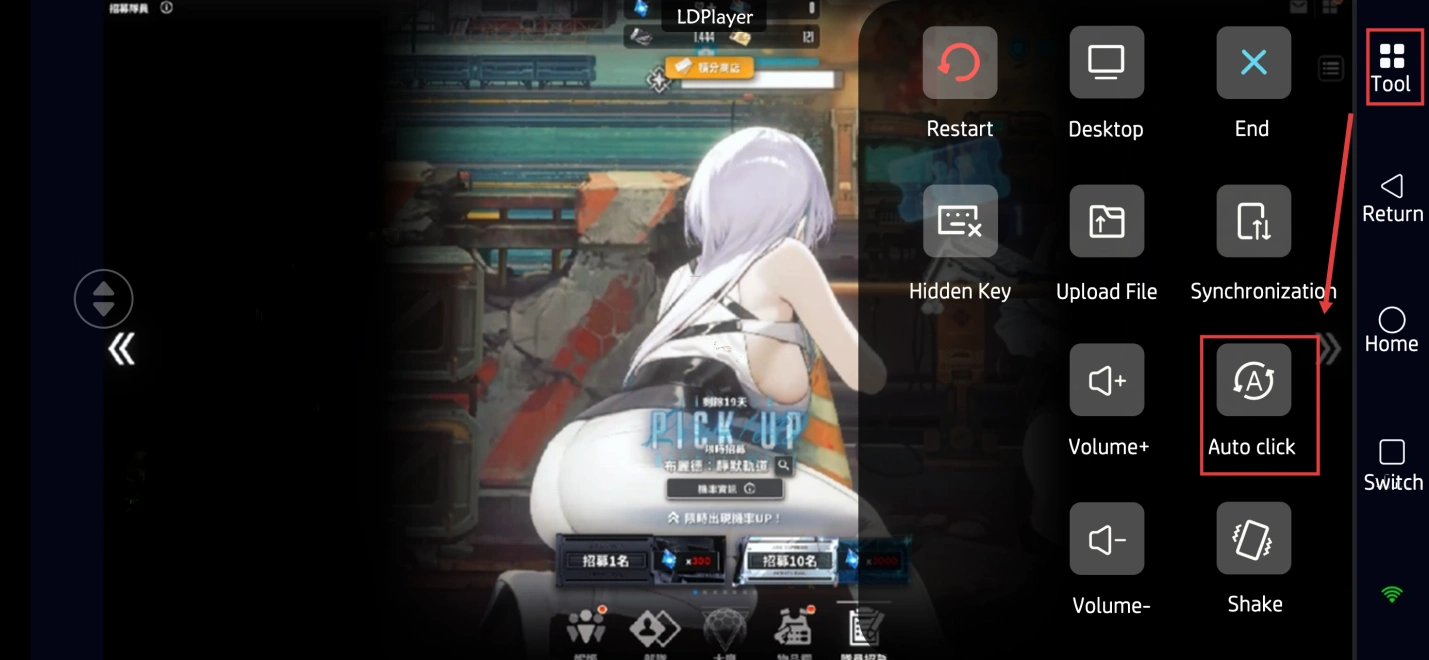
2. Open OSLink’s “Auto-Click” tool and record one full cycle of your standard routine (for example: tap “Start Battle” → wait for the battle to finish → tap “Retry”).
3. Set the loop count or duration, then start the script to farm materials hands-free.
Multi-Instance Sync (Managing Multiple Accounts)
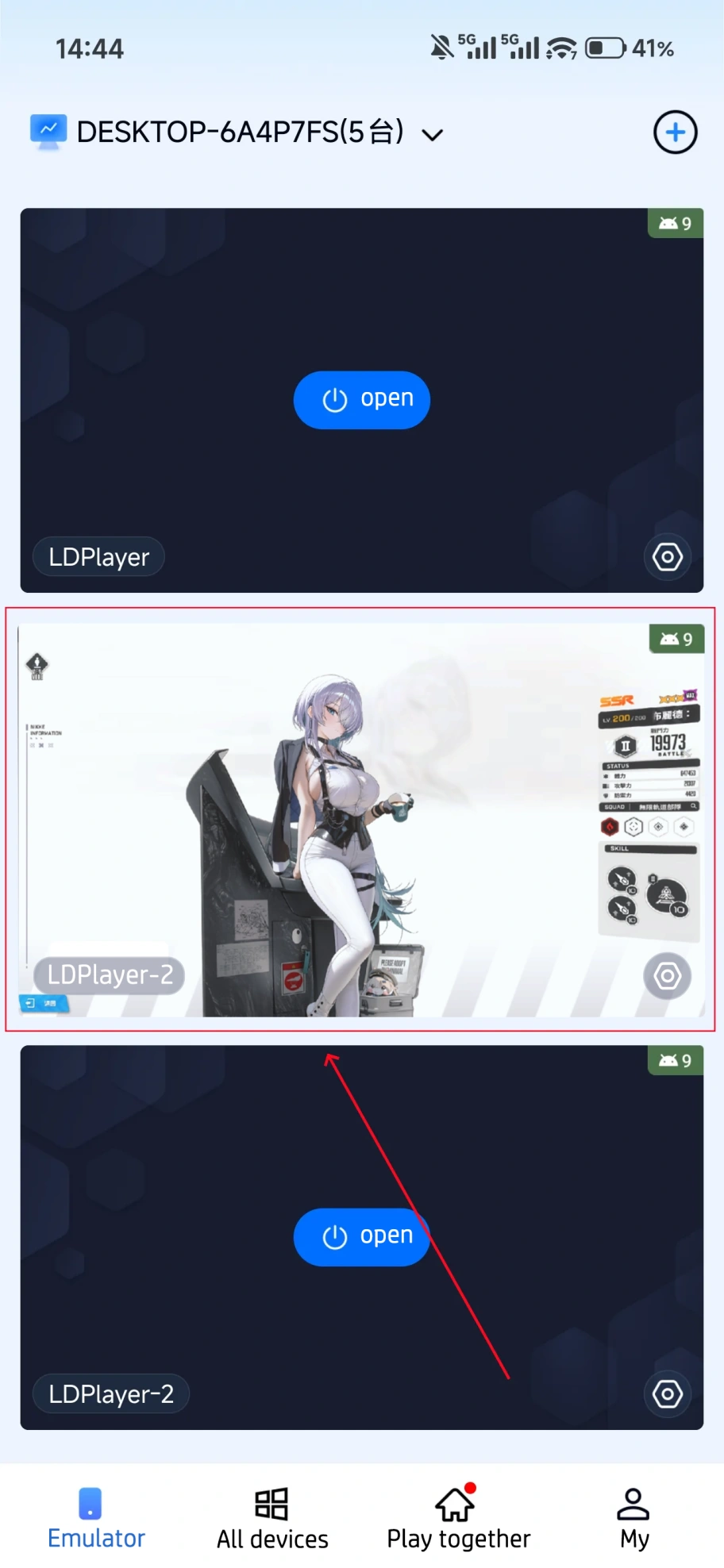
If you need to manage several emulator windowssimultaneously — for instance, multiple server accounts or reroll accounts — you can use the synchronized control feature:
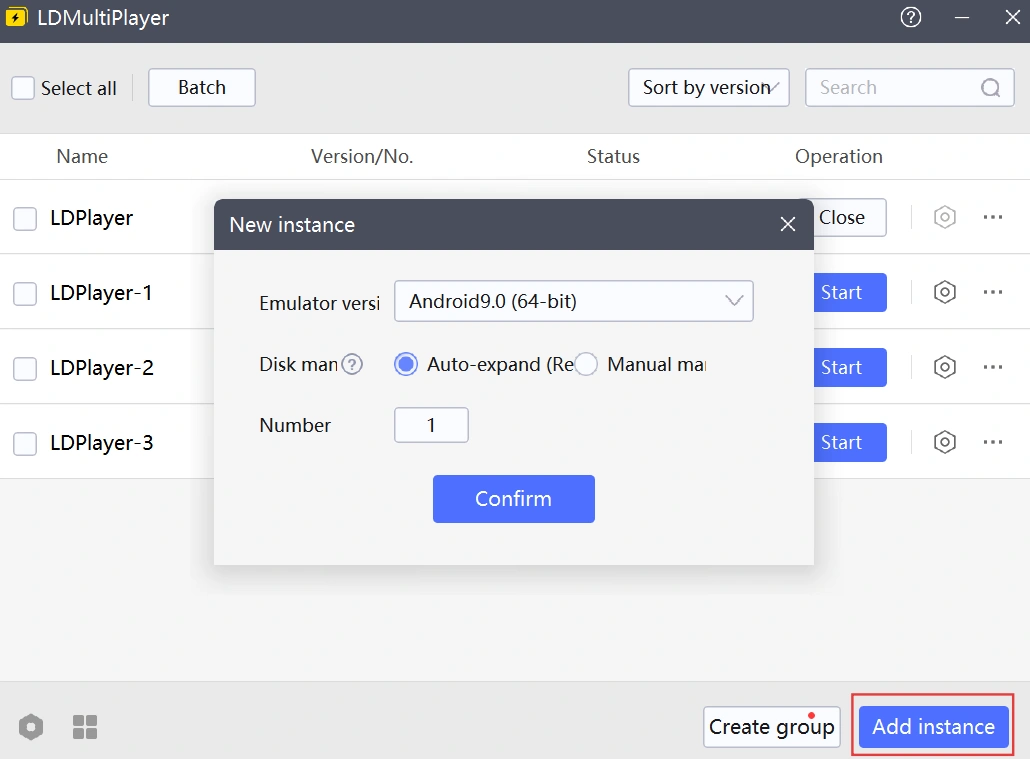
Open multiple NIKKE instances within LDPlayer.
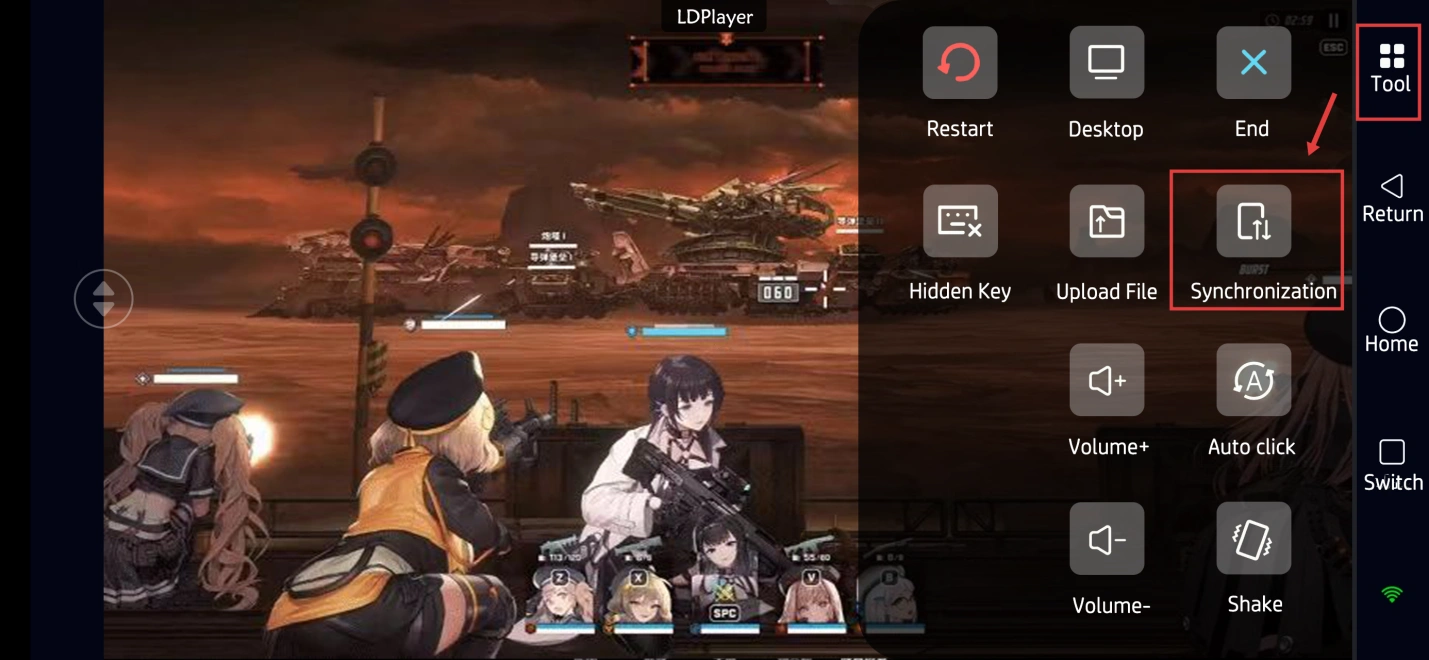
On your phone, switch OSLink into “Sync Control” mode.
Pick the emulator instances you want to control together and start syncing.
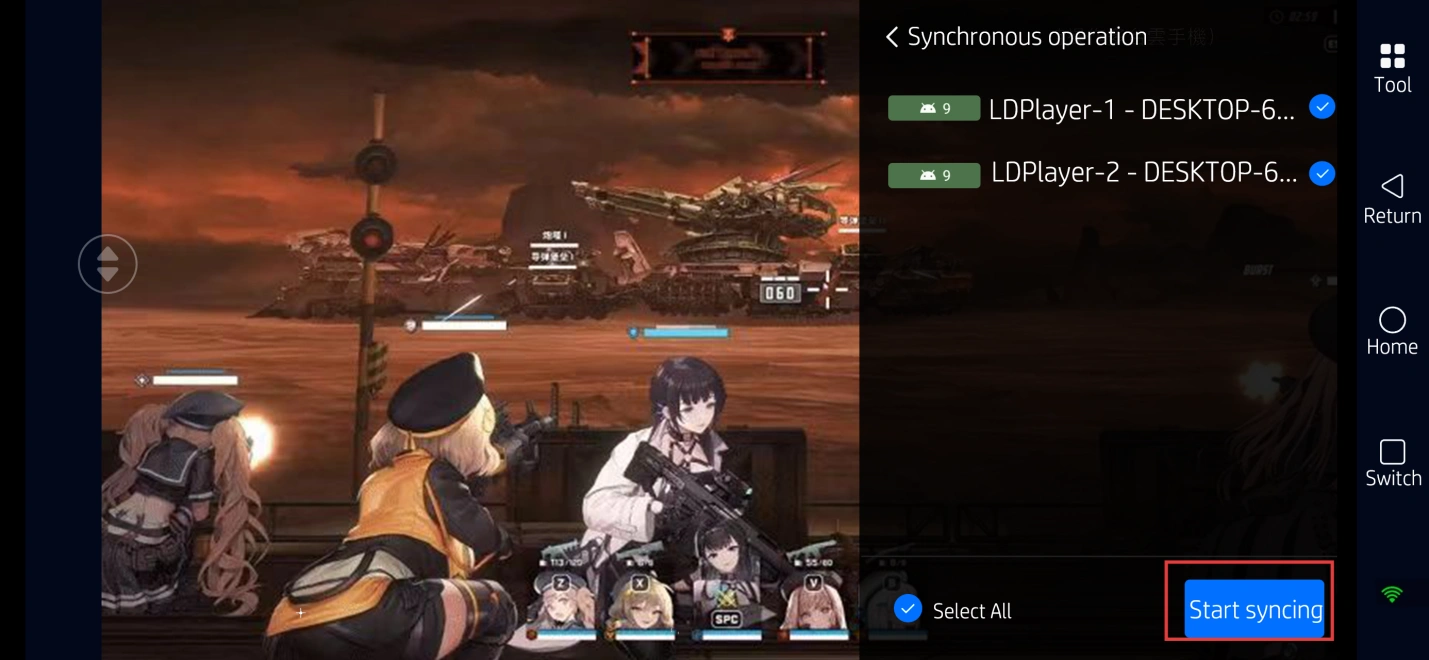
From this point on, every tap or swipe you make on your phone is mirrored across all selected emulators at once, saving you a huge amount of repetitive work.
FAQ / Frequently Asked Questions
Q: When was GODDESS OF VICTORY: NIKKE released?
A: The global version launched on November 4, 2022, for iOS and Android, with a PC version following in February 2023.
Q: What are the system requirements for GODDESS OF VICTORY: NIKKE?
A: Minimum PC specs: Windows 7 64-bit, an Intel Core i3-4160 or equivalent CPU, 8GB of RAM, an NVIDIA GeForce GTX 750 Ti GPU, and 10GB of free storage.
Recommended specs are Windows 10/11, a Core i5 CPU, and a GTX 1650 or better.
Q: How many NIKKE accounts can I run at the same time?
A: There is no fixed limit on how many accounts you can run simultaneously in GODDESS OF VICTORY: NIKKE. The number of multi-instance game sessions depends mainly on your PC hardware (CPU cores, RAM, and GPU performance).
With LDPlayer emulator, a mid-range PC (16GB RAM) can usually run 2–3 instances smoothly, while a higher-end machine (32GB+ RAM) can handle 5 or more. Adjust the number based on your CPU and memory headroom.
Q: Can I run multiple NIKKE accounts on iOS devices?
A: iOS does not support running multiple instances of the same app simultaneously, so you cannot open multiple GODDESS OF VICTORY: NIKKE accounts directly on an iPhone or iPad. However, by using OSLink remote control, you can connect your iPhone or iPad to a PC that is running multiple emulator instances, and manage all those NIKKE accounts remotely from one phone.
Q: Is it safe to use a remote tool for multi-instance NIKKE gameplay?
A: OSLink uses account-based login and encrypted connections, so only your own devices can remotely control your PC. Since the game runs locally on your own machine in the emulator, no third party hosts your session and no game data is modified. This is generally safer than relying on unknown cloud-phone services or sketchy scripts.
Conclusion
With the setup above, you can easily run multiple NIKKE instances on your PC and control them remotely from your phone for high-efficiency gameplay. Whether you’re commuting, at work, or out and about, you can check on your idle progress through OSLink at any time, comfortably manage several accounts, and never miss out on resources or time-limited events again.
 Download