English
 Norse Saga is a pixel-art strategy RPG that demands heavy repetitive grinding, character development, and challenging deep dungeons and event stages. Doing everything manually is time-consuming and makes managing multiple accounts nearly impossible. This tutorial will show you how to combine OSLink with LDPlayer to enable multi-instance AFK farming on PC emulators from your phone, greatly improving progression and resource-farming efficiency.
1. Basic Environment Setup
Before starting multi-instance AFK farming, you need to establish a PC emulator environment capable of running Norse Saga.
Download & Install
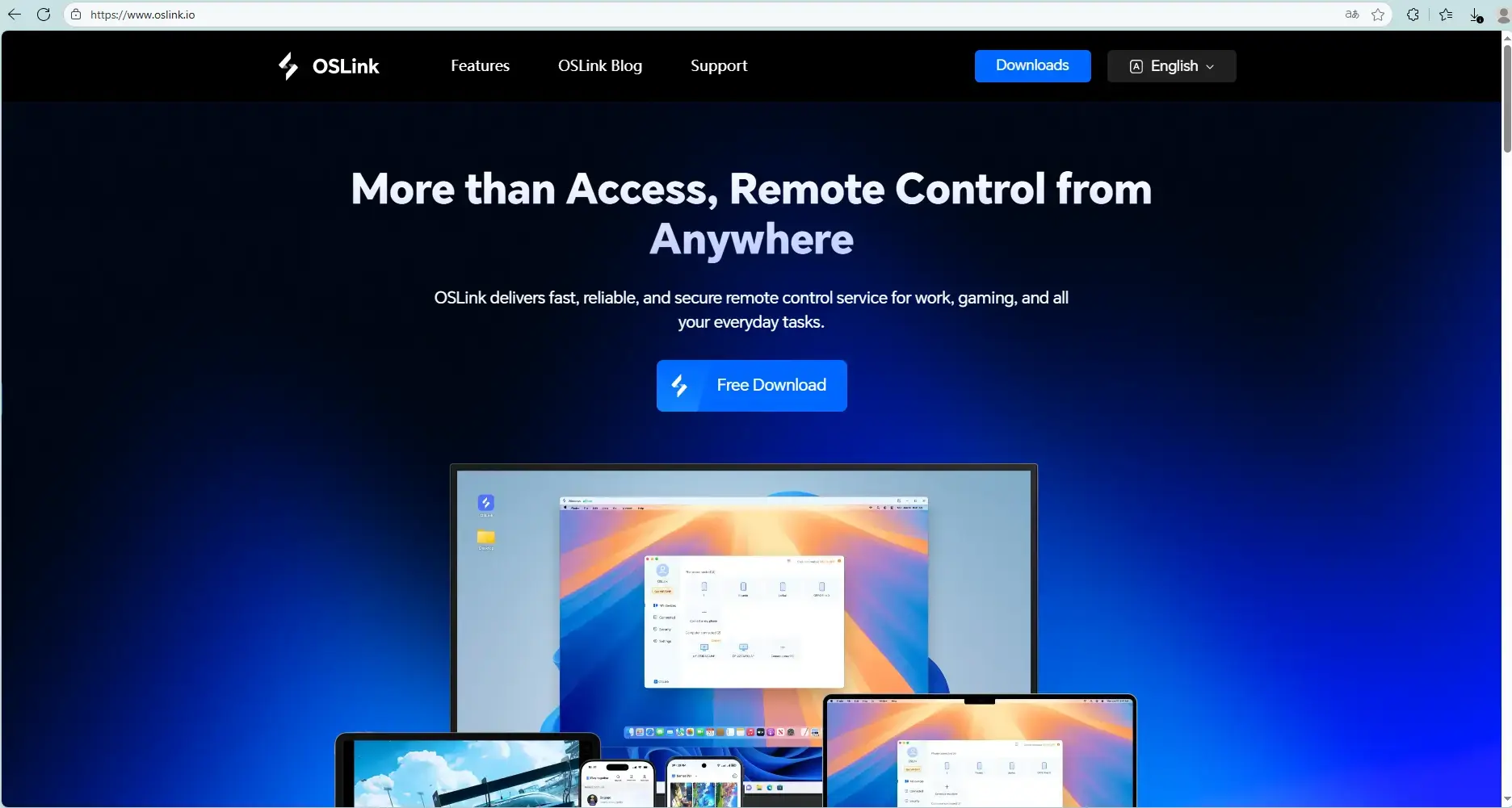
Go to the official OSLink website (https://www.oslink.io) and LDPlayer website (https://www.ldplayer.net/) to download and install the OSLink remote tool and LDPlayer emulator.
Install the Game
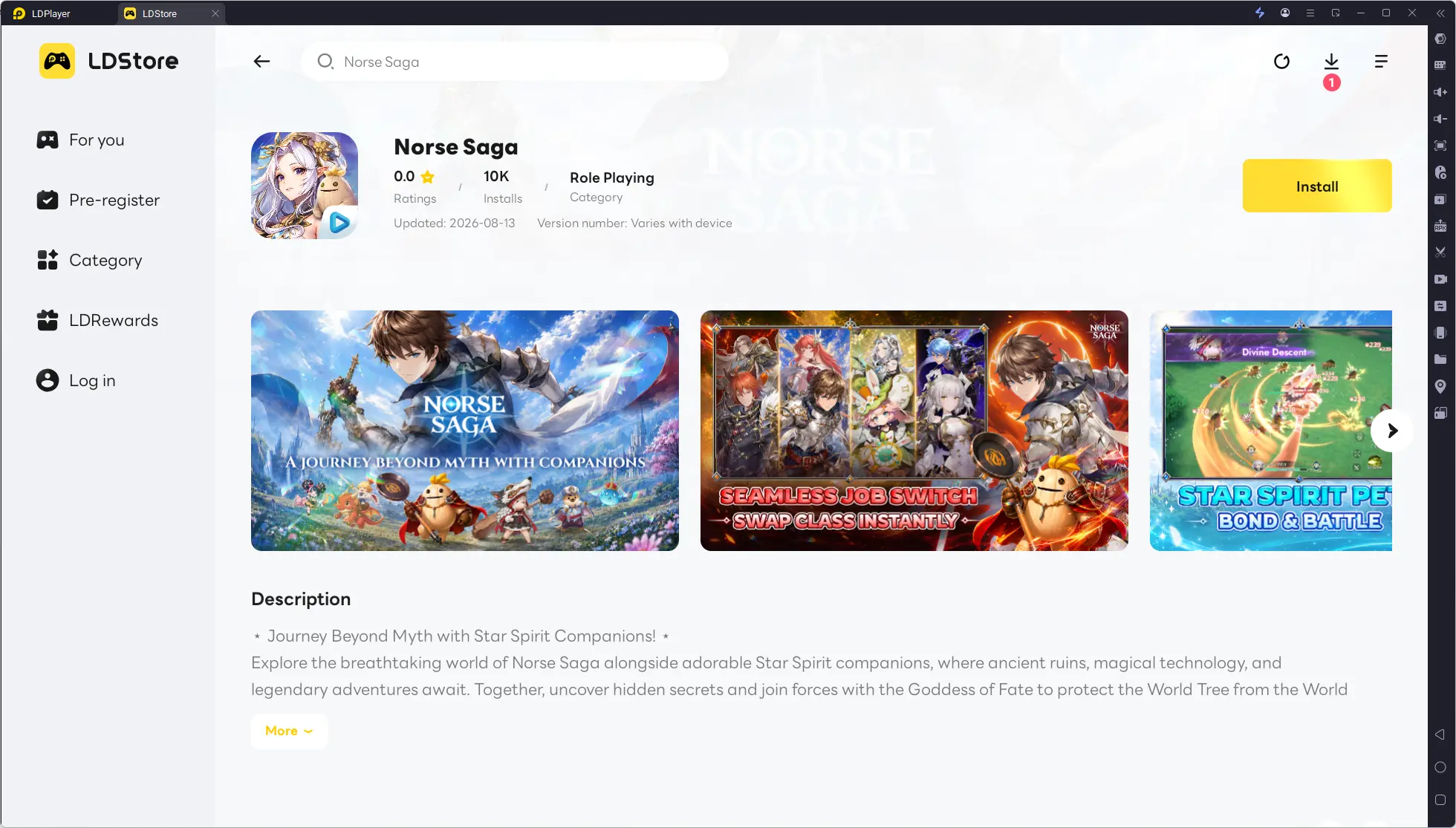
Launch LDPlayer, search for "Norse Saga" in the built-in store or Google Play, and install it.
2. Phone Remote Control Setup
Once the PC side is configured, you can connect and control remotely via your phone.
Install OSLink App on Phone
Download and install the "OSLink" app from the App Store (iOS) or Google Play (Android), or get the APK from the official website.
Establish Connection
Make sure both your PC and phone are logged into the same OSLink account. In the phone OSLink app, select your device to connect—you'll then see the PC emulator screen on your phone and can operate it directly.
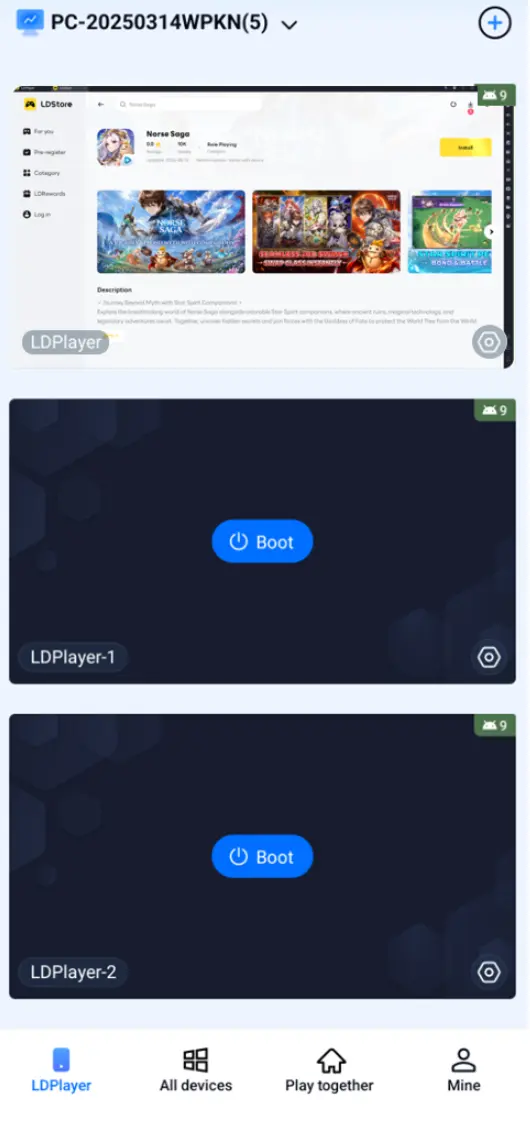
3. Auto-AFK & Multi-Instance Synchronization
Using OSLink's features, you can achieve dedicated automation and multi-account syncing for Norse Saga.
Auto-AFK (Stage Farming / Resource Collection / Deep Dungeons)
1.After successfully connecting the mobile OSLink to the computer, start "Norse Saga" in LDPlayer;
2. Activate the "Auto Click" tool on OSLink and record a standard operating procedure (e.g. click Adventure → select level → click Start Battle → wait for battle to end → click Challenge Again or return to the main menu);
3. Set the number of cycles or the duration. Once the script starts, it will automatically repeat the process to farm materials and coins.
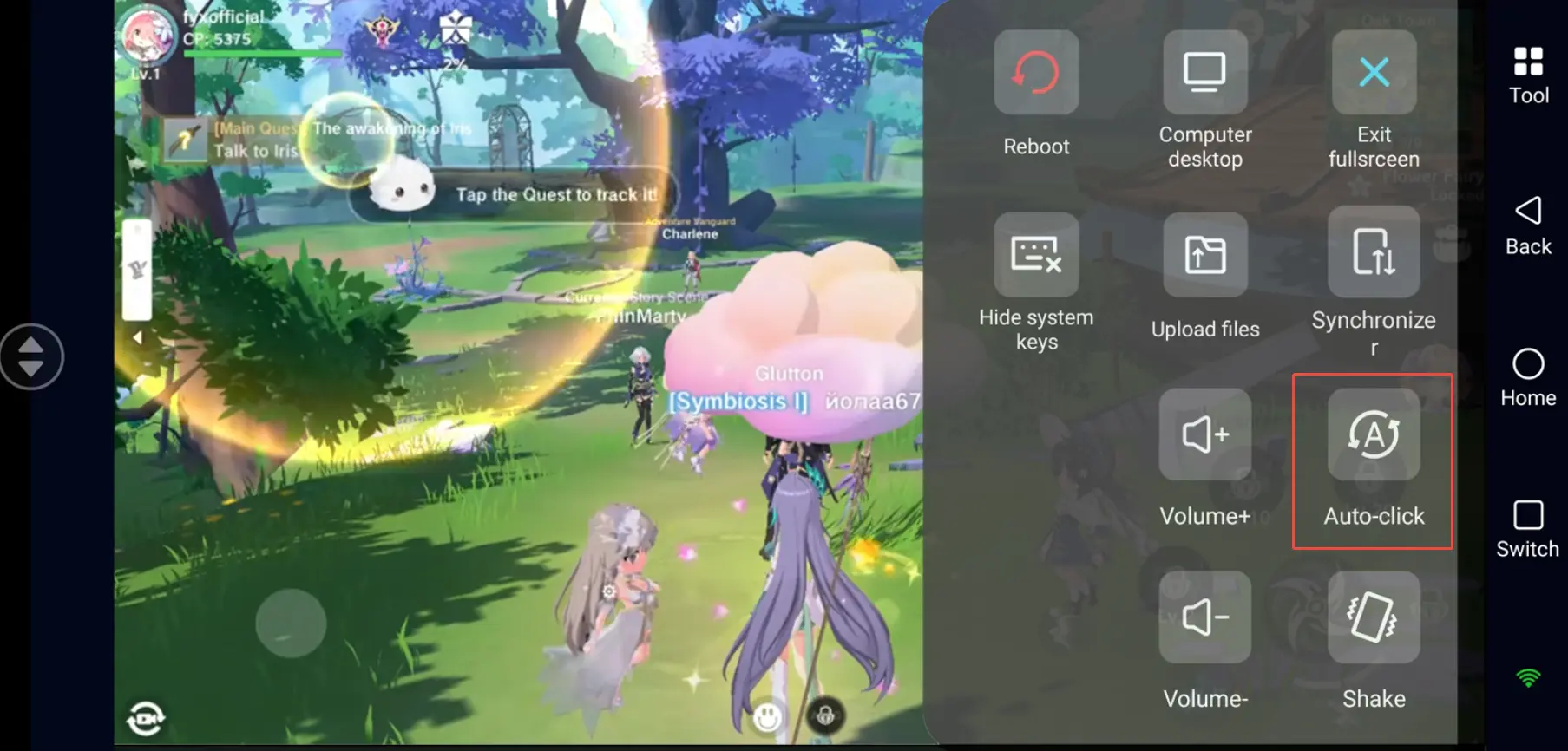
Multi-Instance Sync (Raising Multiple Accounts / Team Setups)
If you need to manage multiple emulator windows simultaneously, use the synchronized operation feature:
1.Open multiple Norse Saga windows in LDPlayer.
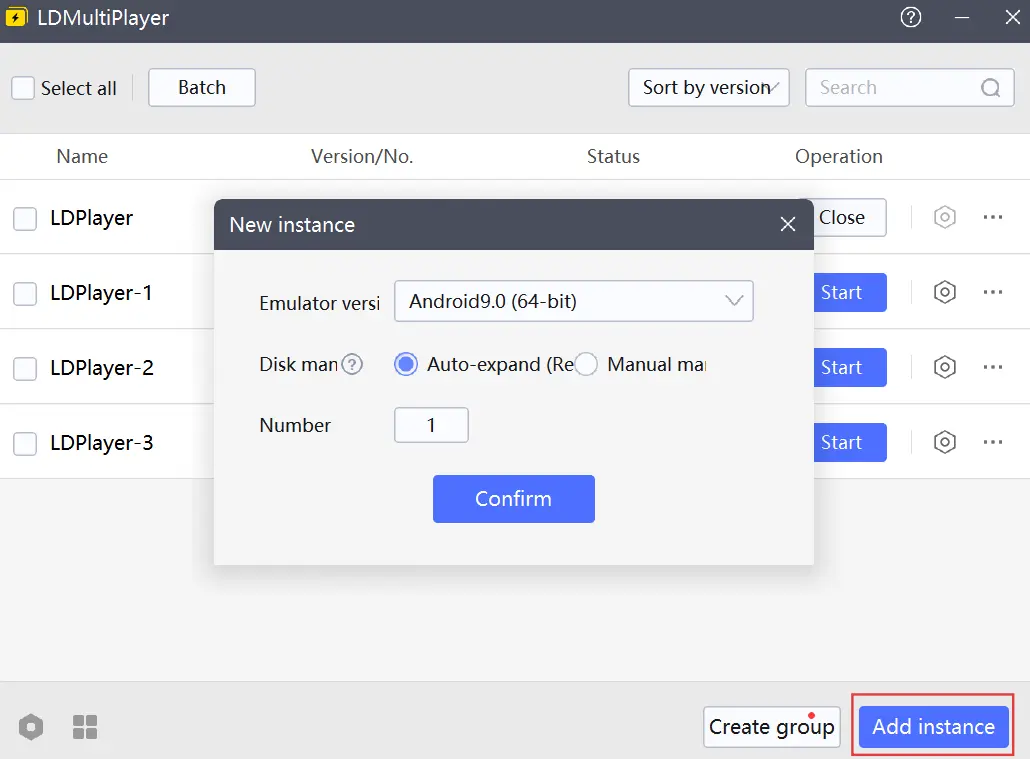
2.Enable "Synchronizer" mode in the phone OSLink app.
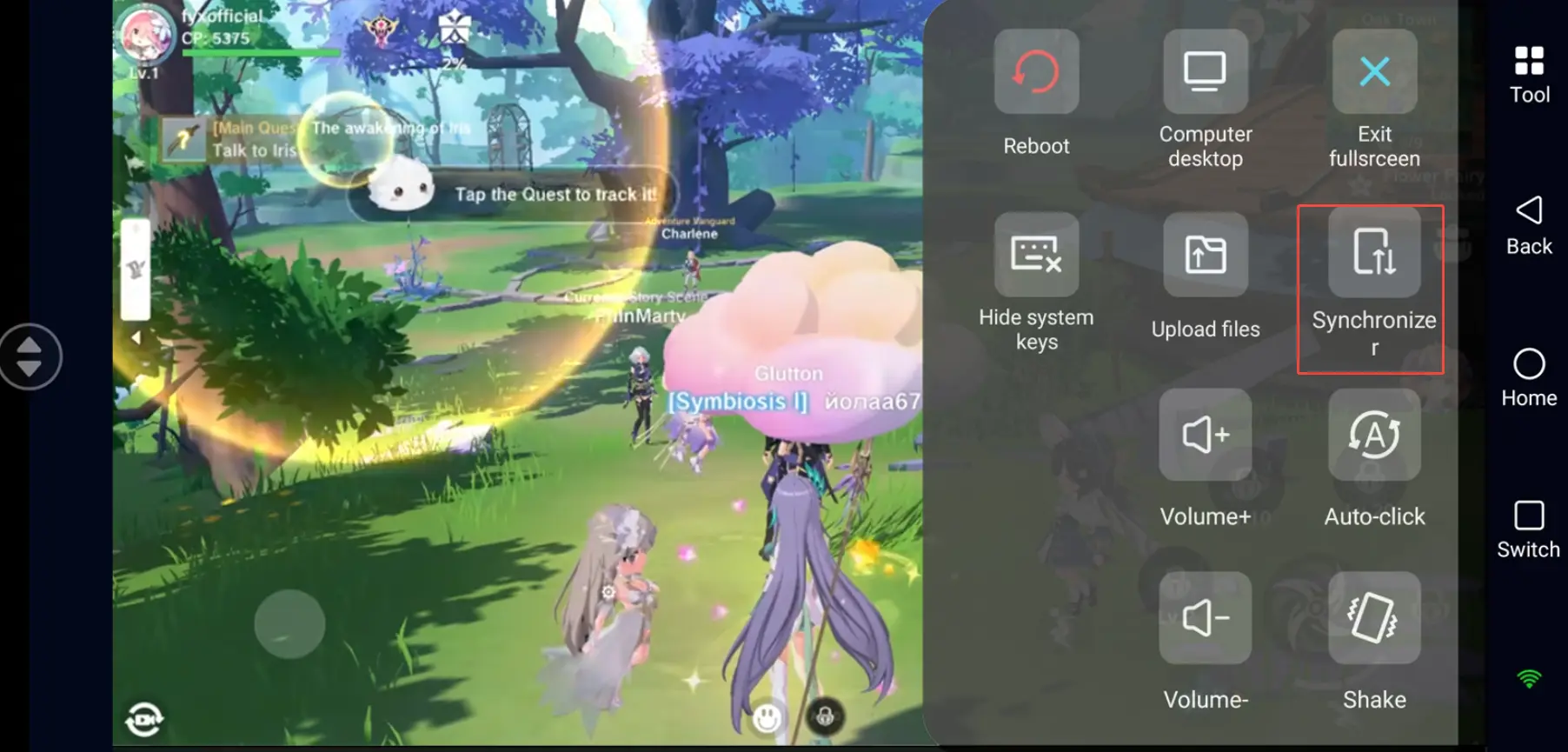
3.Select the emulator devices you want to sync and start.
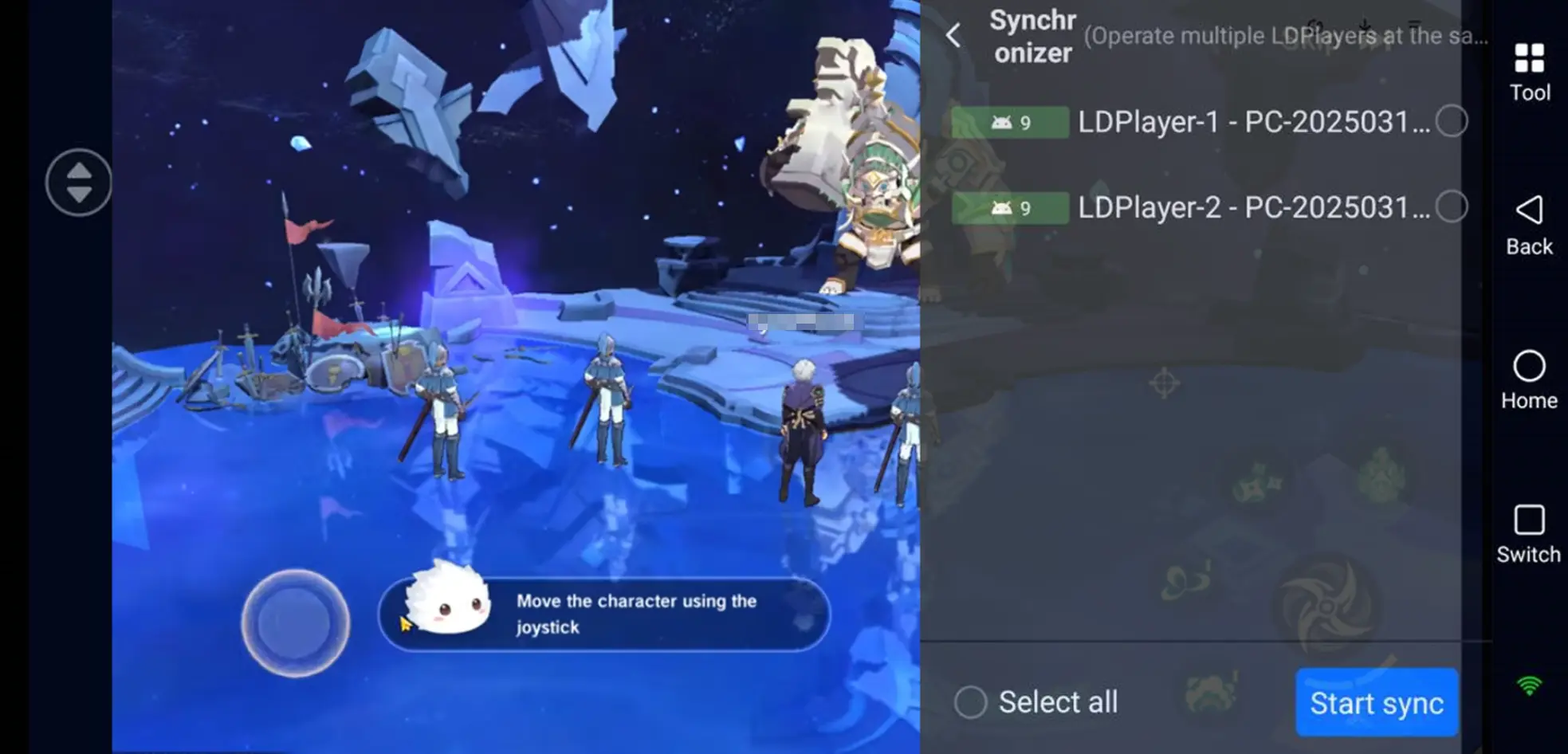
Now a single action on your phone (e.g., tapping daily quests, claiming rewards, confirming team setup) will simultaneously mirror to all selected emulators-saving massive time on repetitive tasks.
FAQ / Common Questions
Q: What's the Norse Saga release time?
A: Norse Saga release date is September 16, 2020.
Q: What are the device requirements for Norse Saga?
A: Refer to PC performance and emulator needs.
Minimum PC specs: Windows 7 64-bit, Intel Core i3-4160 or equivalent, 8GB RAM, NVIDIA GeForce GTX 750 Ti, 15GB storage.
Recommended: Windows 10/11, Core i5, GTX 1650 or above for smooth multi-instance operation.
Q: How many Norse Saga accounts can I run at the same time?
A: The game itself has no strict multi-account limit, but running multiple instances depends on your PC hardware. LDPlayer and similar emulators support multi-instance. A mid-range PC (16GB RAM) can stably run 2–3 emulators; a high-end PC (32GB+ RAM) can handle 5 or more. Adjust based on CPU and memory resources to avoid crashes from overloading.
Q: Can I run multiple Norse Saga instances on iOS?
A: iOS does not natively support app multi-instancing, so you cannot run multiple Norse Saga-accounts directly on an iPhone. However, via OSLink remote control, you can connect from your iOS device to multiple PC emulators-allowing you to remotely manage and operate multiple Norse Saga accounts on iOS.
Conclusion
With the setup above, you can efficiently manage multiple Norse Saga instances from your phone. Whether commuting or out and about, you can manage your emulator AFK progress anytime via OSLink-farming deep dungeon materials, building multiple teams, and never missing events or resources. Plan your multi-instance count based on your PC specs, follow the game's official rules, and enjoy a smoother strategy RPG experience.
 Download