English
 Enter the Chronosphere is a sci-fi action game that combines turn-based strategy, barrage shooting, and Roguelike elements. Unlike typical shooting games, the biggest feature of this game is that "time only flows when the player takes action".
Due to the Roguelike challenge mechanism used in "Entering the Space and Time Domain", players often need to repeatedly challenge different Chronospheres, collect new equipment, and unlock characters. Therefore, many players will use their spare time to farm resources, research builds, or complete daily challenges, and through OSLink remote streaming, they can jump back into the Chronosphere at any time even if they are not at their computer.
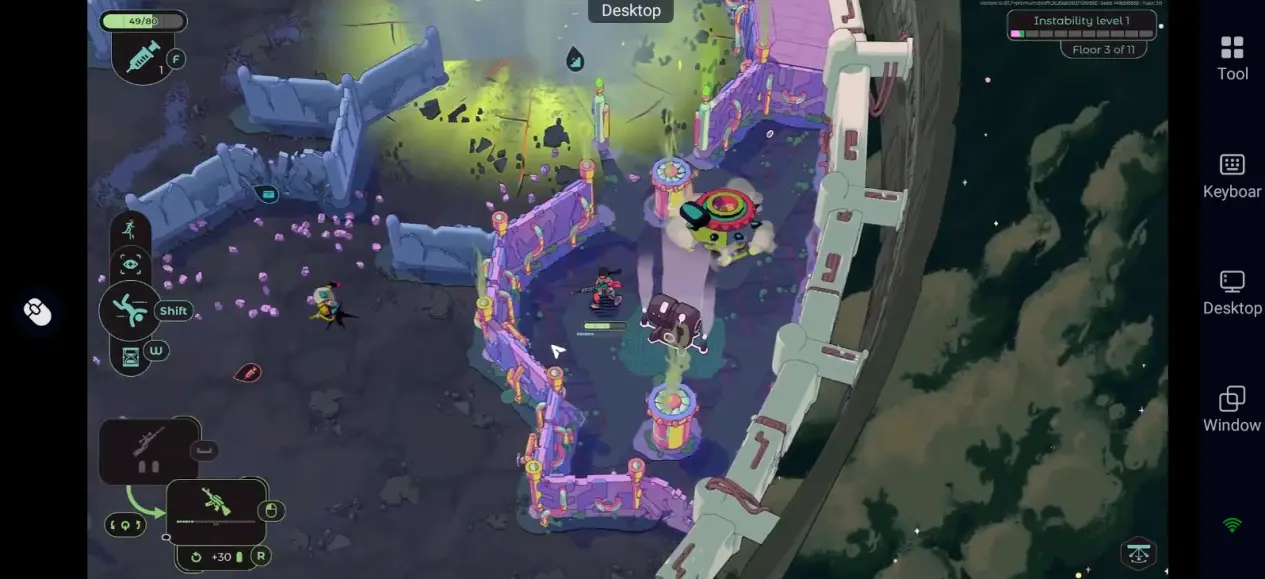
Setup Guide for Mobile Remote Play
1. Install OSLink and Pair Your Devices
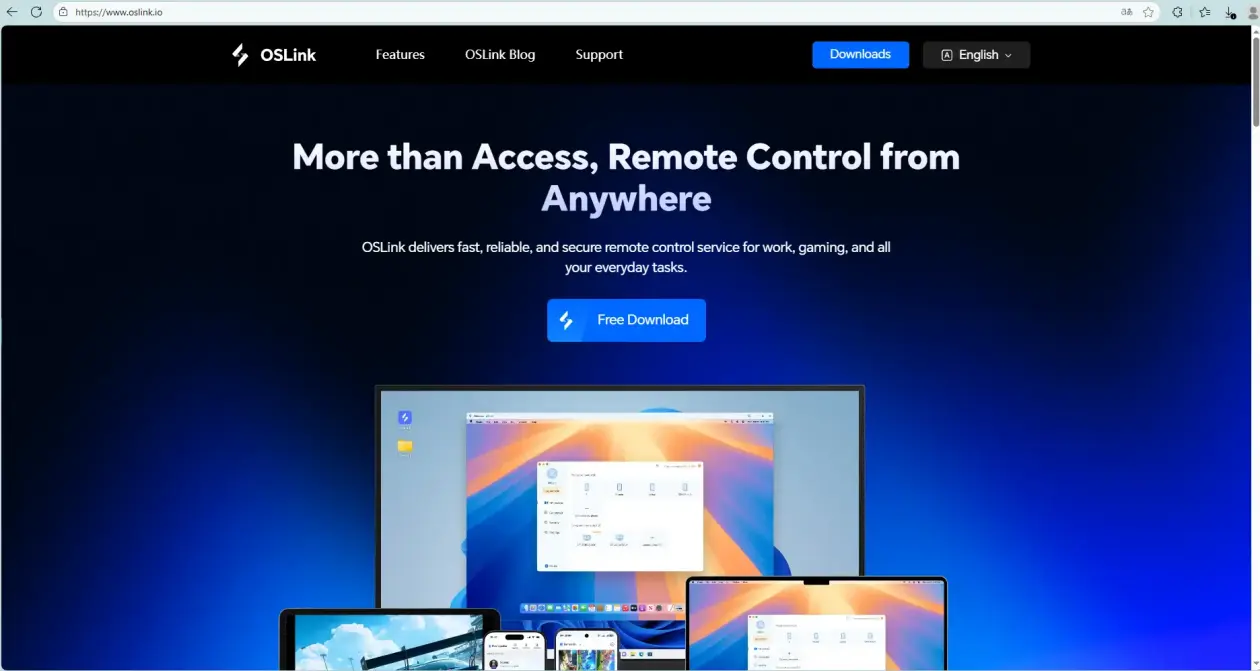
On the computer side, first go to the official OSLink website to download and install the PC client, log in to the account, and keep the computer online.
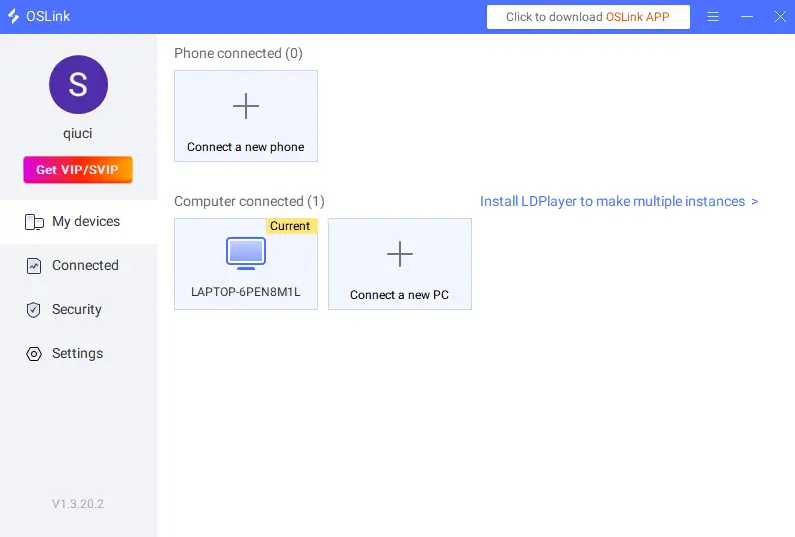
On your phone, search for "OSLink" on Google Play or the App Store to download the app.Log in with the same account, and your devices will pair automatically.
2. Launch Enter the Chronosphere
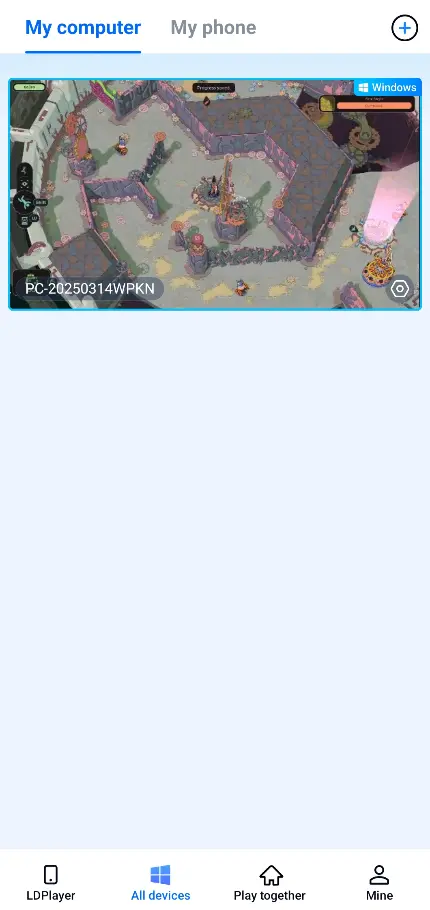
Once connected, select your paired PC on your phone to access the remote desktop.
Then open Steam and launch Enter the Chronosphere. The game content will sync to your phone screen.
If you added the game to your OSLink library, you can launch it with one tap directly.
3. Adjust Control Mode and Key Bindings
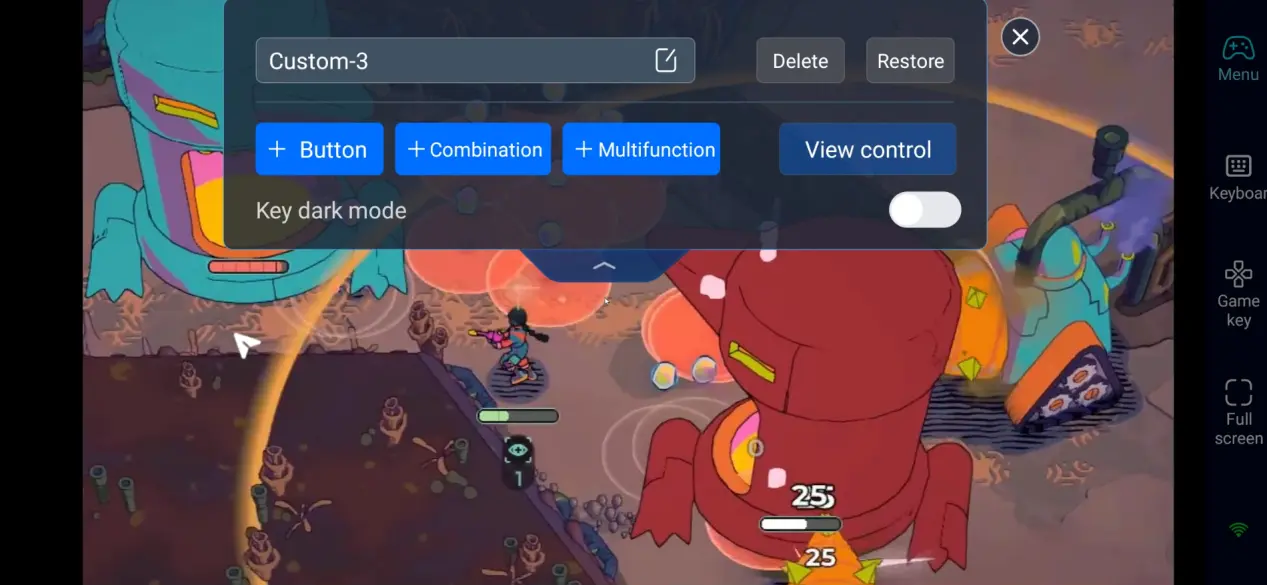
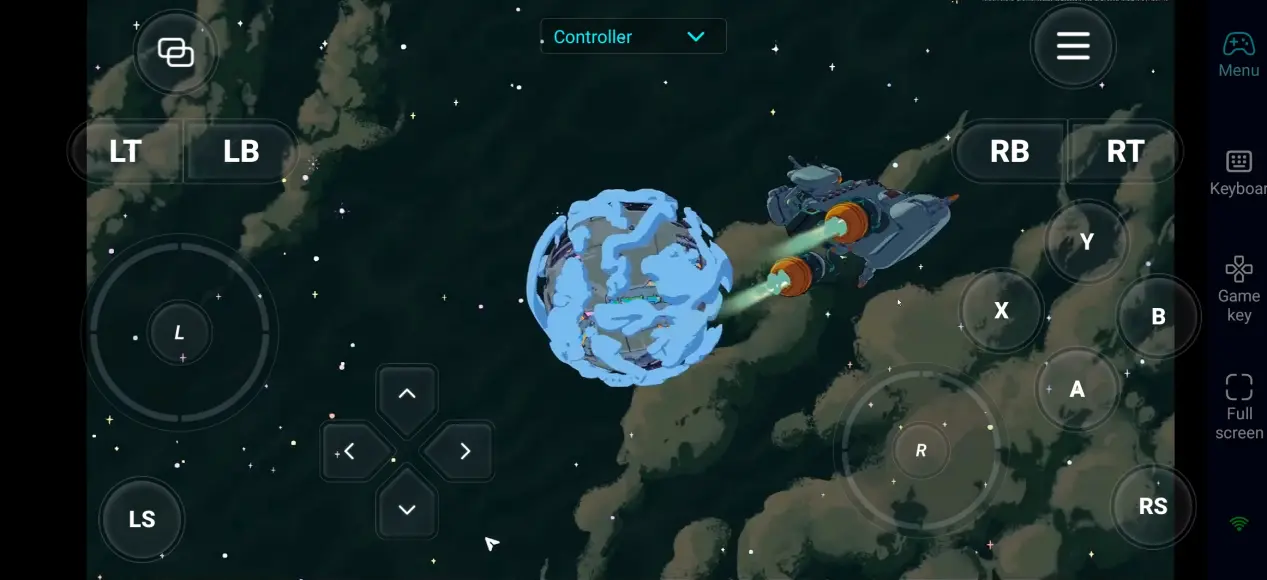
Tap the toolbar on the right side of your phone screen.Enter the "60 FPS Gameplay" mode.Then you can set up virtual keys to match your habits, or connect a Bluetooth controller.
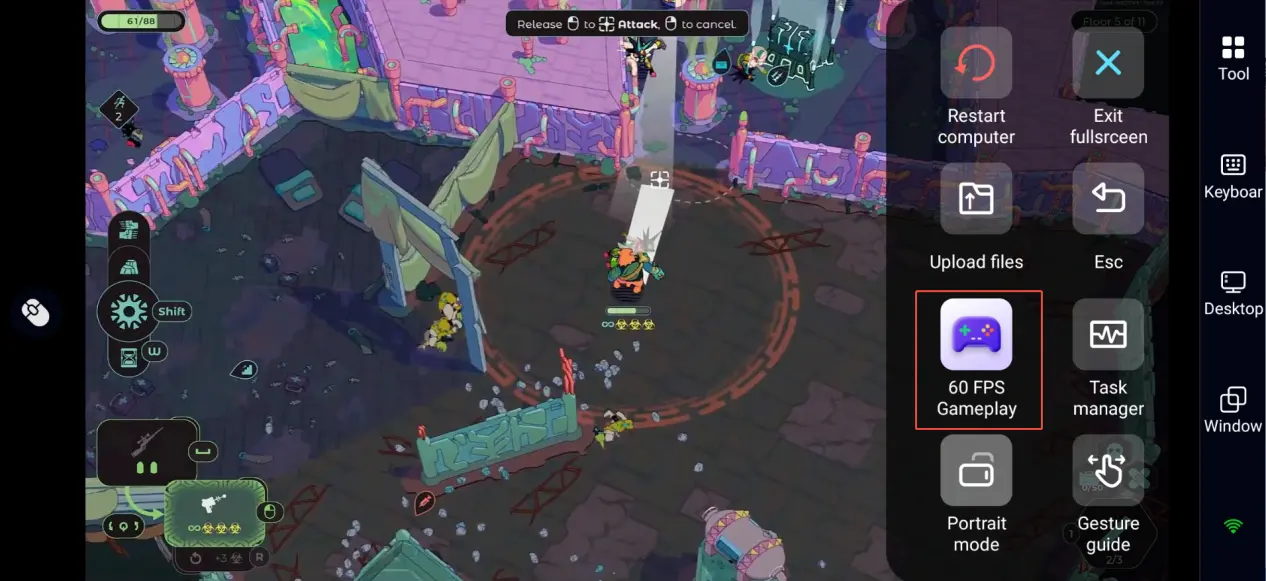
We recommend the following key binding setup:
|
Function Area |
Recommended Controls |
Purpose |
|
Basic Movement |
Virtual Joystick |
Control your character's position |
|
Combat Actions |
Shoot, Reload |
Deal damage and manage resources |
|
Survival Actions |
Roll, Dodge |
Avoid bullet attacks |
|
Support Features |
Map, Interact |
Explore and progress through quests |
This game relies heavily on positioning and tracking bullet paths.
We recommend placing the roll and shoot keys where your fingers can reach them easily.
New Player Starter Guide
When many players first encounter "Enter the Space and Time Realm", they tend to play it as a general top-down shooting game, but in fact, this game leans more towards strategic planning.
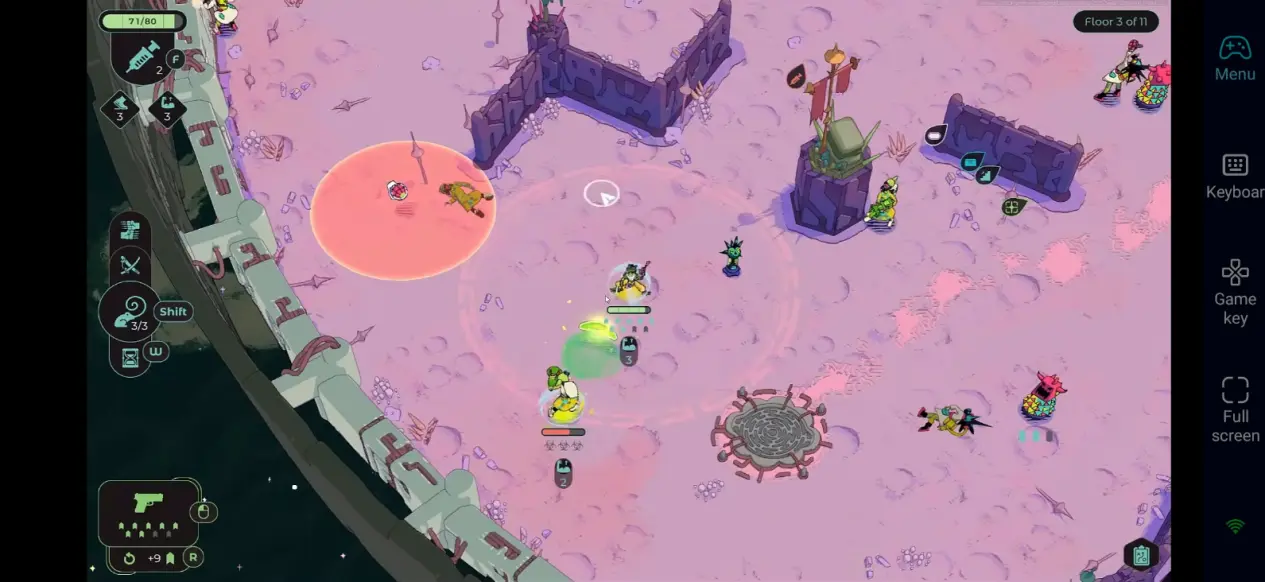
Since time only moves when you act , it is important to observe enemy positions, bullet flight directions, and available terrain before each movement. Many seemingly dangerous situations can be solved safely by making good use of the time pause mechanism.
In terms of early resource selection, survival ability is usually more important than damage. Due to the Roguelike mechanism, one mistake may affect the entire challenge. Therefore, it is recommended to prioritize obtaining shields, healing items, displacement ability, and field control skills, and gradually strengthen output ability.
In addition, terrain utilization is also the most easily overlooked part for beginners. Many levels can block barrage through obstacles, and even use wall reflections or terrain effects to defeat enemies, which is often more efficient than direct confrontation.
Recommended Build Combinations
Much of the fun in Enter the Chronosphere comes from how weapons, gear, and abilities work together. The game has over 100 weapons and items.Pair them with different upgrade modules, and you can create totally unique playstyles.For new players, the kiting ranged build is usually the most stable option.With range boosts, slow effects, and high-precision weapons, you can wear down enemies safely from a distance.
Once you get used to the game's mechanics, you can try more advanced builds.For example, use a shotgun with a bounce module to clear rooms by bouncing bullets off walls.Or combine summoning and explosion effects to make a high-risk, high-damage special playstyle.
Why Enter the Chronosphere Is Perfect for Mobile Remote Play
1. Roguelike Progression Fits Short Free Moments
Each run rewards you with new resources and progression unlocks, and even with only a short period of commuting, lunch break, or bedtime, one can complete a round of exploration or advance some growth content.
After logging in remotely through OSLink, players can continue unfinished challenges at any time without needing to sit at your PC.
2. Strategic Gameplay Is Tolerant of Slight Latency
Due to the core mechanism of "time flows with action" in this game, players have a lot of time to observe the battlefield and plan the next steps. Therefore, compared to high-speed competitive shooting games, it works particularly well with remote streaming.
Even with mobile phone operation, it can maintain a good combat experience while retaining the full PC experience and visual quality.
FAQ
Q: Is Enter the Chronosphere a real-time shooter?
A: No, it is not.The game's biggest feature is its time control mechanic.When you stop acting, the entire battlefield pauses with you.It's more of a strategy and planning game.
Q: What gear should new players prioritize early on?
A: We recommend choosing shields, healing, movement, and crowd control abilities first.Make sure you can survive, then add damage gear later.
Q: Is Chronosphere the same every time?
A: No, it is not.Maps, enemies, weapon pools, and special rules all change randomly.That means every run feels different.
Q: Will there be obvious lag when playing remotely?
A: We recommend using a stable Wi-Fi or 5G network.Since this game relies heavily on strategic planning, you can still have a smooth experience even when playing remotely.
Q: Can I play Enter the Chronosphere directly on my phone?
A: If the game doesn't have a native mobile version yet, you can use OSLink to stream your PC screen to your phone.This lets you keep up with your game progress anytime, anywhere.
Conclusion
The biggest charm of Enter the Chronosphere lies in its successful integration of strategy planning, barrage shooting, and Roguelike growth system. Every action changes the battlefield situation, and every challenge brings new build combinations and tactical experiences.
Through OSLink remote streaming, you don't need to stay in front of your computer for long periods of time. Whether it's planning your next challenge while commuting, browsing resources during lunch breaks, or experimenting with new weapon builds before bed, you can continue your time and space adventure at any time, controlling the entire battlefield while controlling time.

 Download