English
 Looking for a faster way to farm resources in Battle Through the Heavens?
This fantasy RPG is packed with alchemy, cultivation, and intense battles. But progressing efficiently often means hours of repetitive grinding. Managing multiple accounts manually only makes it more time-consuming.
This guide will show you a smarter approach. By combining OSLink Remote Control with LDPlayer Android emulator, you can run multiple game instances on your PC and control them directly from your phone. This setup allows you to automate AFK farming, handle multiple accounts with ease, and significantly boost your overall progression speed.
1. Basic Setup on Your PC
Download and install both tools from the official OSLink and LDPlayer websites.
2. Set Up Mobile Remote Control (OSLink)
Now, connect and control your PC from your phone.
OSLink App on Your Phone
Search for "OSLink" in your phone's app store (iOS App Store or Google Play) and install it. You can also get the APK from the official website.
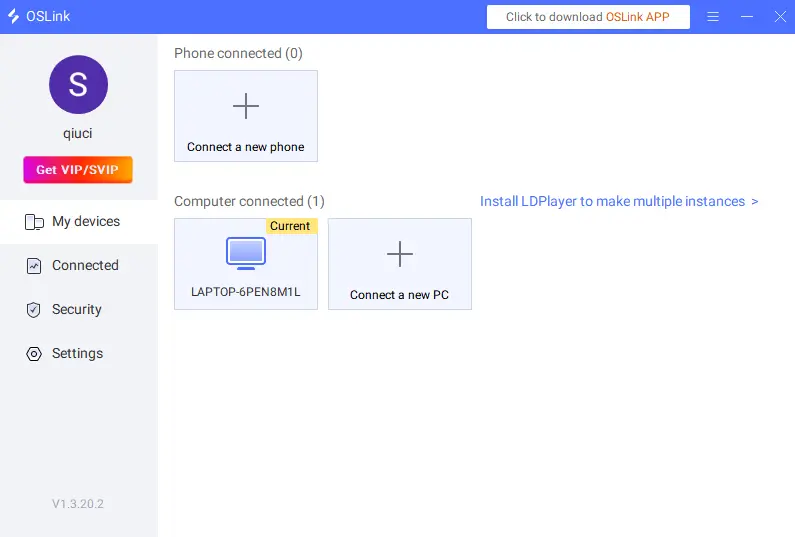
Connect Your Devices
Make sure your PC and phone log in to the same OSLink account on both devices.
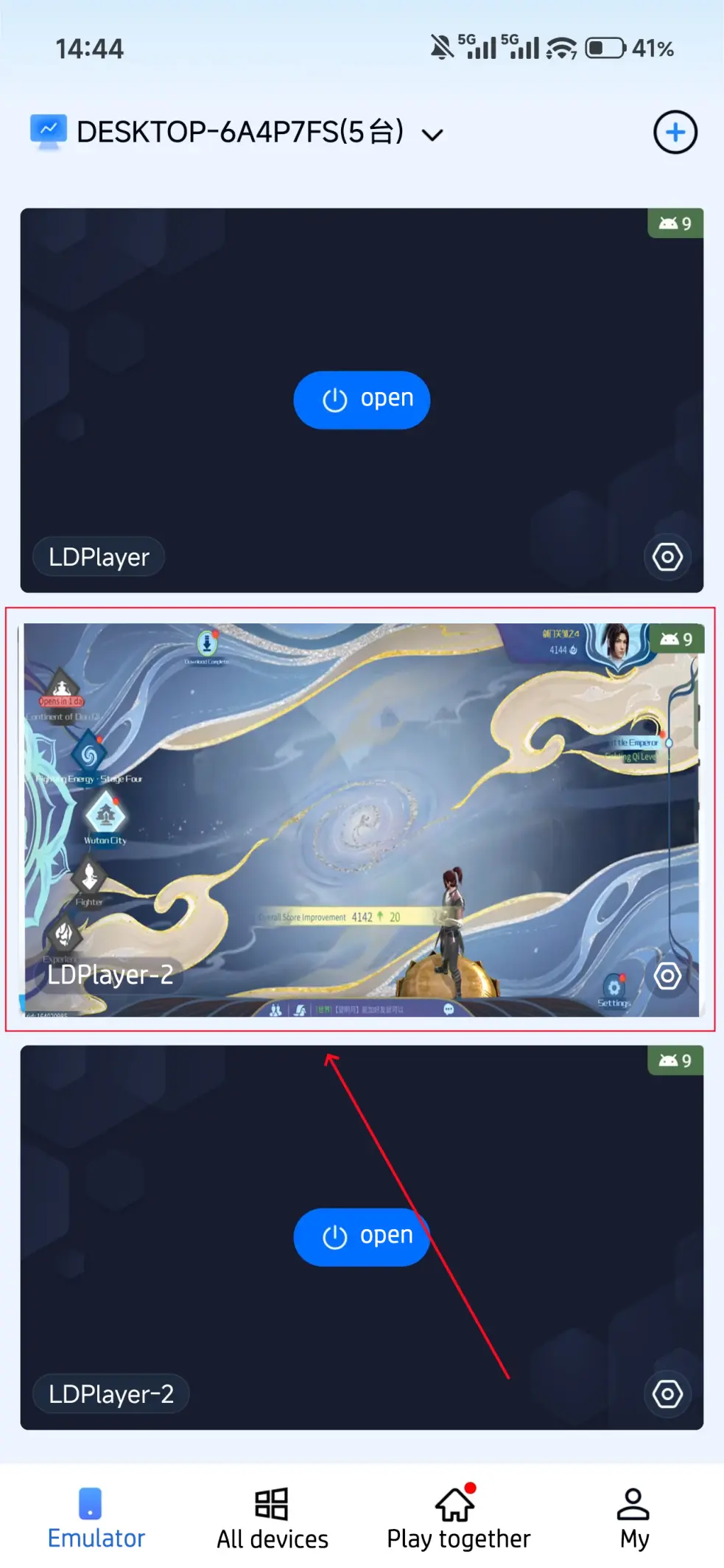
On your phone's OSLink app, select your PC from the device list.
Once connected, you will see your PC's screen on your phone. You can now control the emulator directly from your mobile device.
3. AFK Farming & Multi-Instance Sync
Use OSLink's tools to farm automatically and manage several accounts at once.
Using Auto-Click
The game has many repetitive tasks. You can automate them.
Step 1: After connecting with OSLink, start the game on your PC emulator.
Step 2: Click OSLink's "Auto Click" on your phone.
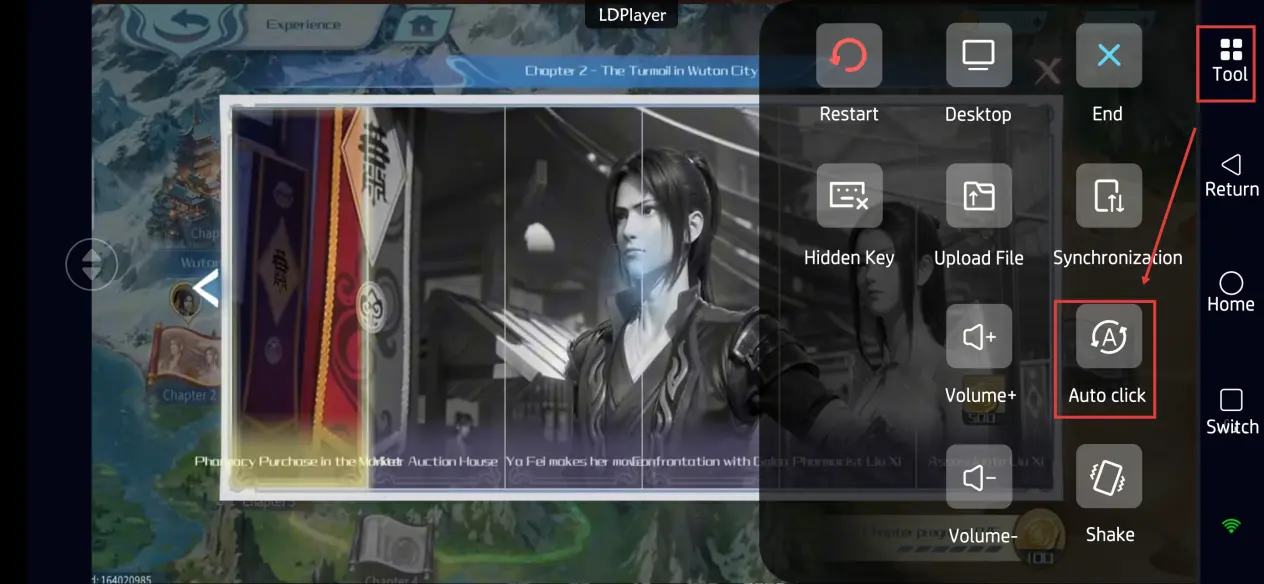
Step 3: Record a simple loop of actions. For example: Tap "Challenge" → Wait for the battle to finish → Tap "Repeat".
Step 4: Set how many times to loop, or set a duration. Start the script. The game will now farm
materials for you automatically.
Sync Control for Multiple Accounts
Need to manage accounts on different servers? Or reroll multiple characters? Use the sync feature.
Step 1: On your PC, use the emulator's multi-instance manager to open several game windows.
Step 2: On your OSLink app, Click "Synchronization".
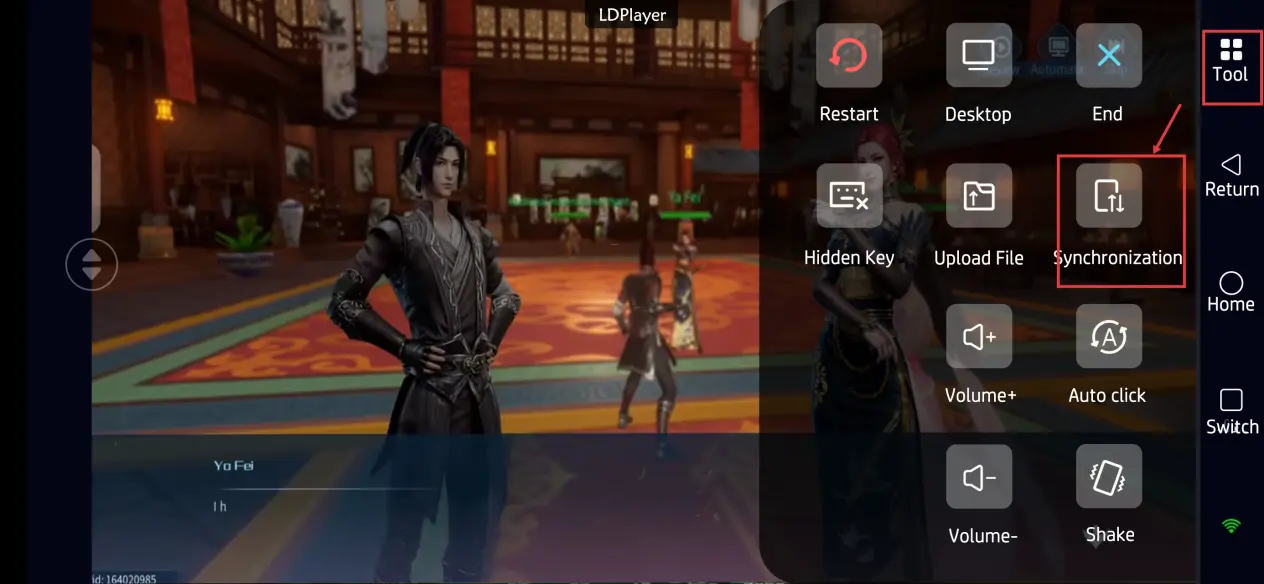
Step 3: Select all the emulator windows you want to control.
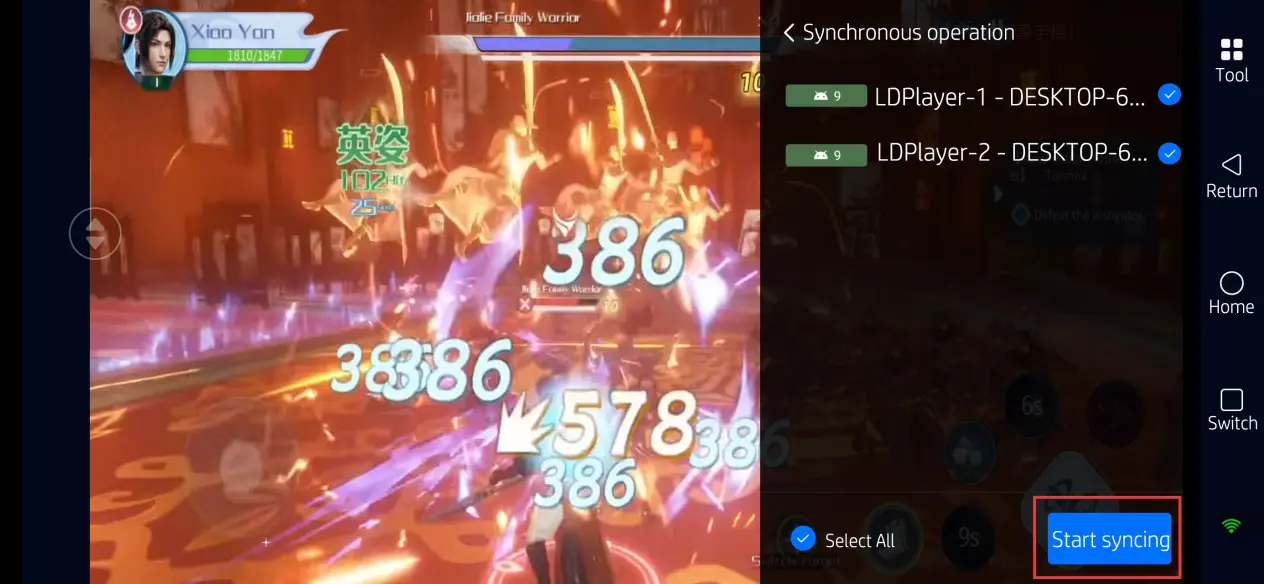
Step 4: Now, every tap you make on your phone will happen in all selected windows at the same time. This saves you from doing the same action over and over.
4. FAQ / Common Questions
Q: What is the release time of Battle Through the Heavens?
A:The game launched in April 22, 2026.
Q: What are the device requirements for Battle Through the Heavens?
A: Check the official Steam page or Google Play listing. Look for "System Requirements". Focus on CPU, RAM, and OS.
Q: How many accounts can I run with multi-instance?
A:The limit is flexible. It depends on your hardware. A typical PC can handle 2-5 instances smoothly. High-end PCs can run more.
Q: Can I manage Battle Through the Heavens multiple accounts on iOS?
A:Yes. You can use multiple Apple IDs. Or, use OSLink to manage them remotely. (Note: Jailbreaking is not required).
5.Conclusion
Follow this guide to set up efficient remote farming. You can manage your game progress from anywhere with your phone. Whether you're rerolling or farming on alternate accounts, OSLink helps you maximize your gains without being stuck at your computer.
 Download