English
 The Seven Deadly Sins: Origin officially entered early access on March 17 for PC (Steam) and consoles, with a full release scheduled for March 23 across all platforms.
As an open-world RPG based on the popular Seven Deadly Sins IP, early character progression and team composition play a huge role in your initial exploration and combat experience. Because of this, many players choose to reroll at the start to secure strong characters and get a smoother early-game experience.
In this guide, we’ll break down the banner system, explain how summoning works, recommend the best reroll targets, and show you how to reroll efficiently.
Banner Overview
Pick Up Banner
The Pick Up banner is the main way to obtain limited-time featured characters. You’ll need Pick Up summon tickets to roll on this banner.
-
When you pull an SSR character, there is a 50% chance it will be the featured unit.
-
If you don’t get the featured character on your first SSR, the next SSR is guaranteed to be the Pick Up character.
There are also fixed pity milestones:
-
80 pulls: Guaranteed 1 SSR
-
120 pulls: Guaranteed featured Pick Up character
If you’re targeting a specific unit, you can reliably obtain them within 120 pulls. It’s recommended to save resources and pull when you can commit to the full pity.
Regular Banner
The Regular banner contains standard SSR characters and uses Regular summon tickets.
-
80 pulls guarantee 1 SSR, similar to the Pick Up banner
-
No featured character guarantee
Best Reroll Characters
Meliodas
A top-tier melee DPS and the first Pick Up character at launch. He offers excellent burst damage and consistent close-range output, making him extremely strong for early progression, boss fights, and general content.

Jericho
A Cold element DPS with strong crowd control abilities. She can freeze enemies while dealing steady damage, making her especially effective in group fights and control-heavy situations.

Diane
A durable frontline DPS with high HP and strong survivability. Her wide attack range and simple playstyle make her a great core unit for beginners.

Elaine
A flexible ranged DPS and sub-support hybrid. She offers good mobility, utility, and crowd control, making her a versatile choice for many team compositions.

Reroll Guide
Since unlocking the summoning system in 7DS Origin takes some time, rerolling on a single account repeatedly can be very inefficient. To speed things up, it’s recommended to use OSLink with multi-instance emulators. This allows you to run multiple accounts simultaneously and reroll much faster.
Below are the setup steps.
Software Download
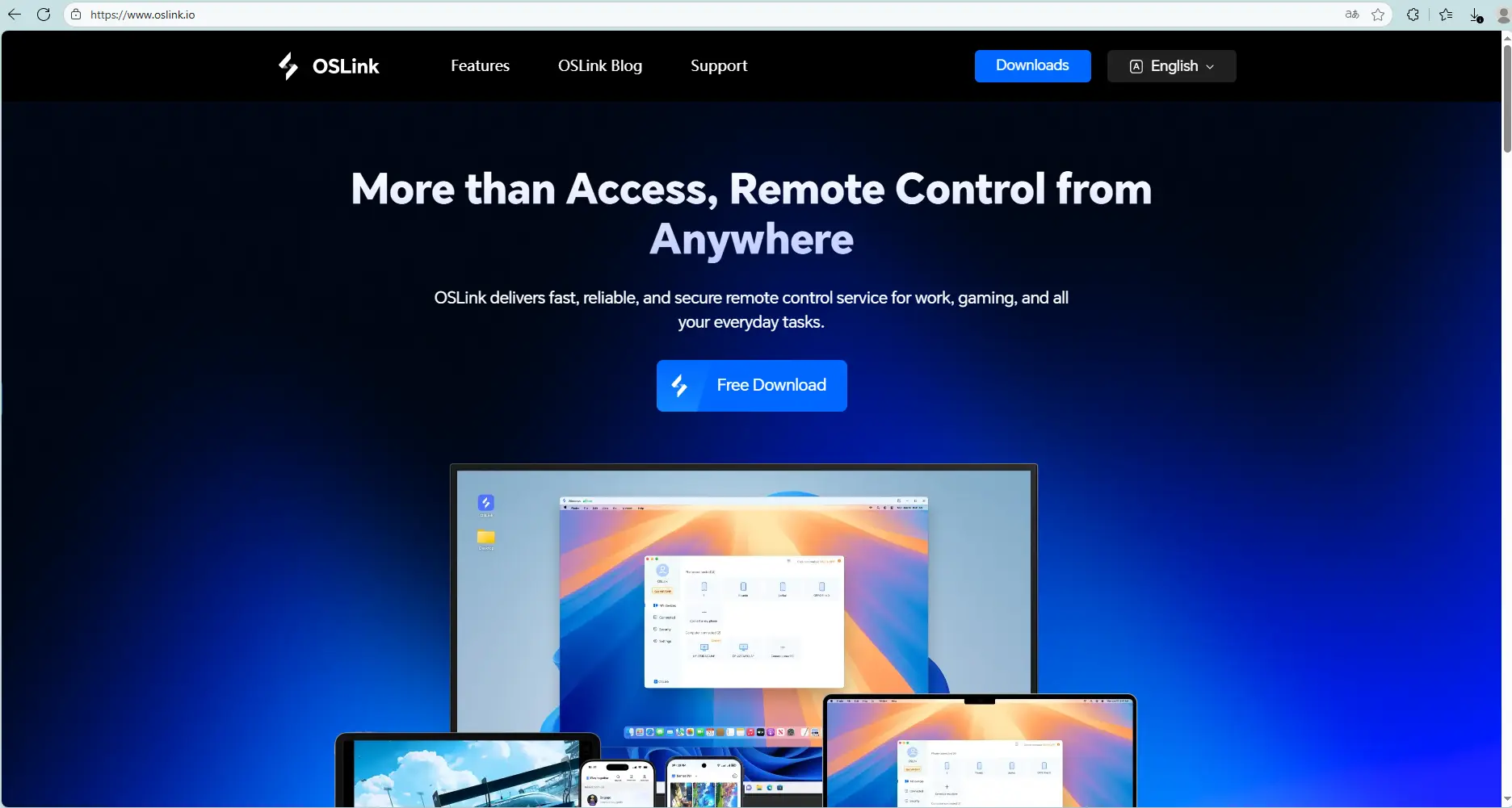
On PC: Download and install OSLink and an LDPlayer from their official websites.
On Mobile: Install OSLink from the App Store or Google Play (or download the APK from the official site if needed). Logging in with the same account as your PC will automatically connect them.
Operating steps
Launch the LDPlayer, open its app store (or Play Store), search The Seven Deadly Sins: Origin, and install the game.
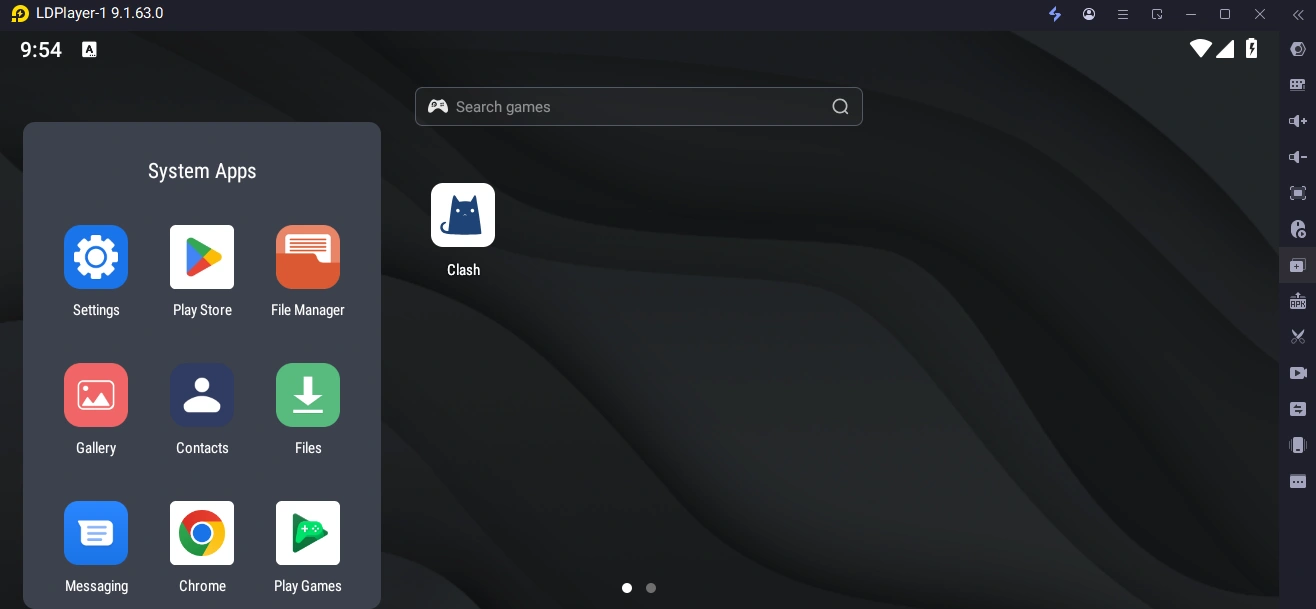
In your LDPlayer, create multiple instances (Add Instance → Clone Instance).
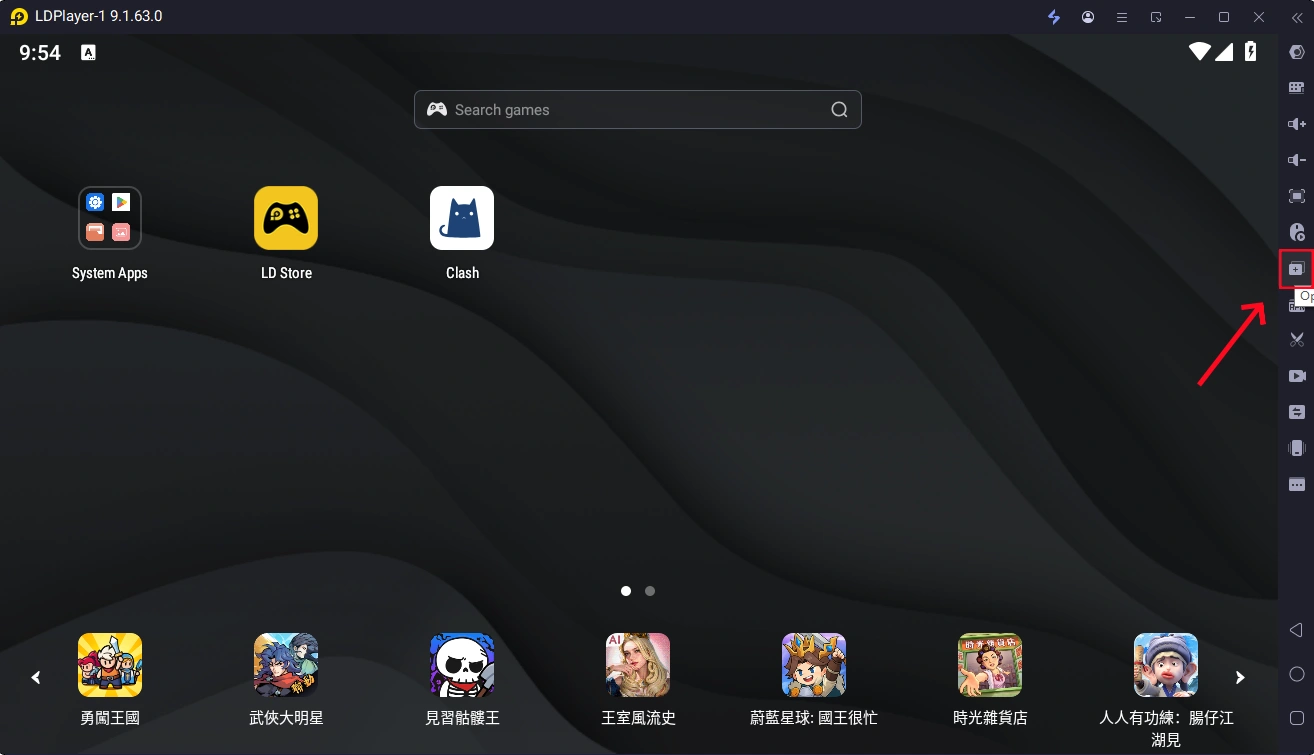
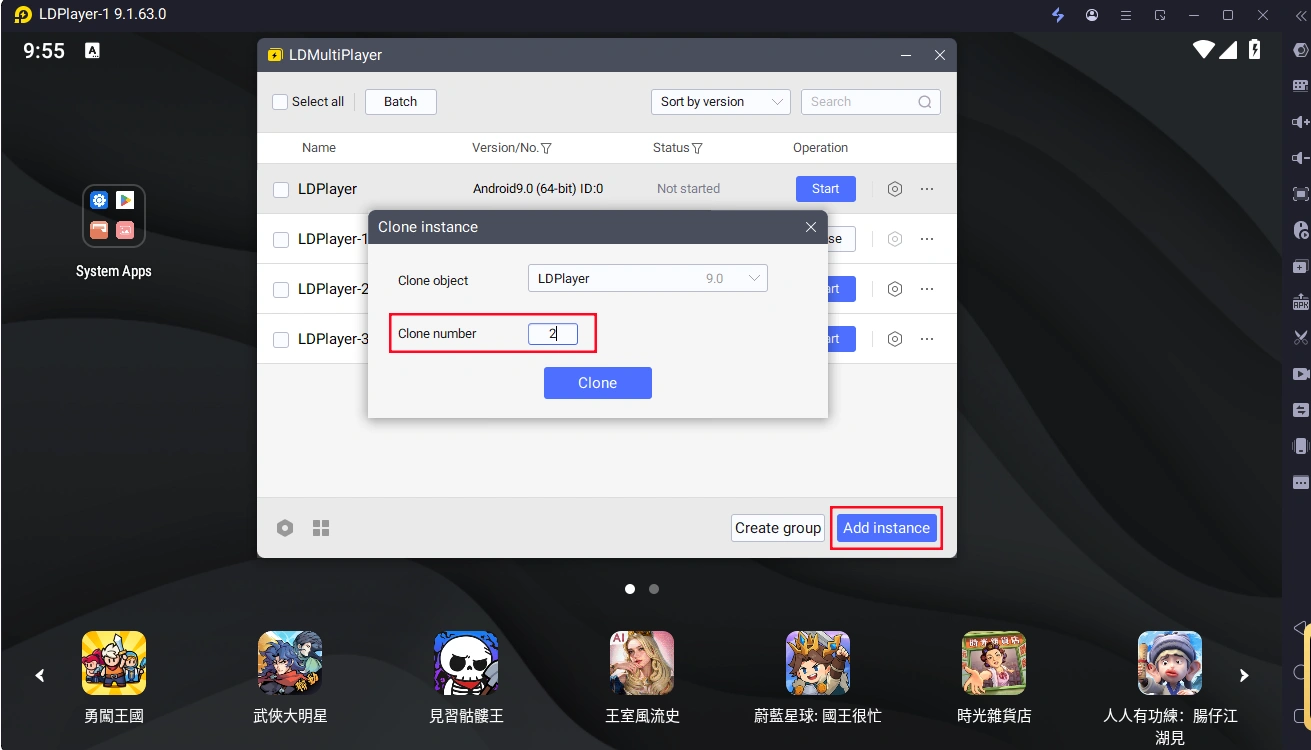
Launch The Seven Deadly Sins: Origin in the LDPlayer, then connect to that PC from your phone using the OSLink app.
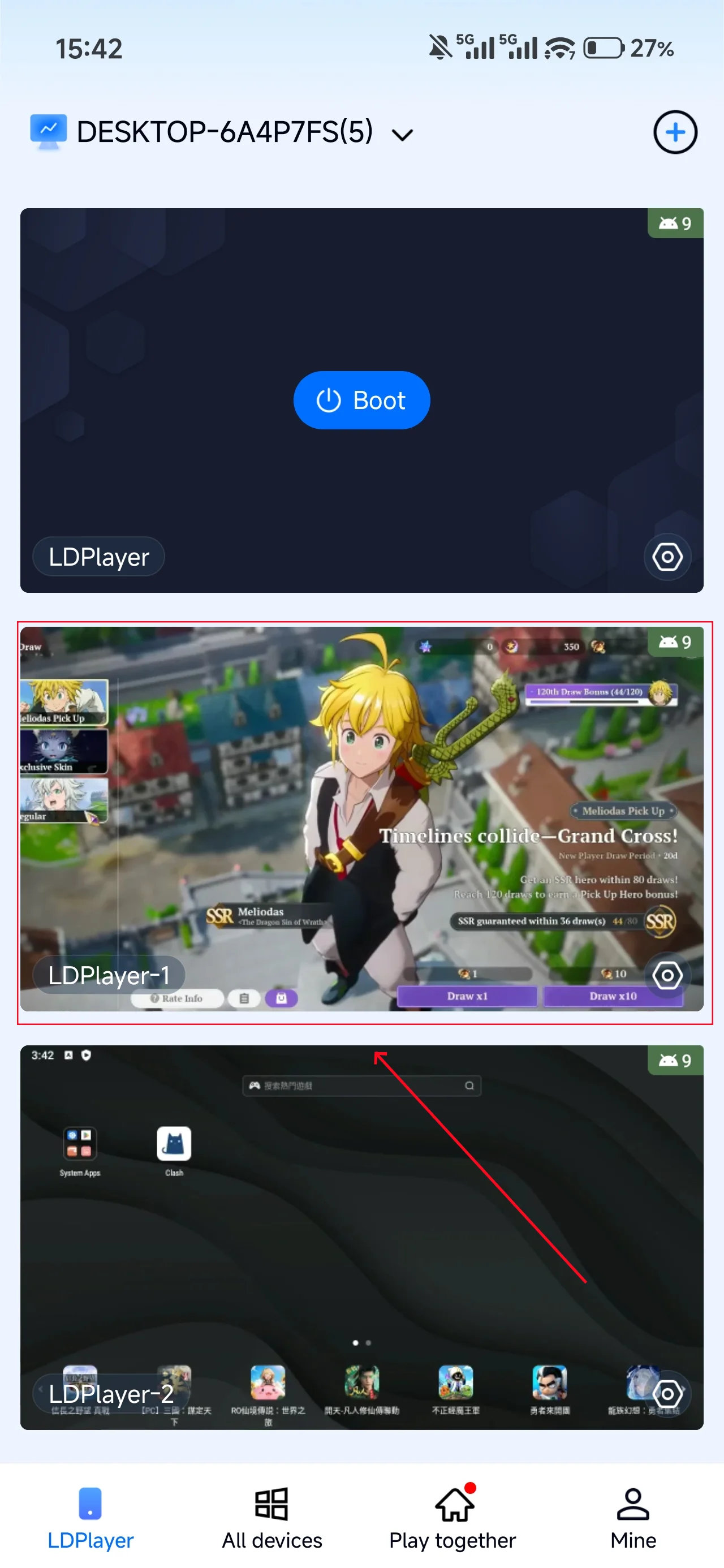
In Mobile OSLink, open the Tools panel on the right, and select Synchronizer.
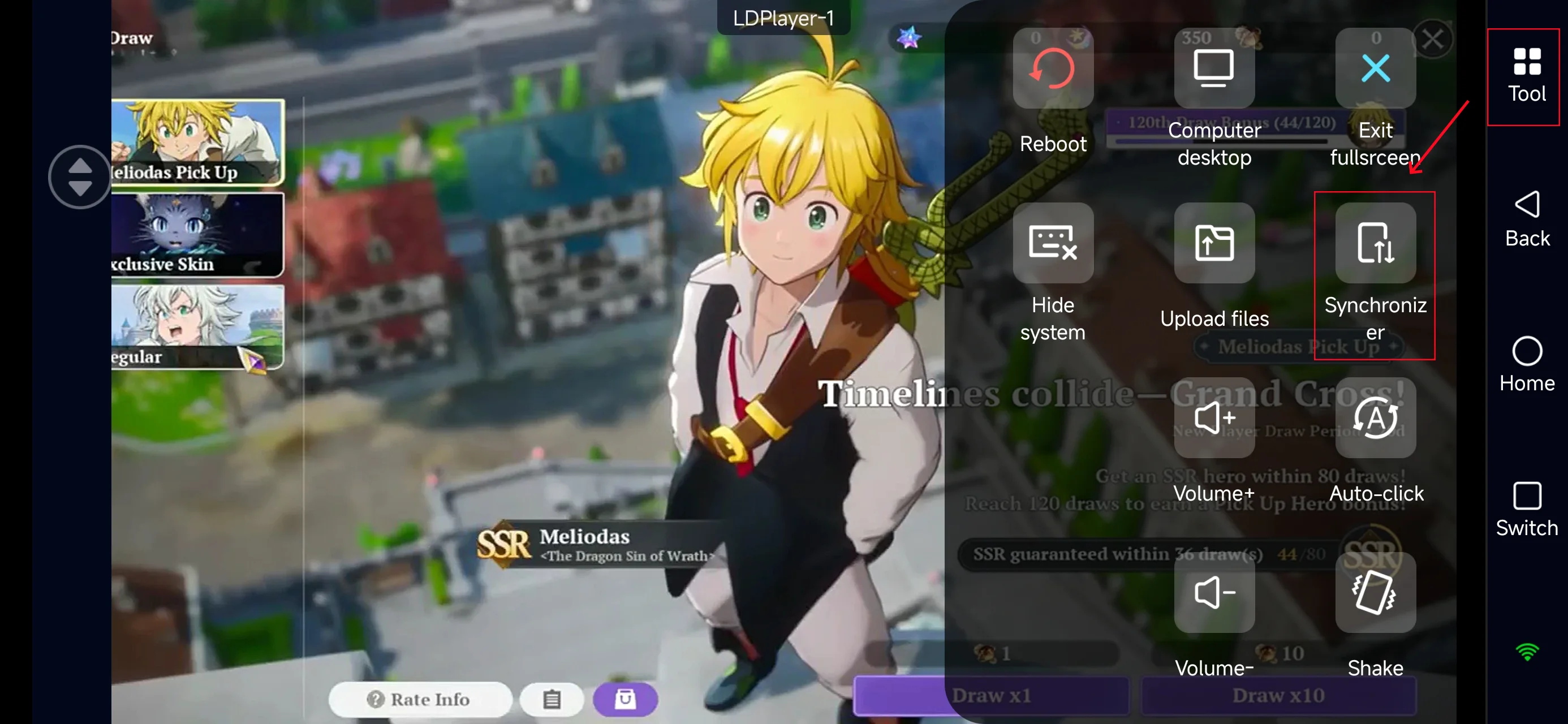
Check all emulator instances you want to synchronize, and start sync.
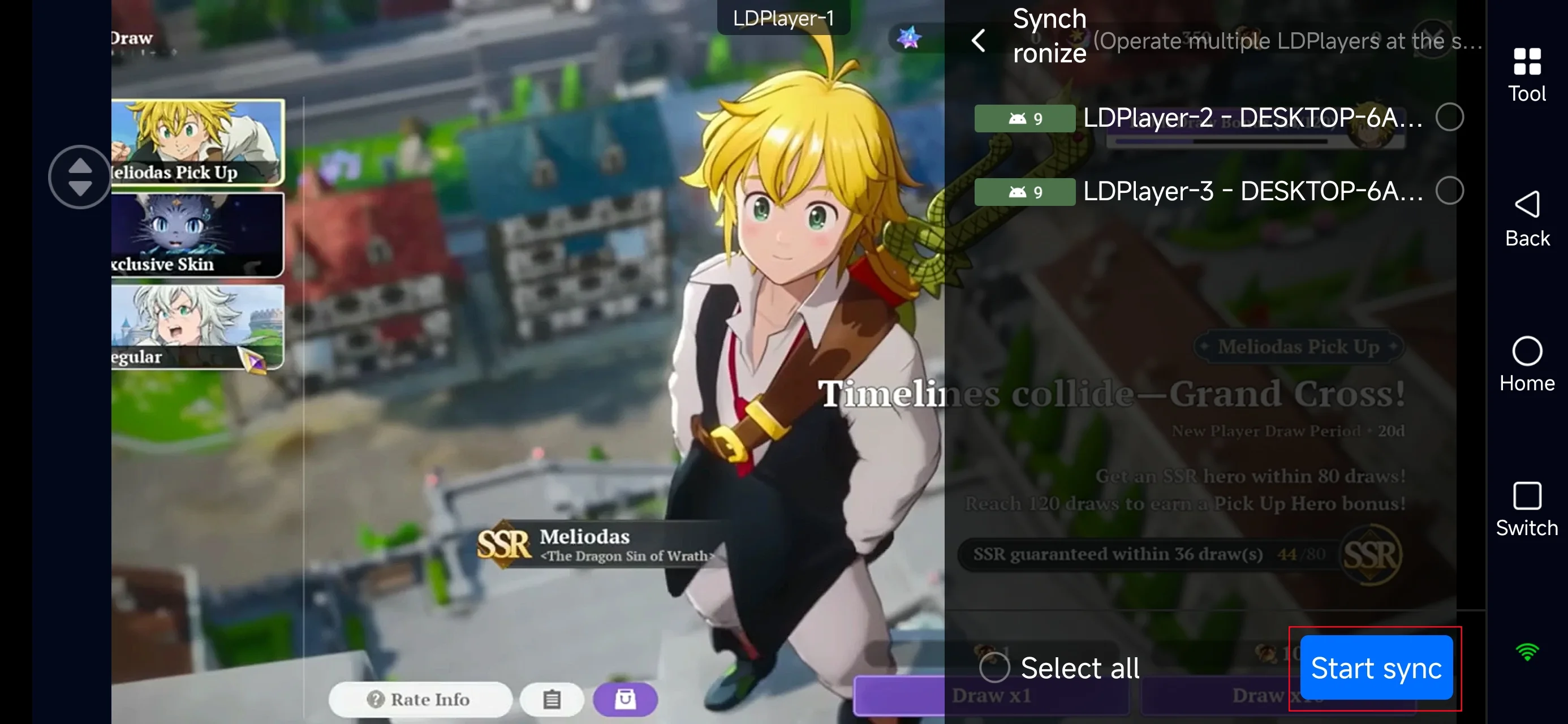
This allows you to reroll multiple accounts at once, dramatically reducing the time needed to secure a strong opening roster
Conclusion
The banner system in The Seven Deadly Sins: Origin is straightforward, and rerolling is a highly effective way to secure a strong early-game lineup.
By using OSLink, you can significantly speed up the reroll process and even manage multiple accounts simultaneously. This gives you a much better start and a smoother overall gameplay experience.
 Download