English
 Crimson Desert is an open-world action-adventure game where you explore a vast, war-torn continent, face powerful enemies, and uncover the mysteries behind a world in chaos. With its focus on real-time combat, exploration, and story progression, the game delivers an immersive adventure experience.
If you want to keep playing without being tied to your PC, OSLink is a practical solution. It lets you stream your PC gameplay directly to your phone or tablet, so you can continue your journey anytime, anywhere.
Quick Setup Tutorial for Playing Crimson Desert on Mobile
Step 1: Download OSLink and Connect Devices
PC Side:
Visit the OSLink official website to download the software and complete the installation.

Mobile Side:
Download the OSLink App from the App Store or Google Play; the official website also offers APK downloads.
Log in with the same account as on the PC side to automatically connect.

Step 2: Control Optimization
1. Launch the Game
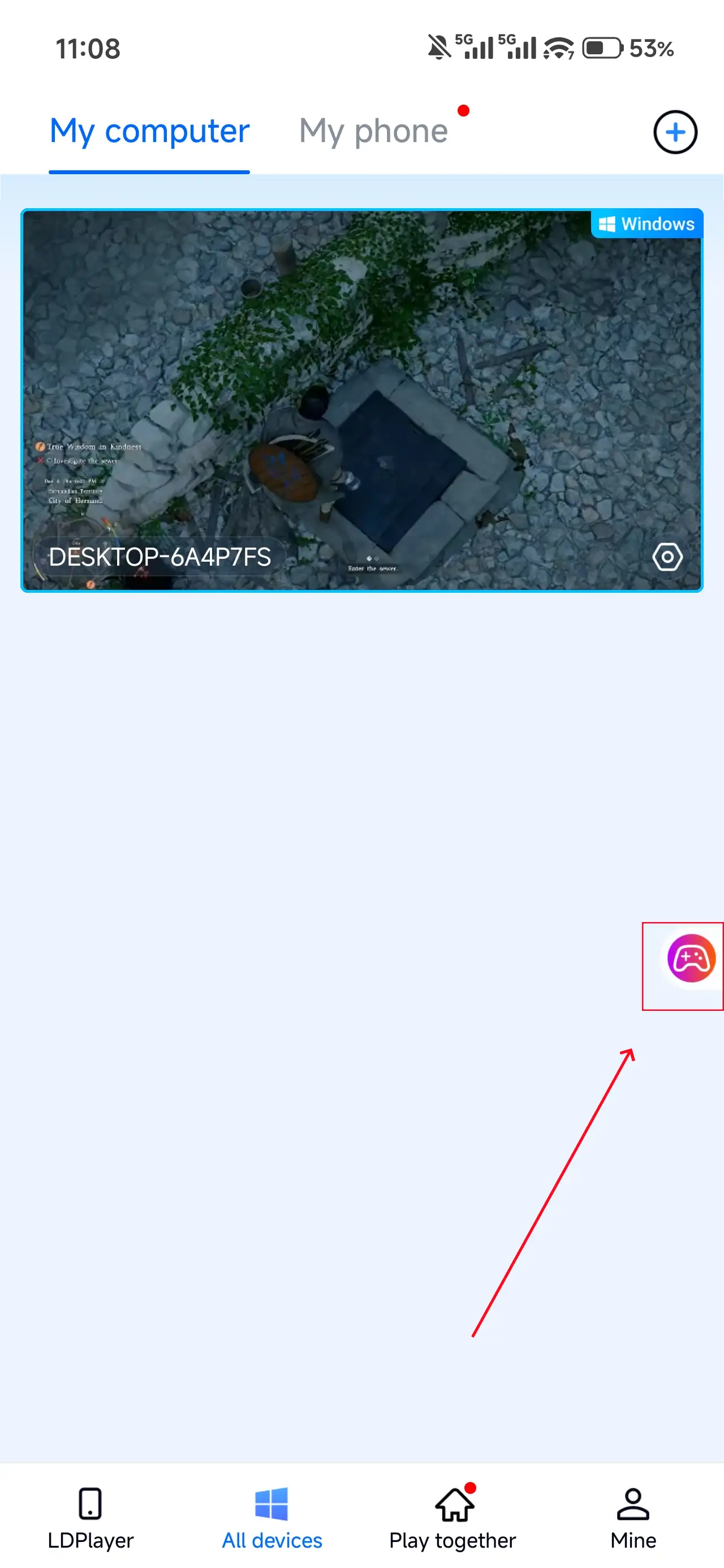
Open Crimson Desert on your PC, and the mobile side can connect directly; if Crimson Desert hasn't been launched on the PC yet, click the game icon on the mobile side for quick
startup
2. Control Mode
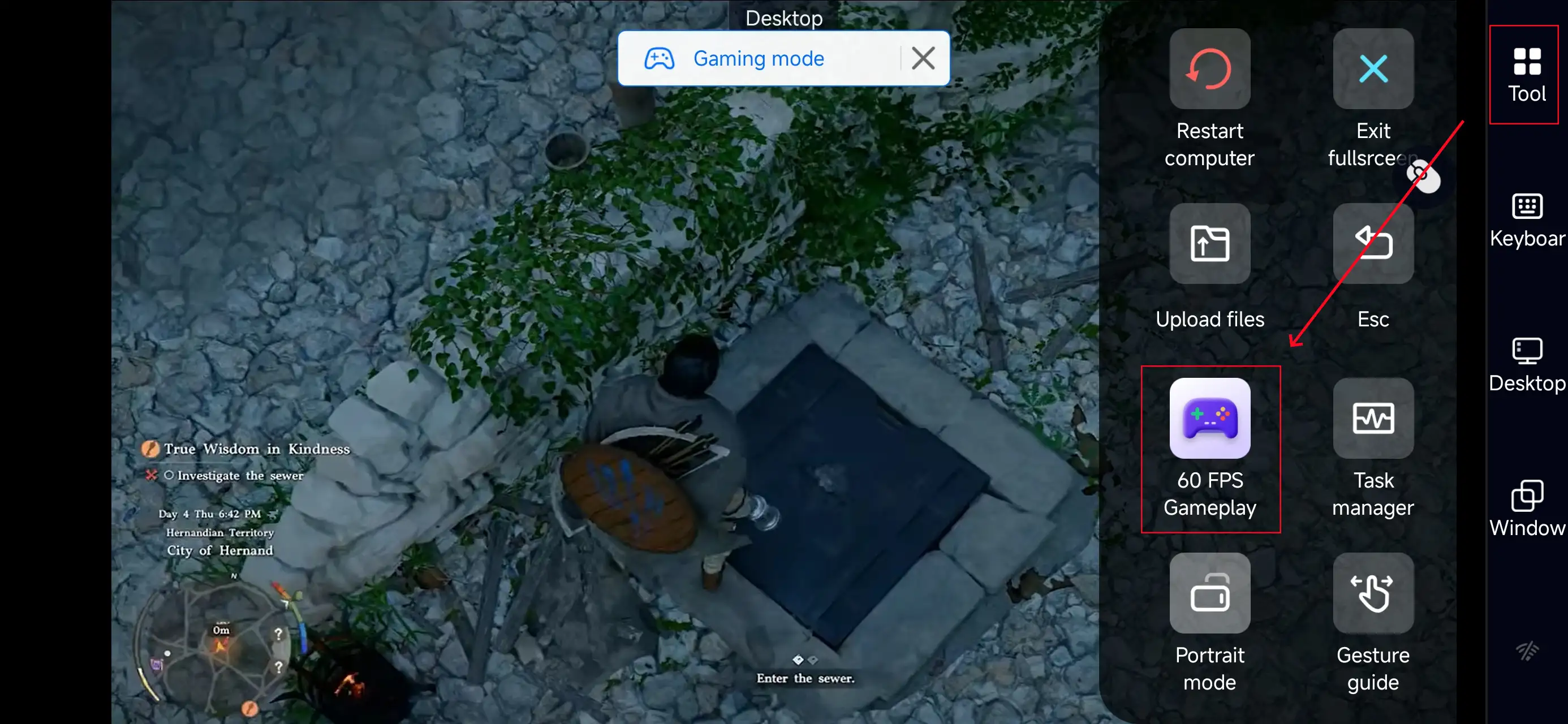
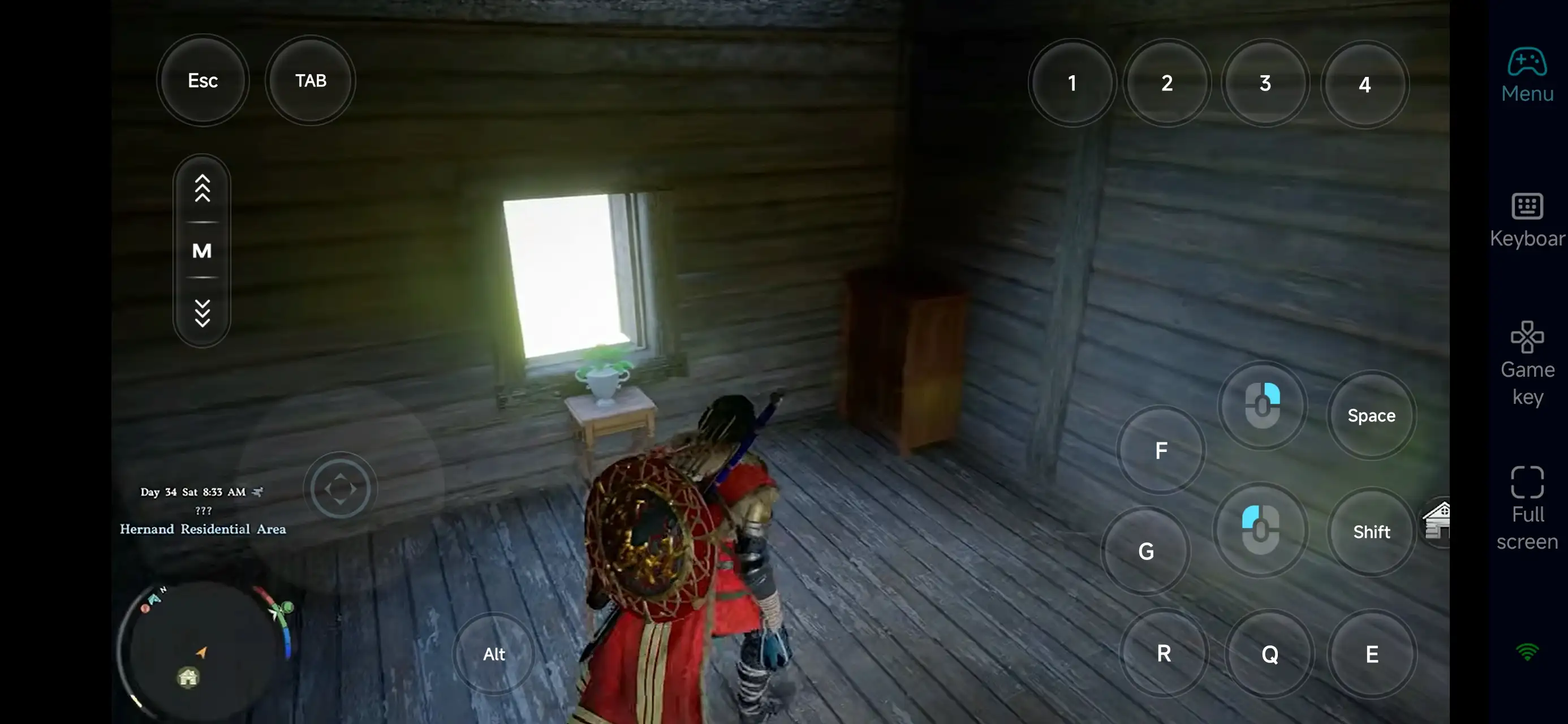
Click the toolbar on the right side of the mobile app, enter "60 FPS Gameplay," and choose key mode or link a controller based on your gaming preferences.
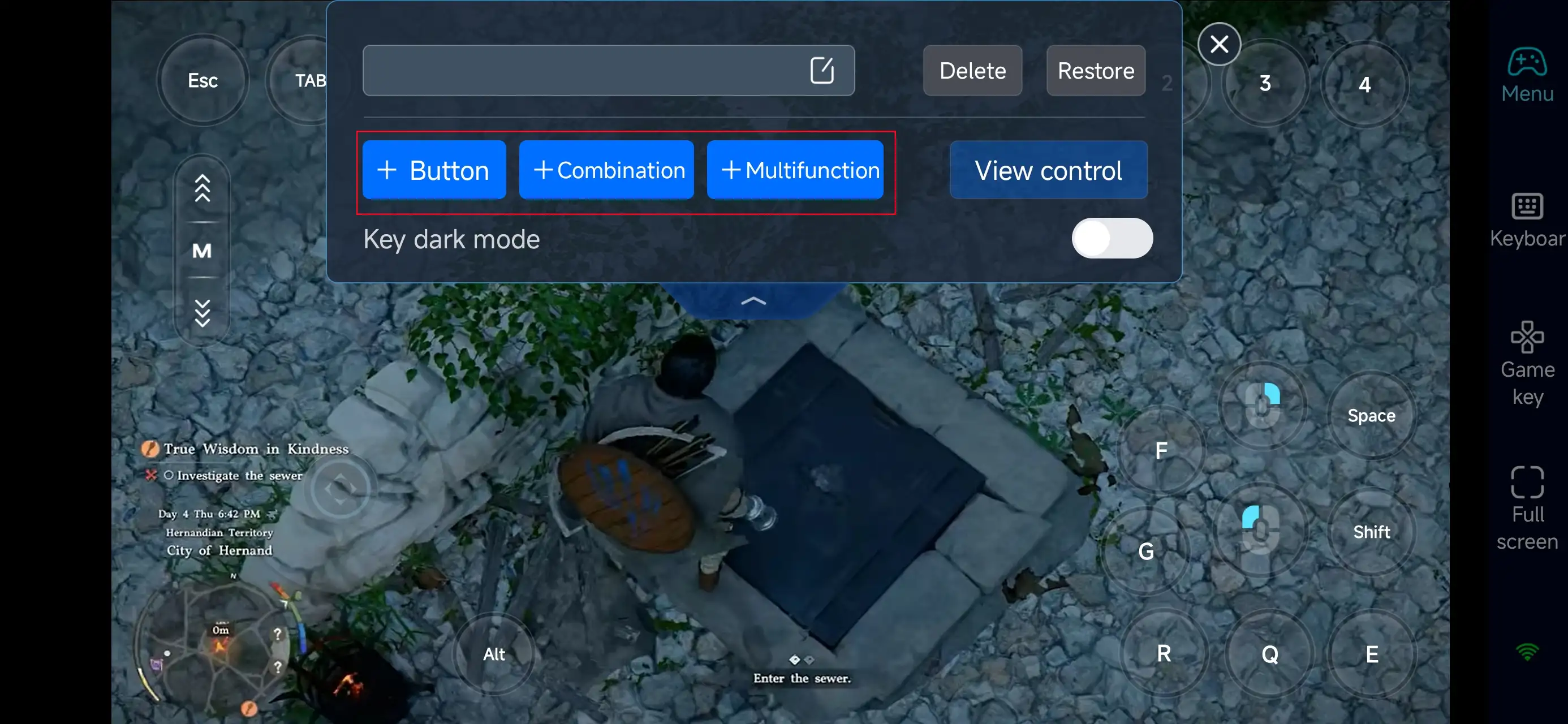
3. Customize key bindings
Since the game features real-time combat, dodging, combos, and interactions, it’s best to customize your layout for comfort. Adjust movement, attack, defense, skills, and interaction buttons based on your preference.
With proper setup, you can enjoy smooth combat, exploration, and quest progression even while playing remotely.
4.Connect external devices
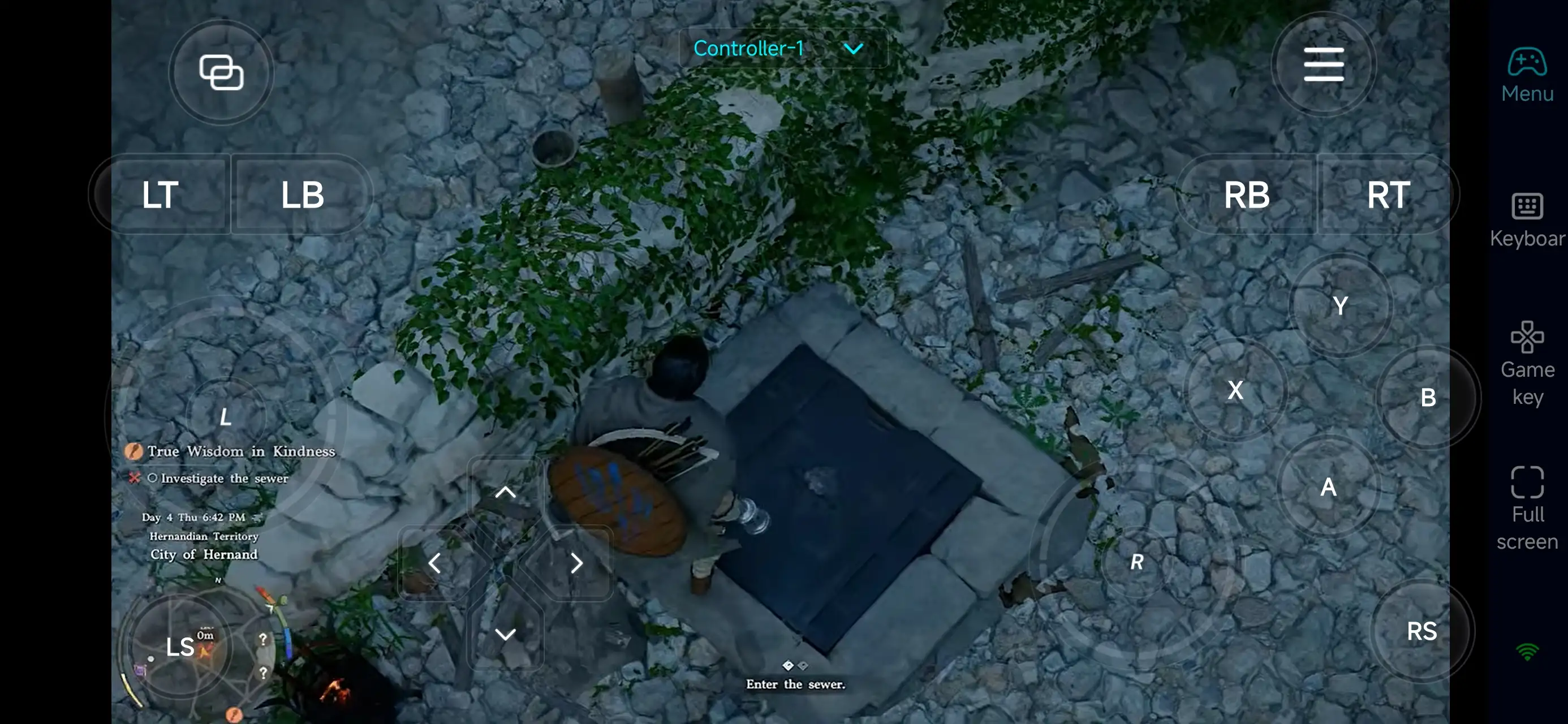
Beyond customizable buttons, OSLink supports a variety of external devices such as Bluetooth controllers and mobile gamepads clipped to your phone. This compatibility frees you from touchscreen limitations and offers a wider range of control options.
Step 3: Continue Your Adventure Anytime
Once everything is set up, your phone or tablet becomes a portable gateway to Crimson Desert. Simply open OSLink to connect to your PC and jump back into the game.
Whether you’re progressing through the story, exploring new areas, or engaging in combat, you can pick up right where you left off—no matter where you are.
Why Use OSLink for Crimson Desert?
1. Play Anytime, Anywhere
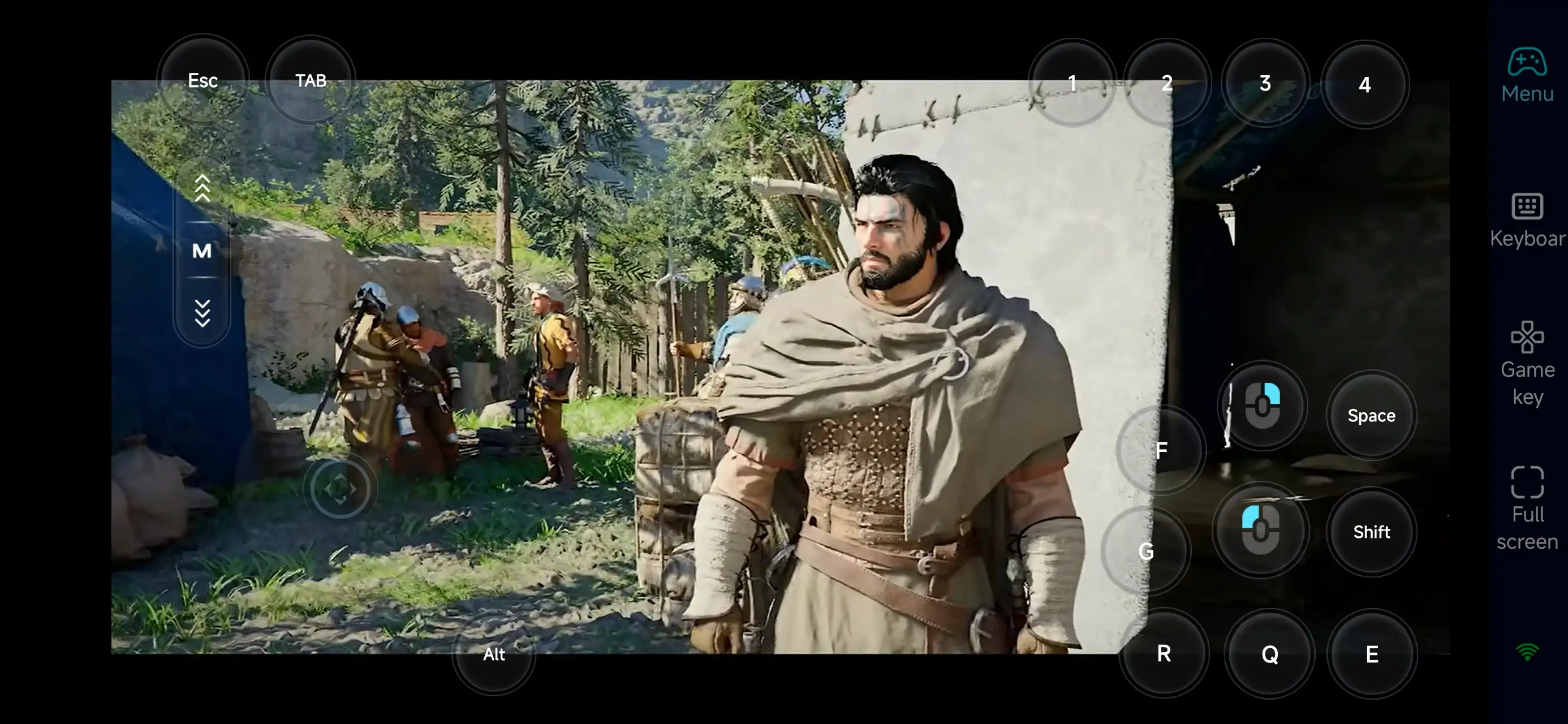
use your phone to remotely access the PC version of Crimson Desert. Whether you’re commuting or taking a break, you can keep exploring and progressing without interruption.
2. Smooth and Intuitive Controls
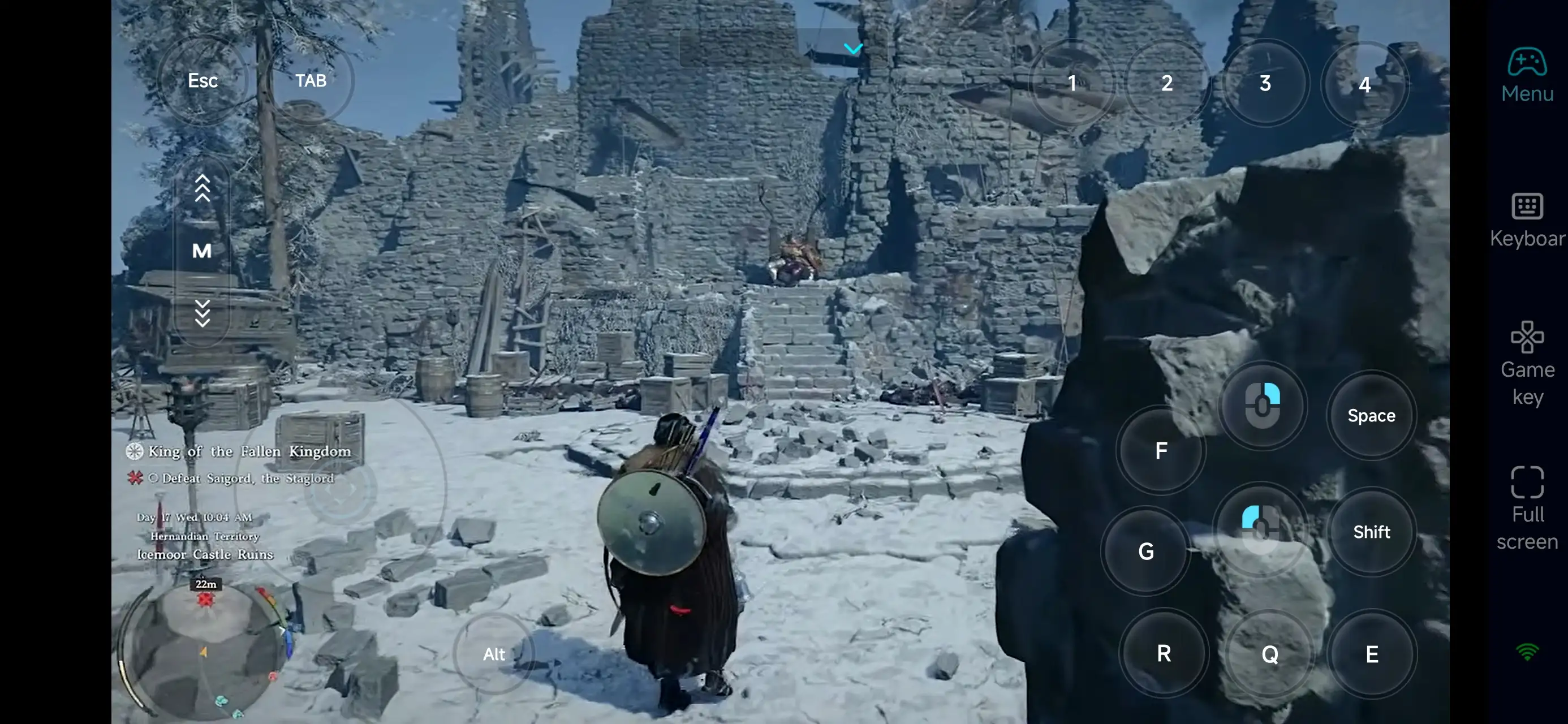
The game’s action-focused gameplay—movement, combat, dodging, and skills—translates well to mobile with OSLink’s customizable touch controls or controller support.
You can easily handle:
-
Movement and real-time combat
-
Skill usage and timing
-
Quest navigation and interactions
-
Exploration and map access
3. Make the Most of Your Free Time
With OSLink, even short sessions become productive. You can:
-
Progress through story or side quests
-
Explore new locations
-
Practice combat mechanics
-
Manage gear and character setup
This lets you save your longer PC sessions for major battles or key story moments.
FAQ
Q: What is Crimson Desert release date?
A: Crimson Desert launches on March 20, 2026, on PC.
Q: What are the PC requirements?
A: Minimum specs include:
-
Windows 10 (64-bit)
-
Ryzen 5 2600X / i5-8500
-
16 GB RAM
-
RX 5500 XT / GTX 1060
-
DirectX 12
-
150 GB SSD storage
Higher specs are recommended for better performance.
Q: Can I play Crimson Desert on Android?
A: There’s no official Android version. However, you can use OSLink to remotely play the PC version on your phone.
Q: Can I play Crimson Desert on iOS?
A: No official iOS version is available. But with OSLink, you can stream the game from your PC to your iPhone or iPad and play remotely.
Conclusion
With OSLink, your phone or tablet becomes an extension of your Crimson Desert experience. By connecting remotely, you can explore the world, progress through the story, and stay engaged in the game anytime—turning even short moments into meaningful gameplay.
 Download