English
 AFK farming plays a huge role in Ragnarok: Rebirth Global. Whether you're farming cards, collecting zeny, leveling alternate characters, or preparing for MVP battles, relying on a single account can slow your progression. Running multiple accounts lets you gather resources more efficiently, split different farming tasks across characters, and reduce repetitive grinding. This guide explains how to build a simple multi-account AFK setup using LDPlayer and OSLink, so you can manage your farming sessions remotely and make steady progress wherever you are.
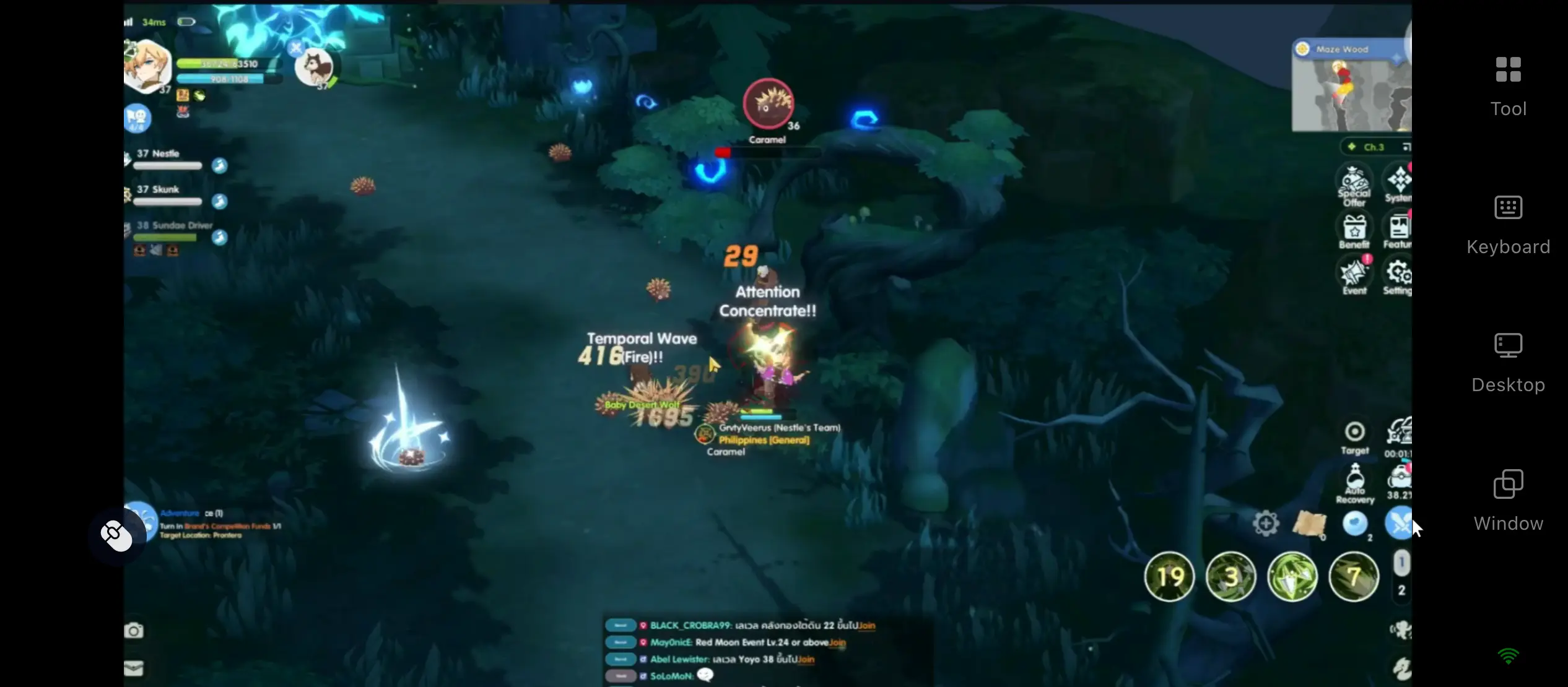
Ragnarok: Rebirth Global is a mobile game at heart, but running it through an emulator on your computer gives you a bigger view and smoother controls. OSLink acts as the bridge between your PC and phone-no complicated network tweaks, just log into the same account on both devices and they'll pair right up. Whether you're commuting or grabbing a quick break, open your phone to see all your emulator windows in real time. No need to stay glued to your desk-you can take over any account's session on the fly, fitting game management neatly into those scattered spare moments.
1.Prepare Your Multi-Account Farming Setup
For PC
Download and install both LDPlayer and the OSLink PC client from their official websites.
Once installed, launch both programs and make sure they run properly before continuing.
Getting the Game Client
Open LDPlayer's built in app store, search for Ragnarok: Rebirth Global, and install it. You can also use the Google Play store inside the emulator to grab the original package.
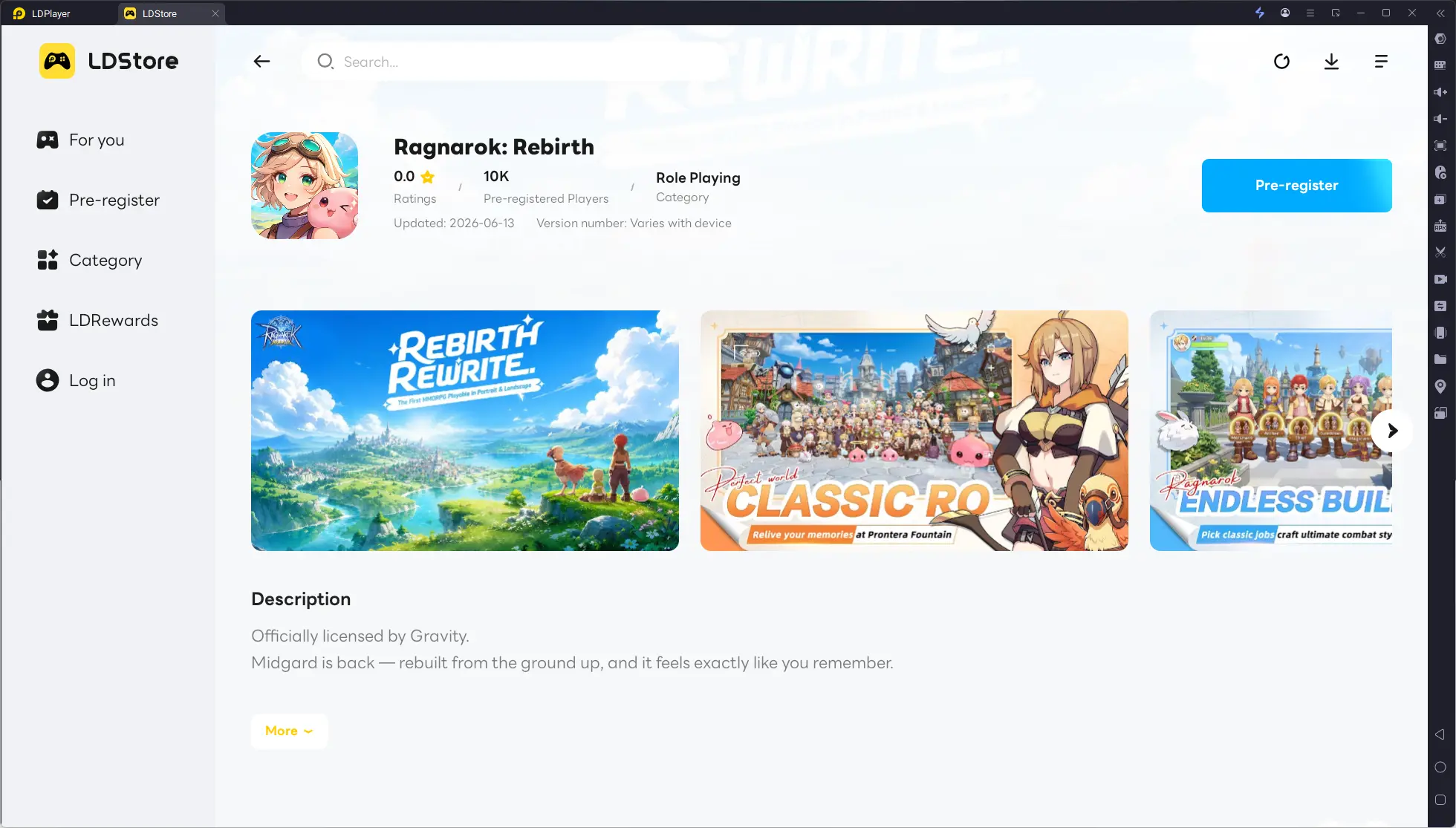
Once it's installed, log in to test account access, map loading, and field combat–just to confirm that the emulator can handle the game steadily.
2.Connect OSLink to Your Mobile Device
Android users can find OSLink on the Google Play Store, while iOS users can download it directly from the App Store.
Open the app after installation, sign in with the same OSLink account you used on your PC. The app will automatically discover your online computer–tap on your desktop device's name to request a connection, and accept it on your PC to complete the pairing.
3.Run Multiple Ragnarok: Rebirth Global Accounts from Your Phone
Start up multiple LDPlayer windows on your computer, each logged into a different Ragnarok: Rebirth Global account. Adjust each window's resolution and performance settings to keep everything running smoothly.
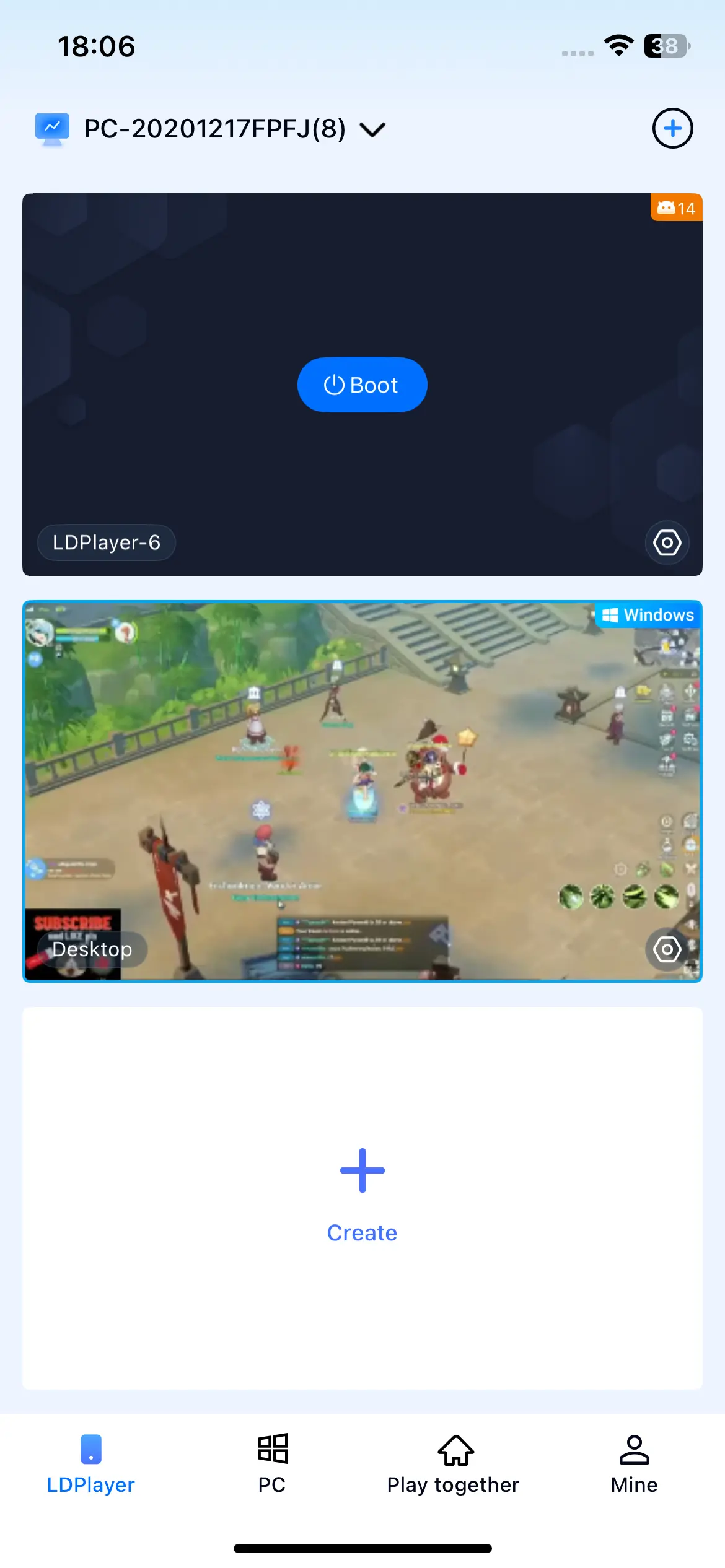
Once your phone connects via OSLink, the interface will show all your emulator screens at once. You can zoom into a single window or preview several side by side. Everything you do-map switching, restocking supplies, setting teleport points-can be handled right from your phone's touchscreen, so you truly control all those accounts from anywhere.
4.Automate AFK Farming Across Multiple Account
Set Up Automated AFK Farming
OSLink has a built-in auto-click feature. After your phone is linked to the PC, fire up the game inside the emulator.
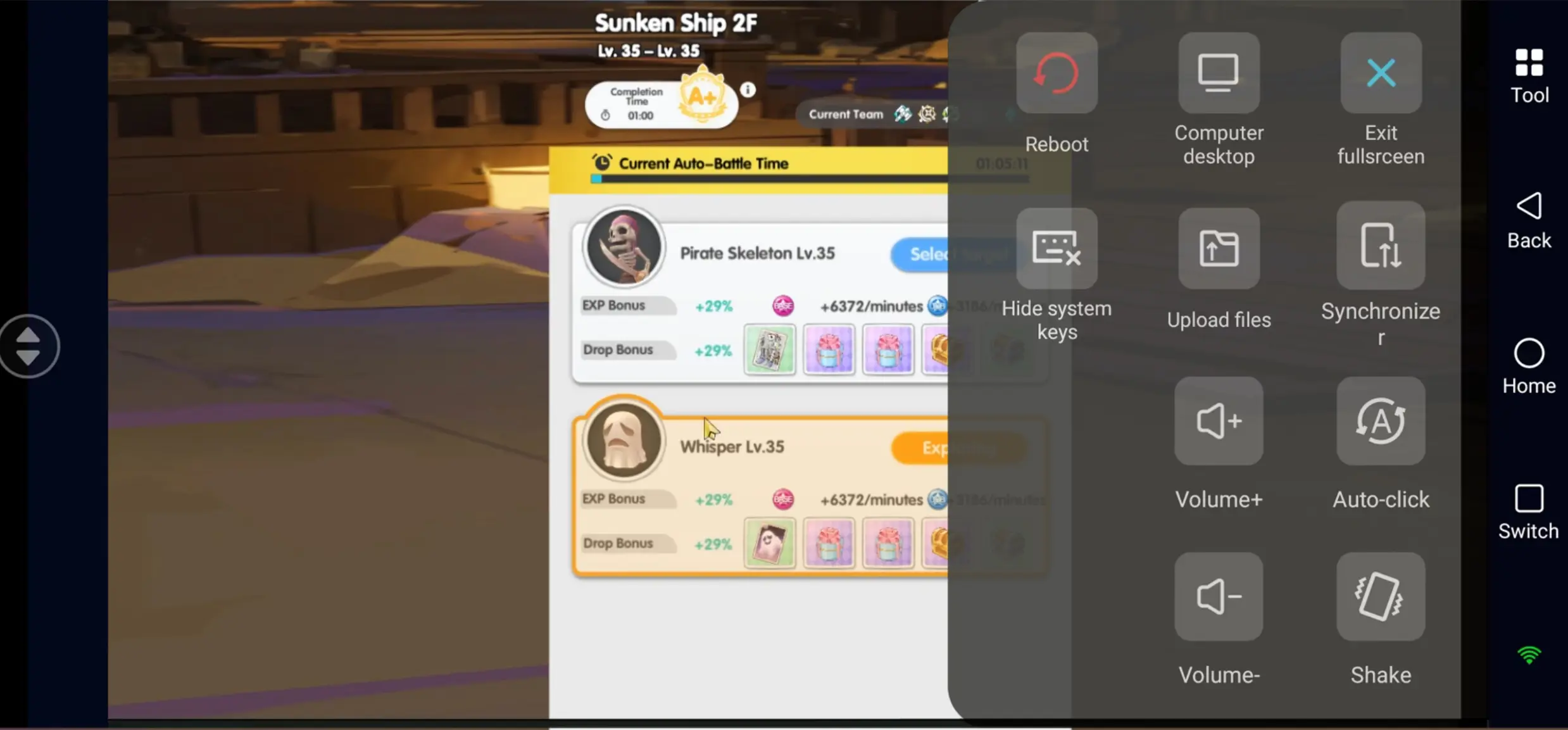
OSLink's built-in auto-click feature can automate repetitive farming tasks. After connecting to your PC, record a simple farming routine such as selecting your farming map, confirming combat, restocking supplies, or restarting an AFK session.
Common automation scenarios include:
• Card farming
• Zeny farming
• Material collection
• Daily hunting missions
Once saved, the routine can repeat automatically, helping you maintain steady farming progress with minimal manual input.
Sync Multiple Accounts with One Tap
If you want multiple accounts to run in sync, open LDPlayer's built in multi instance feature to launch several independent windows, each with a different account logged in.
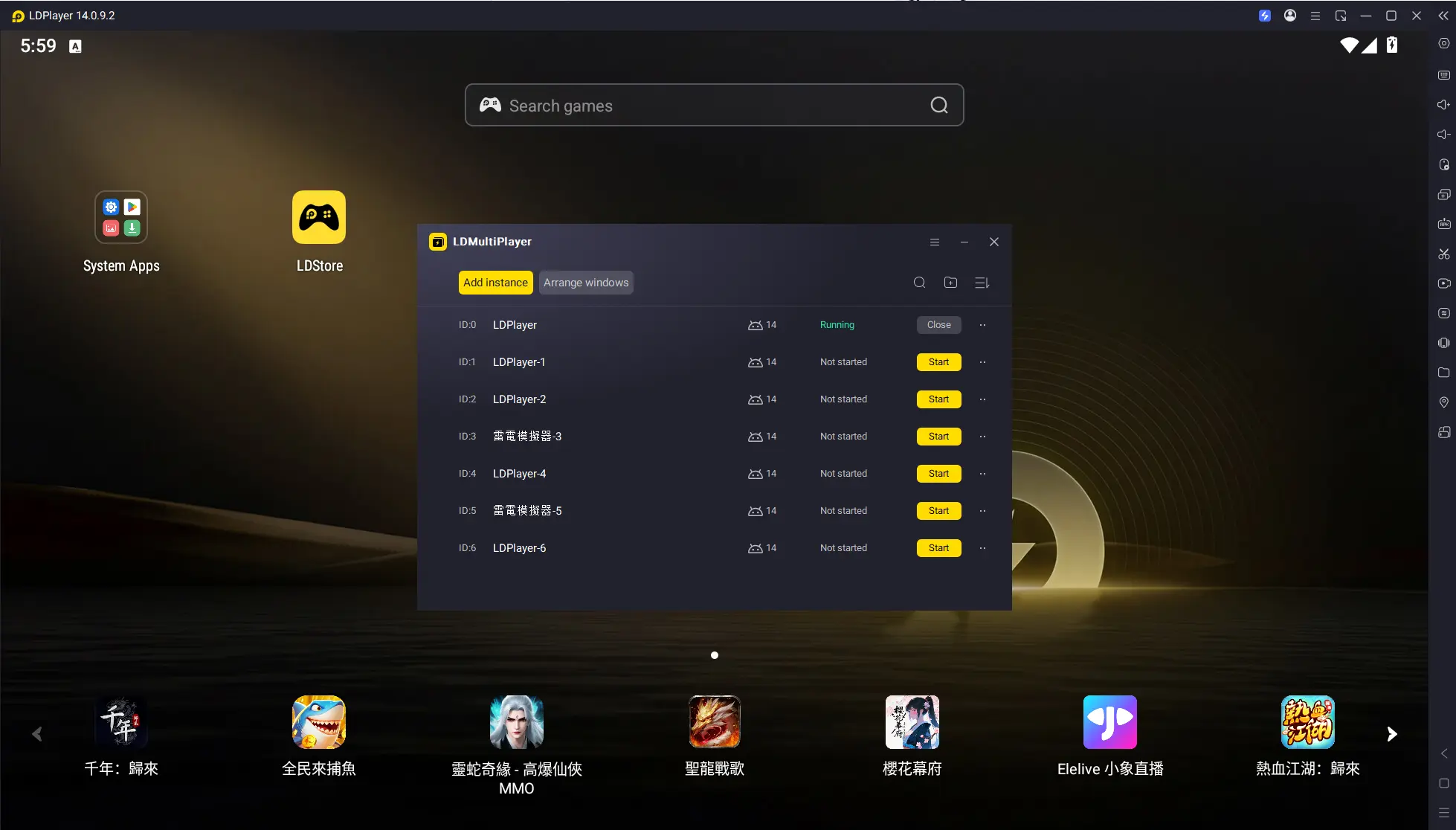
After setting that up on PC, open OSLink on your phone and turn on sync-control mode, then select which emulator windows you want to sync.
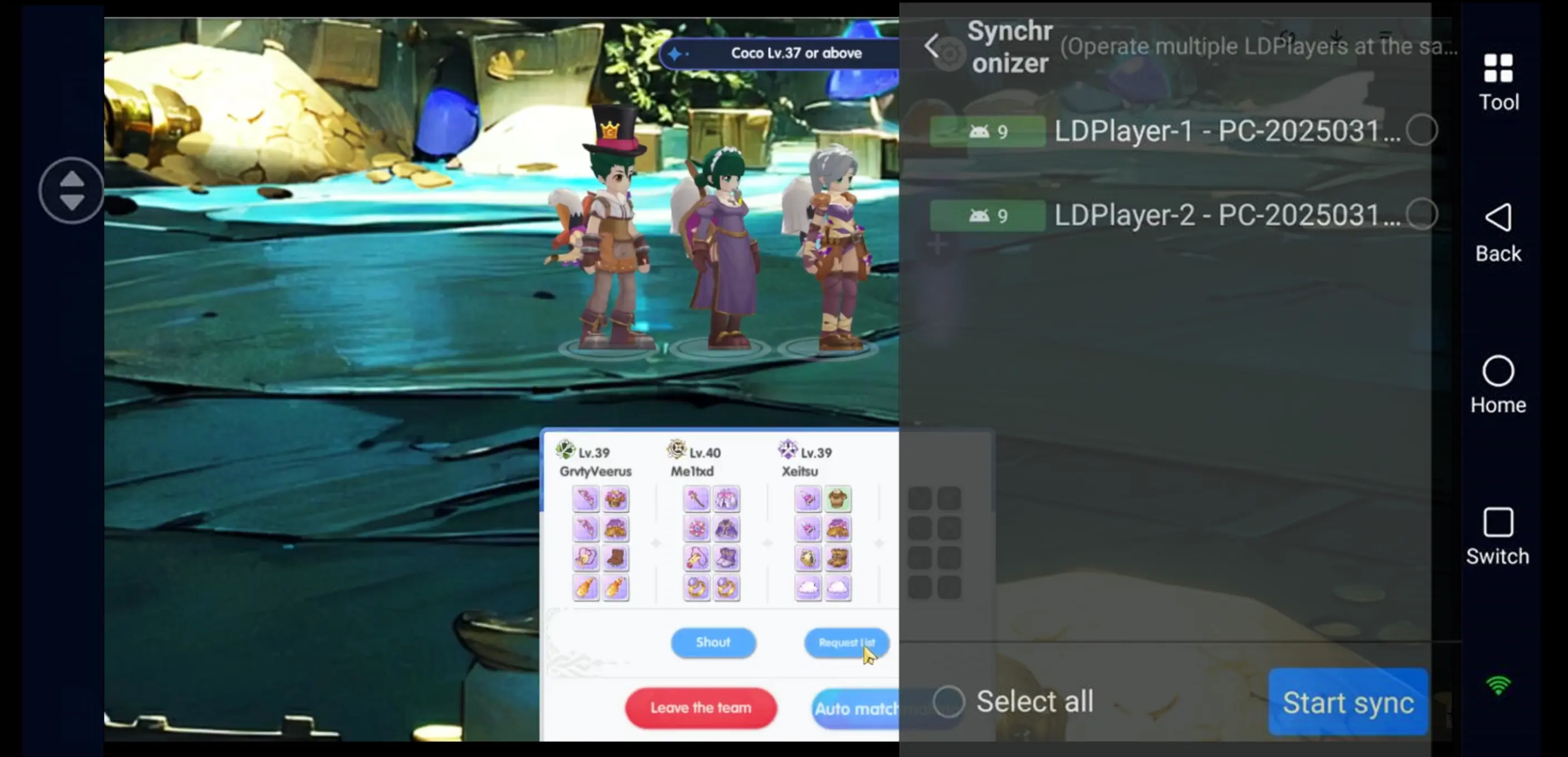
From then on, every tap you make on your phone-claiming rewards, buying stamina, switching maps-will apply to all selected windows at once. One action covers every account, so batch-processing your daily chores is a breeze.
FAQ
Q: How many emulator instances can I run at the same time?
A: This depends on your PC hardware. Most systems with 16GB RAM can comfortably run 2–3 instances, while 32GB or more is recommended for running 5 or more emulator windows.
Q: Can I manage multiple Ragnarok: Rebirth Global accounts remotely at the same time?
A: Yes. After configuring multiple emulator instances on your PC, OSLink lets you monitor and control them remotely from your phone. With Sync Control enabled, routine operations can be applied to multiple windows simultaneously.
Q: Does Ragnarok: Rebirth Global farming AFK continue if I disconnect my phone?
A: Yes. Since the game continues running on your PC, disconnecting your phone does not interrupt your farming session. Simply reconnect through OSLink whenever you want to check your progress.
Conclusion
Ragnarok: Rebirth Global already takes a lot of the pressure off with its idle mechanics, but piling up resources across multiple accounts still needs some batch-handling magic. The emulator handles the heavy lifting of running several instances, and OSLink brings remote access from your phone. Together, they mean you don't have to camp in front of your PC just to keep your accounts moving. Check on your idling progress during your commute, restart scripts between meetings-those little pockets of time are all you need to stay on top of resource gains. Truly hands free!
 Download