English
  Blog Game Guide Sea of Stars PC Remote Play: The Ultimate OSLink Setup Guide for Seamless Gameplay
Sea of Stars is an action-adventure RPG that immerses players in a vibrant universe filled with intense battles and thrilling exploration. While mobile gameplay can sometimes be restricted by small screens and touch controls, OSLink allows you to extend the game to your PC, offering larger, clearer visuals and more precise controls. This guide will walk you through how to use OSLink to transfer Sea of Stars from your mobile to PC for an enhanced gaming experience.
How to Play Sea of Stars on PC
1. Install the game on your phone
Open Google Play and search for “Sea of Stars”.
If the game is unavailable in your region, download the APK from a trusted third-party source.
2. Install OSLink on both PC and phone
Visit the official OSLink website and download the app for PC and mobile.
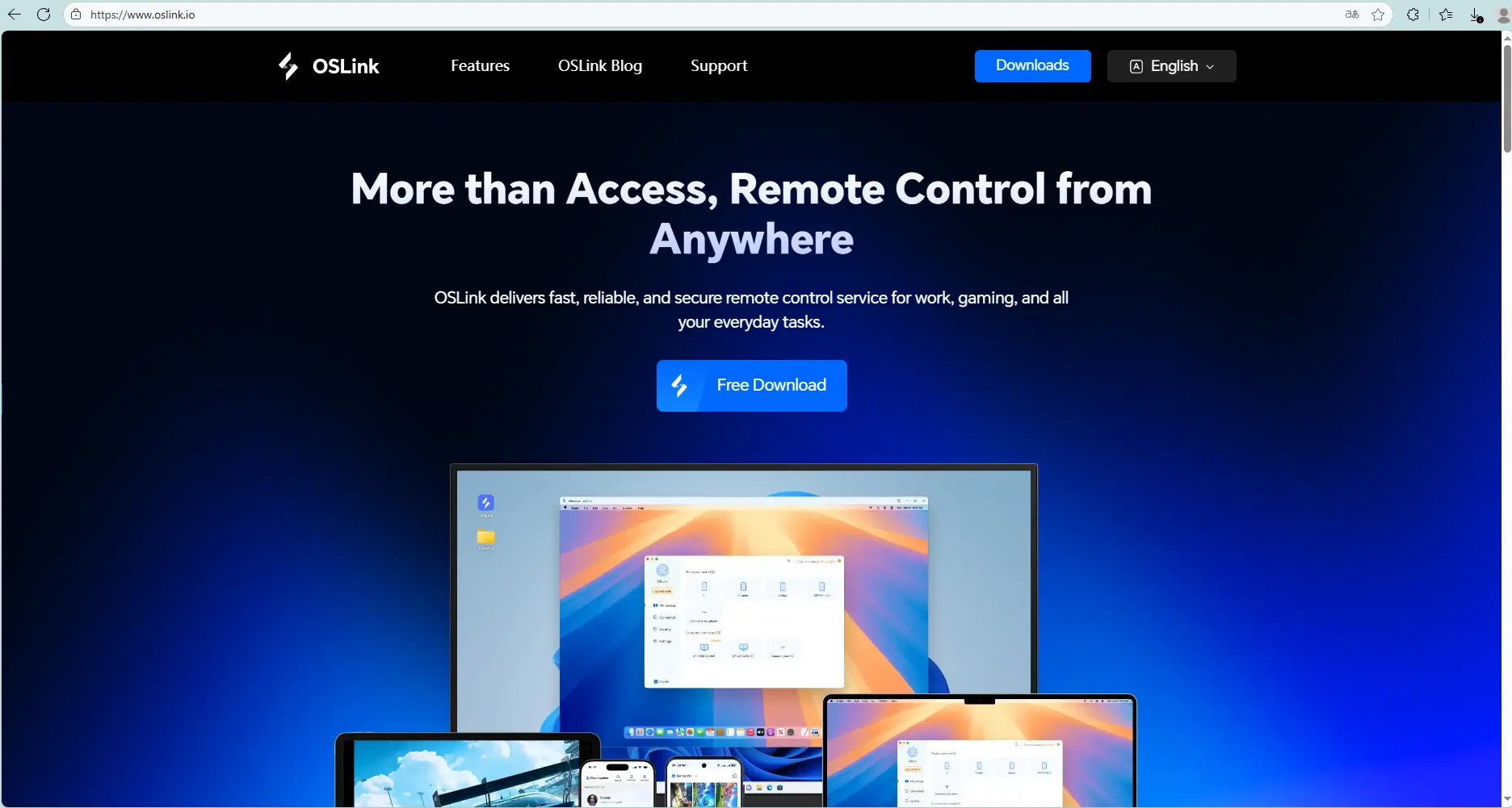
3. Connect your phone to your PC
Launch OSLink on both devices, and log in using the same email.
Connect your phone to the PC using a USB cable.
Select your device in OSLink on your PC.
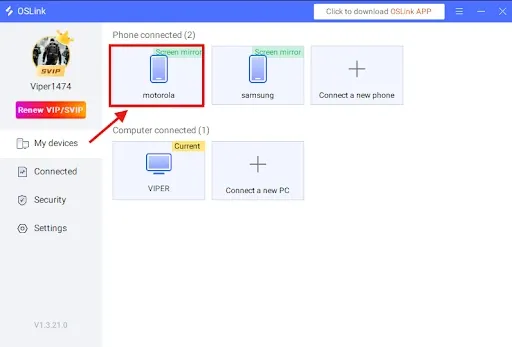
4.Select “Game Mode” for best performance
When prompted:
Choose Game Mode (USB required).
Tap Start Mirroring on your phone.
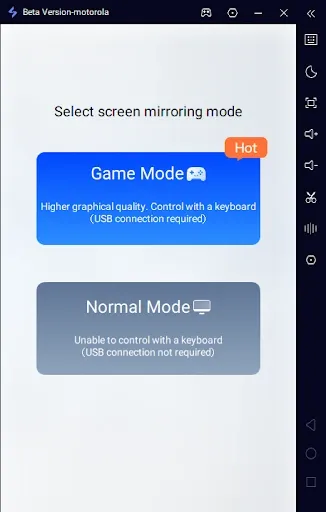
5.Enable Developer Options and USB Debugging
If it’s your first time:
In OSLink tap Enable Developer Mode, then follow the instructions:
Go to Settings → About Phone.
Tap Build Number 7 times until you become a developer.
Enter your device password if required.
Search for USB Debugging and enable it.
6.Start screen mirroring
Return to OSLink and confirm.
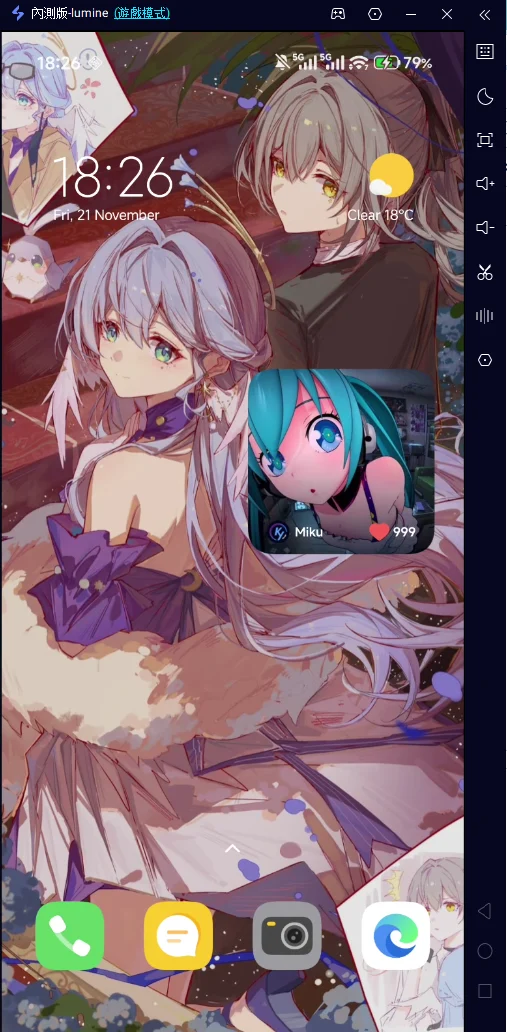
Your phone screen should now appear on your PC.
Keyboard & Mouse Setup for Sea of Stars
After mirroring:
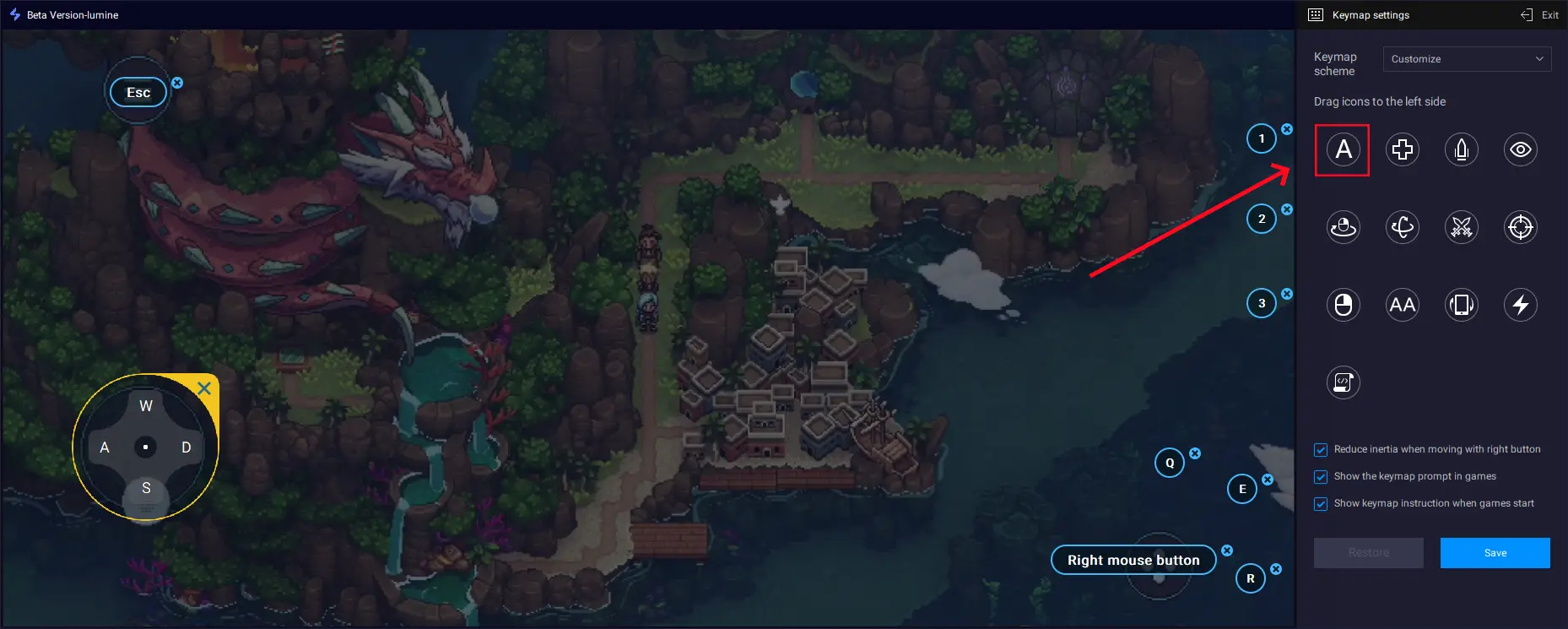
Click the keyboard icon on OSLink’s side toolbar.
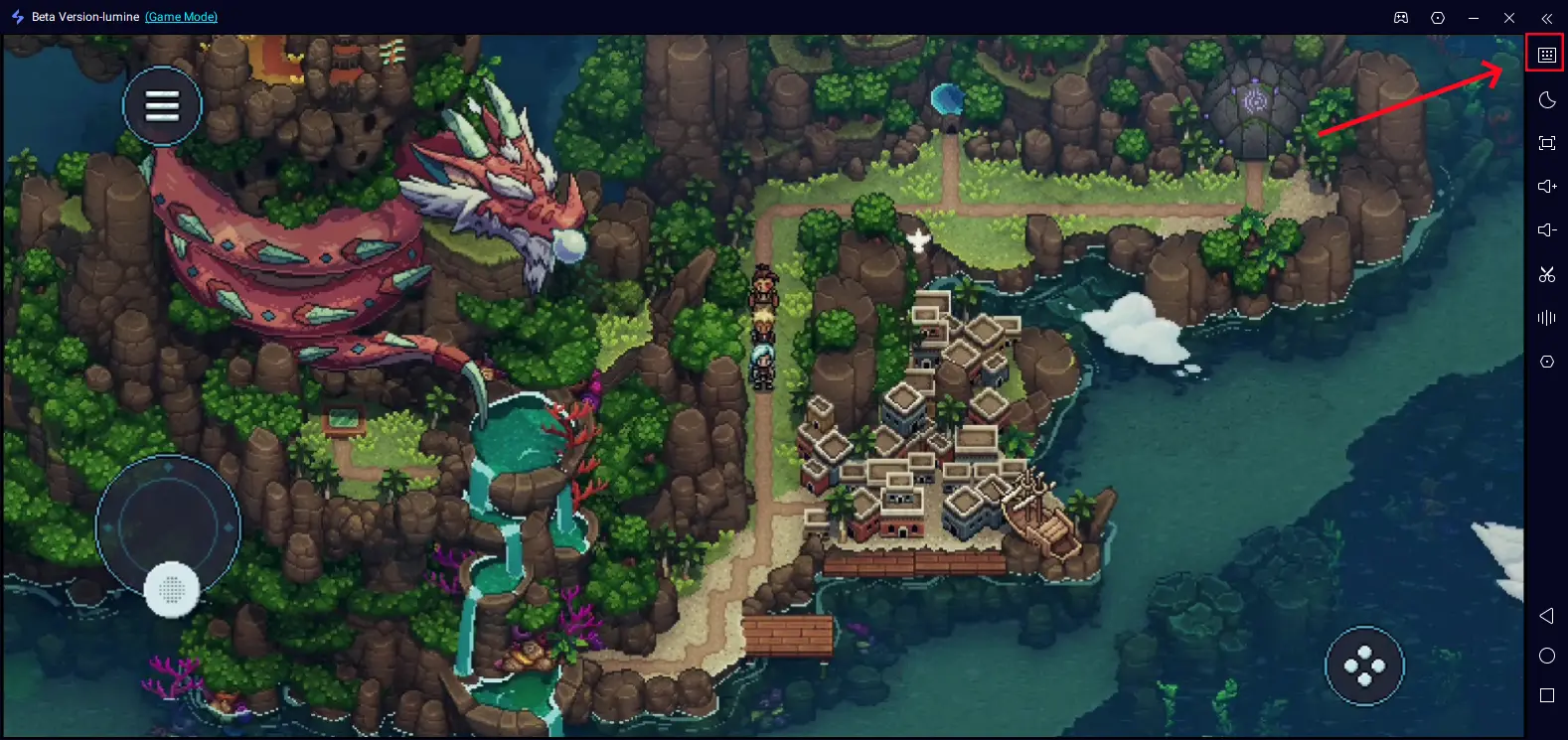
Open the key-mapping editor.Drag and align the virtual buttons to match the in-game controls. Add new buttons from the panel if needed.
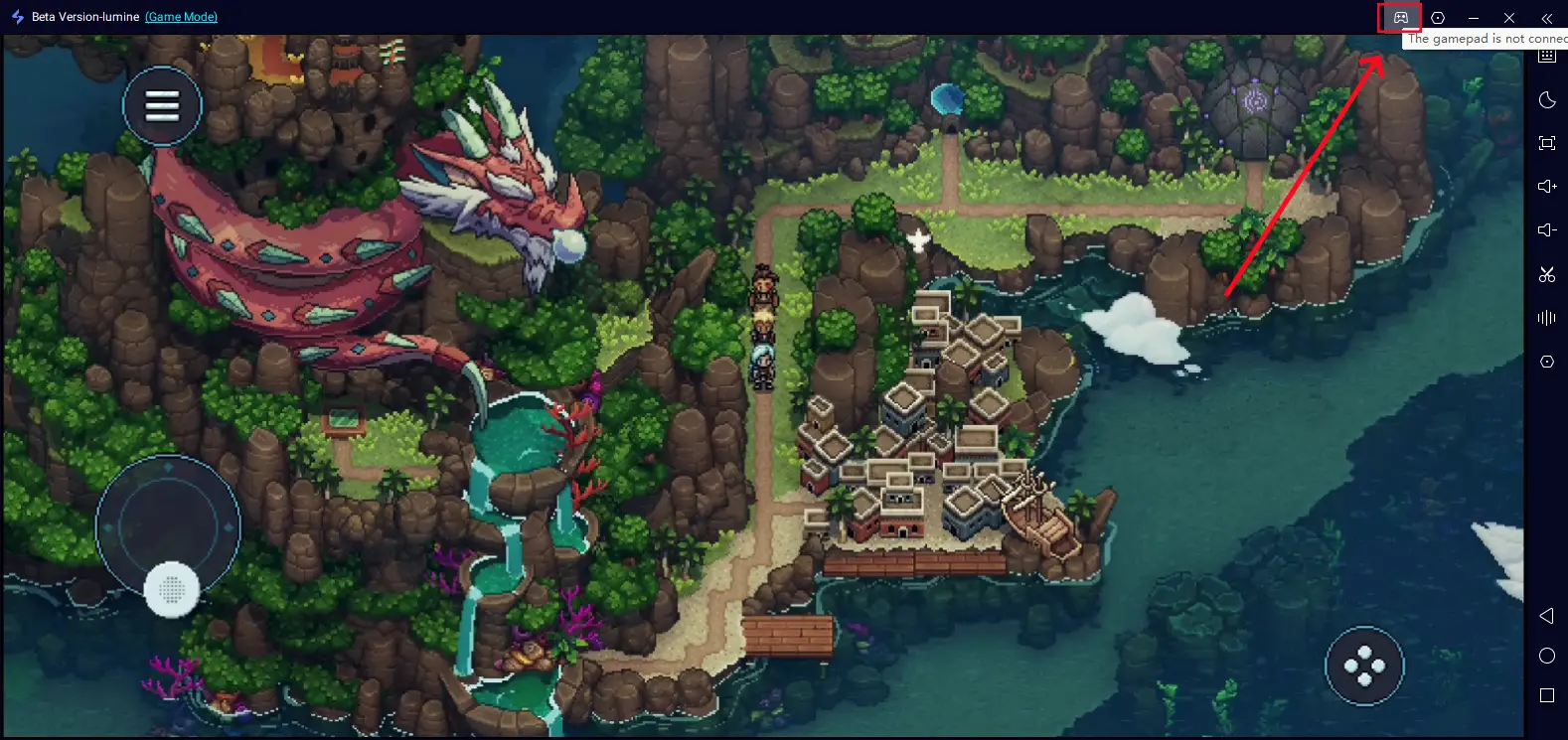
If you prefer, OSLink also supports external controllers, letting you play Sea of Stars with a gamepad.
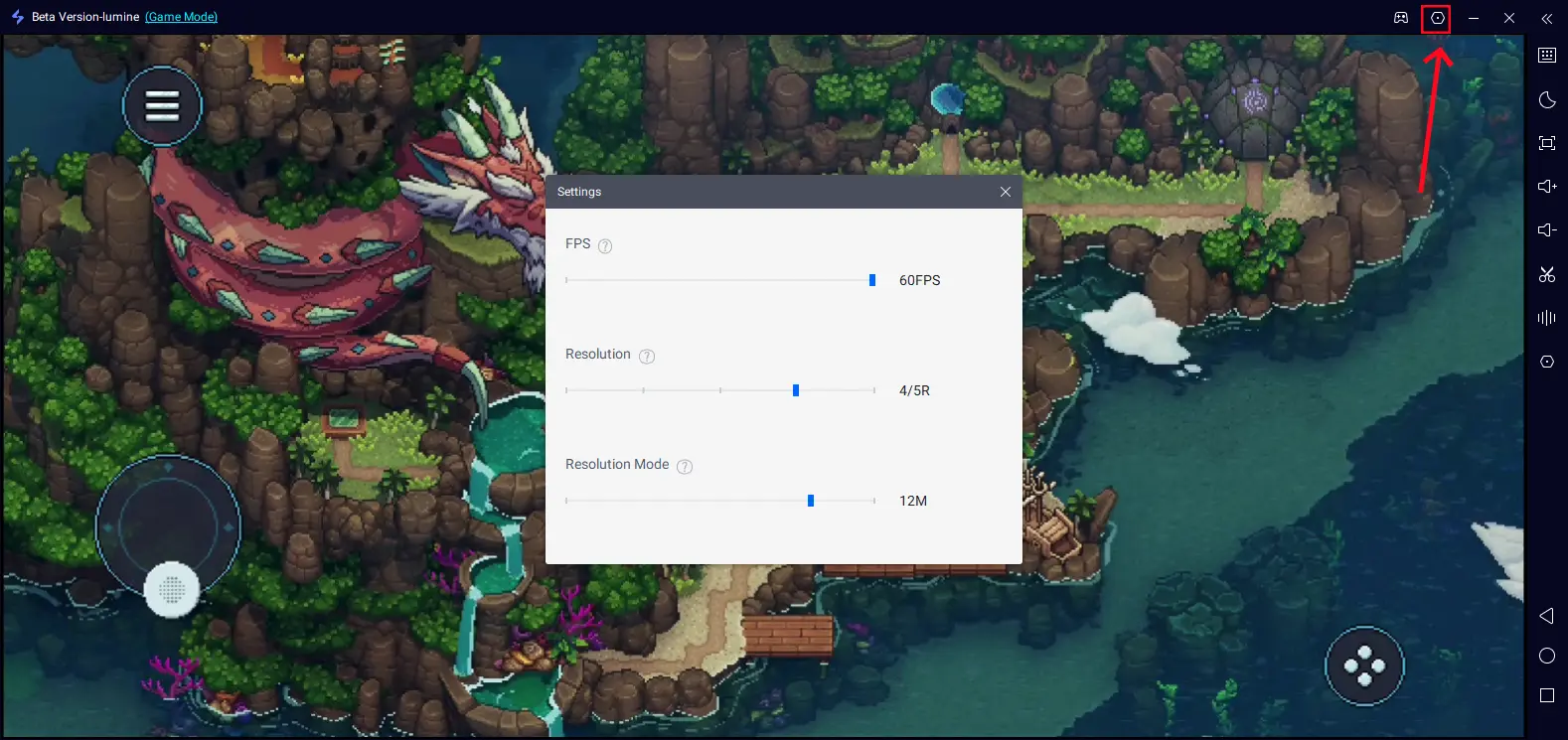
Also don't forget to adjust your FPS and resolution depending on your device.
Important Tips
For the smoothest experience:
Use a high-quality USB cable, ideally USB 3.0 or higher.Avoid cheap charging-only cables that may cause input delay.
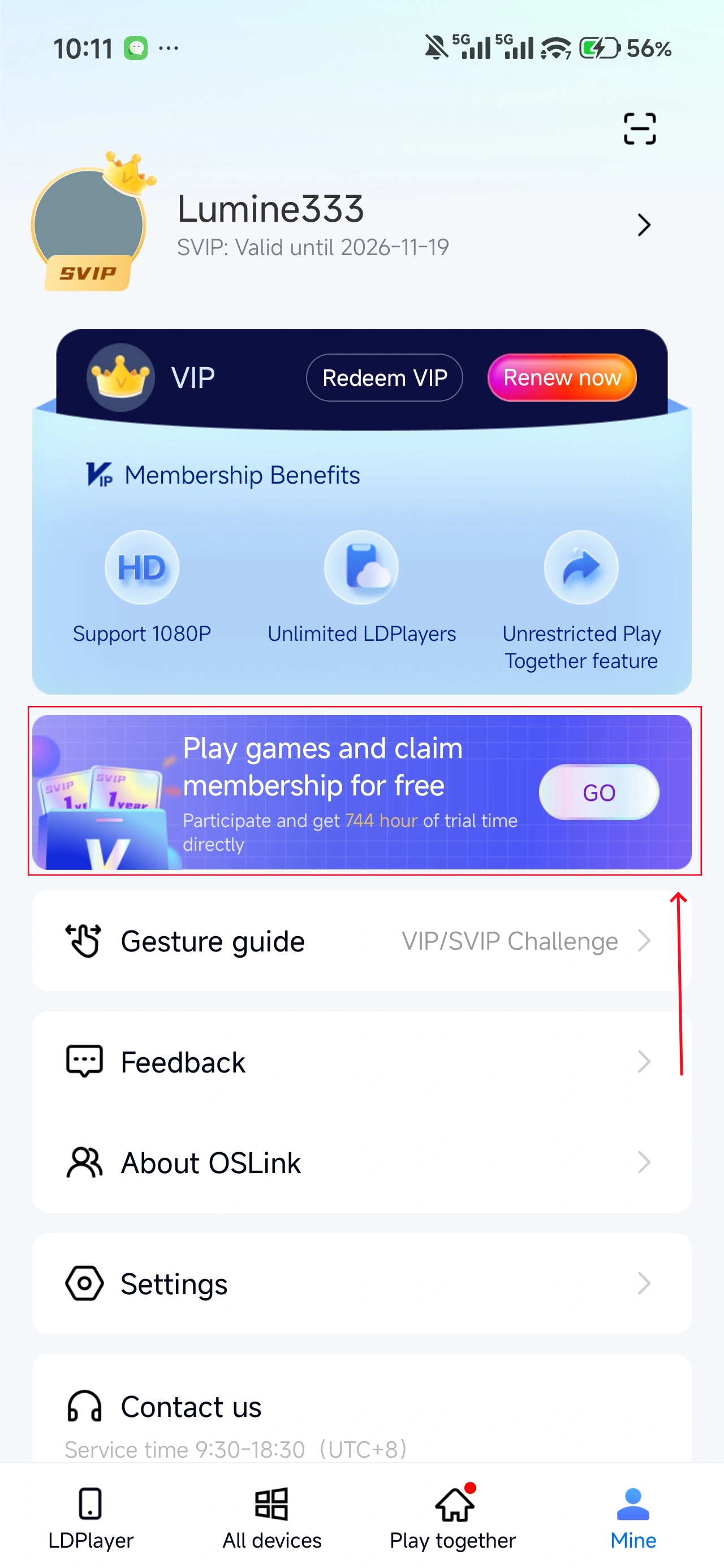
In OSLink (mobile) → Mine, you can earn free usage time by watching ads or completing tasks.
FAQ
Q: What is the release date of Sea of Stars ?
A: Sea of Stars was officially released on April 7, 2026, on Android and iOS platforms, with players now able to enjoy it on mobile.
Q: Does Sea of Stars have a PC version?
A: Yes, Sea of Stars launched for PC on August 29, 2023. The game is available on Steam for $34.99. With OSLink, you can mirror the mobile version of Sea of Stars to your PC, enjoying a larger screen and more precise controls without having to purchase the game again.
Q: What are the mobile requirements for Sea of Stars?
A: The game runs smoothly on most modern mobile devices with the following minimum requirements:
-
Operating System: Android 10+ or iOS 15.0+
-
Storage Space: At least 3GB-5GB of free space
-
RAM: 4GB or more
Conclusion
With OSLink, you can break free from mobile device limitations and elevate your Sea of Stars experience to a whole new level. Whether using a keyboard, mouse, or game controller, OSLink allows for the perfect gaming setup to enjoy smoother and more responsive gameplay. Start setting up OSLink now and enjoy your gaming experience seamlessly across devices!
 Download