English
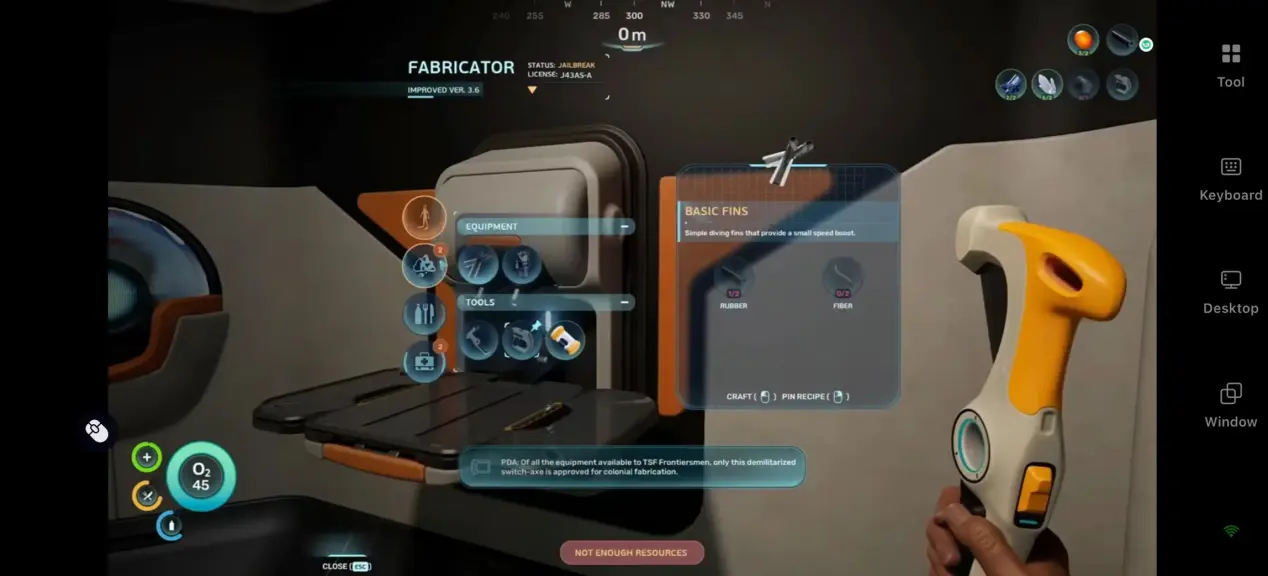
 Subnautica 2 is the brand-new sequel of the classic deep-sea survival game series by Unknown Worlds Entertainment. It features a brand-new alien ocean planet Zezura and supports up to 4-player online co-op. Players can enjoy immersive deep-sea exploration, collect resources, build underwater bases and craft vehicles to dive into unknown depths.You can also team up with friends, fight mysterious sea creatures and uncover the secrets of this alien planet.
Table of Contents
Want to gather resources and manage your base during your free time? Connect your PC game remotely via OSLink. You can stream high-quality PC gameplay easily from your mobile device.
Quick Setup Guide for OSLink
Step 1: Download and Connect Devices
1.PC Side
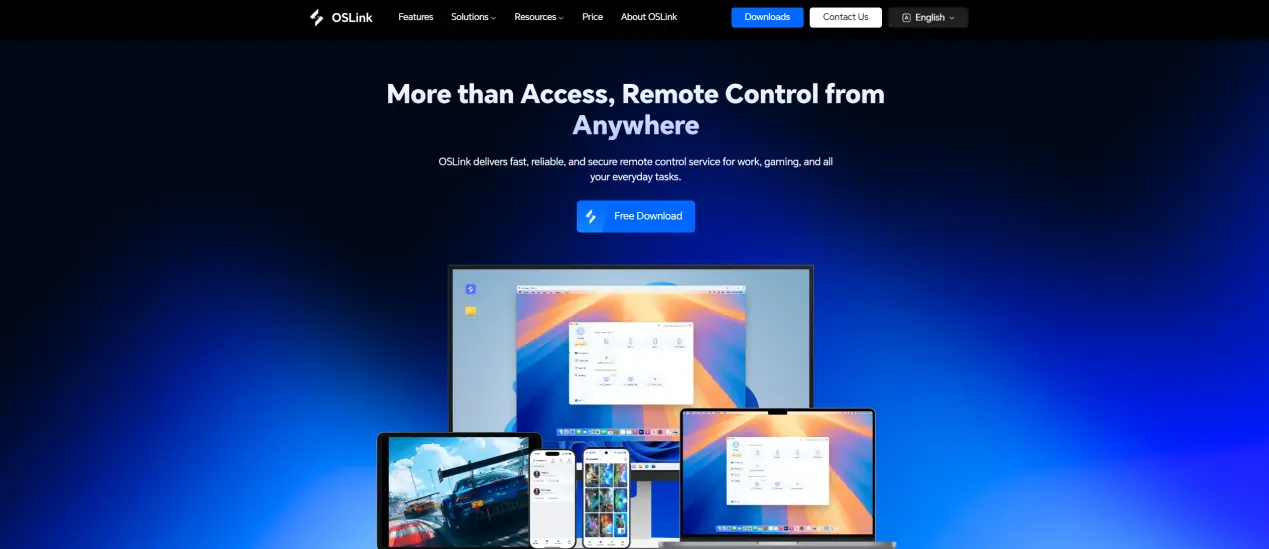
Download and install OSLink official program from https://www.oslink.io
2.Mobile Side
Get OSLink app from App Store, Google Play or official APK source.
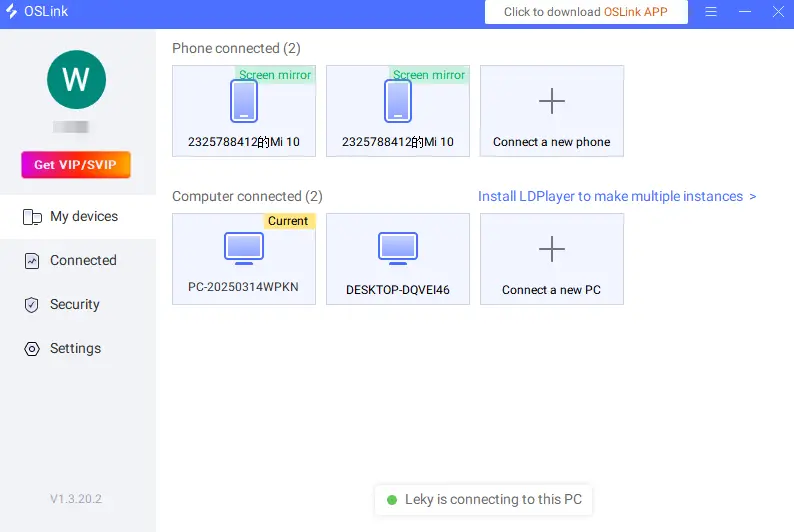
Log in with the same account to complete the automatic connection.
Step 2: Optimize Game Controls
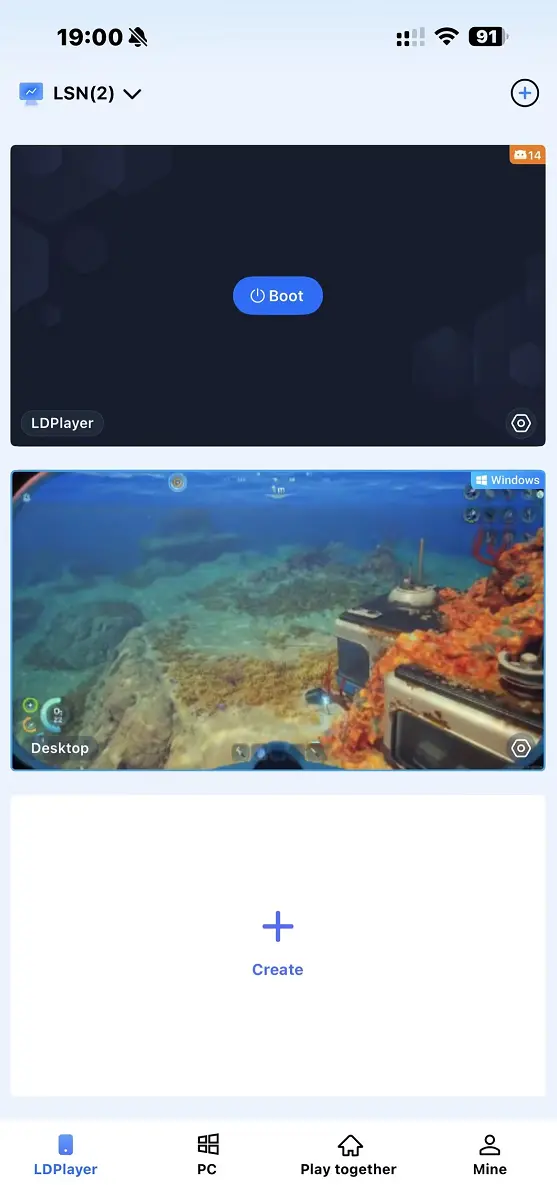
1.Launch Subnautica 2 on your PC and connect through the OSLink mobile app.
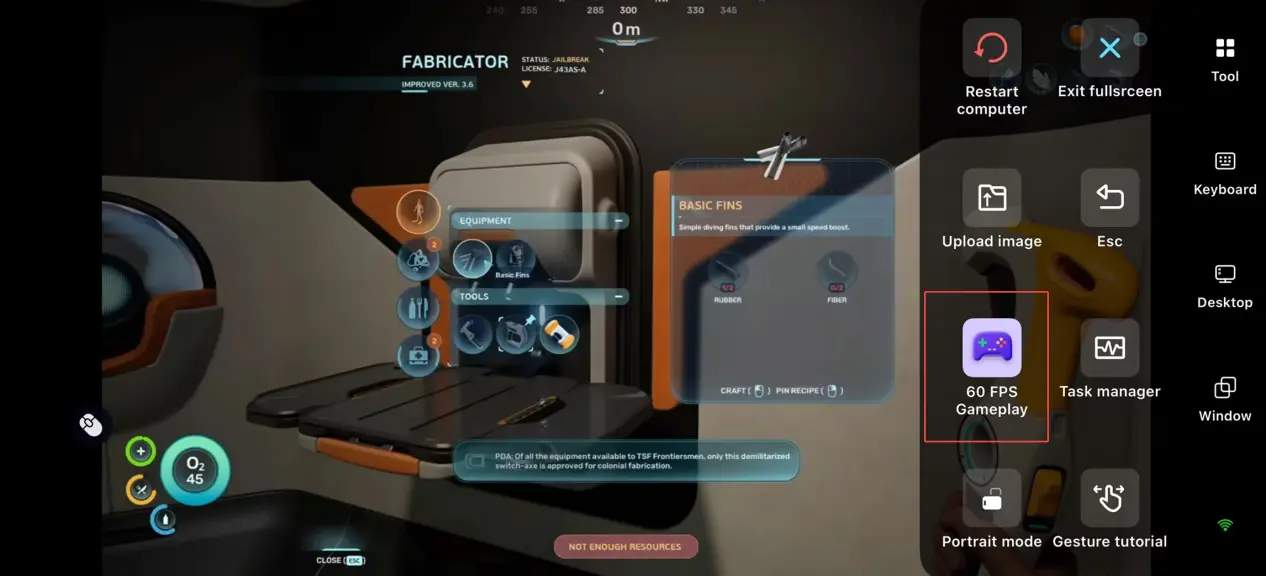
2.Open the 60fps PC game mode on mobile sidebar. Choose touch layout or virtual controller as you like.
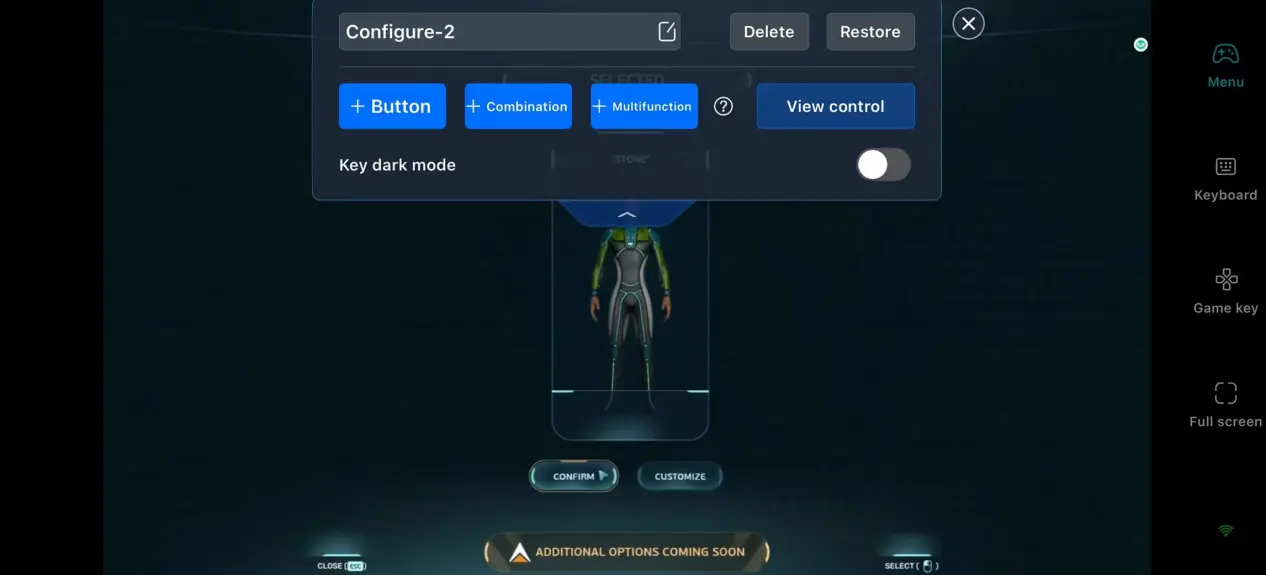
3.Custom key bindings
Adjust controls for character movement, diving view, item switch, resource gathering, base building shortcuts, vehicle operation and team interaction.
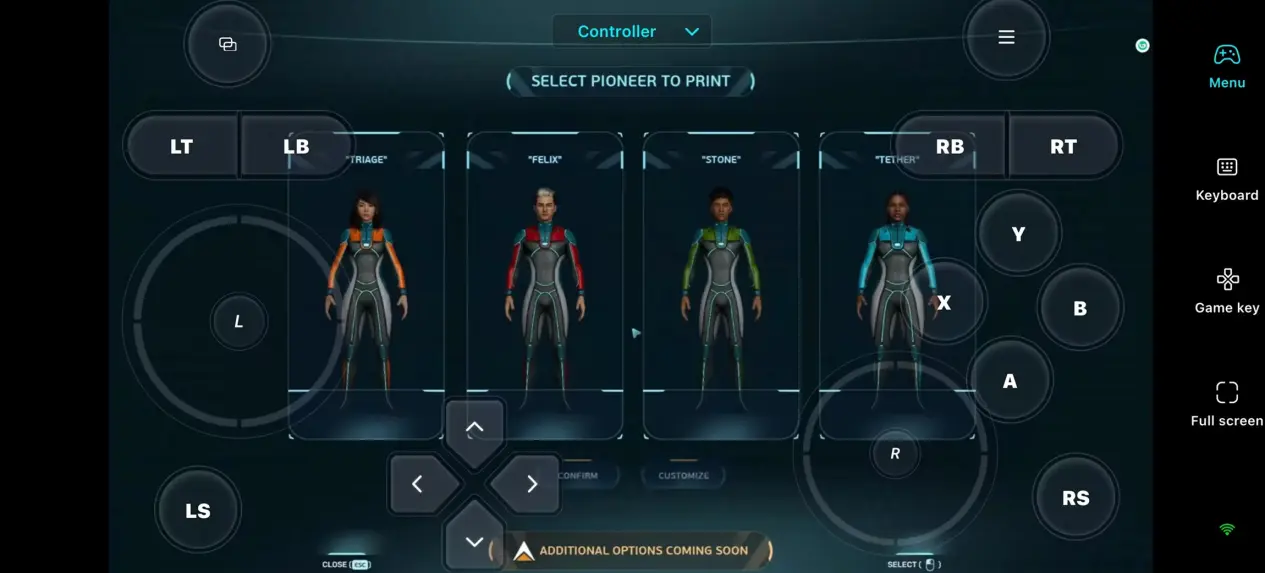
4.Connect external devices
OSLink supports Bluetooth game controllers. Replace touch controls for smoother gaming experience.
Step 3: Start Adventure Anytime
After setup, your phone or tablet becomes portable gaming device.
Gather basic shallow sea resources in spare time
Rearrange base facilities and storage boxes remotely
Explore new sea areas and discover exotic creatures casually
Join friends’ co-op lobbies even when you are out
Play Together with OSLink
Many players cannot team up easily due to low-end devices or slow game downloads. Solve this problem fast with OSLink Group Play feature. Friends can join via mobile phones directly.
1. Start the game
Please follow the previous steps to start Subnautica 2 through OSLink and ensure that the game runs smoothly.
2. Create a shared game room
Select 'Play Together' in the OSLink application.
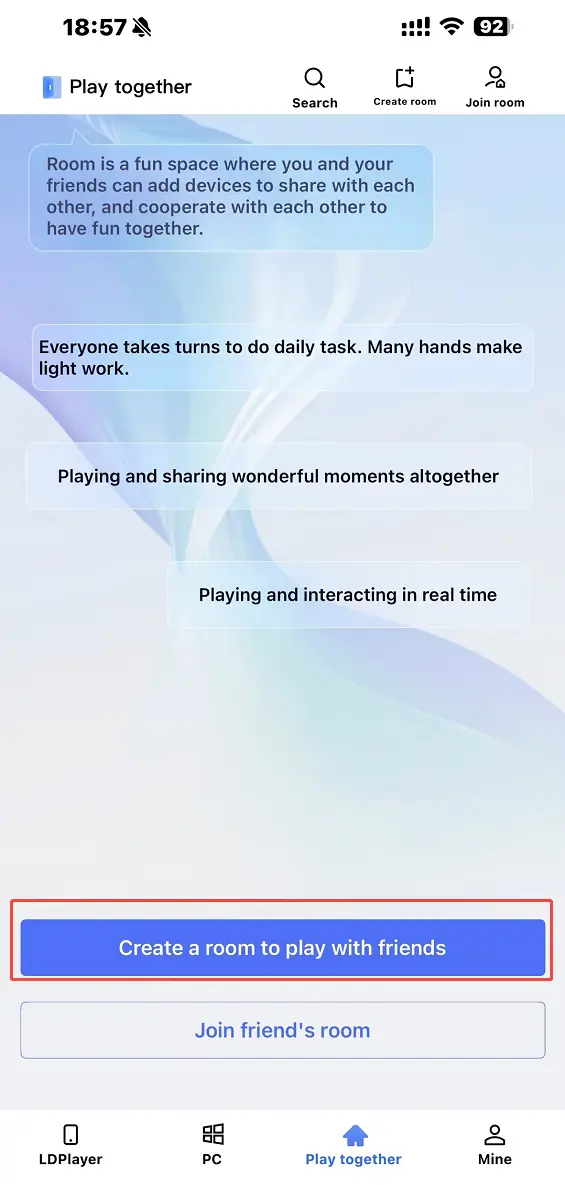
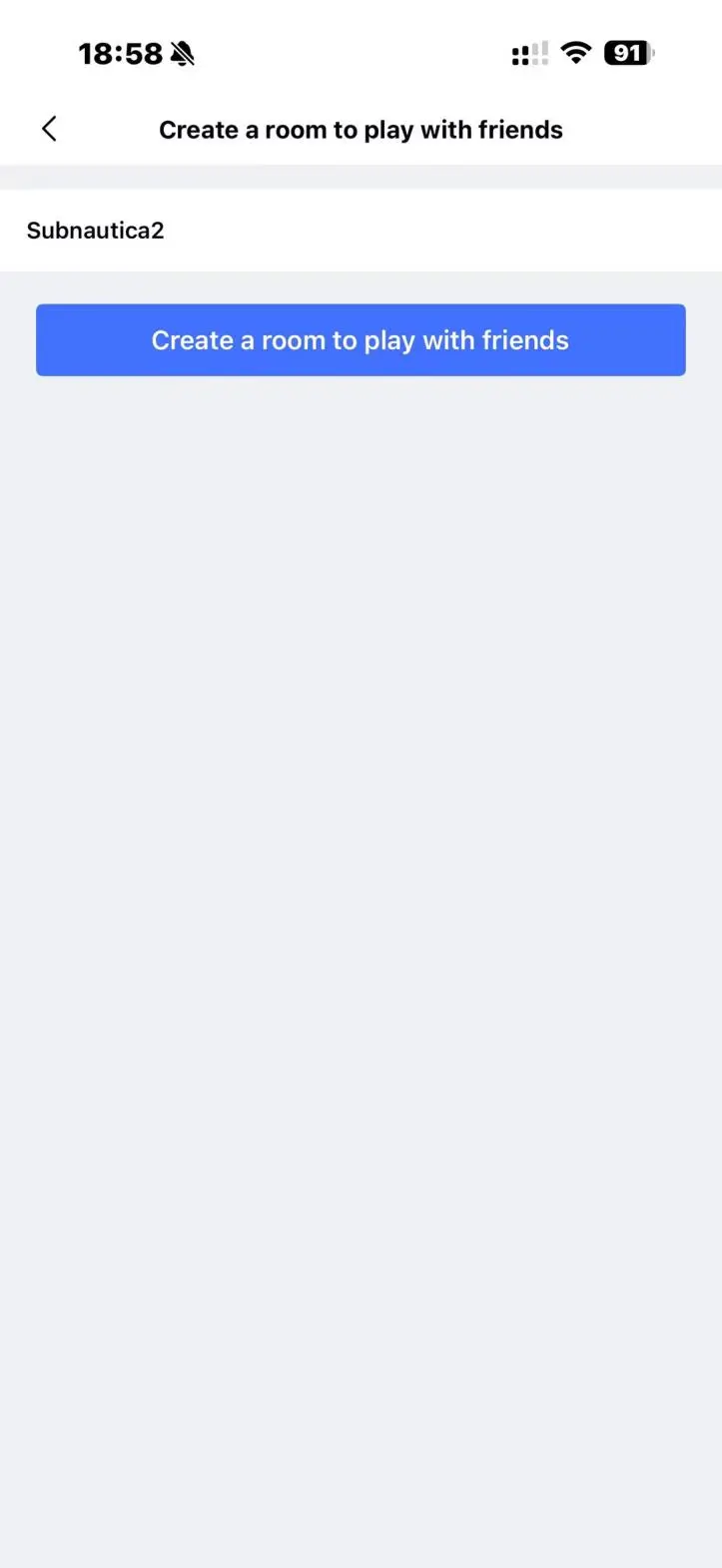
Please name your room and click "Create Room".
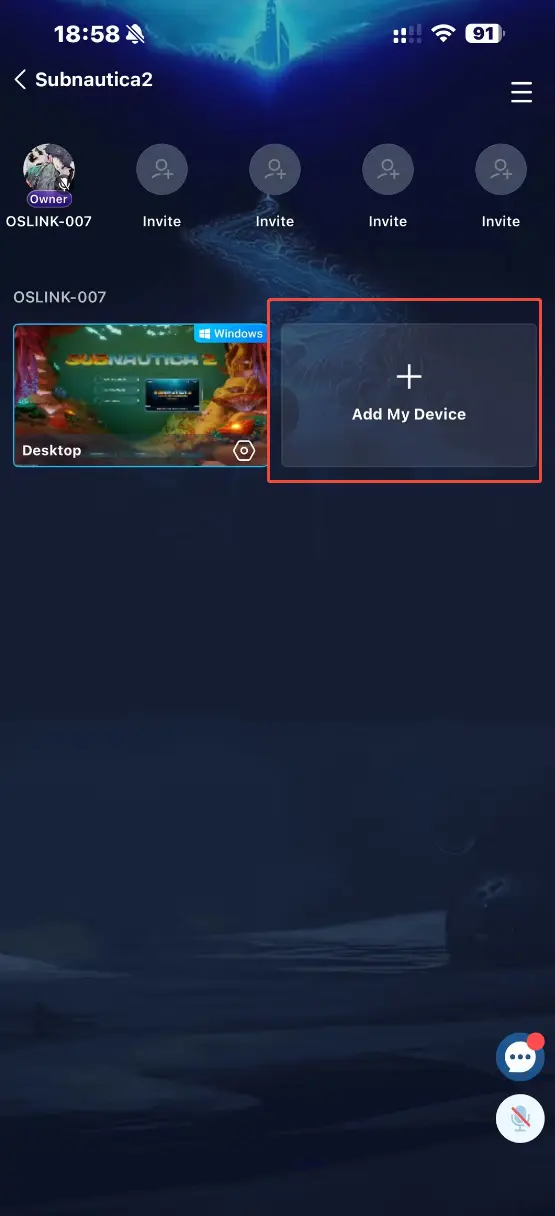
Click the "Add My Device" button to add the game window of Subnautica 2 to the room.
3. Invite friends
Click on 'Invite to Join' from the menu in the upper right corner.
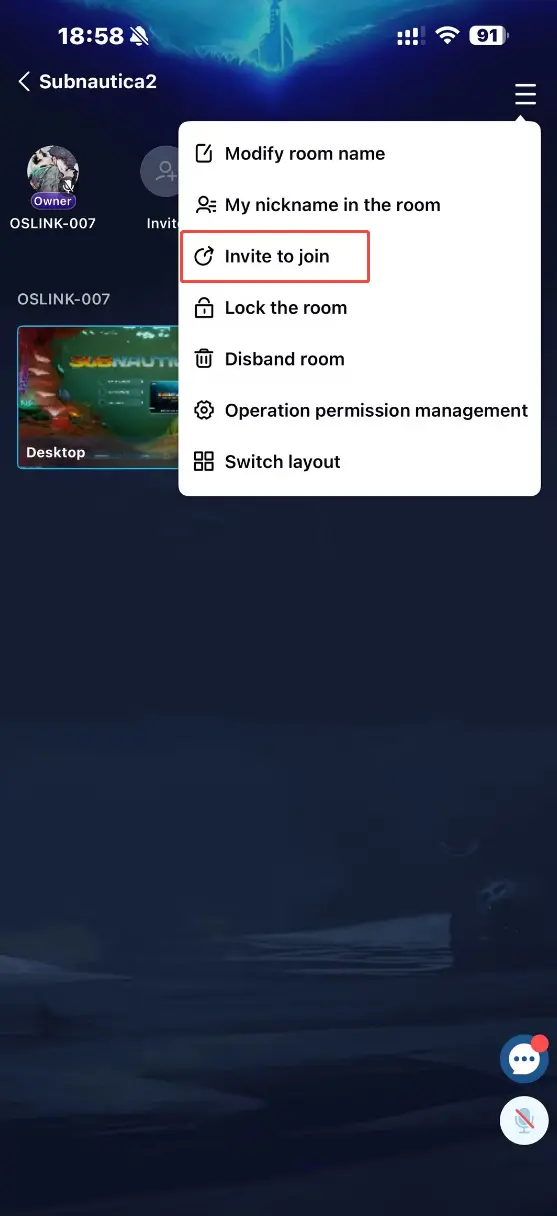
Friends need to select 'Join Room' through the OSLink application and enter their password to join.
You can also use the built-in chat or voice system to connect and communicate about exploration plans at any time.
4. Play deep-sea adventures together
After joining, friends can control their computers through their mobile phones and select "Player 2/3/4" to join the co-op session in the game. They can also use a controler and avoid touchscreen limitations, exploring the mysterious alien deep sea together!
Why Choose OSLink for Subnautica 2
1.No location limits
Play on the sofa, commute or anywhere you want. Never miss team adventures.
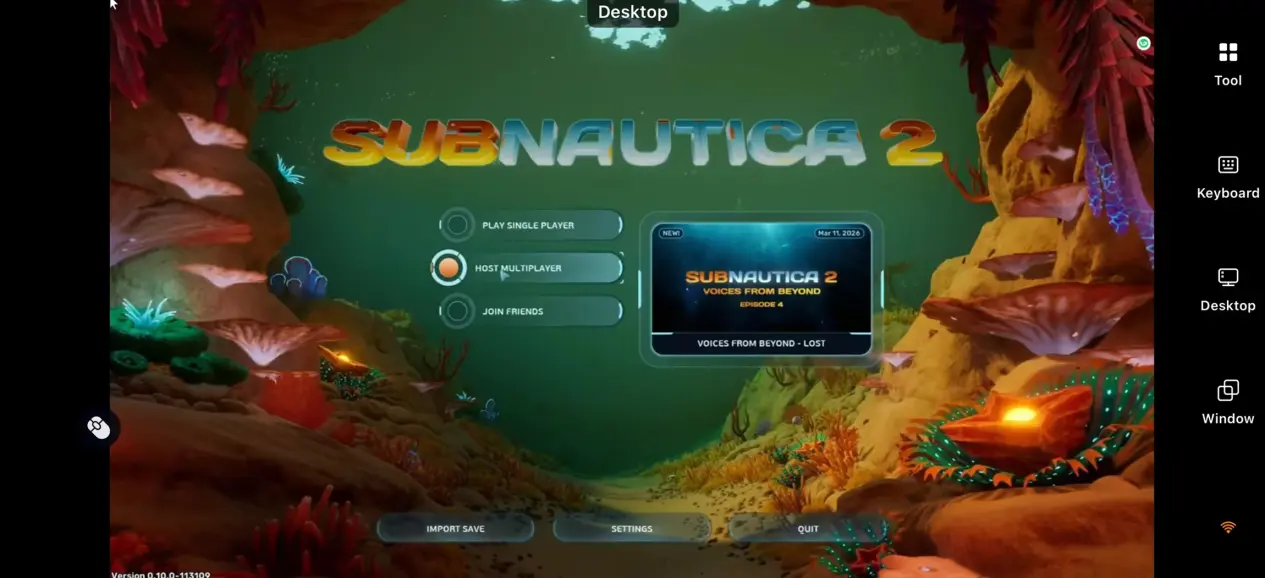
2.Original high graphics
There is no official mobile version released yet. OSLink keeps full Unreal Engine 5 PC visual quality with no image compression. Enjoy authentic sea scene and special effects.
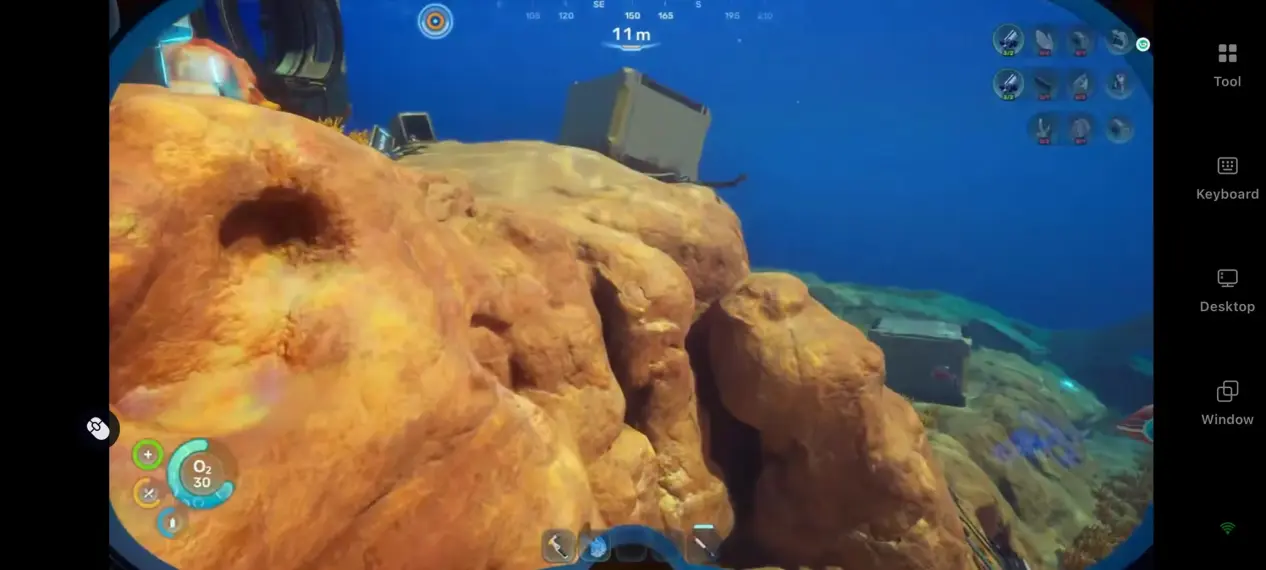
3.Smooth and precise controls
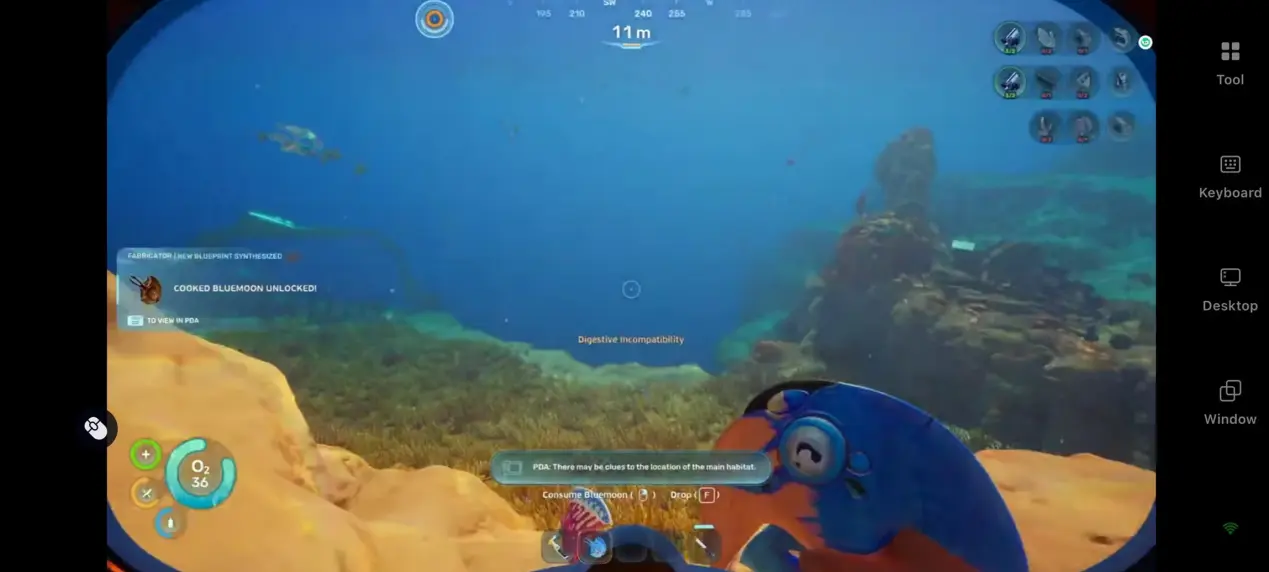
60fps stable frame rate plus customized keys make diving, collecting and monster encounters easier to handle.
FAQ
Q: When is Subnautica 2 released?
A: Early Access launched globally on May 14, 2026. Available on Steam, Epic, Microsoft Store and Xbox Series X|S. Free access for Xbox Game Pass members.
Q: What are PC system requirements?
A:Minimum Specs
OS: Windows 10/11 64-bit
CPU: Intel i5-8400 / AMD R5 2600
RAM: 12GB
GPU: GTX 1660 6GB / RX 5500 XT 6GB
Storage: 50GB SSD space
Recommended Specs
OS: Windows 11 64-bit
CPU: Intel i7-13700 / AMD R7 7700X
RAM: 16GB
GPU: RTX 3070 8GB / RX 6700 XT 8GB
Q: Can I play Subnautica 2 on Android phones?
A: No official Android version. Use OSLink remote PC play for full game experience.
Q: Can I play Subnautica 2 on iOS devices?
A: No official iOS version. Run PC game remotely via OSLink on iPhone and iPad without phone overheating.
Q: What is Subnautica 2 price?
A: Early Access price is $29.99. Price will rise after the official full release. Free for Xbox Game Pass users.
Q: Is Subnautica 2 crossplay?
A: Yes. Subnautica 2 supports cross-platform co-op between PC and Xbox platforms. If you want to continue your co-op session remotely, OSLink can also let you access your PC gameplay from mobile devices anywhere.
Summary
Turn your mobile device into portable Subnautica 2 gaming gear with OSLink.Break device and time limits, collect supplies, build bases and explore the vast alien ocean with teammates freely.
 Download