English
 Diablo® IV continues the franchise’s signature dark tone and loot-driven gameplay, now with a more open world and deeper character builds. Players venture into Sanctuary, battling demons, exploring dungeons, completing world events, and taking down powerful bosses—all while constantly upgrading gear and strengthening their character.
If you don’t want to be tied to your PC, OSLink offers a practical solution. It lets you stream your PC screen directly to your phone or tablet, so you can keep farming, questing, and progressing anytime, anywhere.
Table of Contents
Quick Setup Tutorial for Playing Diablo® IV on Mobile
Step 1: Download OSLink and Connect Devices
PC Side:
Visit the OSLink official website to download the software and complete the installation.

Mobile Side:
Download the OSLink App from the App Store or Google Play; the official website also offers APK downloads.
Log in with the same account as on the PC side to automatically connect.

Step 2: Control Optimization
1. Launch the Game
Open Diablo® IV on your PC, and the mobile side can connect directly; if DEATH STRANDING 2: ON THE BEACH hasn't been launched on the PC yet, click the game icon on the mobile side for quick startup.
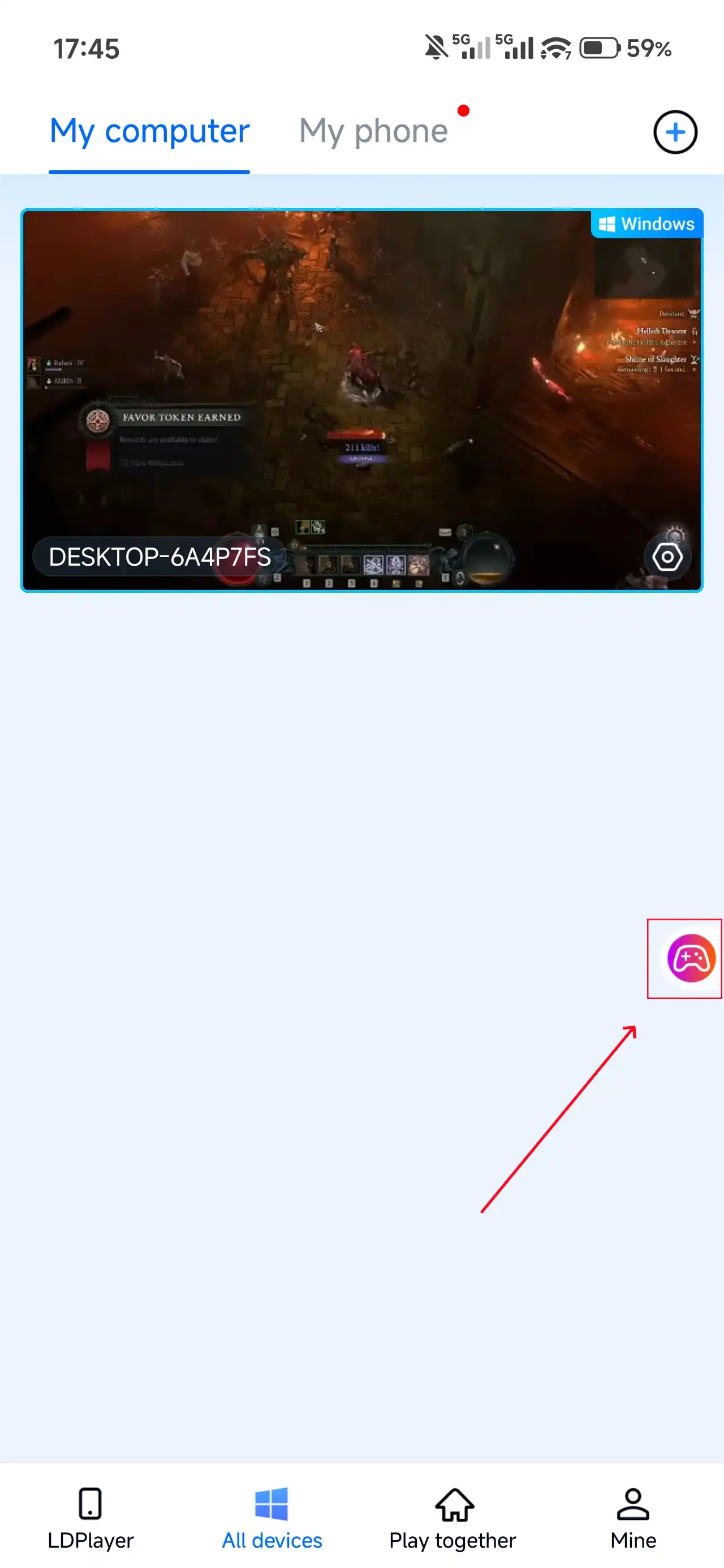
2. Control Mode
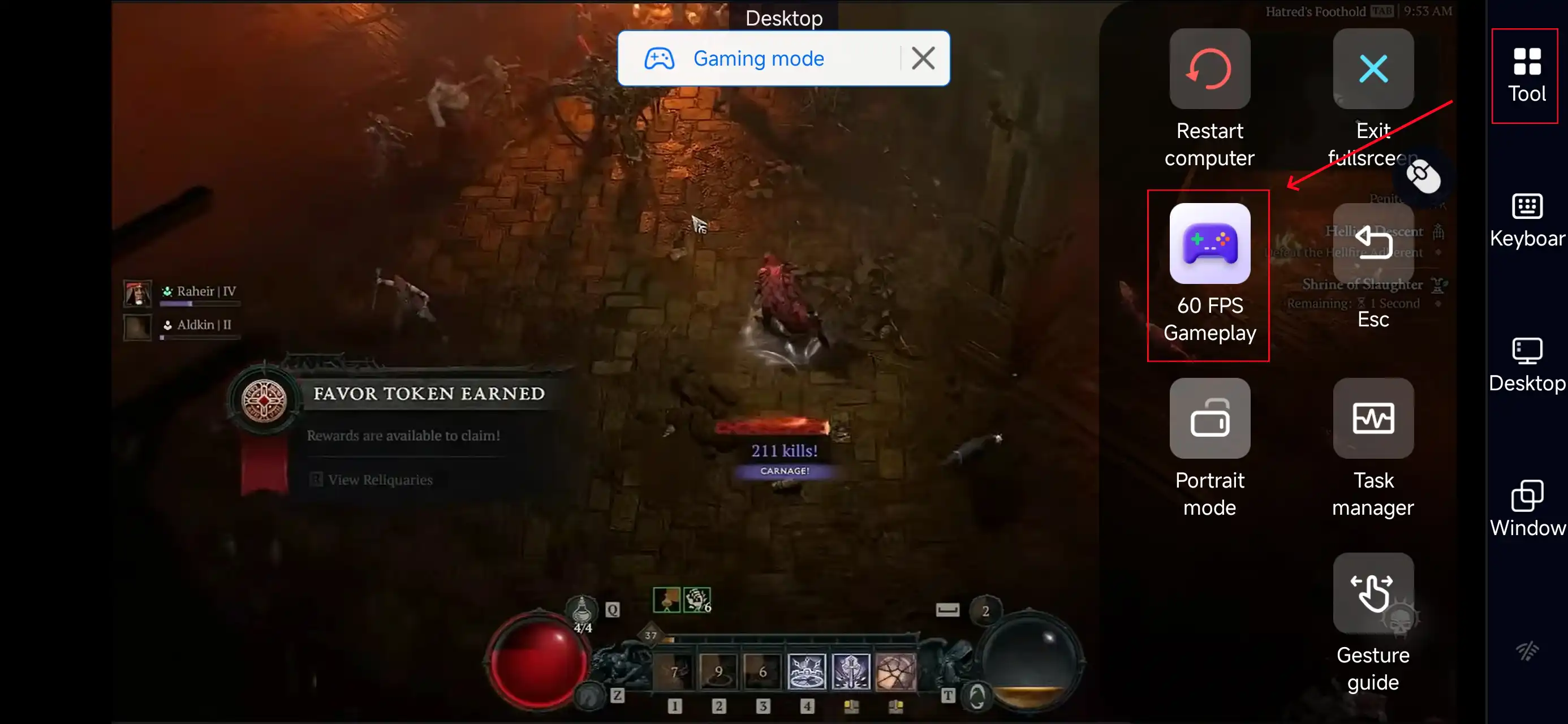
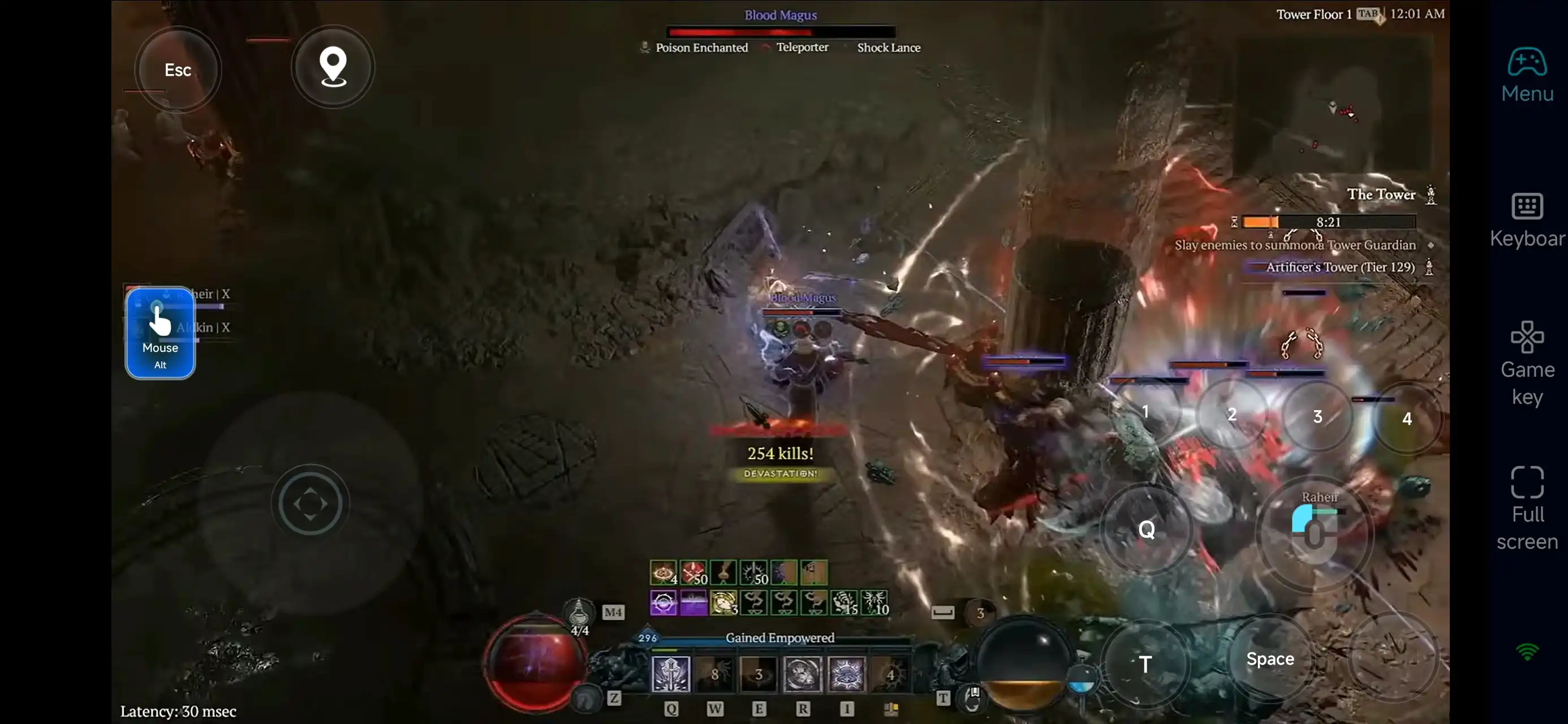
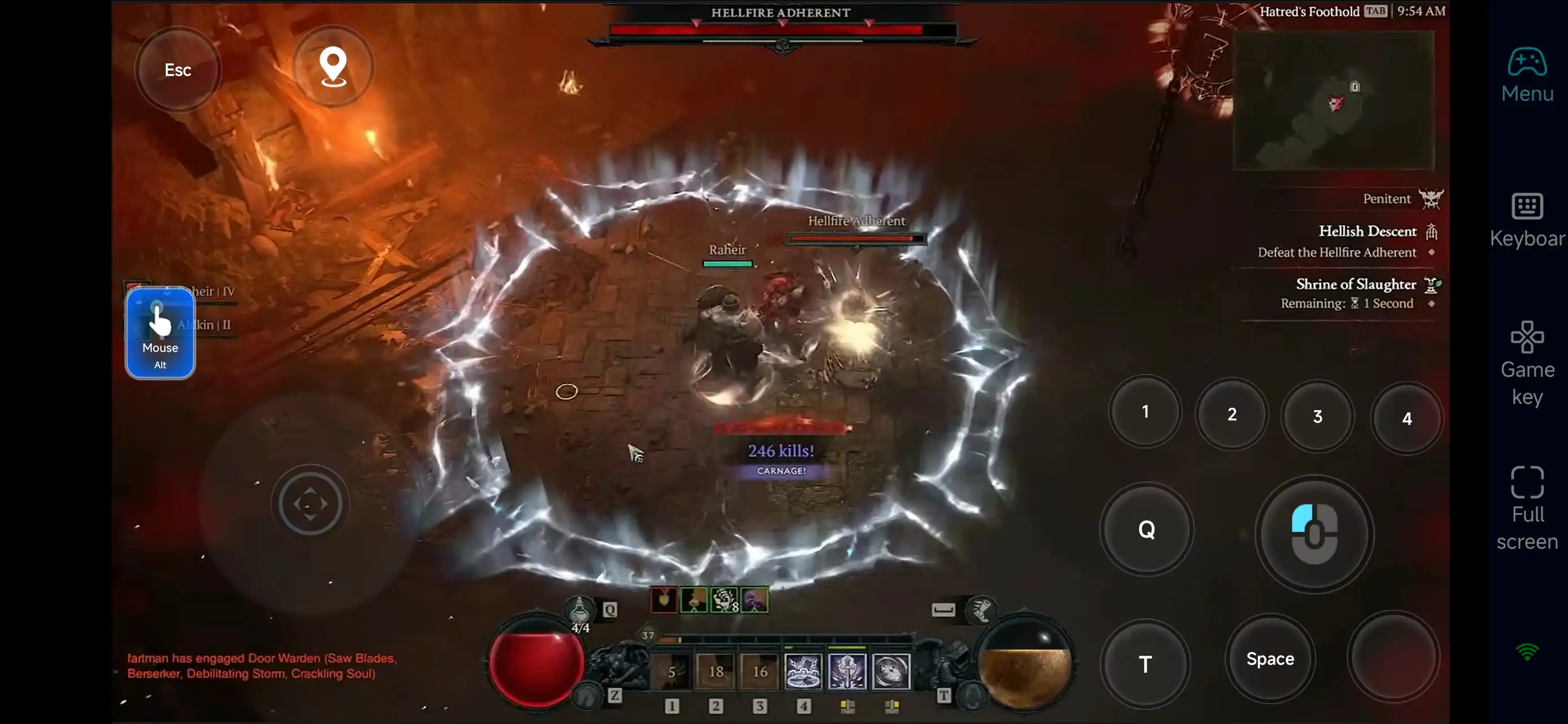
Click the toolbar on the right side of the mobile app, enter "60 FPS Gameplay," and choose key mode or link a controller based on your gaming preferences.
3. Customize key bindings
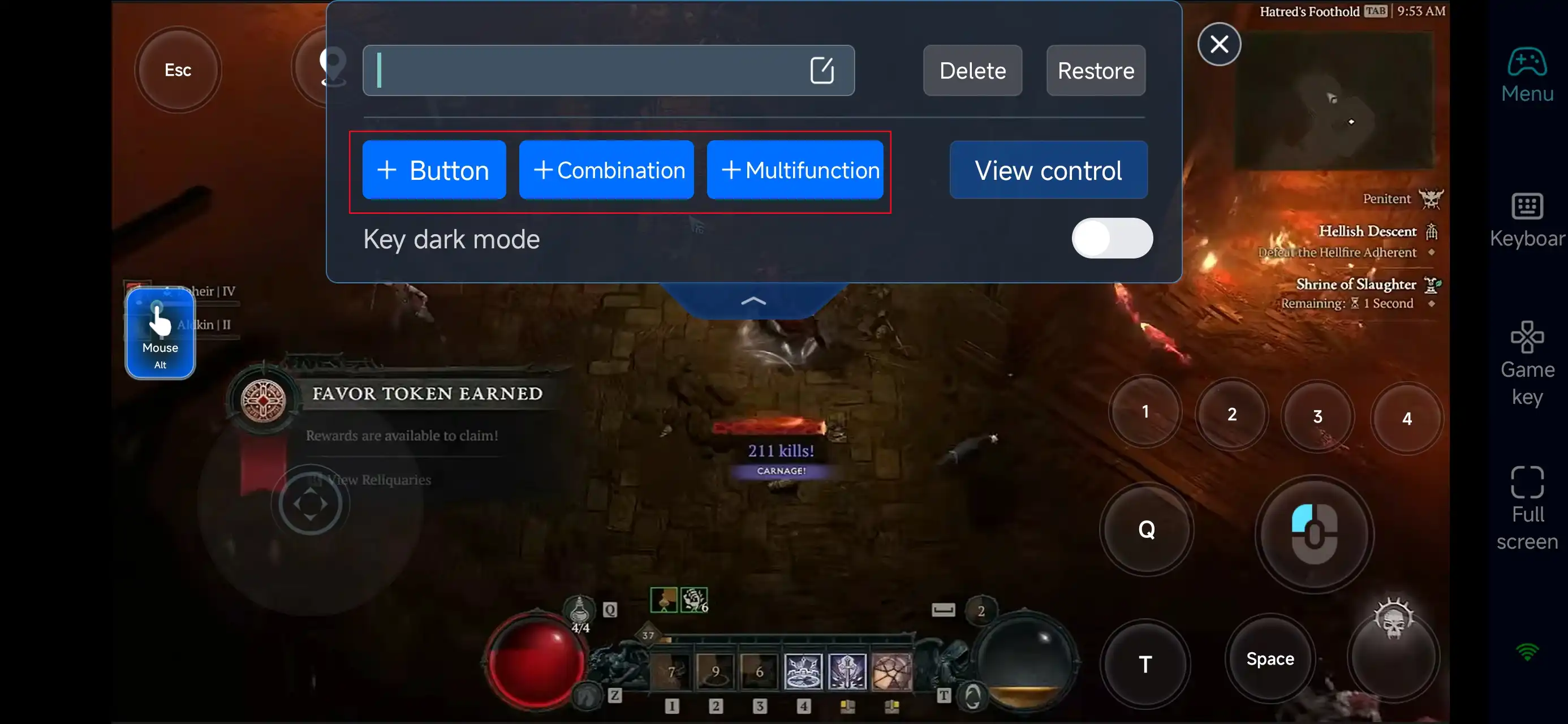
Since Diablo® IV focuses on movement, skill rotations, and combat flow, prioritize setting up:
-
Movement and directional controls
-
Skill hotkeys
-
Potion and dodge
-
Interaction (loot, open items)
-
Map and menu navigation
With proper configuration, you can achieve smooth combat and efficient farming even on mobile.
4.Connect external devices
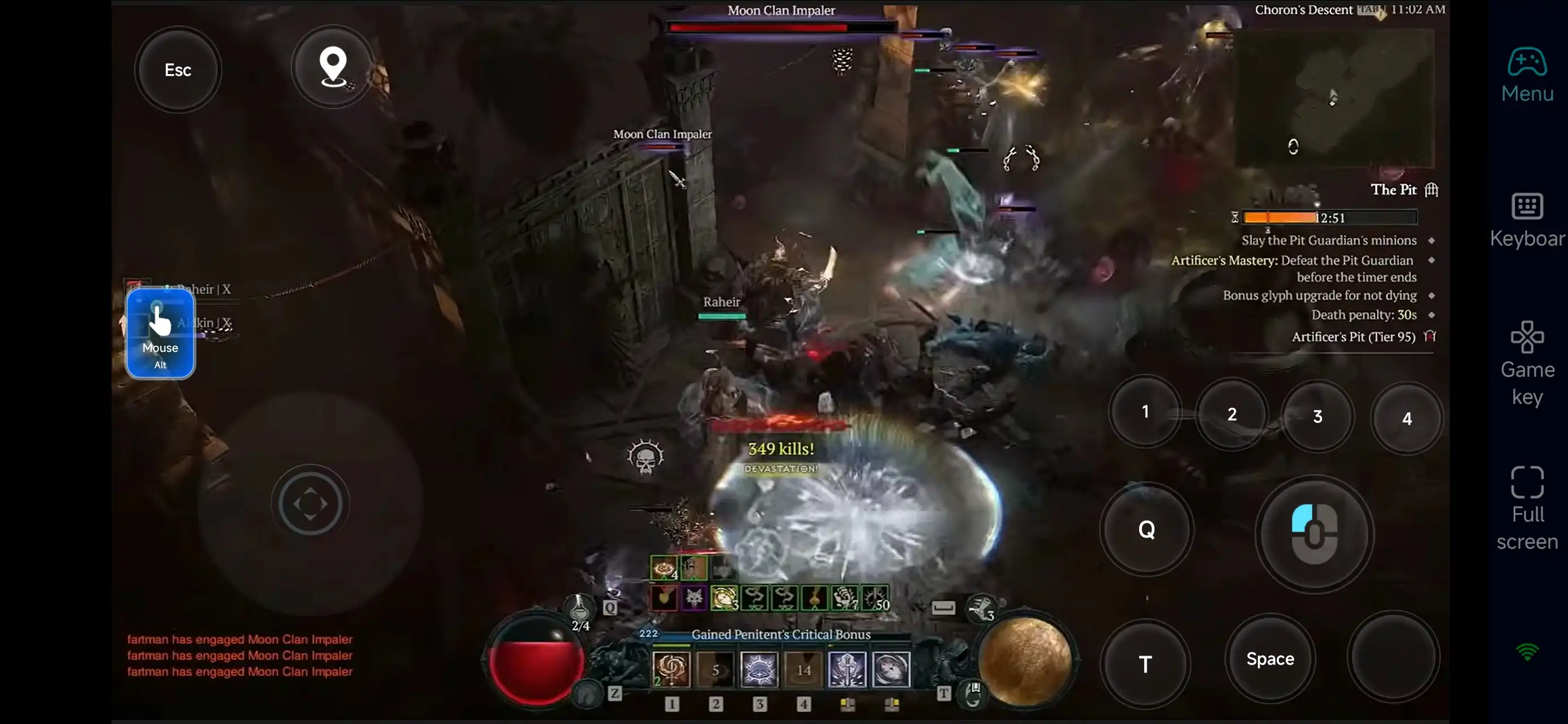
Beyond customizable buttons, OSLink supports a variety of external devices such as Bluetooth controllers and mobile gamepads clipped to your phone. This compatibility frees you from touchscreen limitations and offers a wider range of control options.
Step 3: Farm and Progress Anytime
Once everything is set up, your phone or tablet becomes a portable Diablo® IV platform.
With OSLink, you can instantly connect to your PC and:
-
Farm dungeons and level up
-
Participate in world events and elite fights
-
Progress through main and side quests
-
Manage gear and adjust builds
No matter where you are, your progression never stops.
Why Use OSLink for Diablo® IV?
1. Play Anywhere, Anytime
Break free from your desk—farm gear, complete quests, and grind on the go.
2. Smooth Controls for Combat
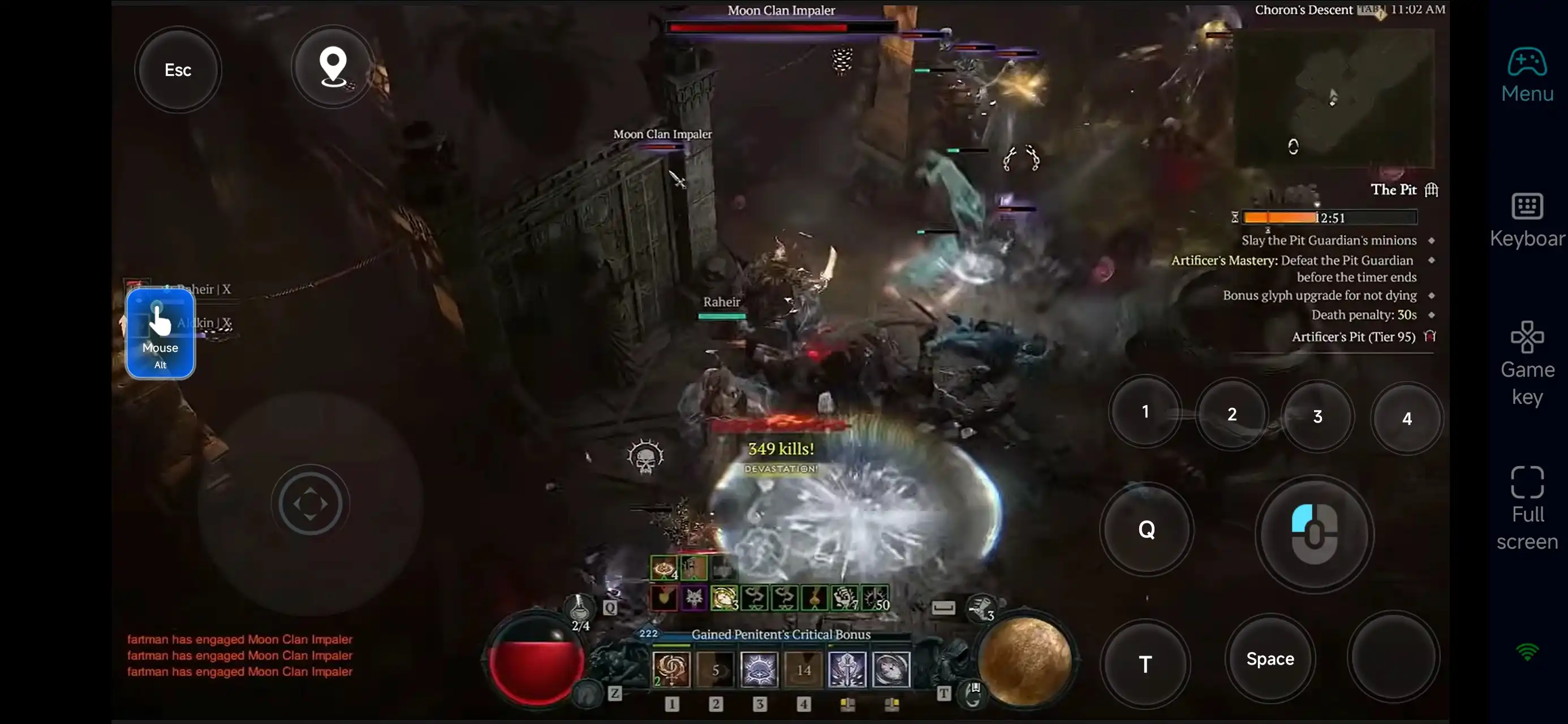
With customizable controls, you can still perform:
-
Skill combos and rotations
-
Dodging and positioning
-
Real-time boss fights
3. Make Use of Spare Time
Turn short breaks into meaningful progress:
-
Run quick dungeons
-
Complete daily or side tasks
-
Optimize builds and gear
-
Manage inventory
So when you’re back on PC, you can focus on high-level content.
FAQ
Q: What is the release date of Diablo?
A: The game officially launched on June 6, 2023, and is available on PC and consoles.
Q: Does Diablo® IV require a high-end PC?
A: The system requirements are relatively accessible. Minimum specs include:
-
OS: 64-bit Windows 10
-
CPU: Intel Core i5-2500K / AMD FX-8350
-
RAM: 8 GB
-
GPU: GTX 660 / Intel Arc A380 / Radeon R9 280
-
Storage: 90 GB
-
Internet: Broadband connection
For smoother performance, higher specs are recommended.
Q: Can I play Diablo® IV on Android?
A: There’s no official Android version. However, you can use OSLink to remotely play the PC version on your phone.
Q: Is Diablo® IV available on iPhone or iPad?
A: There’s no native iOS version, but you can stream the PC version to your iPhone or iPad using OSLink.
Conclusion
With OSLink, you can extend Diablo® IV beyond your PC and enjoy the game on your mobile devices.
Whether you’re farming gear, leveling up, or progressing through quests, you can stay productive anytime, anywhere. By turning spare moments into meaningful gameplay, you’ll build strength faster and stay ahead in Sanctuary.
 Download