English
 Star Sailors adopts a separate dual gacha system: Character Recruitment Banner and exclusive Memory Piece Banner. Characters and SSR Memory Equipment are drawn separately. New players should only pull from the limited character Pick-Up Banner at launch. Rerolling on a single mobile device is extremely inefficient. Most players use LDPlayer Multi-Instance Manager together with OSLink remote control to synchronize mass rerolls and automate repetitive tutorial runs. This guide fully analyzes gacha mechanics, Memory Card effects, tier list of starter characters, and a step-by-step OSLink multi-instance reroll tutorial based on official in-game gacha screenshots.
Want to mass-reroll Star Sailors anytime, manage dozens of accounts and monitor reroll progress remotely while away from home? OSLink paired with LDPlayer is the most popular tool combination among players. You don’t need to stay by your PC—control PC emulators remotely via mobile phone. It supports synchronized multi-window operations and auto-click recording scripts to eliminate repetitive manual reroll work. Whether you’re mass-rerolling, farming alt accounts, or AFK resource grinding later, this all-in-one tool covers multi-instance, remote control and auto-farming to greatly reduce repetitive operation time.
1. Full Breakdown of Game Gacha Banners
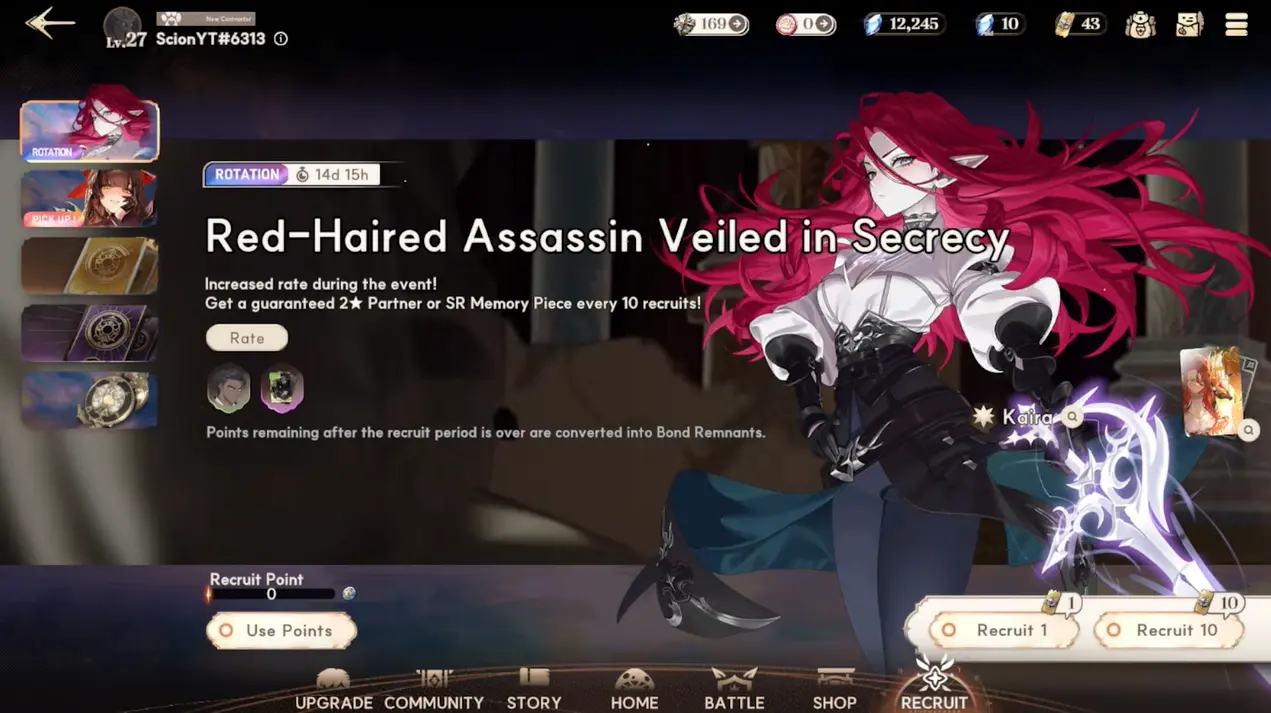
The game has two independent gacha banners: Limited Character Pick-Up Banner and Advanced Memory Piece Banner. They use separate summoning currencies and recruitment points. New players should spend all resources on the Pick-Up banner during rerolling, then save exclusive tickets for SSR Memory Cards after obtaining core units.
Limited Character Pick-Up Banner
Event remaining time: 10 days 7 hours
Limited 3-Star featured character: Nina
Basic Rules
10-pull guarantee: Obtain 1 2-star character or SR Memory Piece every ten pulls
Pull costs: 400 paid crystals for single pull, 1600 paid crystals for 10-pull; 160 free crystals for single pull, 1600 free crystals for 10-pull
1 free single recruitment ticket weekly (1 limit per week); accumulated recruitment points can be exchanged for character shards
Advanced Memory Piece Banner
This banner only contains SSR Memory Equipment and cannot yield characters. New accounts should spend all crystals on the character banner first; save crystals later to pull the exclusive SSR Memory Card.
Banner Rules
Banner Features: Memory Pieces act as exclusive character equipment. SSR Memory Cards greatly boost character ATK and CRIT DMG.
Separate Currencies: This banner uses different resources from the character banner and cannot share recruitment currencies.
Not Recommended for Reroll Phase: New accounts have limited crystals. Prioritize unlocking core character Nina before farming this banner after progressing through the early game.
Standard Banner
There are no time-limited featured units. All 3-star characters have standard drop rates with no targeted guarantee, making it impossible to target Nina specifically. Spending any crystals or recruitment tickets here during rerolling is highly discouraged.
2. Tier List of 3-Star Starter Characters
Tier 0 Limited Core (Top Reroll Target, Keep Account If Obtained)
Nina: Top single-target damage dealer. She has innate Crit Rate buffs. Her skills Hook Shot and Gray Zone deliver consistent performance in boss and elite battles, and she synergizes extremely well in an Earth team with Hunter K.
Heidi: The strongest AoE damage dealer in the current meta.
Zhenzhen: The core backbone of any team. She provides steady healing, damage mitigation, and enemy buff dispel all at once.
Kayla: Top-tier Light support. She boasts outstanding sustain and team amplification, perfect for prolonged battles.
Once the event ends, these characters will be added to the permanent summon pool with drastically reduced drop rates. They are the optimal picks for starter pulls only during their UP banners.
Tier 1 Viable Permanent 3-Stars (Temporary Replacement If Nina Is Not Pulled, Reroll Later)
Erling: High single-target burst multiplier against bosses, yet weak against groups of enemies.
Hunter K: Grants Crit buffs and deals continuous DoT damage, with massive late-game potential..
Tier 2 Low-Priority 3-Star (Reroll Immediately If Pulled, Not Worth Investing)
Jen, Ethan, Kaira, Gerbil, Caroline: Low single-target damage, no team-wide buffs or unique mechanics, cannot maximize the exclusive SSR Memory Card’s bonuses. Players will hit progression roadblocks easily; long-term investment is not recommended.
2-Star Starter Characters (All Temporary Fillers, No Need to Keep Accounts)
Nutty, Remi, Soul, Rak: Only used to fill team slots in early game, fully replaced by 3-Star main units later.
3. Complete Multi-Instance Reroll Tutorial
Pre-Installation of Tools
Visit the official OSLink website https://www.oslink.io to download the PC client, then install the latest LDPlayer emulator.
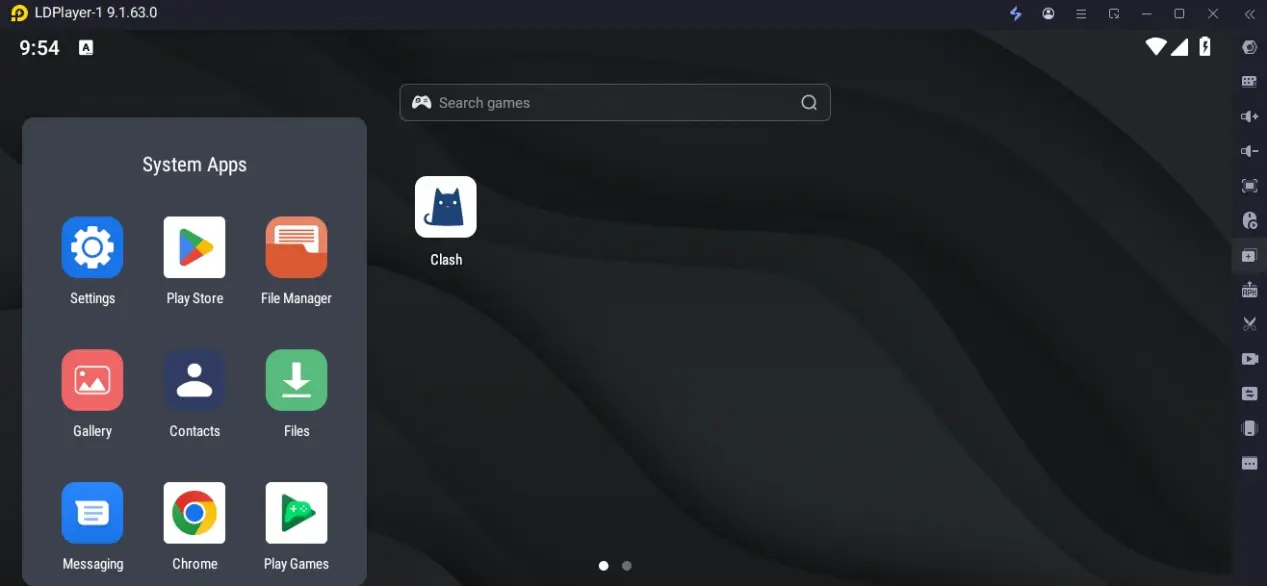
Launch LDPlayer, search Star Sailors in the game store and complete installation. Download all game resources on first launch to avoid repeated resource downloads across multiple instances.
Download the OSLink mobile app from App Store or Google Play, or install the APK directly from the official OSLink website.
Remote Mobile Control Setup (Monitor Rerolls Away From Home)
Three mandatory connection requirements:
Log into the same OSLink account on both PC and mobile versions
Keep the PC powered on and connected to the internet, with LDPlayer running Star Sailors
Operation Steps
Launch OSLink on PC and keep it running in the background
Open the OSLink mobile app; it will automatically detect PC devices bound to the same account
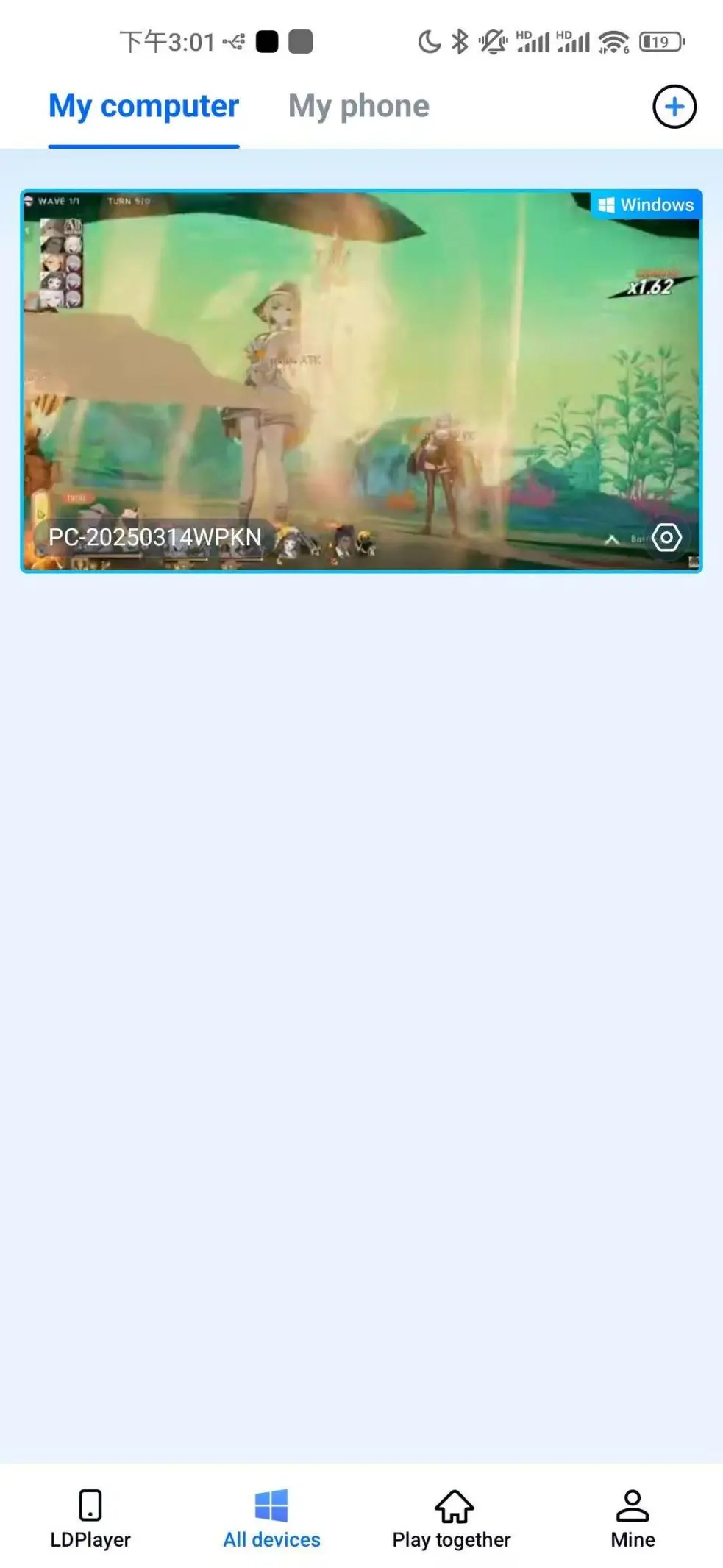
Tap the matching PC device to remotely view and control all LDPlayer windows in real time. Check if each account pulls Nina or Heidi.
Core Mass Reroll Operations for Multi-Instances
Step 1: Create Multiple LDPlayer Emulator Windows
Open LDPlayer’s built-in Multi-Instance Manager (LDMultiPlayer)
Tap "New Instance" to clone the pre-installed Star Sailors environment without re-downloading game files
Adjust instance quantity based on PC specs: Max 4 instances with 16GB RAM; 6–8 instances with 32GB RAM. Select all and launch emulators in bulk.
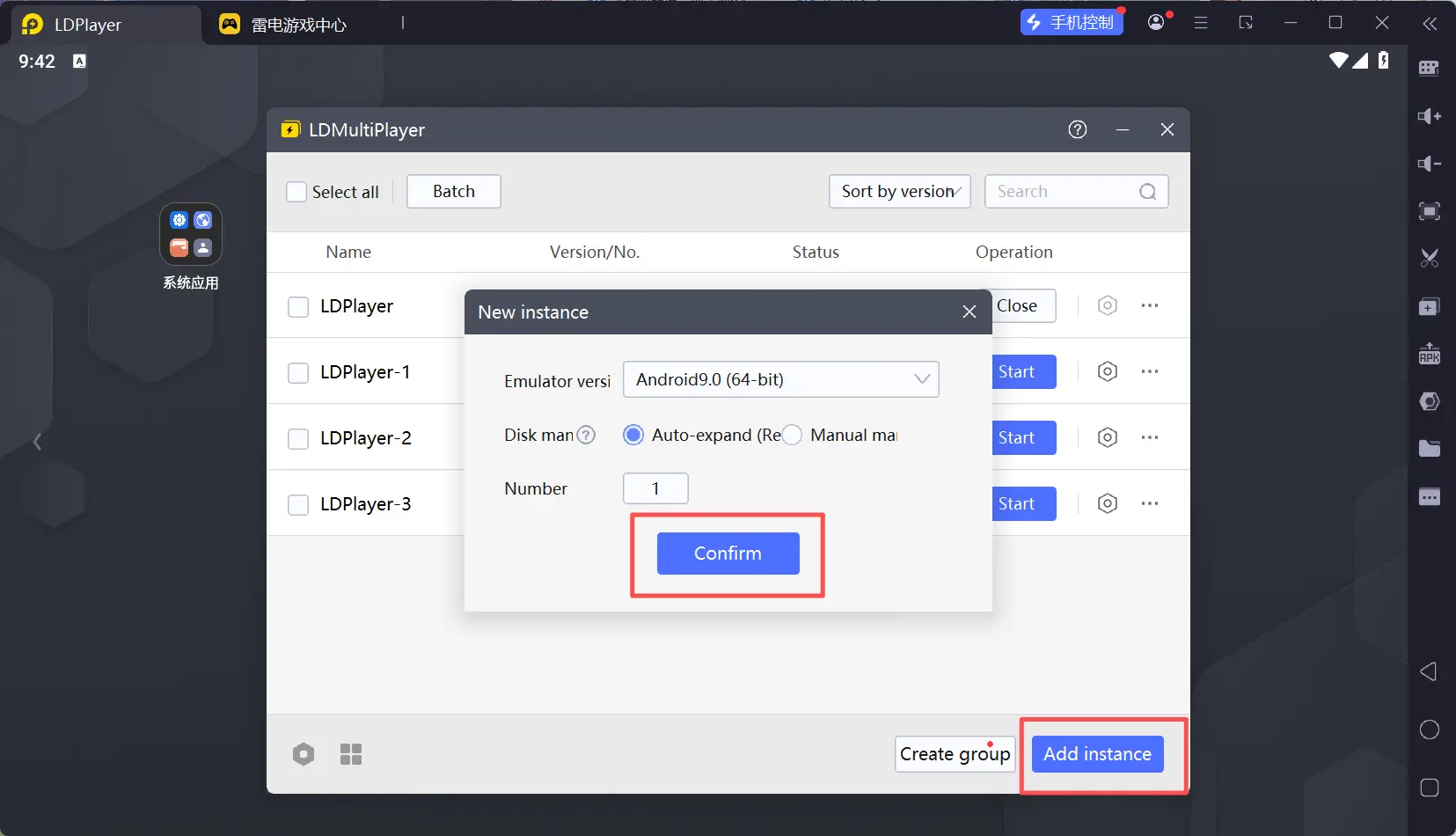
Step 2: Enable Synchronized Operations on OSLink to Run Tutorials In Bulk
Switch to the "Synchronous Operation" page in the OSLink mobile app
Select all LDPlayer windows running Star Sailors and activate sync mode
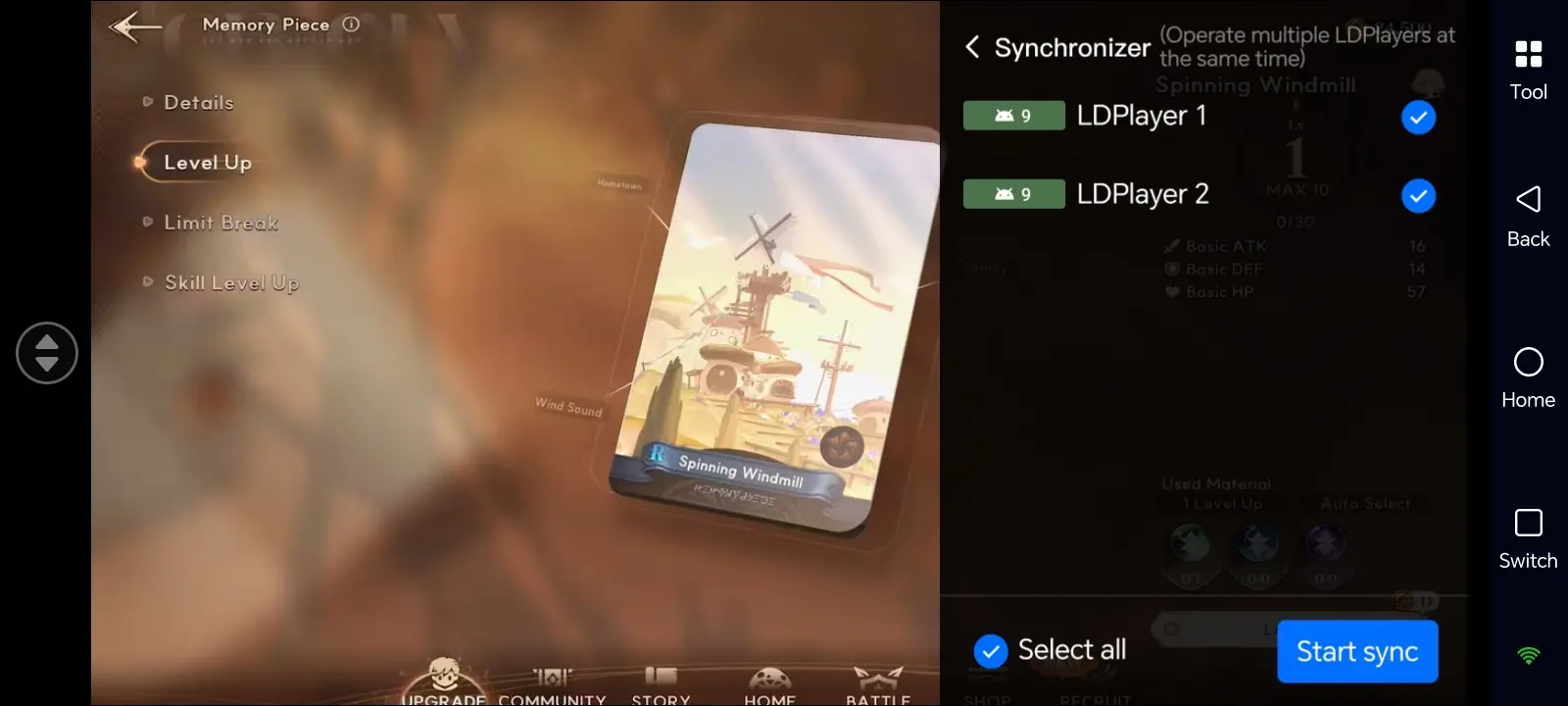
Perform any action on the main window (skip cutscenes, claim crystal & recruitment tickets from mail, pull from Pick-Up Banner), and all synchronized windows will mirror the same inputs. This cuts repetitive manual work.
Step 3: Auto-Click Scripts for Unattended Rerolling
Enable the "Auto Click" tool in the OSLink mobile toolbar.
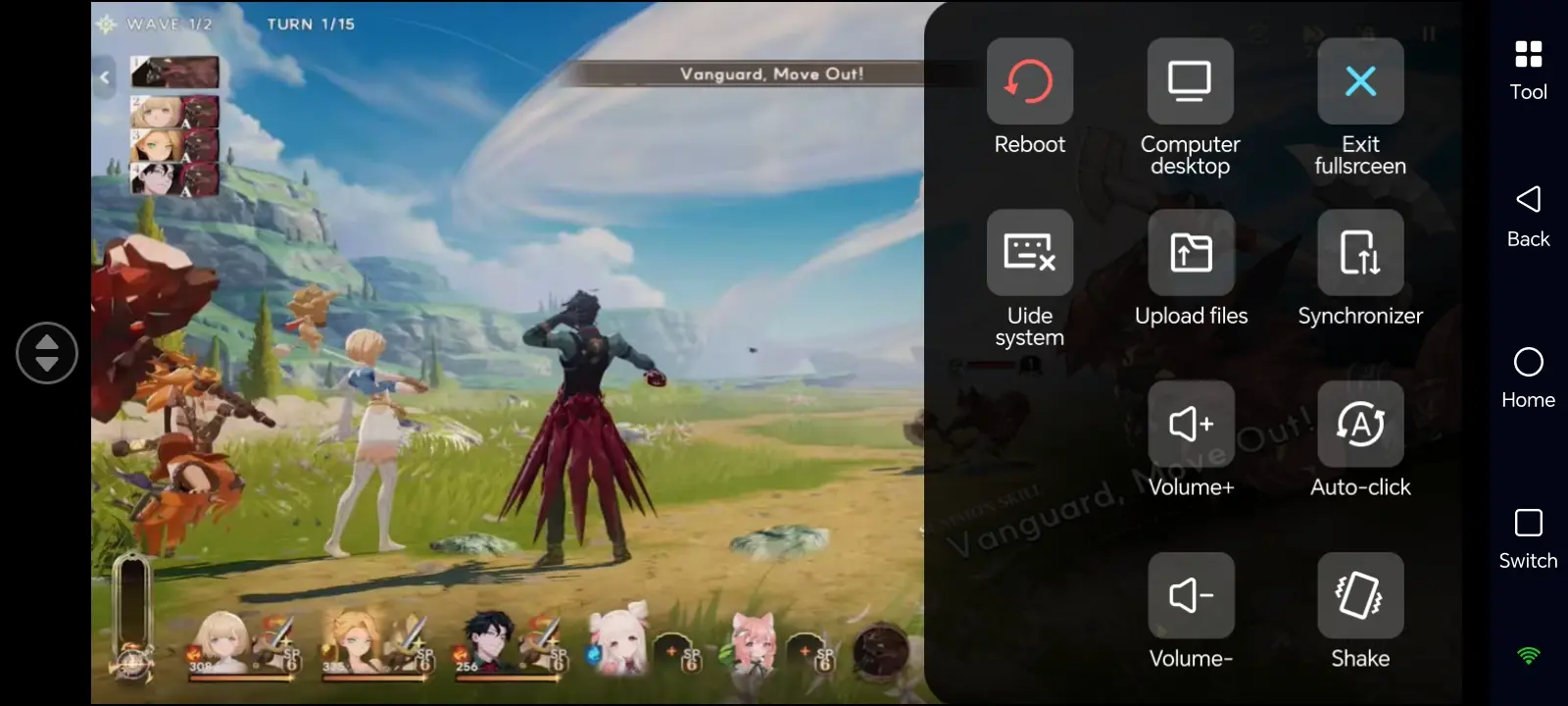
Record a standard reroll loop: Create new account → Skip tutorial → Claim mail crystals & tickets → Pull limited Pick-Up Banner → Reset account if Nina is not obtained. You may also record separate scripts for mass Memory Card farming.
Set loop count or AFK duration for fully automated mass rerolling. Leave your PC powered on to run continuously, and check pull results remotely via mobile anytime.
Recommended PC Specs for Multi-Instance
Stable 4-instance setup: Windows 10/11, Intel i5 / AMD Ryzen 5 or higher CPU, 16GB RAM, GTX 1650 or equivalent GPU
High-load 6–8 instance setup: 32GB RAM recommended to prevent emulator lag and crashes. Running both character and Memory Card Banners simultaneously consumes more memory.
4. Frequently Asked Questions
Q:When did the global server of Star Sailors officially launch? Was pre-download available before launch ?
A: Confirmed by Com2us official announcement, Star Sailors global server went live simultaneously on all platforms at 10:00 (UTC+8) on June 30, 2026. Pre-download was unlocked one day ahead of launch.
Q: Can iPhones run multiple Star Sailors instances natively for rerolling?
A: iOS does not support native game multi-instances. However, you can connect to LDPlayer multi-instances on your PC via OSLink, and control dozens of game accounts remotely from iPhone for mass rerolling, including character and exclusive Memory Card farming.
Q: Should I spend starter crystals on the Memory Piece Banner?
A: Absolutely not. The Memory Piece Banner only contains equipment, no characters. Save all starter crystals for the limited character Pick-Up Banner.
Q: Do 10-pulls raise the drop rate of 3-Star Nina or SSR Memory Cards?
A: No. Single pulls and 10-pulls share identical base drop rates for 3-Stars and SSR Memory Cards. The only bonus for 10-pulls is a guaranteed 2-star character or SR Memory Piece. Choose single pulls to save crystals or 10-pulls for faster progress based on your preference.
Q: Are there account risks when mass rerolling and farming Memory Cards via multi-instance?
A: LDPlayer standard emulators and OSLink remote control only sync inputs and record clicks, with no game data modification functions. However, most games’ user agreements prohibit mass account rerolling and auto AFK farming. Mass small-account pulls may trigger system anti-cheat detection. Limit the number of simultaneous instances and avoid registering dozens of new accounts at once.
5. Conclusion
OSLink and LDPlayer let you mass-reroll for limited 3-Star character across multiple Star Sailors accounts. You can monitor AFK progress remotely via mobile, with sync multi-instance and auto-click scripts automating repetitive gacha operations. This toolkit is suitable for early rerolling, late-stage memory farming and daily resource runs to raise your overall efficiency.
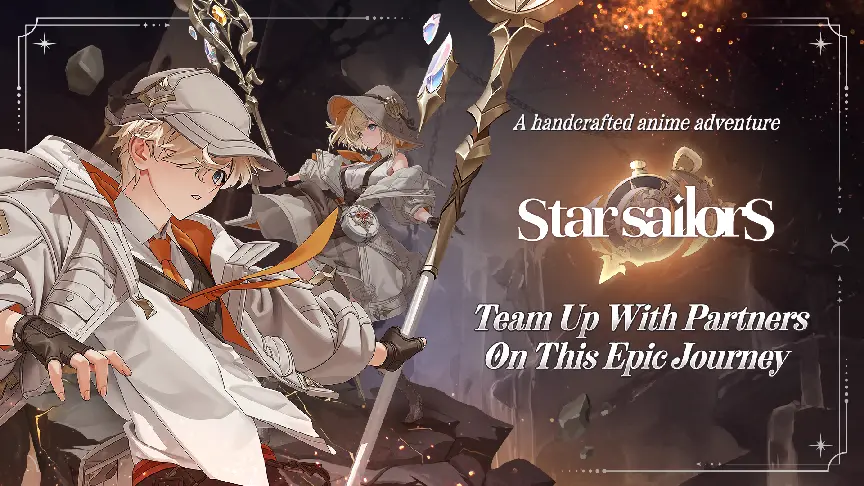
Star Sailors separates character and memory gacha Banners. Limited units and their exclusive SSR cards are only easy to obtain during events. Use this multi-instance remote solution to get Nina or Heidi quickly, bypassing early-game bottlenecks and resource shortages for smoother progression.
 Download