English
  Blog Game Guide Play SEGA FOOTBALL CLUB CHAMPIONS on Mobile with OSLink – Easy Remote Management Guide
Want to manage your football club in SEGA Football Club Champions on the go using your phone or tablet? With OSLink’s remote control, you can connect to your PC and fully operate the PC version of SEGA FOOTBALL CLUB CHAMPIONS , so you never miss a moment of club development—even when away from your desk. From player training and squad lineup changes to tactical planning and transfer market decisions, you can handle everything smoothly on your mobile device.
In this guide, we’ll walk you through setting up OSLink, optimizing controls, and customizing your layout for the best remote management experience.
Quick Setup Tutorial for Playing SEGA FOOTBALL CLUB CHAMPIONS on Mobile
Step 1: Download OSLink and Connect Devices
PC Side:
Visit the OSLink official website to download the software and complete the installation.

Mobile Side:
Download the OSLink App from the App Store or Google Play; the official website also offers APK downloads.
Log in with the same account as on the PC side to automatically connect.

Step 2: Control Optimization
1. Launch the Game
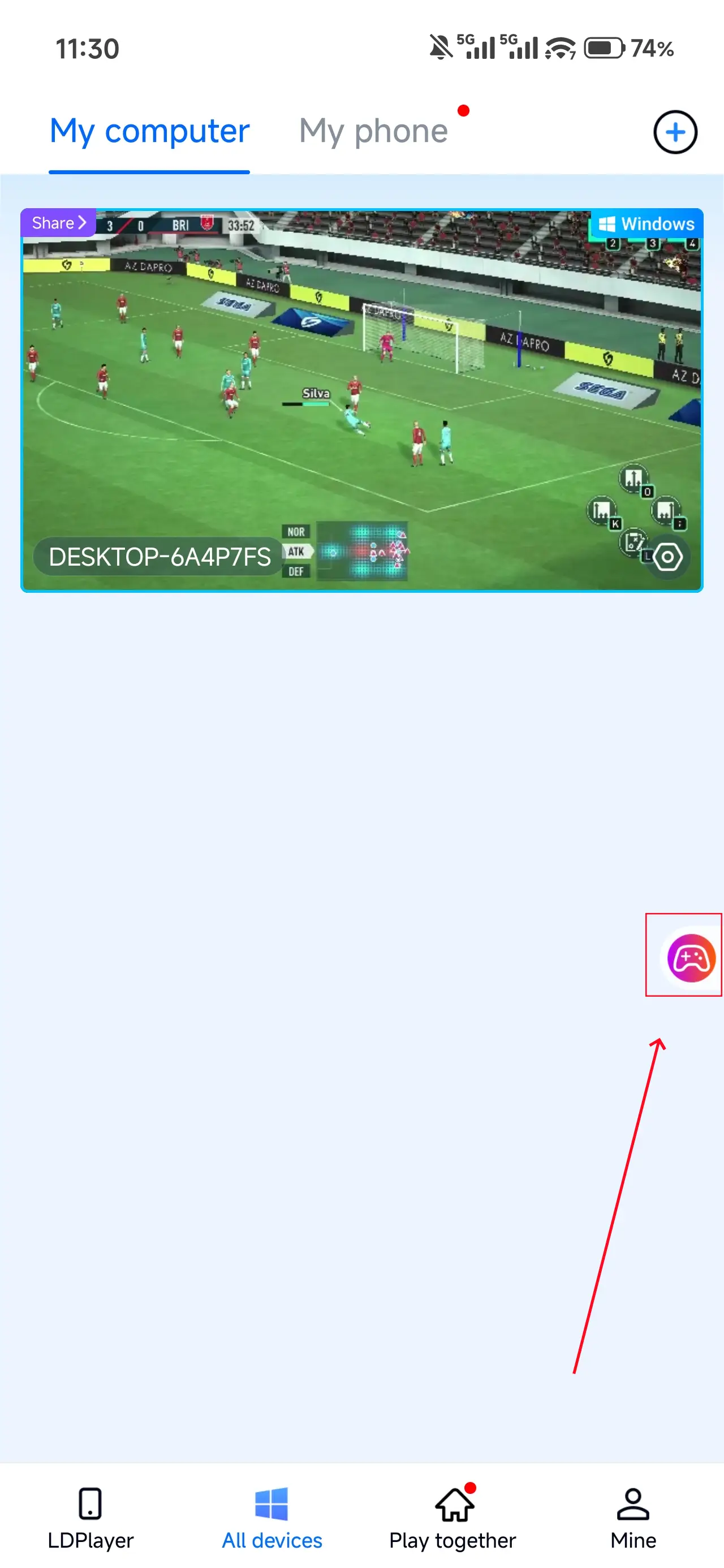
Open SEGA FOOTBALL CLUB CHAMPIONS on your PC, and the mobile side can connect directly; if SEGA FOOTBALL CLUB CHAMPIONS hasn't been launched on the PC yet, click the game icon on the mobile side for quick startup.
2. Control Mode
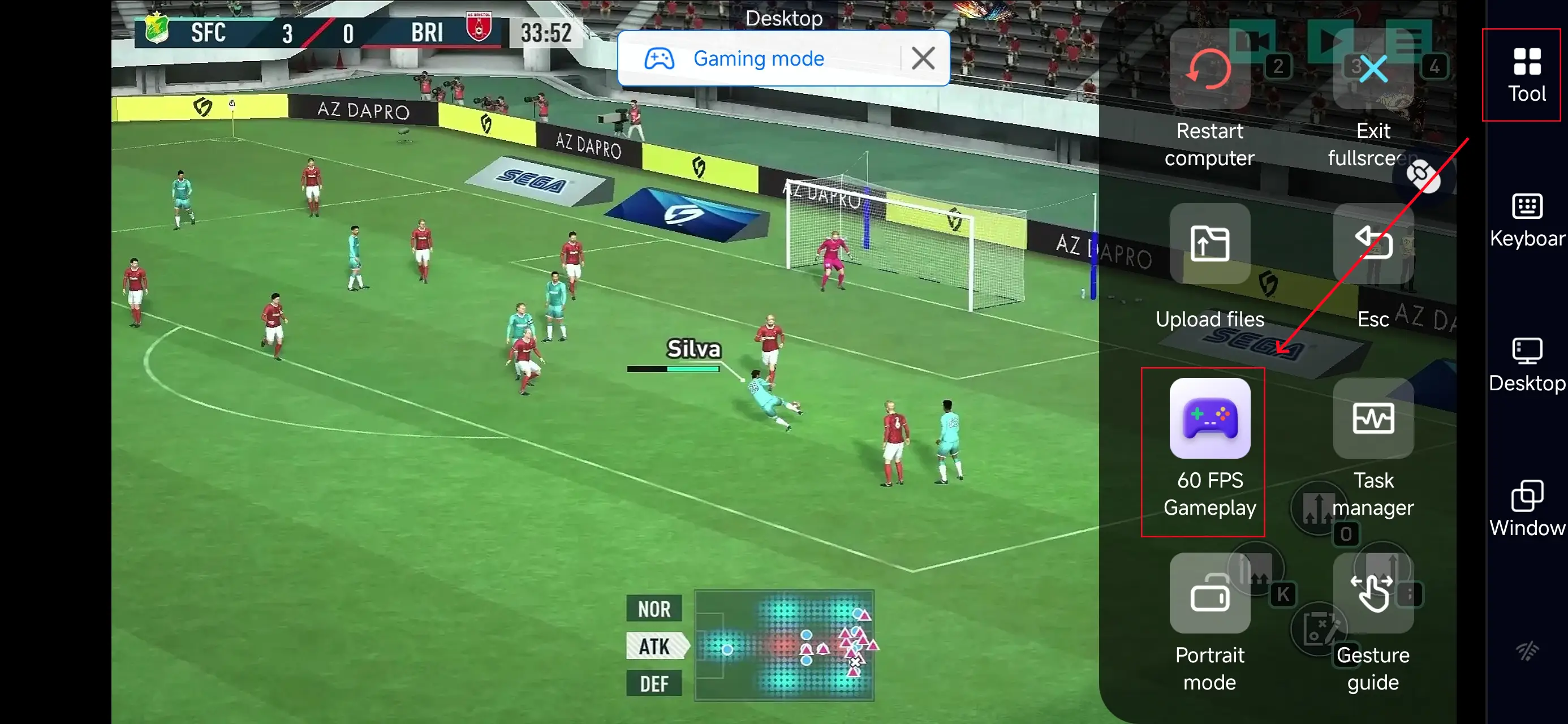
Click the toolbar on the right side of the mobile app, enter "60 FPS Gameplay," and choose key mode or link a controller based on your gaming preferences.
3. Key Selection
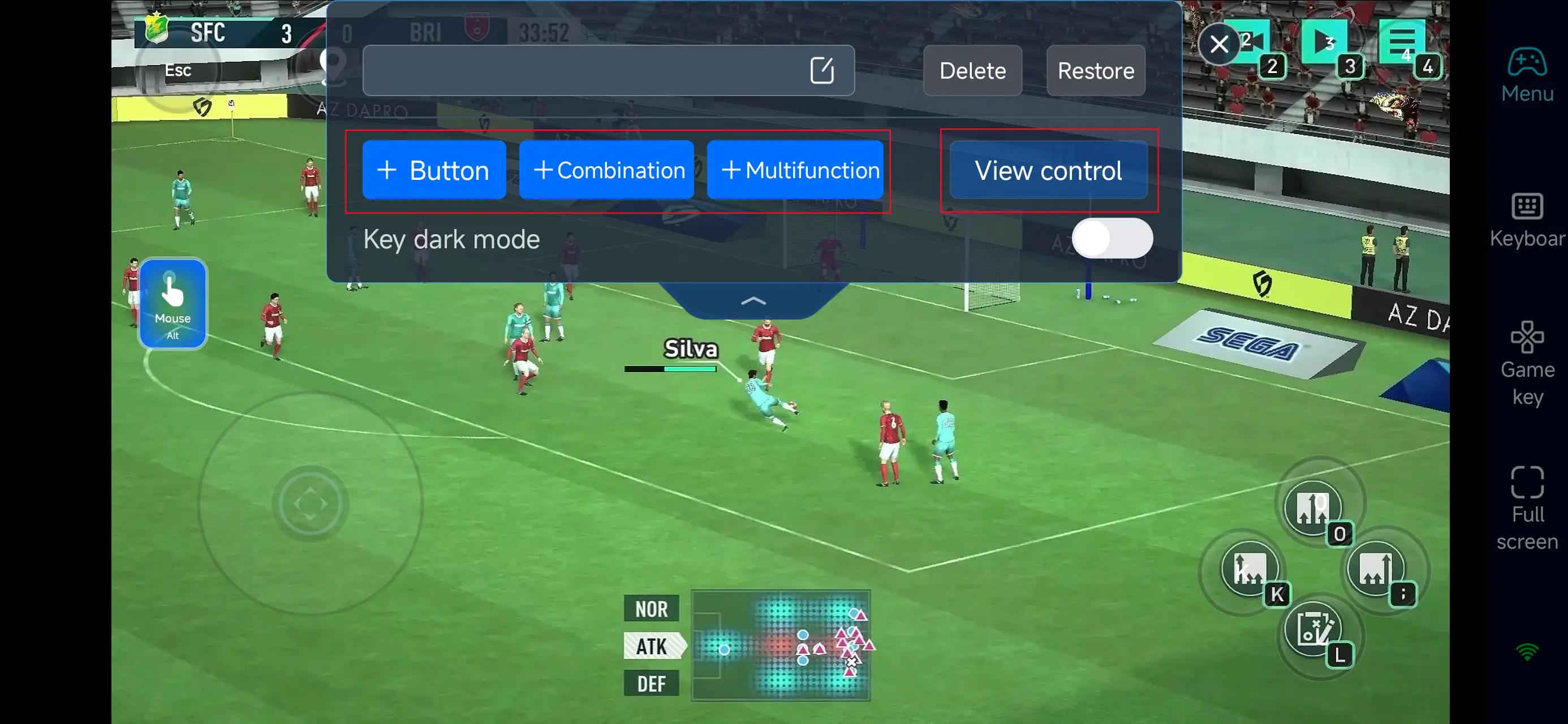
Once PC mode is active, open the on-screen controls editor.
Assign quick access buttons for key club management functions such as:
-
Player info screens
-
Squad lineup editing
-
Tactical formation settings
-
Transfer market actions
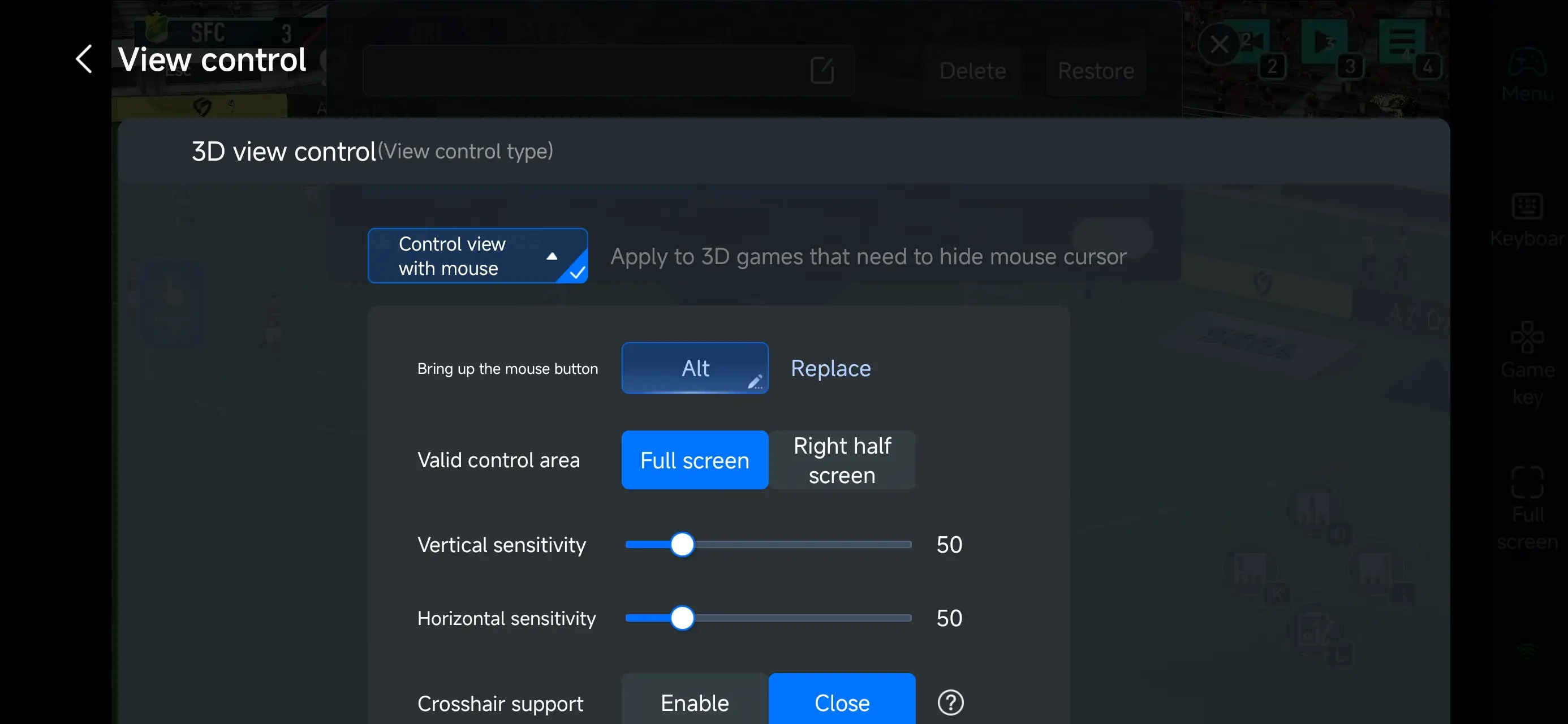
OSLink lets you fully customize the interface—add, move, resize, or change the transparency of buttons so that essential menus are easy to reach without blocking important UI elements.
4.Connect external devices
Beyond customizable buttons, OSLink supports a variety of external devices such as Bluetooth controllers and mobile gamepads clipped to your phone. This compatibility frees you from touchscreen limitations and offers a wider range of control options.
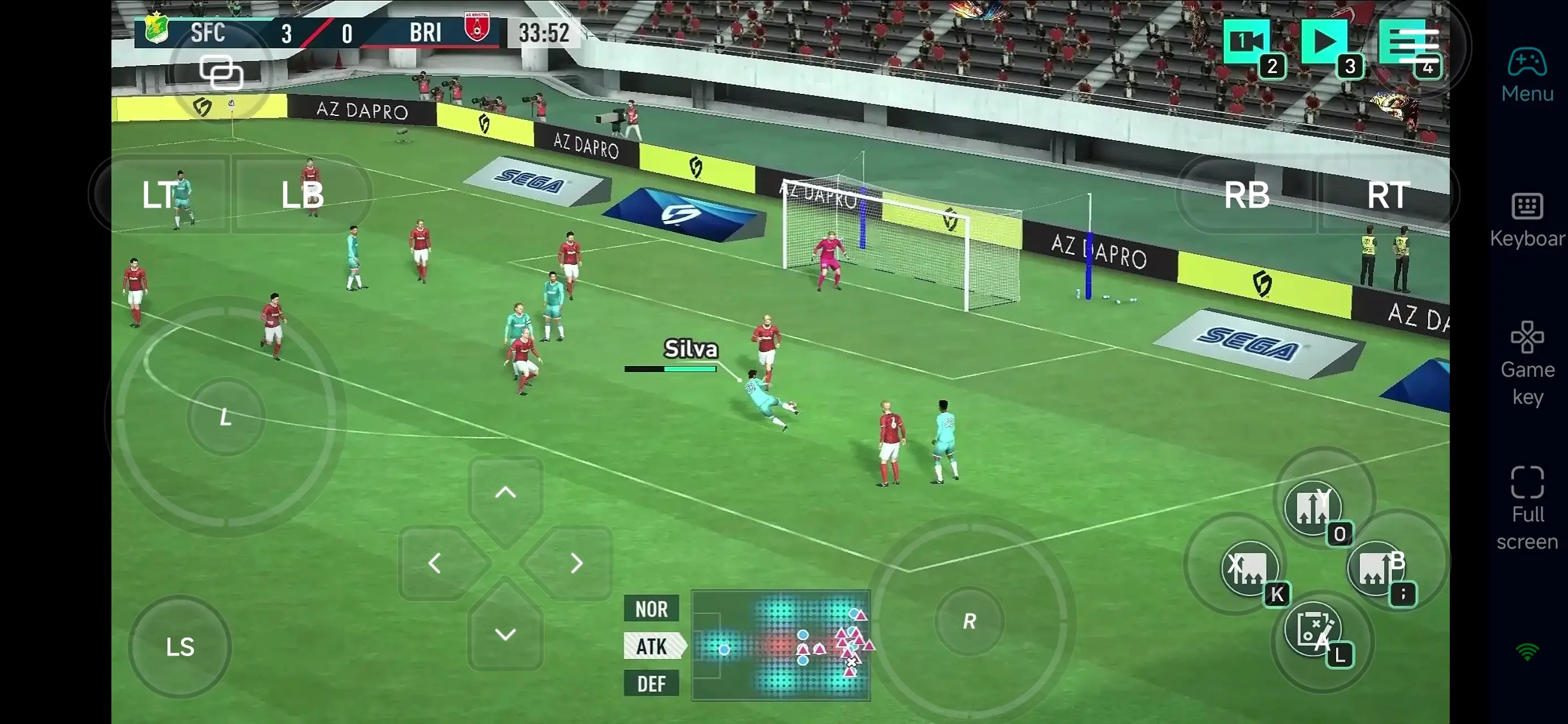
Step 3: Manage Your Club Anywhere
Once set up, your mobile device becomes a portable club management terminal for SEGA Football Club Champions. Even when you’re not at your computer, you can keep your club progressing and never miss a step in your season’s growth.
Why Use OSLink for SEGA Football Club Champions?
1. Break Free from Time and Device Limits
With OSLink, you can remotely manage SEGA Football Club Champions from anywhere with your phone. Whether you’re out, waiting, or simply away from your PC, you can keep player development, tactical planning, and match preparation going without stopping.
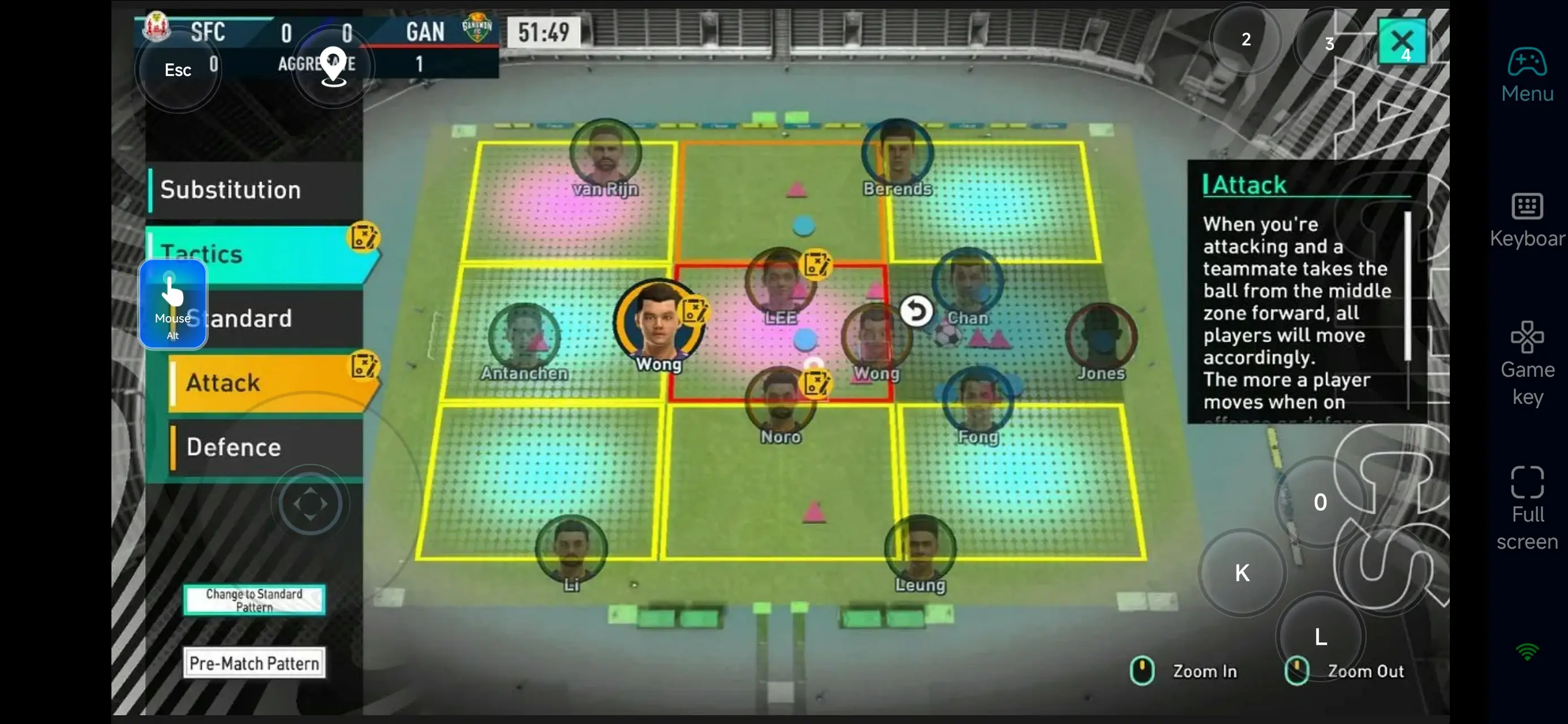
2. Custom Controls for Faster Management
Club management requires a lot of menu navigation and decision-making. OSLink’s customizable layout lets you turn frequent functions into one-tap shortcuts—so you can spend less time navigating and more time focusing on strategy.
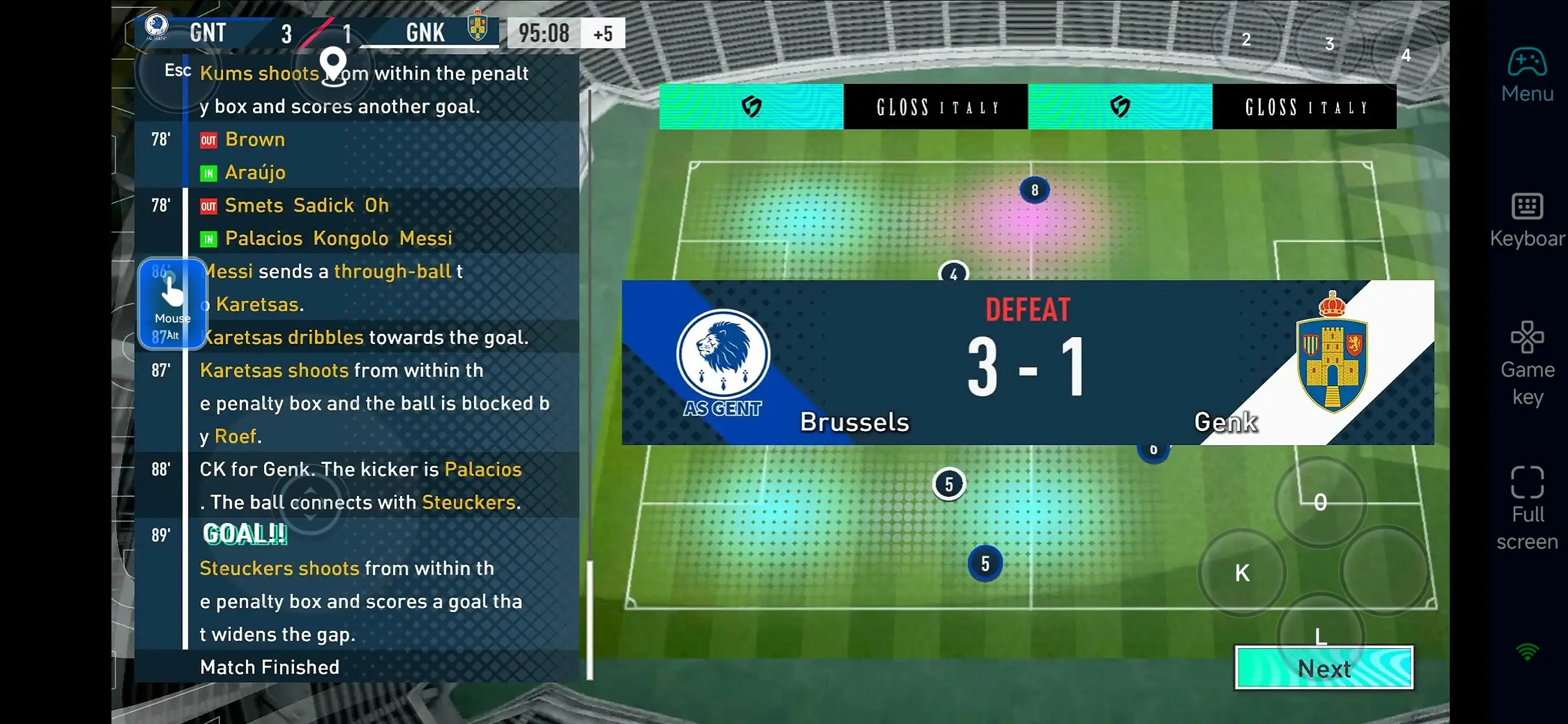
3. Use Mobile Time for Prep, Save PC Time for Big Decisions
Much of the club management loop—training setup, contract reviews, and squad planning—involves repetitive tasks. With OSLink, you can handle these prep steps on mobile, saving your PC sessions for match day and key tactical decisions.
With OSLink, your mobile device becomes an extension of your club’s control room in SEGA Football Club Champions. Connect instantly to your PC, adjust lineups, nurture players, manage the transfer market, and push your club up the leaderboard—no matter where you are. Turn idle moments into meaningful progress and guide your team from humble beginnings to global glory!
 Download