English
 CookieRun Classic is a newly remade endless runner based on the classic CookieRun IP developed by Devsisters. It is not a simple port of the old LINE Cookie Run. The original LINE Cookie Run launched globally in 2014 and shut down in 2018. This title retains the classic jump/slide core gameplay, while adding exclusive Korean cultural-themed cookies, real-time competitive leagues and a brand-new progression system.
Earning coins, crystals, candies, pet eggs, completing daily quests, and exchanging hearts with friends all require significant time investment and reward claiming. Manual gameplay is extremely time-consuming, especially for managing multiple alt accounts. This guide combines LDPlayer Android emulator and OSLink remote tool to remotely control multiple PC windows via mobile phone, enabling one-click synchronized operations and automated looping farming for scores and resources.

Basic PC Environment Preparation
1. Download Required Official Software
OSLink remote control tool: https://www.oslink.io (PC version)
LDPlayer Android emulator: https://www.ldplayer.net/?lang=en
2. Install CookieRun Classic on the Emulator
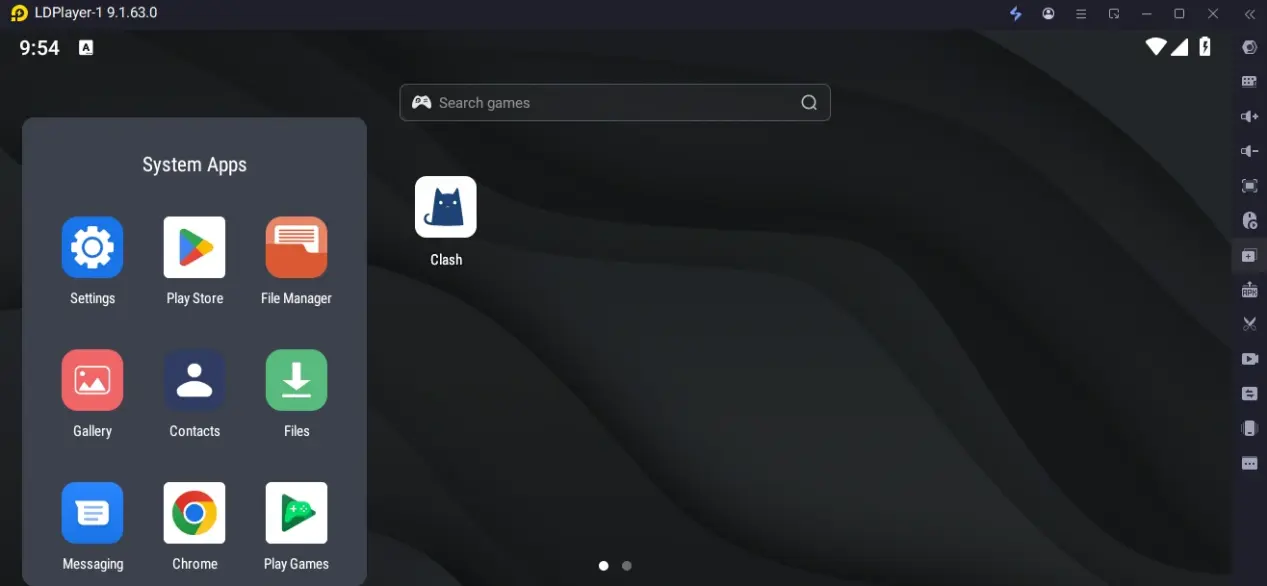
Launch LDPlayer and open its built-in app store or Google Play Store
Search for CookieRun Classic. Make sure you install CookieRun Classic rather than other CookieRun titles; do not download other series titles such as Cookie Run: OvenBreak or Cookie Run: Kingdom.
Click Install. After all game resources finish downloading, launch the game once to confirm normal login and stable running without crashes.
Mobile OSLink Remote Connection Setup
After finishing PC emulator configuration, install OSLink on your mobile device to remotely monitor and operate multi-instance windows anytime.
1. Install OSLink on Mobile
iOS: Search and download OSLink on the App Store
Android: Download from Google Play or obtain the official APK from the website
2. Bind and Pair Devices
Log into the same OSLink account on both PC and mobile.
Tap the corresponding PC device in the device list inside mobile OSLink to complete pairing.
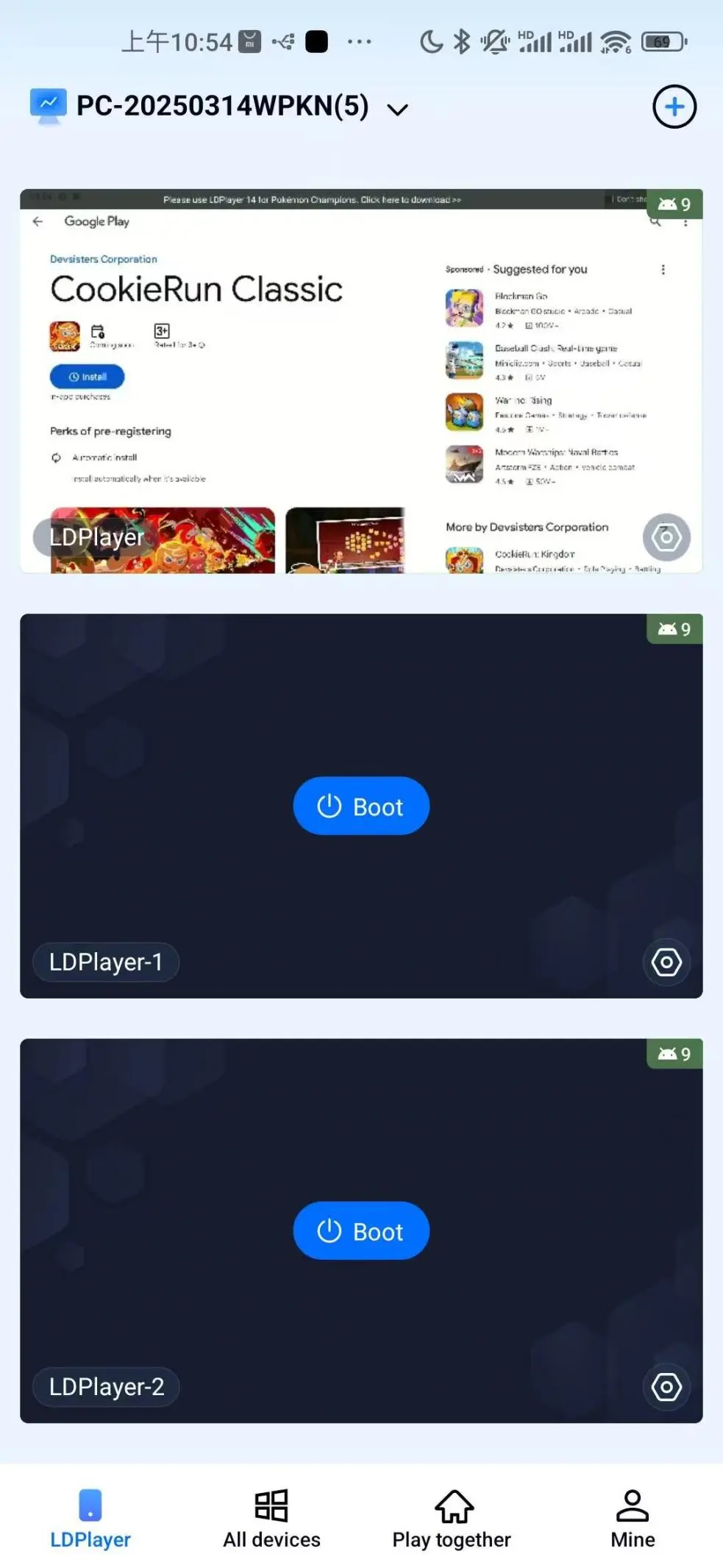
After successful connection, you can view and operate all LDPlayer emulator windows directly on your mobile screen.
Auto-Farm Running Resources & Multi-Instance Synchronized Control
Utilize OSLink’s auto-click scripts and sync control functions to auto-run endless mode, claim daily rewards and manage numerous alt accounts in bulk.
Single Instance Auto AFK (Farm Coins, Crystals & Pet Materials)
Main in-game rewards come from Endless Mode, Daily Challenges and Bonus Time bonuses. Stamina (hearts) can be restored via natural recovery, friend gifts and ad viewing. Follow the full script recording steps below:
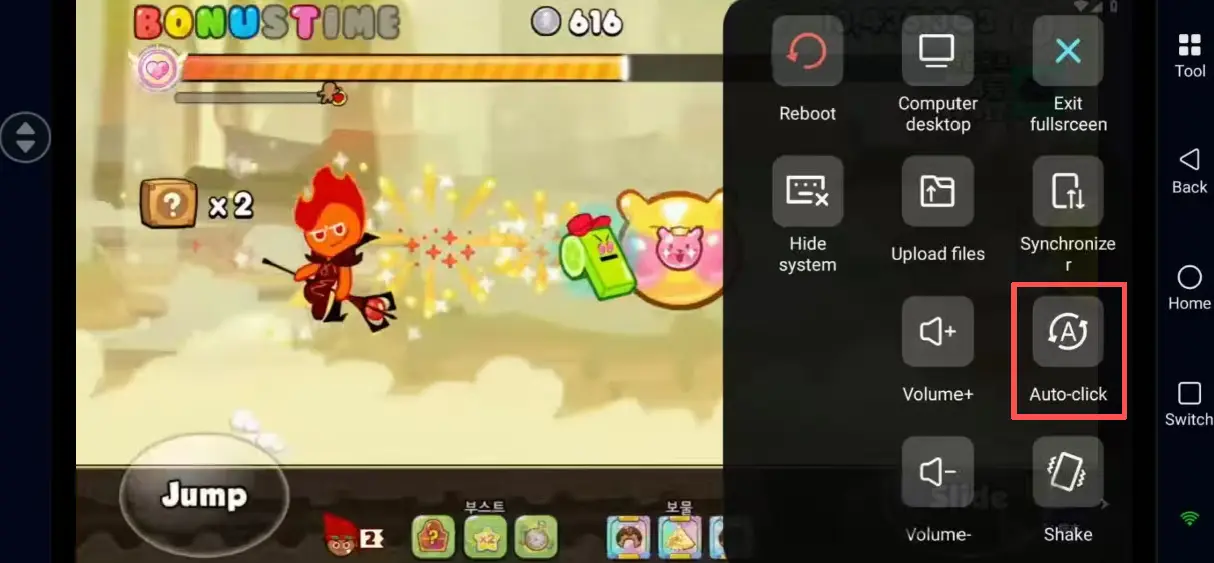
Connect to PC LDPlayer via mobile OSLink and log into CookieRun Classic.
Open the "Auto-Click" tool in OSLink’s toolbar and record the complete standard farming workflow:
- Collect gifted hearts from friends to refill stamina.
- Switch to Endless Mode and select your high-score cookie + pet + treasure build.
- Tap Start Run and record your jump and slide inputs.
- After failing a run, tap to watch ads for revival and restore stamina.
- Claim coins, crystals and candy rewards upon finishing a run, then return to the mode selection screen to restart.
Set script loop counts and runtime duration, then activate auto execution to farm resources unattended.
Multi-Instance Synchronized Control
Run multiple CookieRun Classic instances simultaneously. All operations will replicate across all emulator windows to avoid switching accounts one by one:
Open LDPlayer Multi-Instance Manager and click "Clone Emulator" to generate identical game environments. Log into a separate game account for each window.
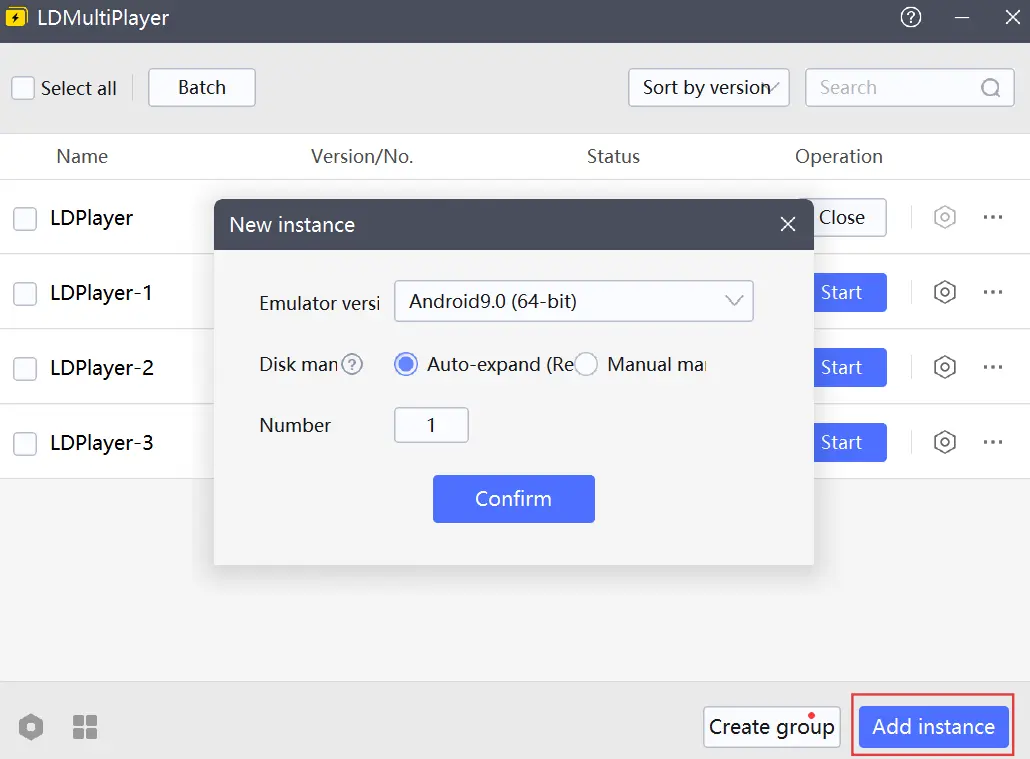
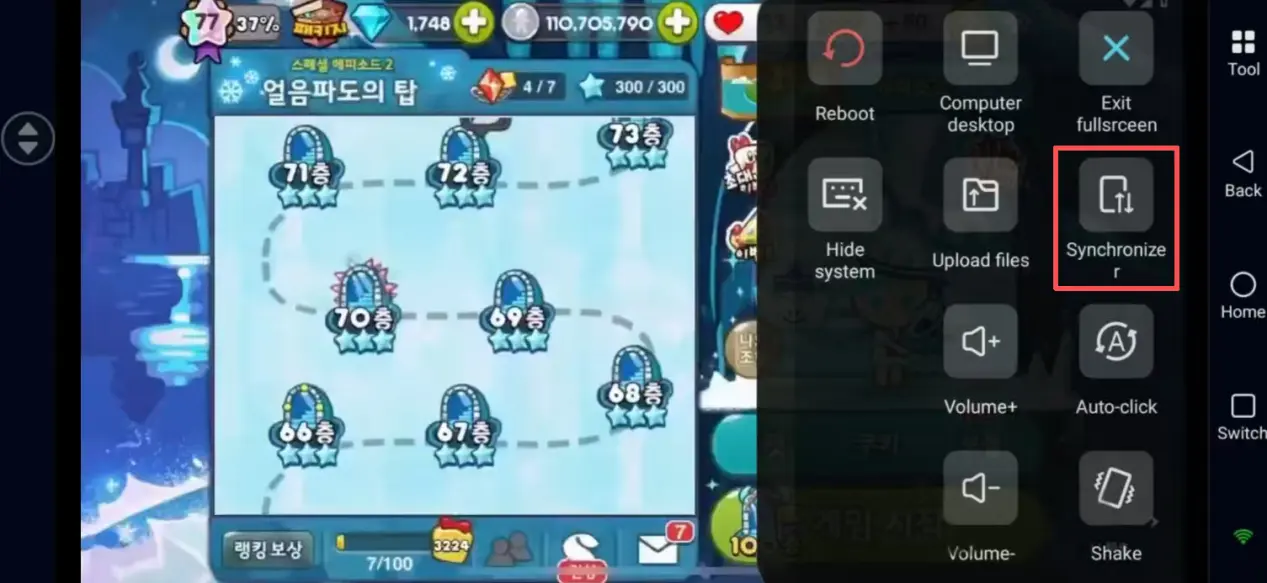
Enable "Sync Operation" mode in the mobile OSLink toolbar.
Check all LDPlayer windows you want to control synchronously.
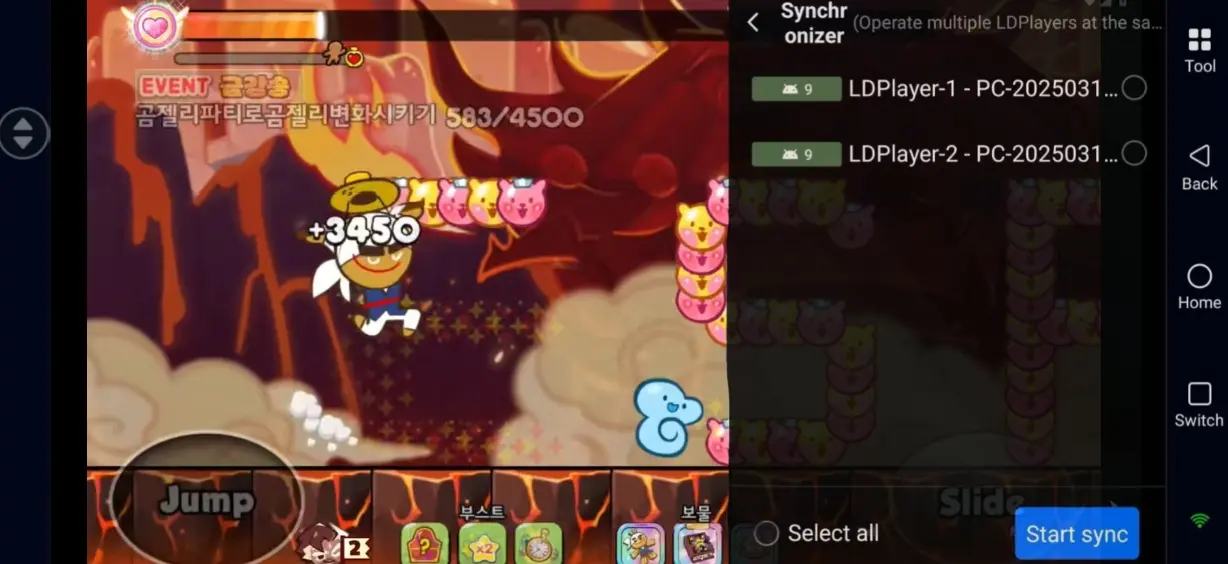
Once sync is activated, every tap performed on your mobile will replicate to all game windows:
- One-click claim daily login rewards, event packs and bulk collect gifted hearts from friends.
- Complete Daily Challenges in bulk and claim stage milestone crystals.
- Update cookie, pet, and treasure loadouts across all accounts and launch runs with one tap.
Toggle off sync mode when not needed to operate individual accounts separately for adjustments.
FAQ
Q: When are the global pre-registration and official launch dates of CookieRun Classic?
A: Global pre-registration for CookieRun Classic opened on June 4, 2026, and the official global launch date is June 25, 2026.
Q: What PC specifications are required for smooth multi-instance operation?
A: Minimum Specs (Stable 1–2 instances)
OS: Windows 7 64-bit
CPU: Intel i3 equivalent processor
RAM: 8GB RAM
GPU: GTX750Ti
Storage: 15GB free disk space
Recommended Specs (Stable 3–5 instances)
OS: Windows 10/11 64-bit
CPU: Intel i5 or higher processor
RAM: 16GB–32GB RAM
GPU: GTX1650 or better graphics card
Q: How many game accounts can run on a single PC at the same time?
A: There is no official limit on the number of accounts you can run. The maximum number of instances depends on your PC hardware performance:
Mid-range PC with 16GB RAM: Stable operation for 2–3 emulators simultaneously
High-end PC with 32GB+ RAM: Supports 5 or more stable instances
Avoid overloading hardware to prevent game crashes and interrupted farming.
Q: Can iPhone natively run multiple copies of CookieRun Classic?
A: The native iOS system restricts app cloning. You cannot log into multiple game accounts locally on iPhone and can only switch between accounts one at a time. You can remotely access all PC emulators via OSLink to manage all alt accounts on iOS.
Summary
After completing software installation, device pairing, auto-script and sync configuration, you can remotely monitor your CookieRun Classic farming progress on your PC anytime via mobile phone, and check coin & crystal progress during commutes or breaks. Automated looping runs farm progression materials around the clock, while the sync function processes bulk daily quests and event rewards for multiple accounts so you never miss limited items and exclusive Korean-themed cookies.
Adjust the number of concurrent emulators based on your PC hardware. Please thoroughly read CookieRun Classic’s official Terms of Service. Automated AFK farming carries account penalty risks; it is recommended to shorten script runtime and add operation intervals to simulate natural human gameplay behavior.
 Download