English
 Sword x Staff is an isekai RPG built around the “Third Way RPG” concept, combining open-world exploration, semi-idle progression, and flexible skill build customization.Since the game heavily emphasizes skill rotations, Fantomon progression, and long-term resource farming, many players use emulator multi-instance setups for rerolling, creating farming accounts, or running AFK grinding sessions more efficiently. In this guide, you’ll learn how to use OSLink together with LDPlayer to remotely control your PC from your phone, synchronize multiple emulator windows, and automate repetitive farming tasks with ease.
1. Tool Setup
Download and Install OSLink
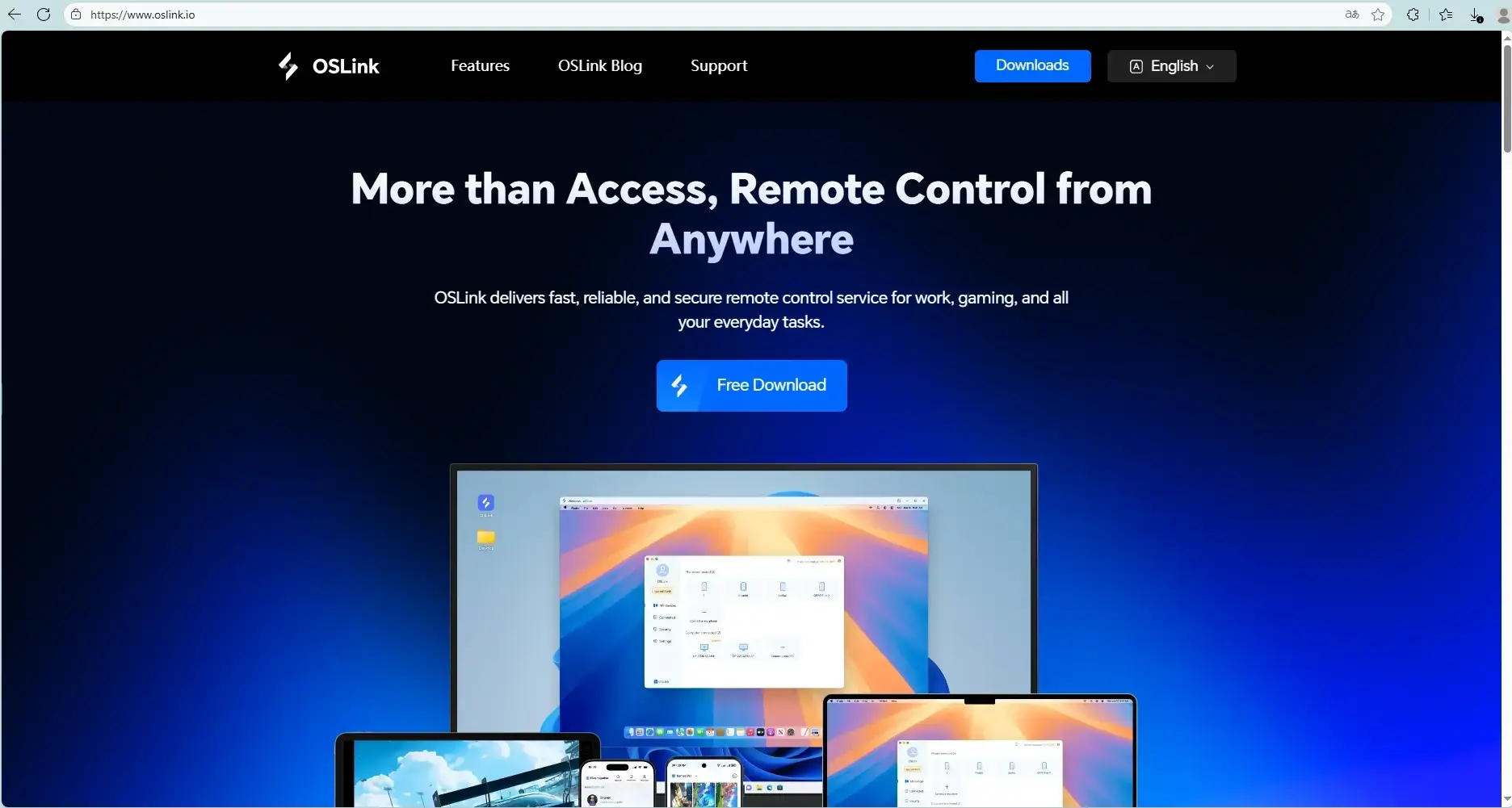
First, visit the OSLink official websites, https://www.oslink.io, and LDplayer to download and install the latest versions.
Install Sword x Staff
Launch LDPlayer, open the Google Play Store, search for Sword x Staff, and complete the installation. During the first launch, it’s recommended to download the full resource package before configuring multi-instance settings.
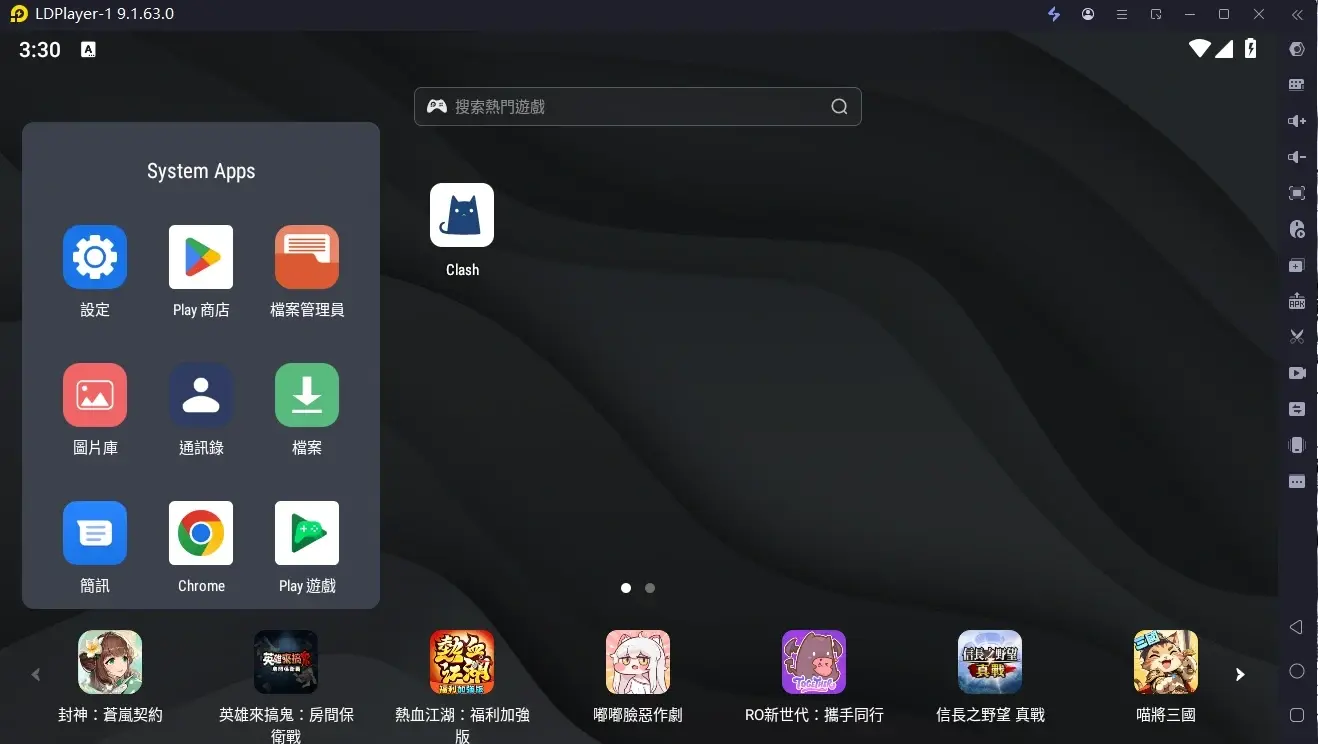
(LDPlayer interface)
2. Remote Mobile Control Setup
Once your PC is ready, you can remotely manage your emulator through your phone anytime, even while away from home.
Install OSLink on Mobile
Download OSLink App from the App Store and Google Play, or download the APK directly from the official OSLink website.
Create the Remote Connection
Please make sure:
- The PC version of OSLink and the mobile app are logged into the same account
- Your PC remains powered on and connected to the internet
- LDPlayer is already running Sword x Staff
After setup is complete, open the OSLink mobile app and select your connected PC device. You’ll then be able to remotely view and control the emulator directly from your phone.
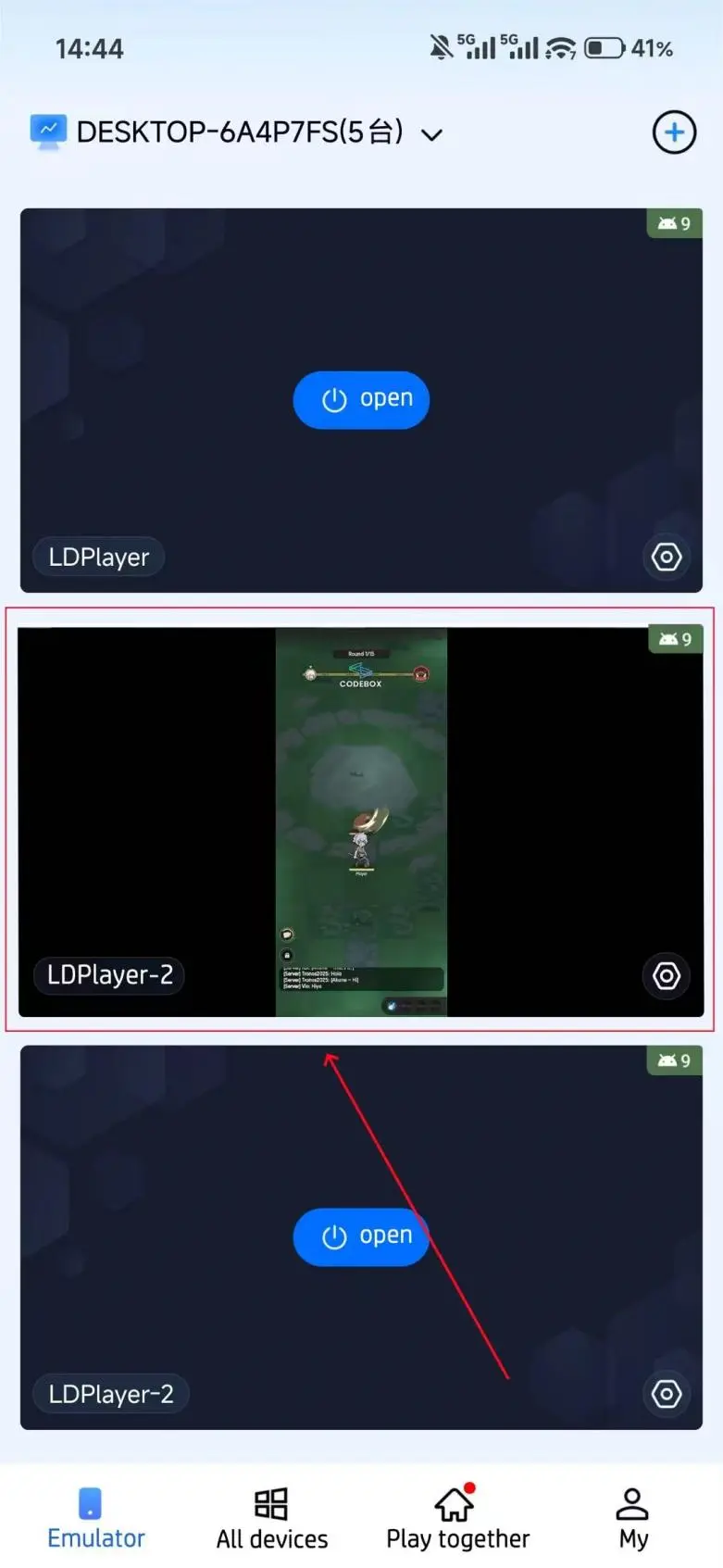
3. Multi-Instance Rerolling & Farming
Use OSLink’s features to automate rerolling, grinding and manage multiple accounts more efficiently.
AFK Farming
Sword x Staff requires extensive long-term farming, making it highly suitable for automation through OSLink.
Setup Steps:
1. Connect to your PC emulator remotely through the OSLink mobile app.
2. Launch Sword x Staff inside the emulator.
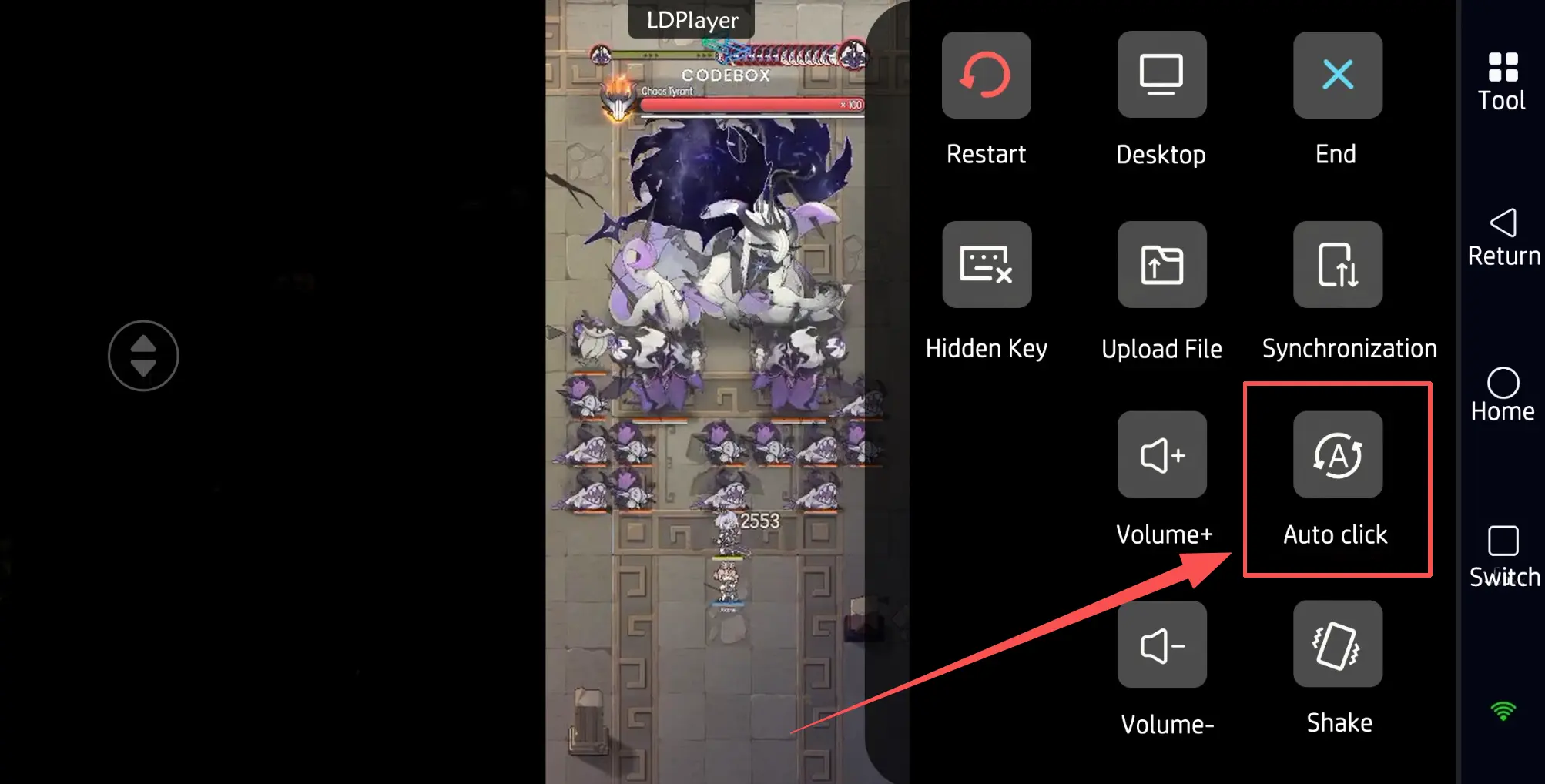
3. Open OSLink’s “Auto Click” feature and record a standard farming loop, such as:
“Accept Quest → Auto-Battle → Claim Rewards → Restart Challenge”
4. Set the loop count or farming duration to begin fully automated grinding.
Multi-Instance Sync (Multiple Accounts)
If you want to manage multiple accounts simultaneously, such as different server characters or farming accounts, you can combine OSLink with LDPlayer’s multi-instance feature.
Multi-Instance Setup:
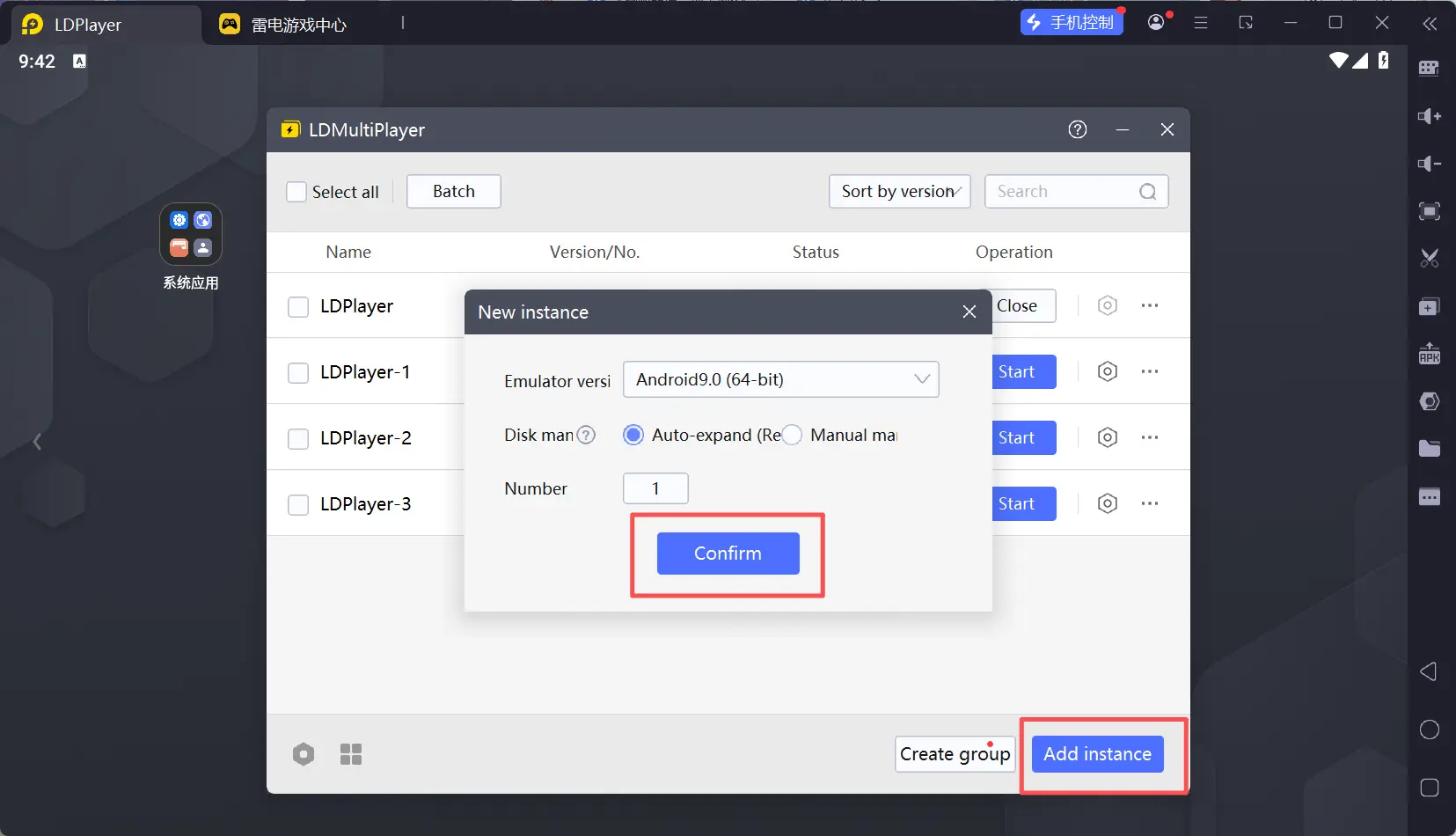
1. Open multiple Sword x Staff emulator windows using LDPlayer’s Multi-Instance Manager.
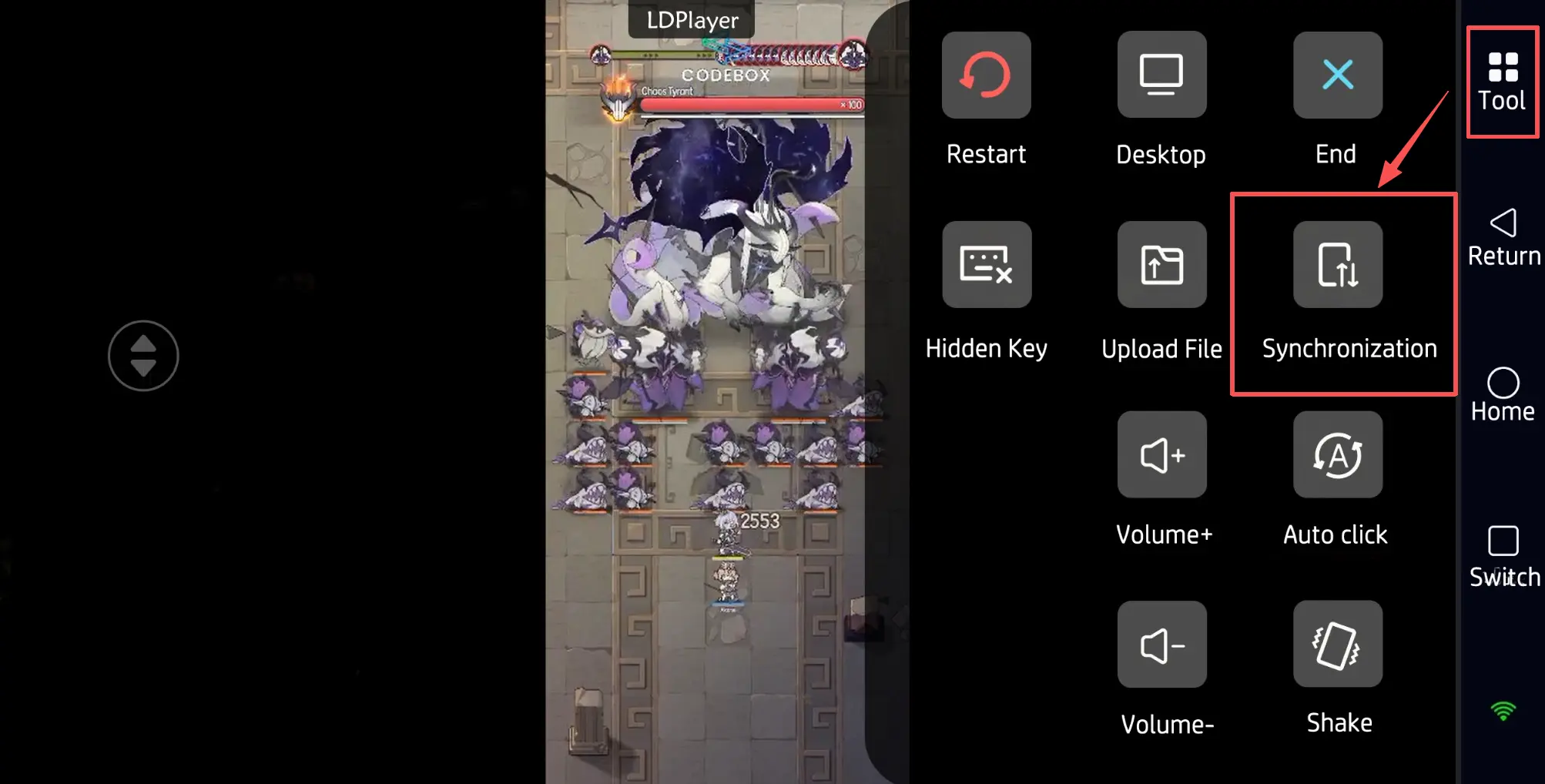
2. Enable “Sync Operation” mode in the OSLink mobile app.
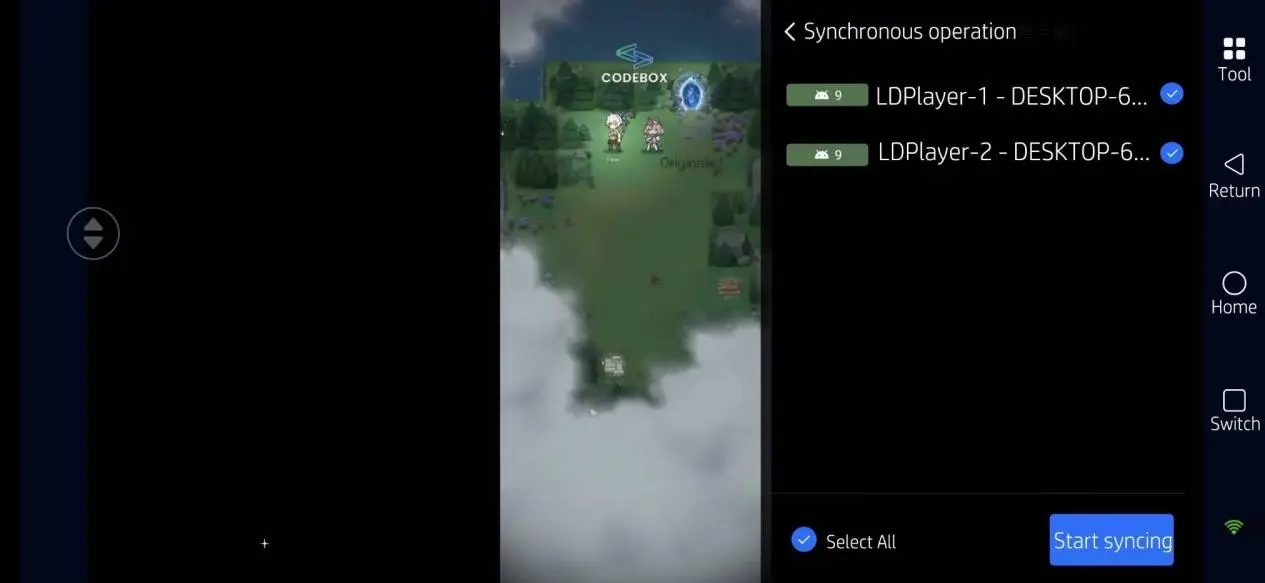
3. Select all emulator instances you want to control simultaneously.
4. FAQ
Q: Can you reroll in Sword x Staff?
A: Yes. Many players currently use OSLink and LDplayer multi-instance setups for rerolling. Since both the skill pool and Fantomon system heavily impact early progression, obtaining a strong starting combination can significantly improve the early-game experience.
Q: Is Sword x Staff suitable for long AFK farming sessions?
A: Yes. The game includes repetitive progression systems such as AFK rewards, material farming, and Daily Dungeons, making it highly compatible with AFK automation of OSLink remote control tool.
Q: What PC specs are recommended for multi-instance farming?
A: For stable multi-instance performance, the recommended specifications are:
- Windows 10 / 11
- Intel Core i5 or AMD Ryzen 5 or higher
- 16GB RAM or more
- GTX 1650-class GPU or above
If you plan to run more than four emulator instances simultaneously, 32GB RAM is recommended.
Q: Can iPhone directly run multiple instances of Sword x Staff?
A: iOS itself does not support native game multi-instancing. However, you can remotely control multiple emulator instances running on your PC through OSLink and manage several accounts simultaneously from your iPhone.
5. Conclusion
By combining OSLink with LDPlayer, you can easily achieve multi-instance farming, reroll automation, and synchronized remote control in Sword x Staff.
Whether you want to farm AFK rewards for long periods, train multiple accounts simultaneously, or reroll efficiently for stronger skill setups, this setup can greatly reduce repetitive grinding and improve overall progression efficiency.
Since Sword x Staff focuses heavily on skill rotations and long-term build development, maintaining stable farming efficiency is often more important than short-term burst performance. Proper use of multi-instance management and automation tools can significantly accelerate both your early-game progression and long-term resource accumulation.
 Download