English
  Blog Game Guide How to Play Palworld on Mobile - Explore the Palpagos Islands Anytime on Your Phone
Palworld, developed by Pocketpair, is an open-world survival crafting game that officially launched its Version 1.0 worldwide. Combining monster collection, base building, automation, and multiplayer exploration, the game lets players capture mysterious creatures known as Pals throughout the vast Palpagos Islands. These Pals can mine ore, chop trees, plant crops, transport materials, generate electricity, and help build highly automated production bases while accompanying players through dungeons, boss battles, and countless unexplored regions.
Currently, Palworld does not have a native Android or iOS version, meaning the game cannot be installed directly on mobile devices. Fortunately, with OSLink's remote streaming technology, you can stream your home PC directly to your phone and continue playing your existing save from virtually anywhere.
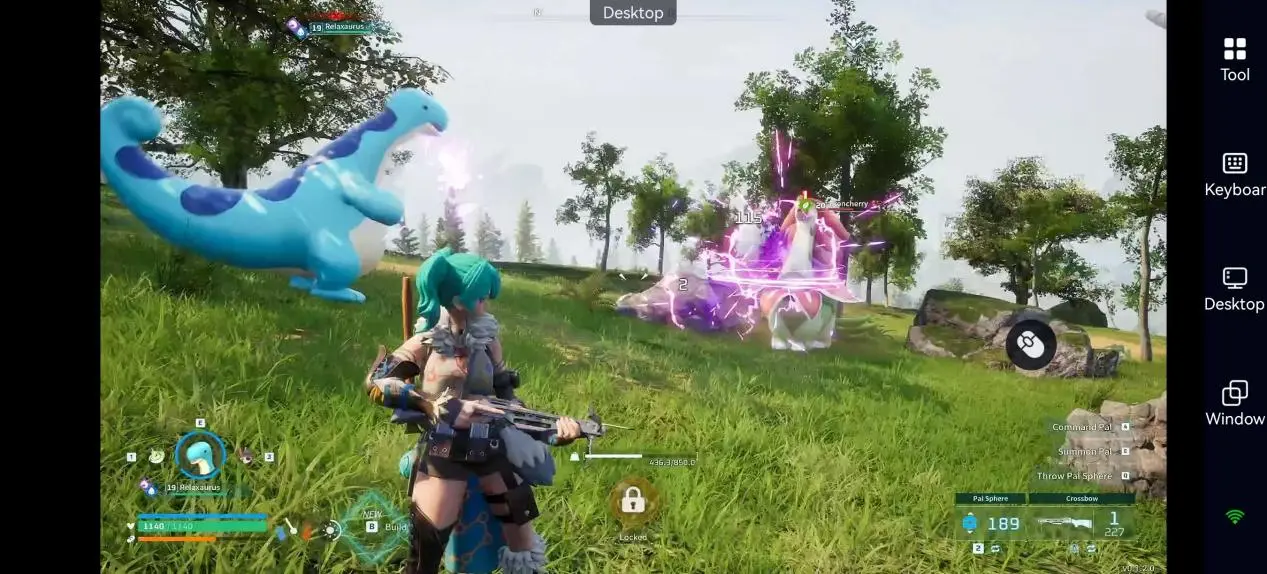
How to Play Palworld on Your Phone
Step 1. Install Palworld on Your PC
Before getting started, make sure Palworld is installed through Steam and launches normally on your computer. Since all game processing is handled by your PC, we recommend using hardware that meets or exceeds the official recommended system requirements and maintaining a stable internet connection for the best remote gaming experience.
Step 2. Install OSLink on Both Your PC and Mobile Device
To remotely control your PC and play Palworld on your phone, you'll first need to install OSLink on both devices.
For PC
Visit the official OSLink website, download the Windows version, complete the installation, and sign in with your account.
For Mobile
Android: Download OSLink from Google Play or install the APK from the official website.
iPhone / iPad: Search for OSLink in the App Store and install it.
Once installation is complete, simply log into the same OSLink account on both your PC and your mobile device. OSLink will automatically detect and securely pair your devices without requiring any manual pairing codes or additional configuration.
Step 3. Launch Palworld Remotely
Open the OSLink app on your smartphone and select your connected PC from the device list to establish a remote desktop connection.
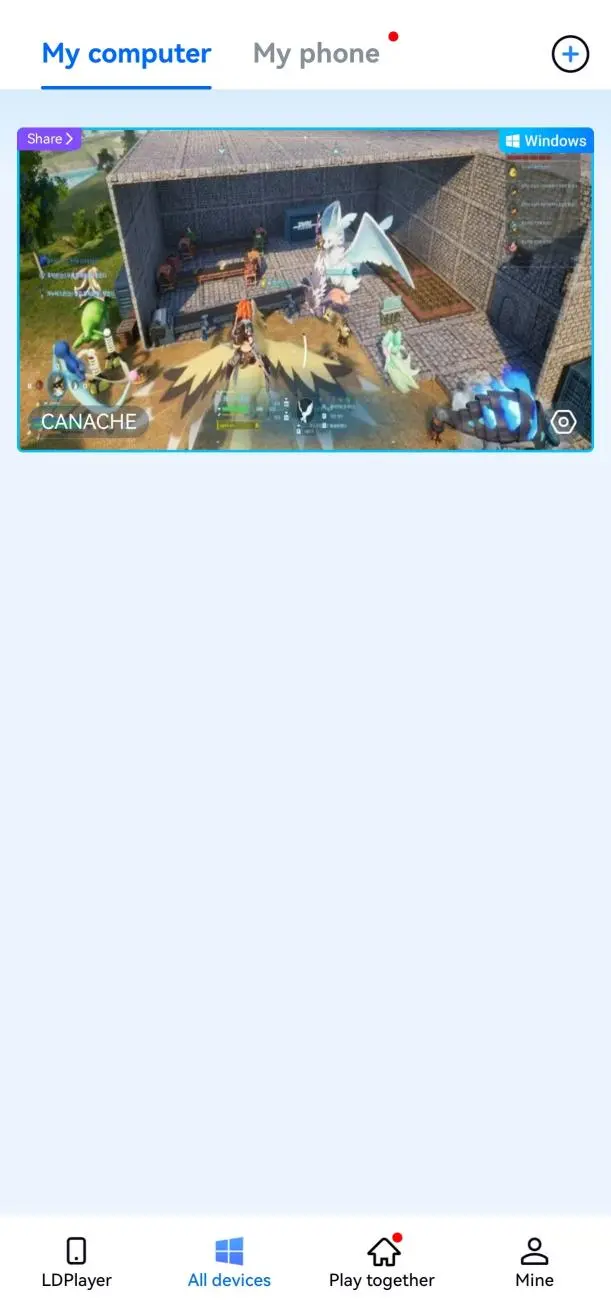
Once connected, your phone will display your Windows desktop in real time. Launch Palworld directly from Steam, or use the OSLink game shortcut to start the game more quickly.
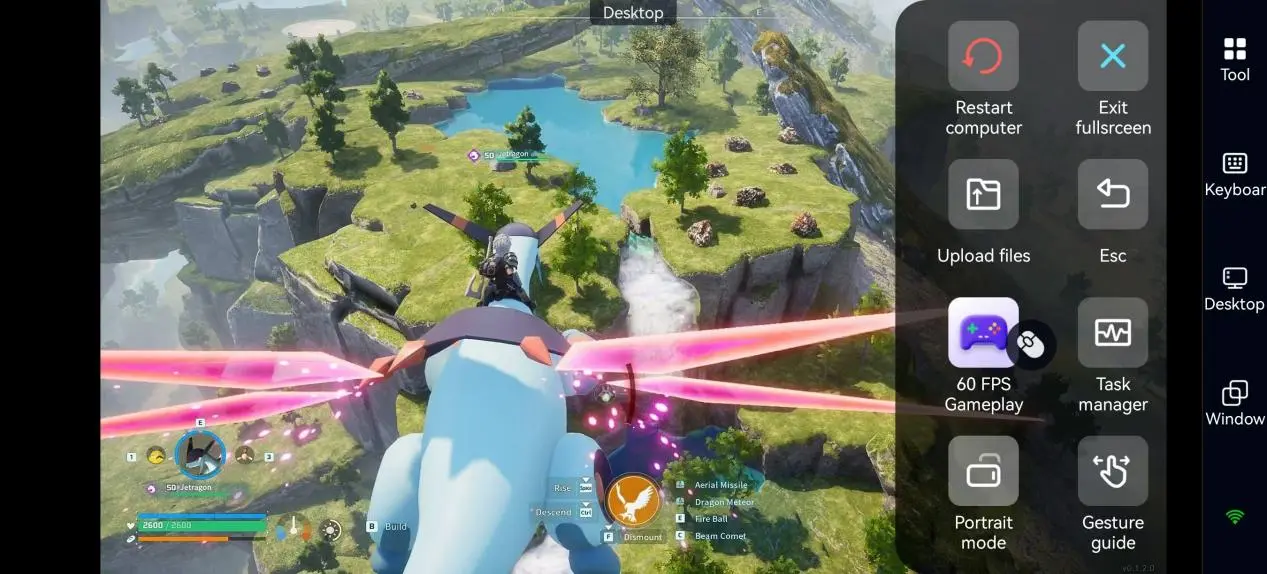
For the smoothest gameplay experience, we recommend enabling 60 FPS PC Game Mode. This dedicated mode reduces streaming latency and delivers more responsive controls, making exploration, combat, and base building feel significantly smoother even while playing remotely.
Advantages of Playing Palworld Remotely on Mobile
Manage Your Base Anytime
As your adventure progresses, your base gradually evolves into a fully automated production system. Even when you're away from your computer, you can use your phone to monitor your base, adjust building layouts, assign work to your Pals, organize storage, and keep your production lines running efficiently.
Continue Your Existing Save Seamlessly
OSLink streams your PC directly instead of running the game locally on your phone. Your character level, Pal collection, world save, and base progress all remain stored on your computer, so there's no need to synchronize save files or create a separate mobile account.
Make Progress During Short Breaks
Many activities in Palworld don't require long gaming sessions. Whether you're gathering resources, constructing buildings, breeding Pals, organizing your base, or hatching Pal Eggs, remote play lets you make meaningful progress during your commute, lunch break, or any spare moments throughout the day.
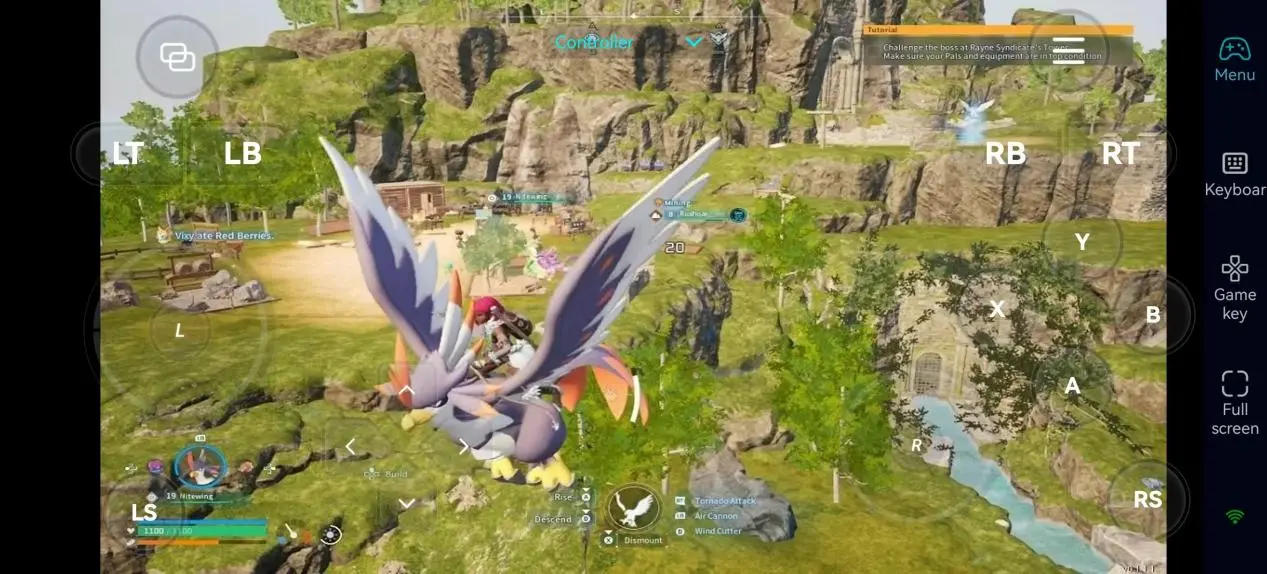
How OSLink Enhances Your Palworld Experience
Custom Touch Control Mapping
OSLink lets you convert traditional keyboard controls into an intuitive touch interface, allowing you to customize button layouts based on your preferred playstyle.
|
Gameplay Scenario |
Recommended Controls |
Benefits |
|
World Exploration |
Virtual joystick, Jump, Dodge |
Makes running, climbing, and evading attacks much easier. |
|
Capturing Pals |
Pal Sphere shortcut, Interaction button |
Quickly capture Pals and gather nearby resources. |
|
Base Building |
Inventory, Build shortcut |
Place structures and organize materials more efficiently. |
|
Combat |
Attack, Weapon Switch, Dodge |
Improves responsiveness during open-world combat and boss fights. |
If you don't want to configure every button manually, you can also apply OSLink's cloud-based preset layouts and start playing immediately.
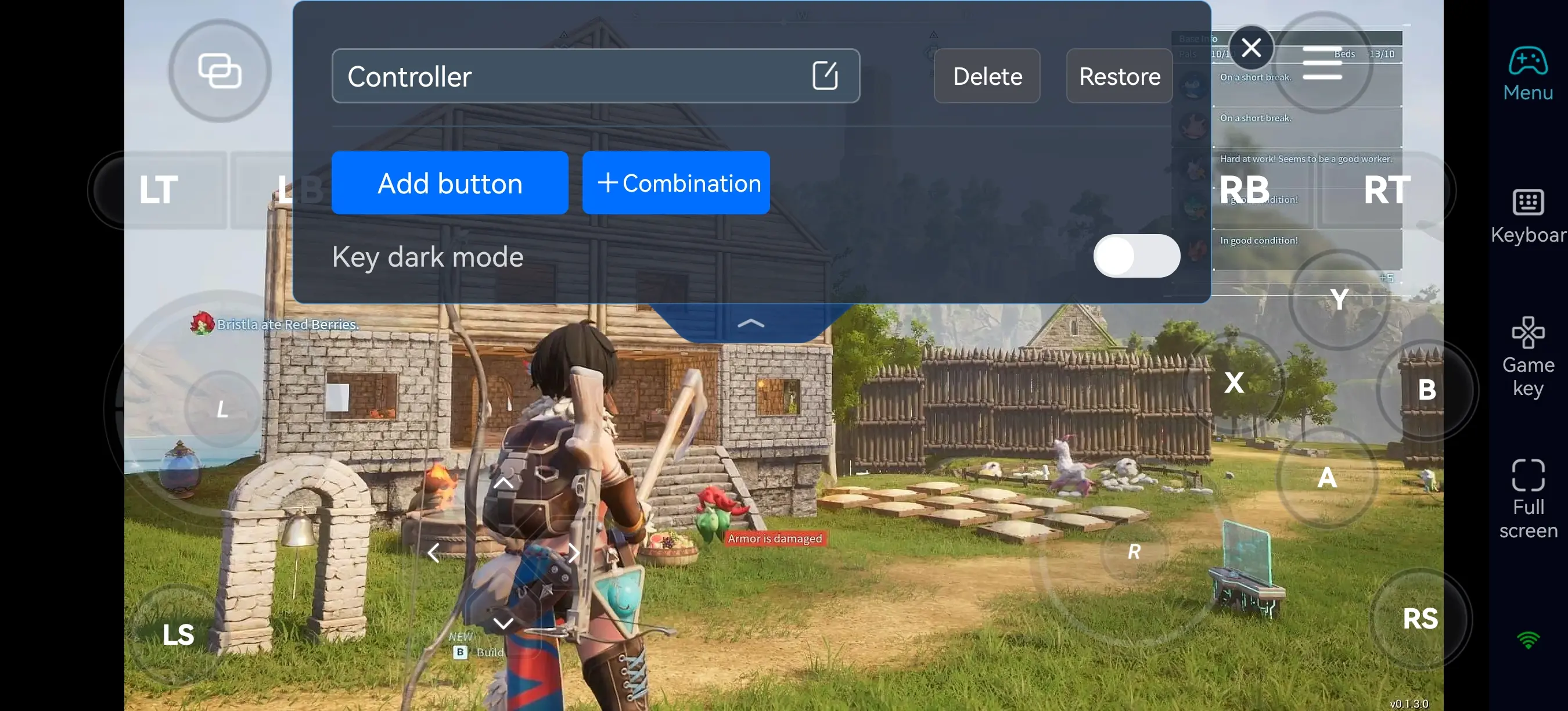
Supports Mouse, Keyboard, and Game Controllers
If touch controls aren't your preference, simply connect a Bluetooth mouse, keyboard, or game controller to your phone. This provides a control experience much closer to playing on a PC or console, especially during extended gameplay sessions.
High-Quality, Low-Latency Streaming
Since Palworld continues running on your home PC, your smartphone only needs to receive video and send control inputs. Even older or lower-spec phones can enjoy smooth gameplay with high-quality graphics and stable frame rates, provided you have a reliable internet connection.
Quick Tips for New Players
If you're just getting started in Palworld, the following tips will help you establish a solid foundation and progress much more efficiently.
- Prioritize building essential facilities such as the Palbox, Workbench, Primitive Furnace, Feed Box, and Berry Plantation.
- Focus on capturing different Pals during the early game. Catching new Pal species grants significantly more experience than simply defeating enemies.
- Spend your Technology Points wisely by unlocking important facilities like Pal Spheres, Farms, Furnaces, and Egg Incubators before investing in decorative furniture.
- Assign Pals with the appropriate Work Suitability to tasks such as mining, logging, planting, watering, transporting, and crafting to establish an efficient automated production line.
- Once you reach the mid to late game, build a Breeding Farm and begin breeding powerful Pals using Cake and carefully selected parent Pals to inherit valuable passive skills.
FAQ
Q: What is the Palworld release date?
A: Palworld originally launched in Early Access on January 19, 2024, for Steam and Xbox platforms. Since then, Pocketpair has continuously expanded the game through major content updates, introducing new Pals, regions, buildings, mechanics, and gameplay features. The official Version 1.0 was released worldwide on July 10, 2026.
Q: What are the Palworld system requirements?
A: To enjoy a smooth gameplay experience, the official recommended specifications include:
Operating System: 64-bit Windows 10 or Windows 11
Processor: Modern multi-core CPU
Memory: 16 GB RAM
Graphics Card: Dedicated GPU with DirectX 11 support
Storage: SSD installation recommended
Since OSLink simply streams your PC screen to your mobile device, your phone doesn't need powerful hardware. As long as your computer can run Palworld smoothly and maintains a stable internet connection, you can remotely play the game from virtually anywhere.
Q: Can I play Palworld on Android?
A: Currently, there is no official Android version of Palworld, so the game cannot be installed directly on Android devices. However, if Palworld is already installed on your PC, you can use OSLink to stream your desktop to your Android phone, allowing you to manage your base, capture Pals, explore the world, and continue your existing save remotely.
Q: Can I play Palworld on iOS?
A: At the moment, Palworld is not available on iPhone or iPad as a native iOS game. However, after installing OSLink from the App Store and signing in with the same account used on your PC, you can remotely access your home computer and enjoy the full PC version of Palworld on your iPhone or iPad. All save data and game progress remain securely stored on your computer.
Conclusion
The greatest appeal of Palworld goes far beyond simply collecting Pals. Building highly automated production lines, expanding an efficient base, breeding stronger companions, and exploring the vast open world are what truly make the game so engaging.
Although Palworld does not currently offer an official mobile version, OSLink provides a simple and practical solution for playing your PC game remotely. Without purchasing another copy of the game or waiting for an official mobile port, you can stream Palworld directly from your home PC to your Android phone, iPhone, or iPad anytime and continue your adventure wherever you are.
Whether you're checking on your automated factory, hatching Pal Eggs, collecting resources, or preparing for your next boss battle, OSLink lets you stay connected to your Palworld adventure even when you're away from your computer.

 Download