English
 MECCHA CHAMELEON, originally titled Mecca Chameleon in Japanese, is a PC-exclusive multiplayer color hide-and-seek party game developed by Japanese independent creator lemorion_1224. It launched globally on Steam on June 10, 2026, and only supports Windows systems, with no official console or native mobile port. The game features asymmetric gameplay where hiders paint themselves to blend into environments and seekers hunt them visually. Its unique coloring mechanics quickly made it a hit with sales exceeding millions in a short time.
Many players cannot team up with friends or practice advanced camouflage coloring when away from their PCs. This guide explains how to use OSLink to connect your Android or iPhone to your home PC remotely. It gives you full access to your PC game saves, customizable drawing and movement controls, so players can join hide-and-seek matches without location restrictions.
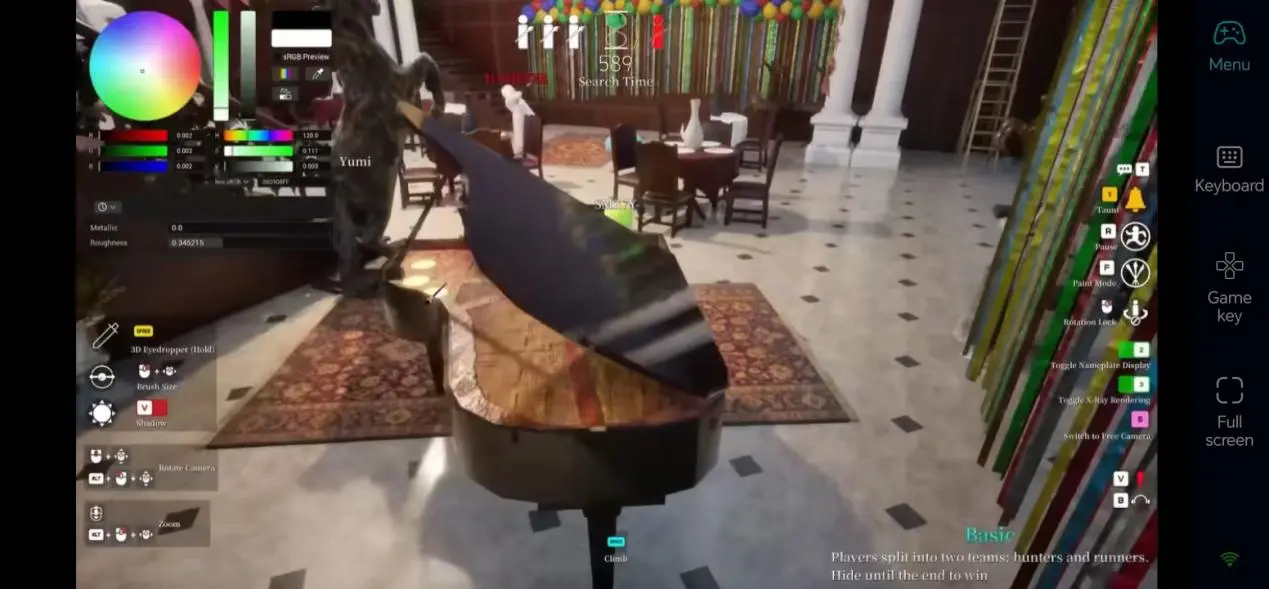
Full Setup Guide to Play MECCHA CHAMELEON on Mobile Remotely
Step 1: Install OSLink and Complete Cross-Device Pairing
The core prerequisite for remote streaming is logging into the same OSLink account on both computer and mobile devices, with separate software versions installed on each device.
On PC:
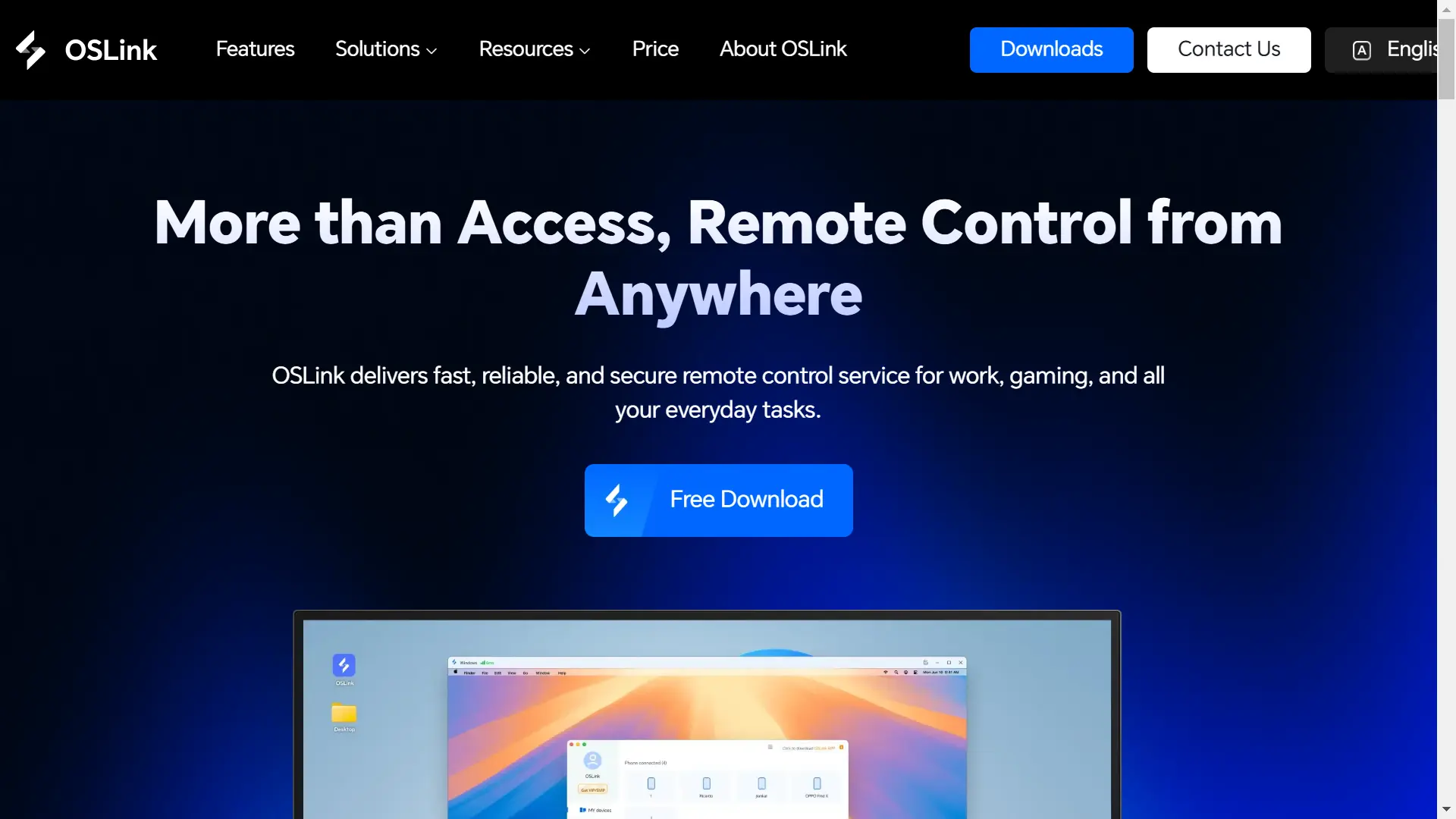
Open a browser on your computer and visit the official OSLink website: https://www.oslink.io
Click "Free Download" on the page to get the Windows installer, then complete installation following the setup wizard’s default prompts.
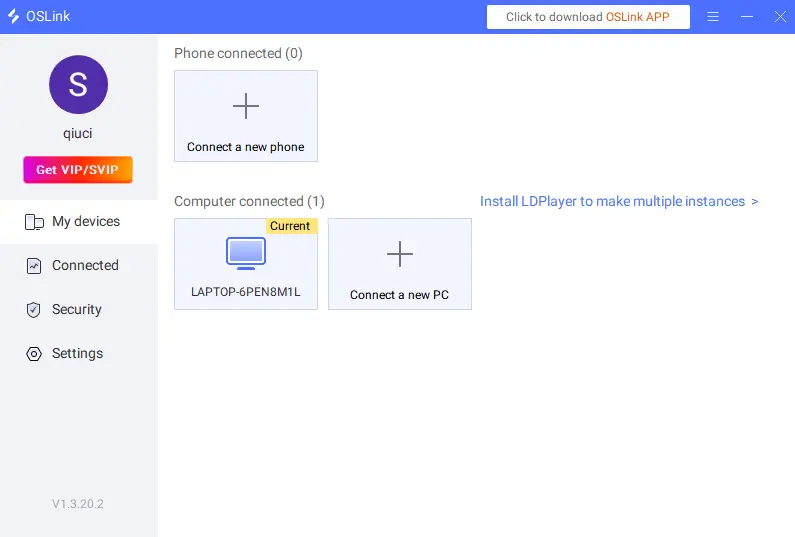
Launch the OSLink main program, log into your personal account, and keep the software running in the background—do not close the process.
On Mobile :
Android users go to Google Play Store, iOS users open App Store, search for "OSLink" and download the mobile app.
After installation, log into the exact same account used on your computer. The software will automatically scan for online computers on the local network and complete pairing with one tap, no manual IP input required.
Step 2: Optimize Game Display, Touch Controls and Operation Details
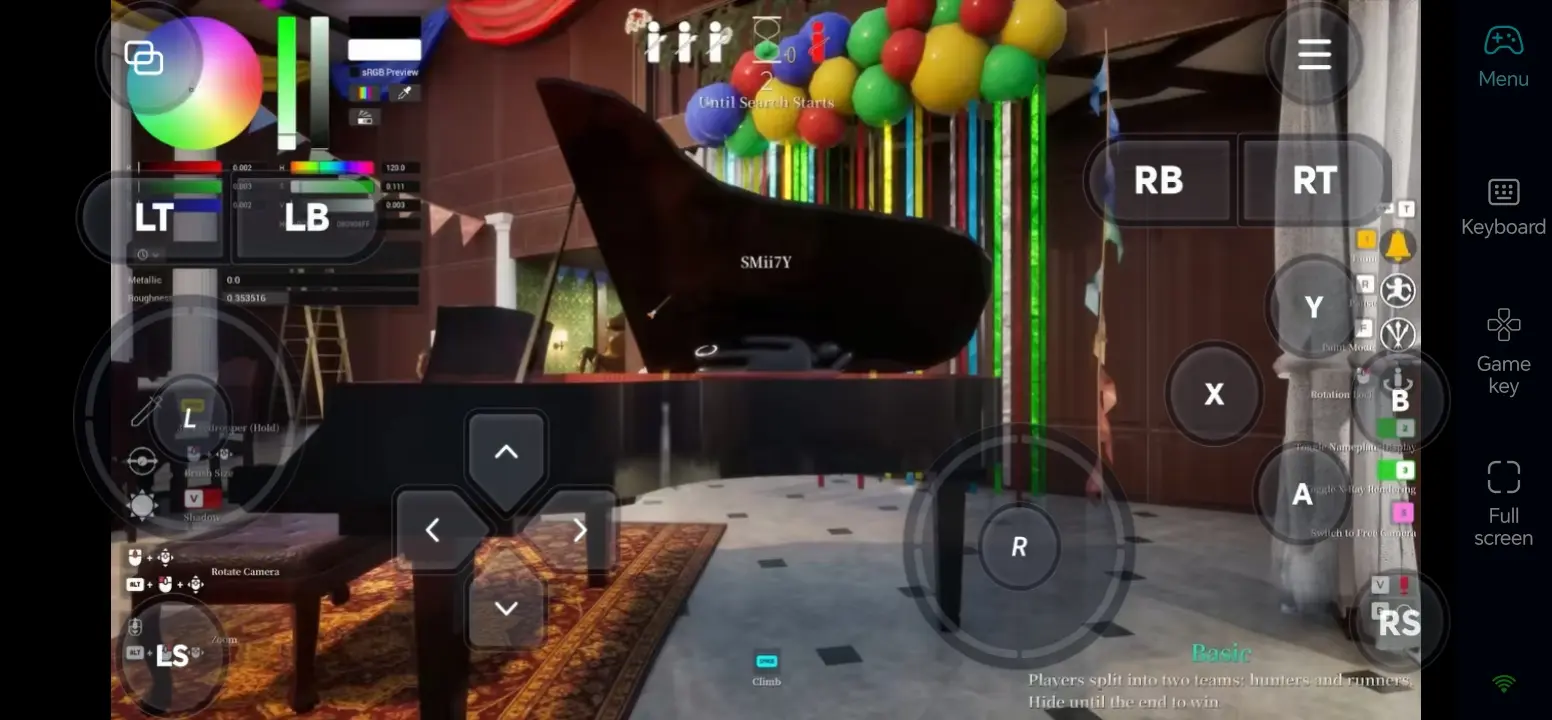
After successful device pairing, adjust parameters tailored to the game’s core mechanics: movement, coloring, shooting, posture switching and color sampling, to reduce connection lag and improve fluidity in multiplayer matches.
Enable Game-Optimized 60fps Streaming Mode
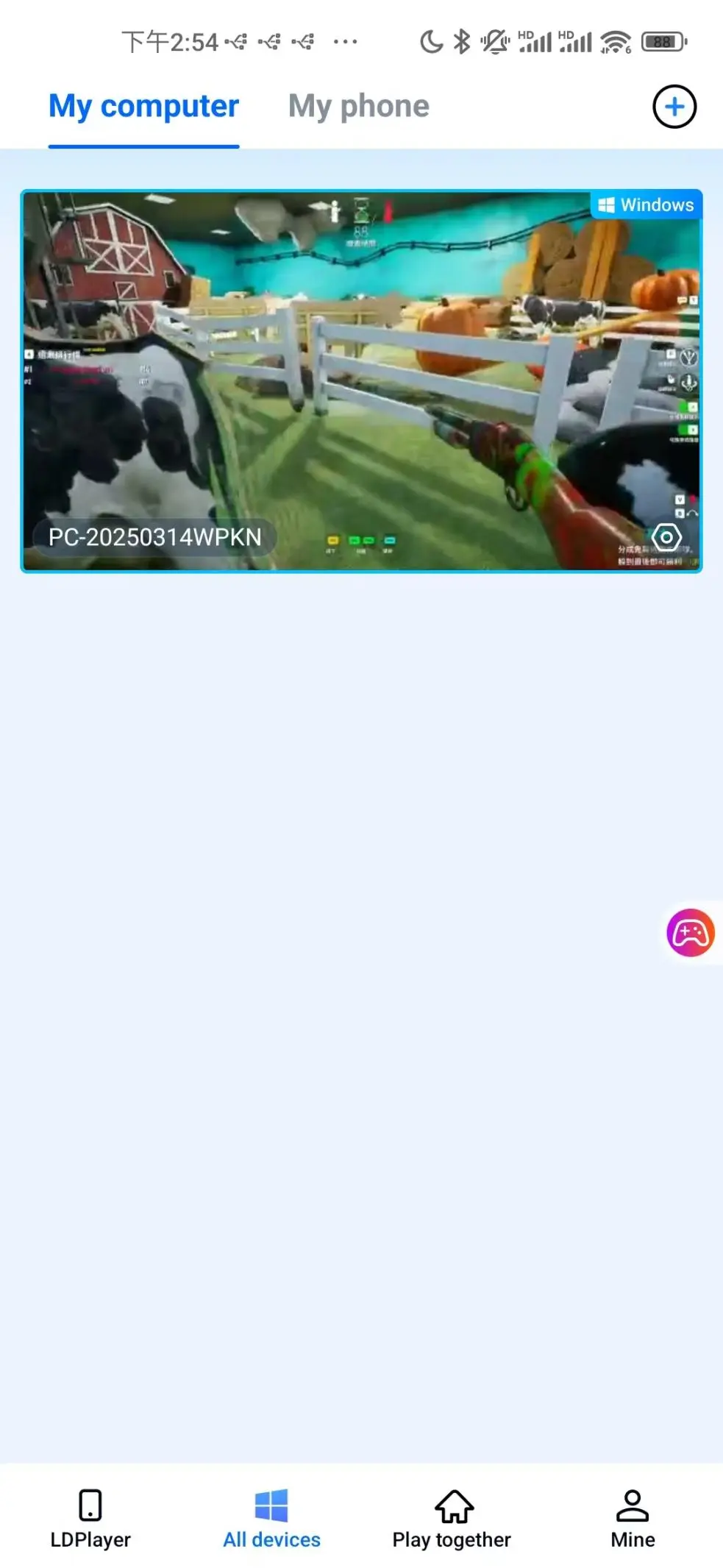
Open Steam on your computer, search for MECCHA CHAMELEON and launch the game. The mobile OSLink screen will sync the game feed in real time; confirm no black bars or disconnections before proceeding with further settings.
Tap the sidebar toolbar on the mobile OSLink interface and select "60fps PC Game" dedicated streaming mode. This mode optimizes network transmission for 3D multiplayer gameplay, significantly reducing input lag during movement and coloring.
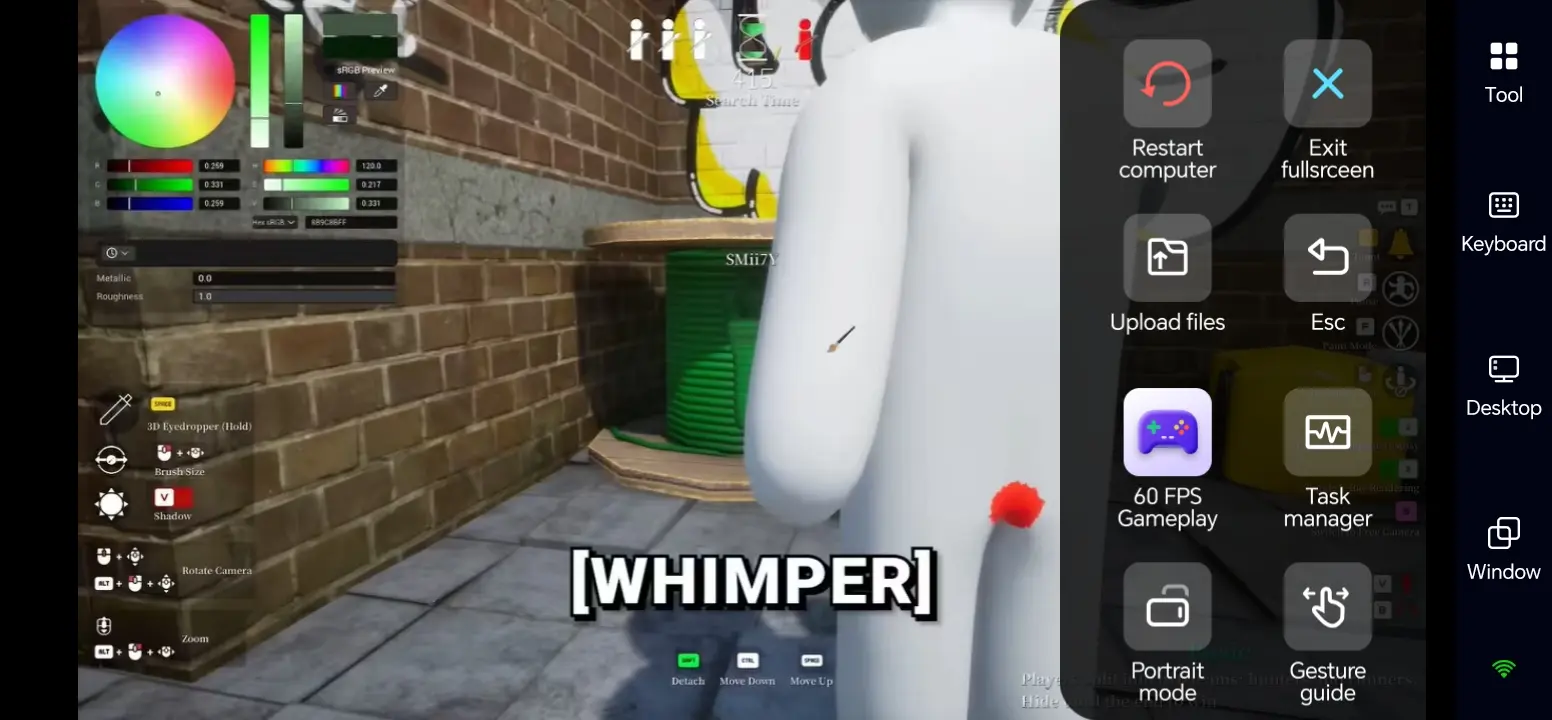
Landscape display is recommended for a full view of maps and color palettes, letting hiders quickly sample environmental colors with the color picker tool.
Customize Dedicated Virtual Touch Controls
The game splits players into two factions with distinct control logic, supporting two separate saved control layouts for hiders and seekers:
|
Hider Custom Control Layout |
Seeker Custom Control Layout |
|
Left-side movement joystick; color palette, brush, color picker and posture switch buttons grouped on the right |
Left-side movement joystick; shotgun fire, zoom and map toggle buttons on the right |
|
Quick-access color picker placed at bottom-right corner for fast sampling without accidental taps |
Ammo indicators and aim assist set to long-press triggers to avoid blocking vision |
|
Reset full-body color and hide UI buttons as small icons at screen edges |
Mark suspicious hiding spots and open voice chat buttons placed along screen borders |
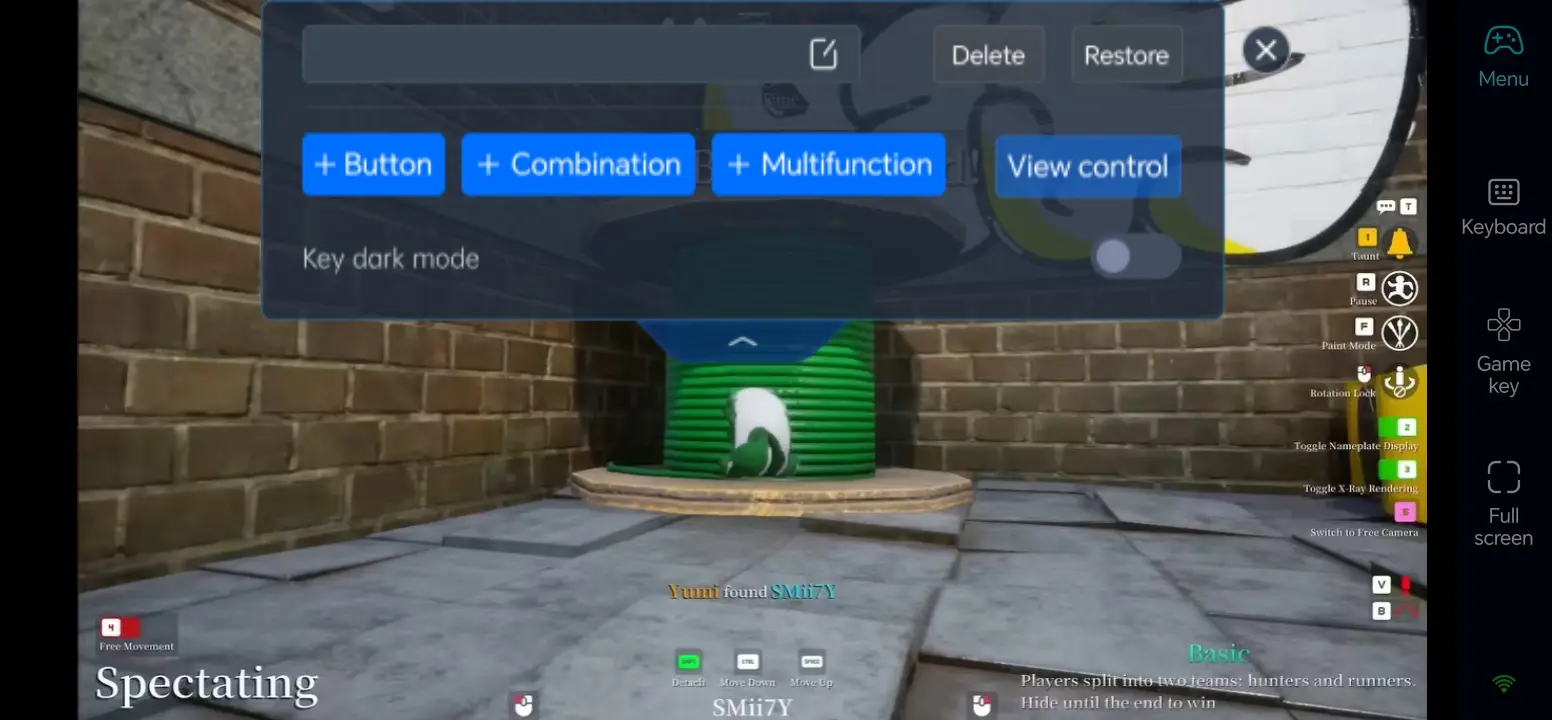
Additional settings: Turn on "Dark Highlight Buttons" to make virtual controls stand out against colorful map textures. Custom macro keys can be added to instantly toggle standing, crouching and prone hiding postures to speed up camouflage setup.
Connect Bluetooth Controllers for Precise Input
If touchscreen coloring and aiming feel awkward, OSLink fully supports Bluetooth and wired game controllers:
Pair your controller with your phone via Bluetooth, then enter the "Game Controller" settings page in OSLink.
Recommended binding layout: Left analog stick for movement, right analog stick for camera rotation; XYAB face buttons mapped to fire, paint and palette switching; LT/RT triggers as hotkeys for fast posture toggling.
Controllers excel for seekers long-range scouting and eliminate touch drift; hiders are advised to use touchscreens for finer color palette and sampling precision.
Step 3: Launch Color Hide-and-Seek Matches Anywhere
Once all configurations are finished, your mobile device acts as a portable gaming terminal for matches in all scenarios:
Quick sessions during downtime: Host lobbies while commuting or waiting, team up with friends to practice high-concealment coloring without wasting spare time.
Solo camouflage practice: Enter training maps to test color combinations and hiding stances, refine your hiding strategies outside the home.
Random public matchmaking on the go: Join open public matches with up to 10 concurrent players for chaotic casual hide-and-seek without being tied to your PC.
Instant friend lobby access: Join friend-hosted lobbies directly via password input on mobile OSLink without returning to your desktop computer.
Four Core Advantages of Playing MECCHA CHAMELEON with OSLink
1. Break Location Limits – Join Multiplayer Matches Anytime
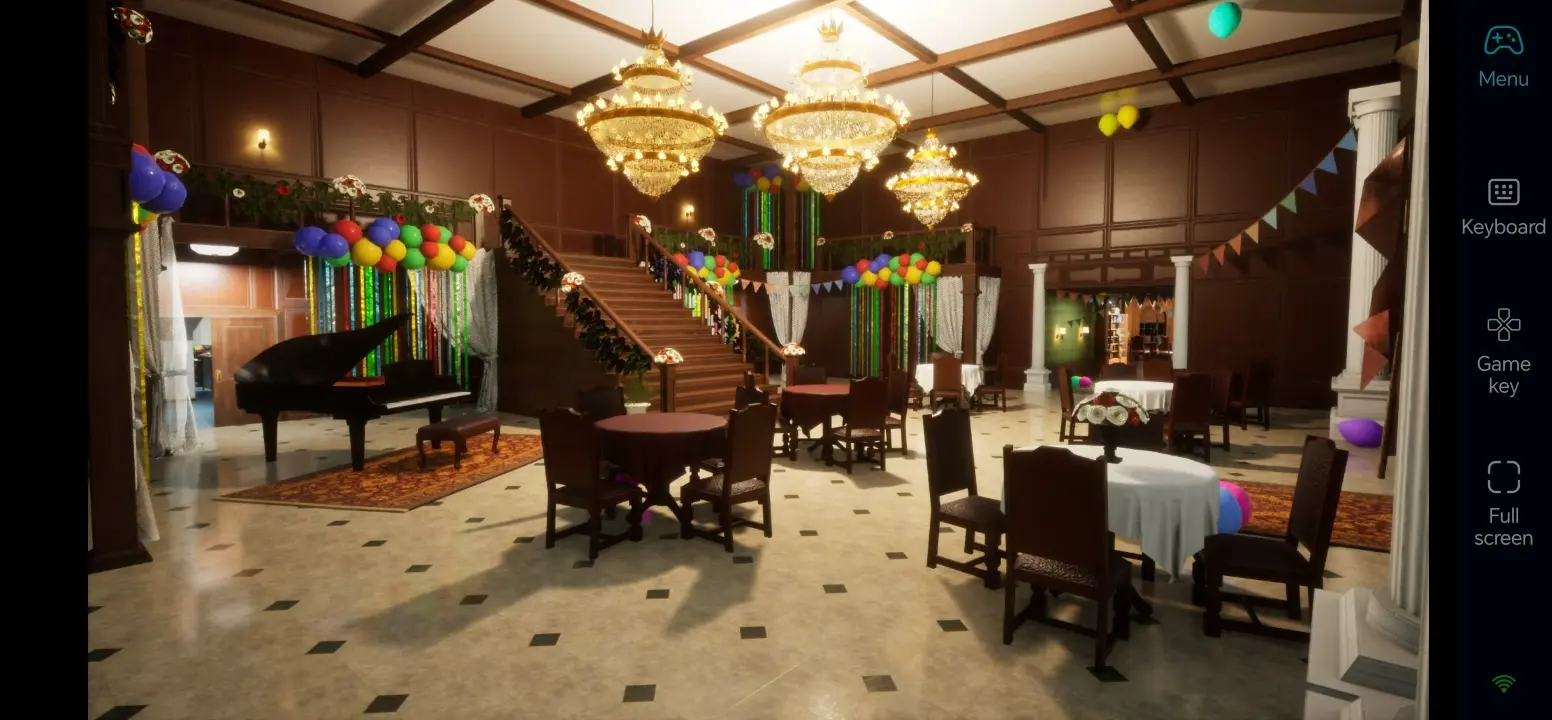
Unlike traditional PC-only gameplay, you can launch the game after pairing your computer as long as your phone connects to Wi-Fi or 5G cellular data. Whether commuting, traveling or relaxing outdoors, you can join friend hide-and-seek lobbies and never miss group play sessions.
2. Full PC Save Retention, No Restart Required
This game only has a Steam Windows PC build with no standalone mobile installation package. When running remotely via OSLink, all game computation happens on your computer. All unlocked maps, custom color schemes, match statistics and Steam cloud saves are fully preserved—no repurchasing or re-learning camouflage tactics needed. The original PC 3D lighting and color details are preserved without noticeable quality loss.
3. Low-Latency Streaming – Instant Response for Coloring & Aiming
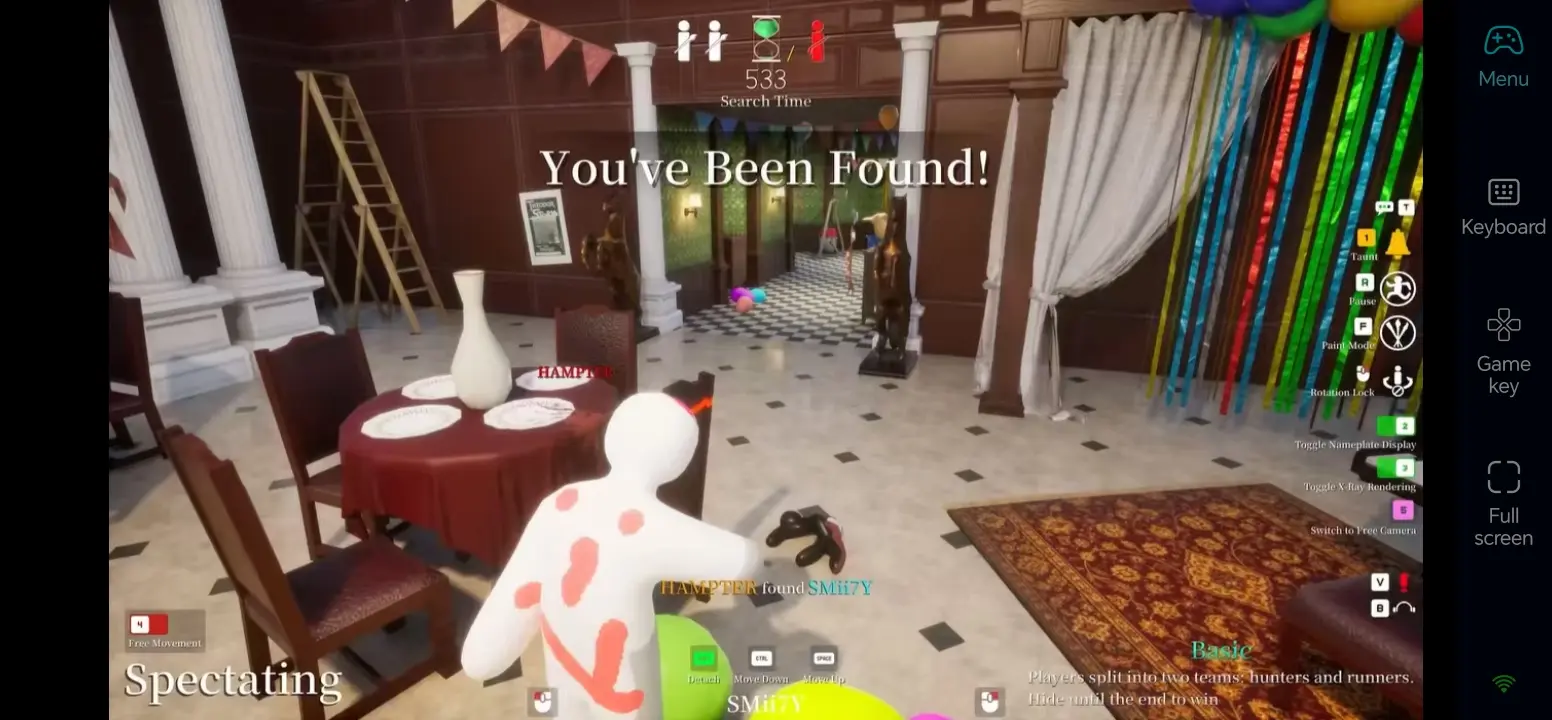
The dedicated 60fps game streaming mode optimizes network transfer to minimize remote input delay. Every action feels responsive, whether hiders quickly repaint their avatar, switch stances or sample colors, or seekers pan the camera and fire shots. This solves common remote play issues like screen stuttering and delayed controls.
4. Zero Mobile Processing Load – No Overheating During Long Sessions
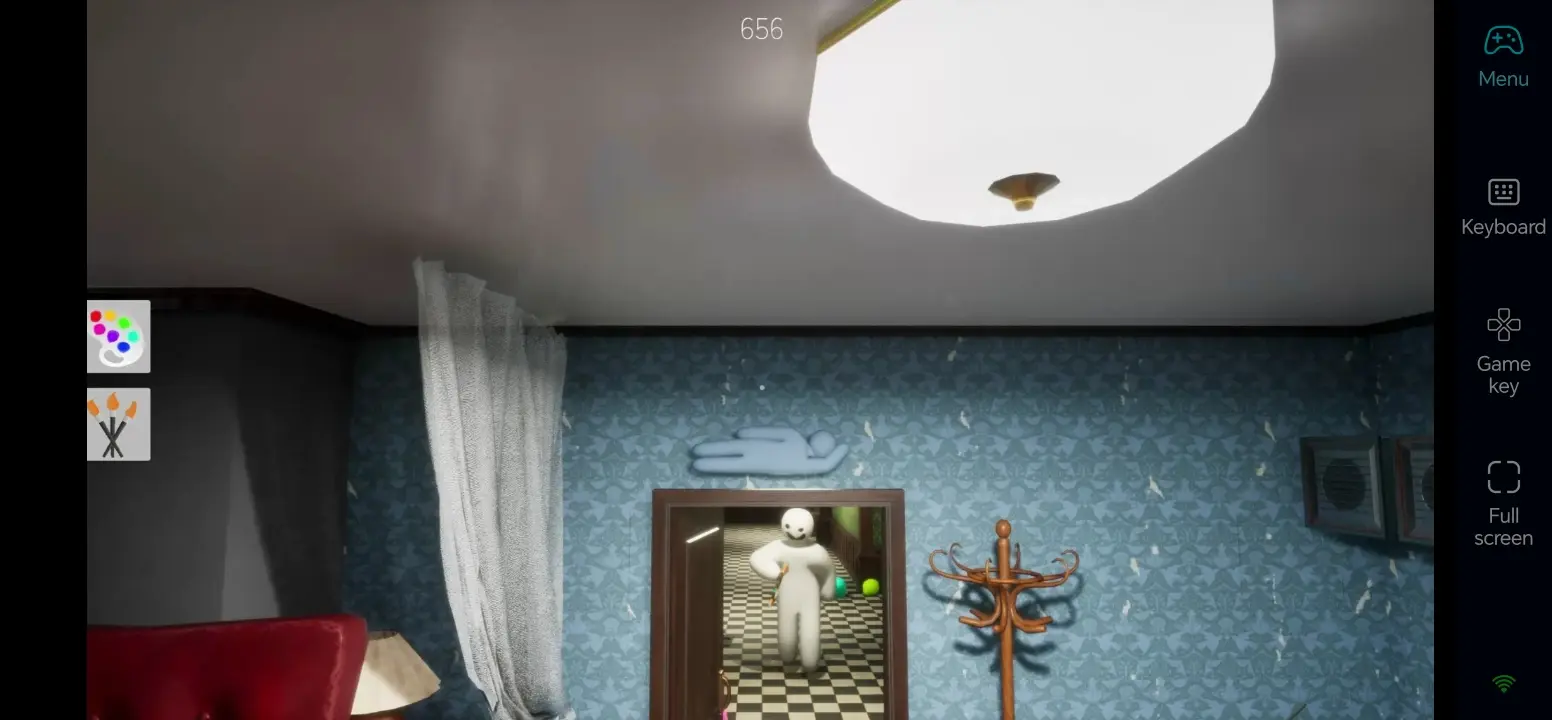
All game rendering, paint particle effects and multiplayer network processing are handled by your computer. Your phone only receives video feed and transmits input commands. Extended play sessions will not cause overheating, frame drops or stuttering on mobile hardware, delivering stable, uninterrupted gameplay for longer stretches.
FAQ
Q: What are the release date and development details of MECCHA CHAMELEON?
A: Officially titled MECCHA CHAMELEON (Japanese: めっちゃカメレオン), the game is independently developed and published by Japanese creator lemorion_1224. It launched on Steam for Windows on June 10, 2026, with an initial launch price of 26 RMB. It sold over 5 million copies within 9 days of release, hitting a concurrent player peak of 340,000, with overall Mostly Positive reviews.
Q: Does MECCHA CHAMELEON have official Android/iOS mobile ports? Is remote software mandatory for mobile play?
A: The development team only released a Steam Windows PC exclusive, with no confirmed port plans for PS5, Xbox, Switch or native mobile devices. Third-party websites claiming standalone mobile versions are fake pirated platforms carrying malware risks. OSLink remote control is the most stable, lossless, legitimate solution to access your PC cloud saves and match history on mobile, no emulators required and no save sync issues.
Q: Does MECCHA CHAMELEON have high PC hardware requirements? What are the official full system specifications?
A: The lightweight 3D game runs smoothly at 60fps on most home PCs, with official specs listed below:
Minimum Requirements
Operating System: Windows 10 64-bit
Processor: Intel Core i5-6400 / AMD Ryzen 5 1400
Graphics Card: NVIDIA GTX 750 Ti / AMD Radeon RX 560, DirectX 12 compatible
Memory: 8 GB RAM
Storage: 4 GB free hard drive space (stable 60fps at 720p low graphics settings)
Recommended Requirements
Operating System: Windows 10/11 64-bit
Processor: AMD Ryzen 5 3600 / Intel Core i5-9400
Graphics Card: NVIDIA GTX 1060 6GB / AMD RX 580
Memory: 16 GB RAM
Storage: 4 GB free hard drive space (stable 60fps at 1080p high graphics settings for multiplayer matches)
Q: Can both Android and iPhone use this remote play method? Are there any operational differences?
A: Android phones, iPhones and iPads fully support OSLink remote play with identical streaming, custom control and controller connection features. The only difference is download channels: Google Play Store for Android, App Store for iOS. All other operation steps and gameplay experience remain unchanged.
Q: Will severe stuttering occur when using 4G/5G cellular data for matches?
A: Mobile data works well for short solo practice sessions, control layout editing and match replay viewing. For continuous multiplayer matches and large map exploration, stable Wi-Fi is strongly recommended to drastically reduce network lag and avoid delayed coloring or aiming inputs.
Q: How many players can join a single lobby? What are the core gameplay rules?
A: Each match supports 2 to 10 players split into Hiders and Seekers. Hiders spawn as solid white human avatars, able to paint their full body using the color palette and color picker, plus 7 hiding stances to blend into map scenery. Seekers carry shotguns and win by eliminating all hiders within the time limit.
Conclusion
With the OSLink remote tool, you can convert your mobile device into a dedicated portable gaming terminal for MECCHA CHAMELEON, freeing you from desktop PC restrictions. You can team up with friends for hilarious hide-and-seek, practice advanced camouflage coloring or join random public matches anytime. It fully retains all your PC game data while delivering high-fidelity visuals and low-latency controls, letting you enjoy this hit color party hide-and-seek game wherever you go.
 Download