English
  Blog Game Guide Escape From Duckov Winter Update Launches — How to Play Remotely on Your Phone with OSLink
Escape From Duckov launched its Winter Special Updates on December 18th, bringing new challenge maps, weapons, and monsters. Want to jump into a full Escape From Duckov raid anytime, even when you’re away from your PC? With OSLink’s remote control feature, you can connect your phone or tablet directly to your home computer and fully control the PC version of the game. Whether you’re farming resources, organizing your inventory, or exploring safer maps, you can do it all effortlessly on the go.
This guide will walk you through setting up OSLink step-by-step, optimizing controls and visuals, so you can stay in the fight during your commute, breaks, or whenever you’re out and about—never missing a chance to loot or extract.
Quick Setup Tutorial for Playing Escape From Duckov on Mobile
Step 1: Download OSLink and Connect Devices
PC Side:
Visit the OSLink official website to download the software and complete the installation.

Mobile Side:
Download the OSLink App from the App Store or Google Play; the official website also offers APK downloads.
Log in with the same account as on the PC side to automatically connect.

Step 2: Control Optimization
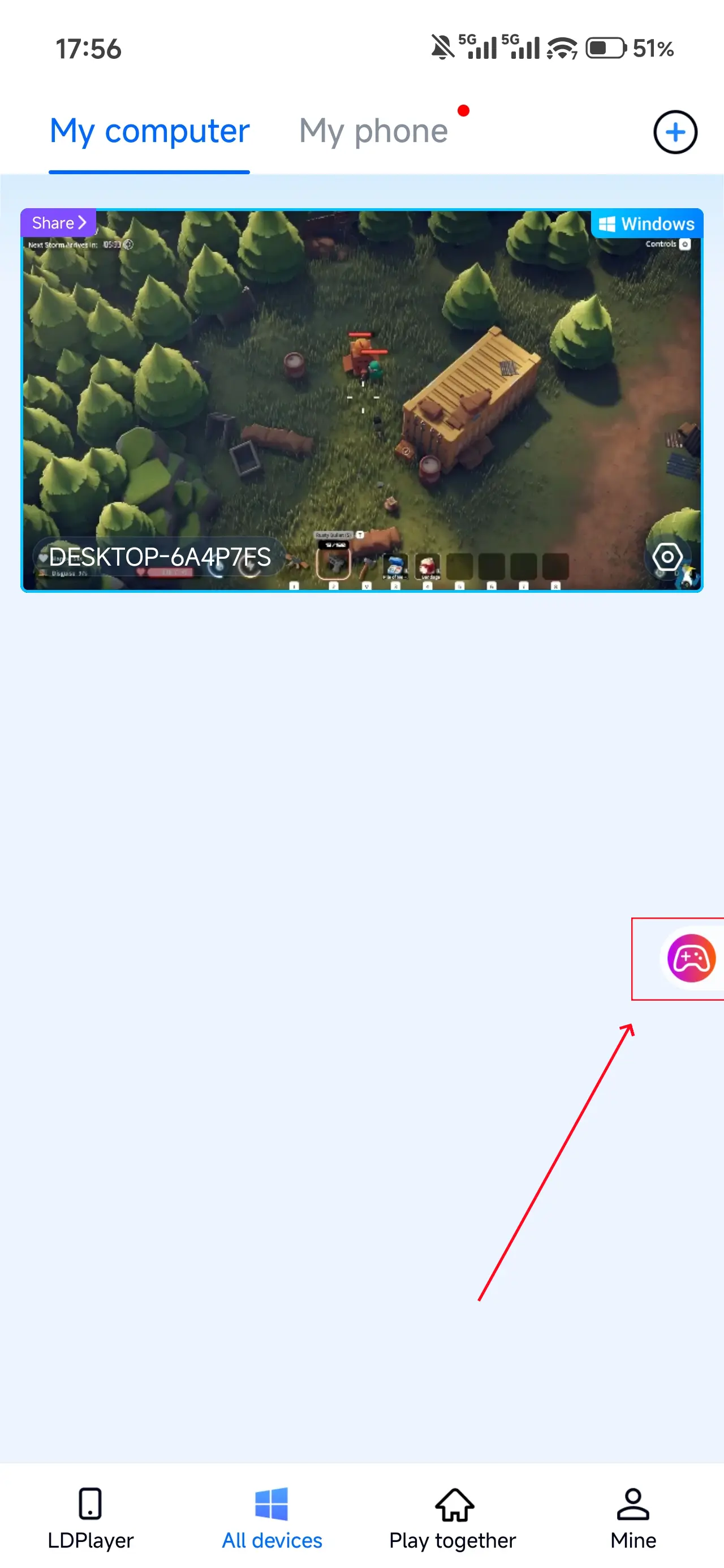
1. Launch the Game
Open Escape From Duckov on your PC, and the mobile side can connect directly; if Escape From Duckov hasn't been launched on the PC yet, click the game icon on the mobile side for quick startup.
2. Control Mode
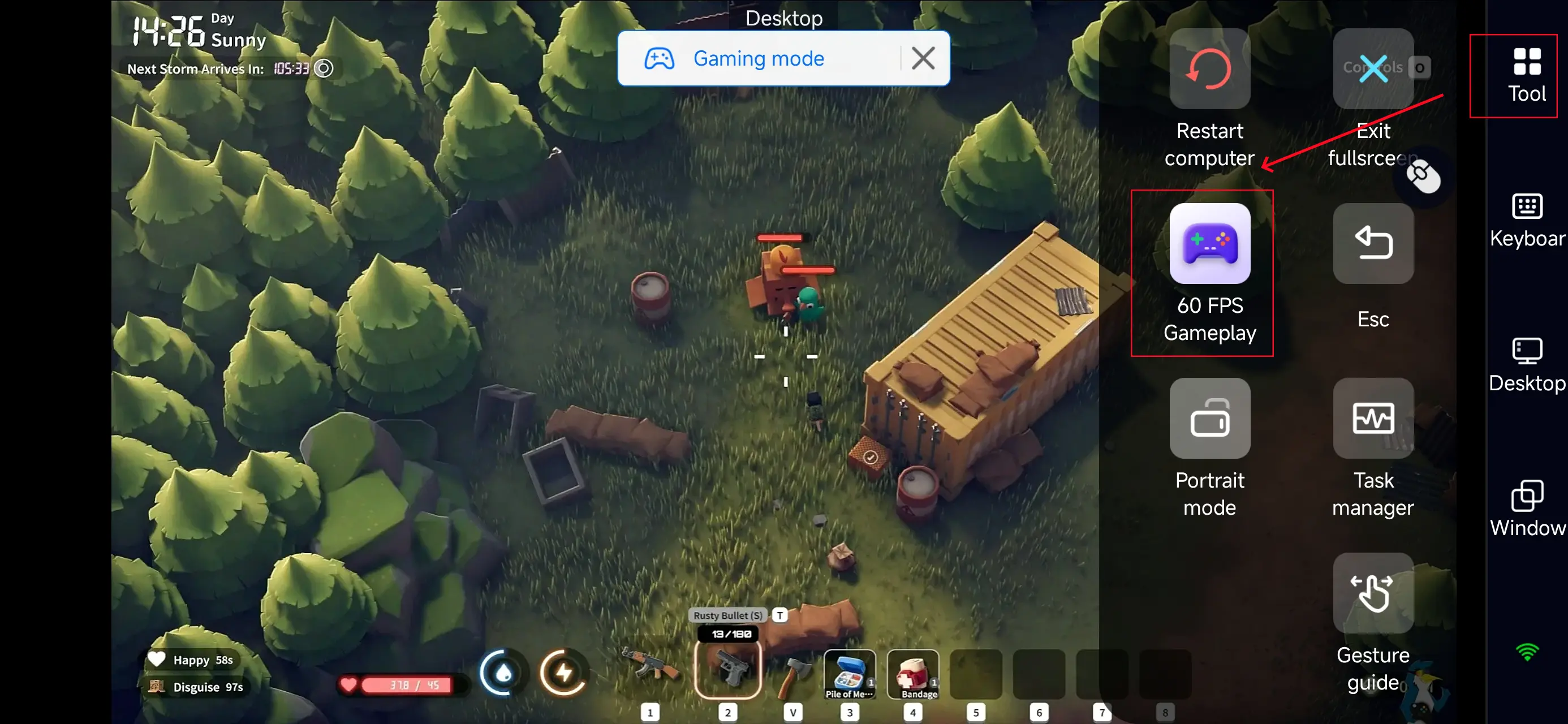
Click the toolbar on the right side of the mobile app, enter "60 FPS Gameplay," and choose key mode or link a controller based on your gaming preferences.
3. Key Selection
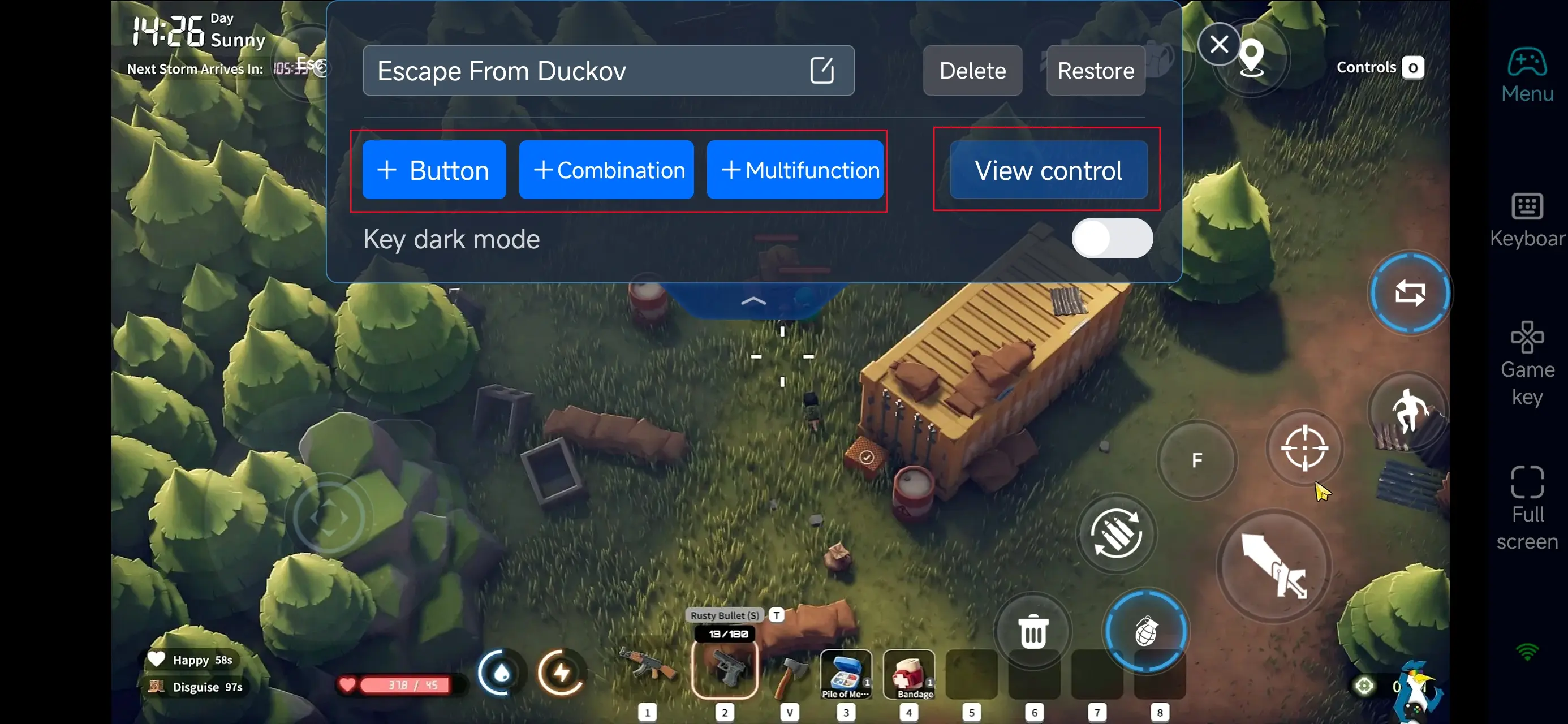
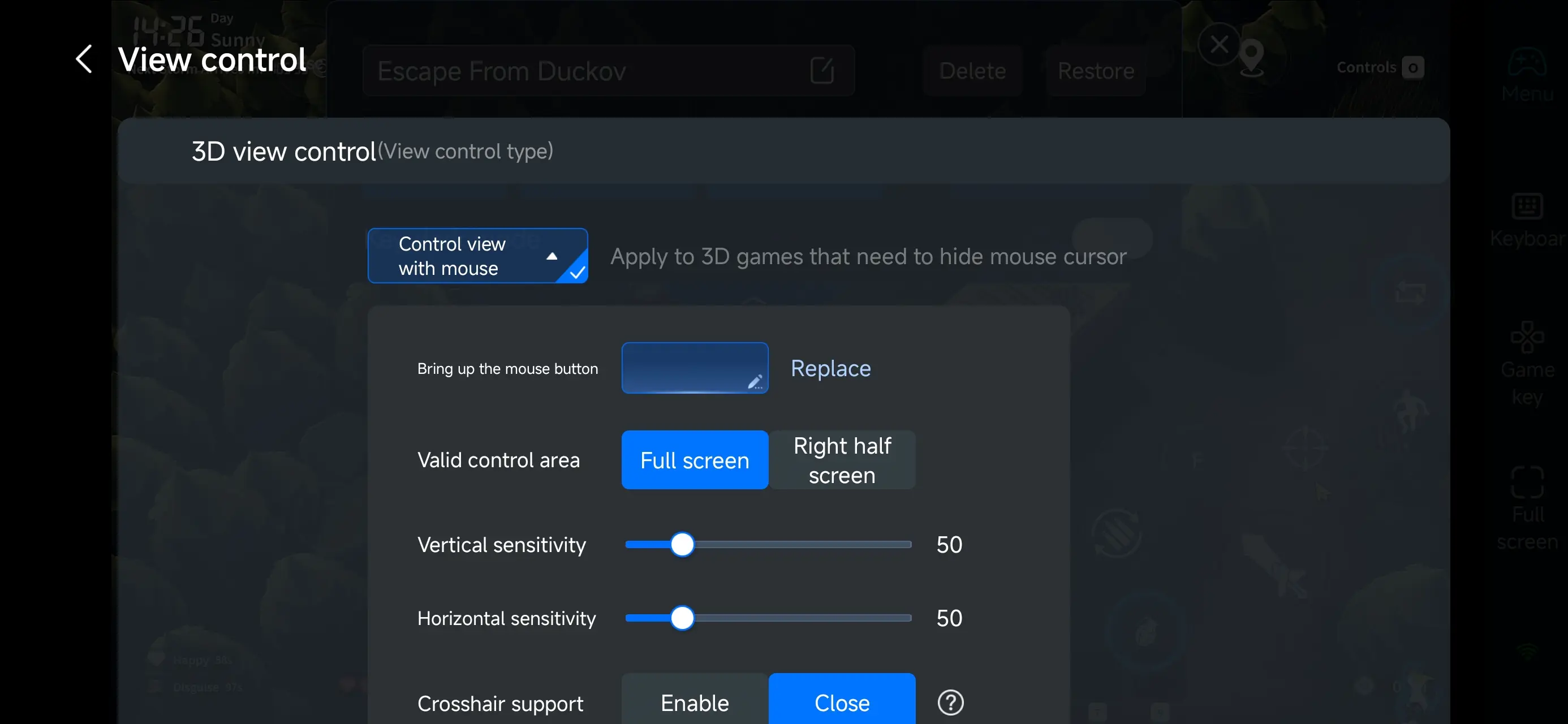
Once you enable PC game mode, you can pick from preset shooting layouts under the “Game Keys” menu on your phone’s right side, then customize view dragging, crosshair movement, aiming, shooting, and interaction buttons to fit your playstyle. OSLink offers deep customization—you can add, move, or remove buttons and tweak their size, transparency, and activation methods, keeping your screen clear without sacrificing quick response.
If you like fast-paced gameplay, OSLink lets you combine common actions into multi-function buttons—aim → shoot → switch stance, quick reload, grenade throw, loot, or extract commands—all tailored to Escape From Duckov’s tactical rhythm. Build your ideal remote control setup for smooth, reliable performance.
Step 3: Jump back into the action anytime
After setup, your phone becomes a portable command center for Escape From Duckov. Whether commuting or taking a break, just open OSLink to instantly connect to your home PC and keep running maps, looting, fighting, or extracting. Your progress in Duckov stays seamless—every raid is always within reach.
Why play Escape From Duckov with OSLink?
1. Break free from location and device limits
OSLink lets you truly play the PC version of Escape From Duckov on your phone. Whether you’re on the go, waiting in line, or away from your desk, as long as you’re connected, you can farm, clear inventory, manage gear, pick up missions, and even run low-risk operations. No more missing progress just because you’re not at your PC—Duckov moves forward with you, every day.
2. Fully customizable controls for smoother combat and looting
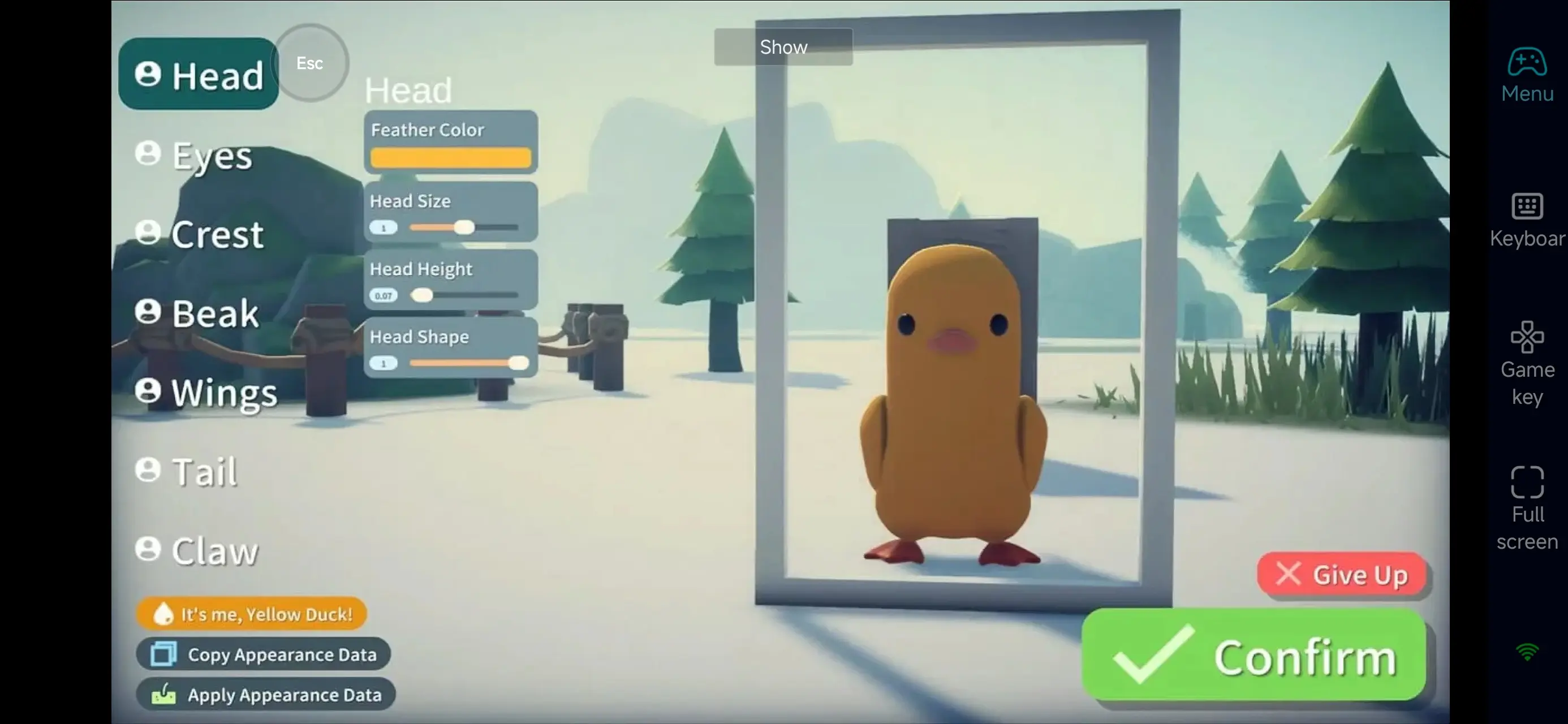
Escape From Duckov demands precision, and OSLink delivers with fully customizable key bindings and virtual controls. Shooting, aiming, peeking, stance switching, opening containers, and quick interactions are all mapped to your preferences on mobile. With virtual joysticks and custom hotkeys, you can keep near-PC level control fluidity—perfect for gear management, careful looting, and tactical movement.
3. Reduce the time and mental load of prep work
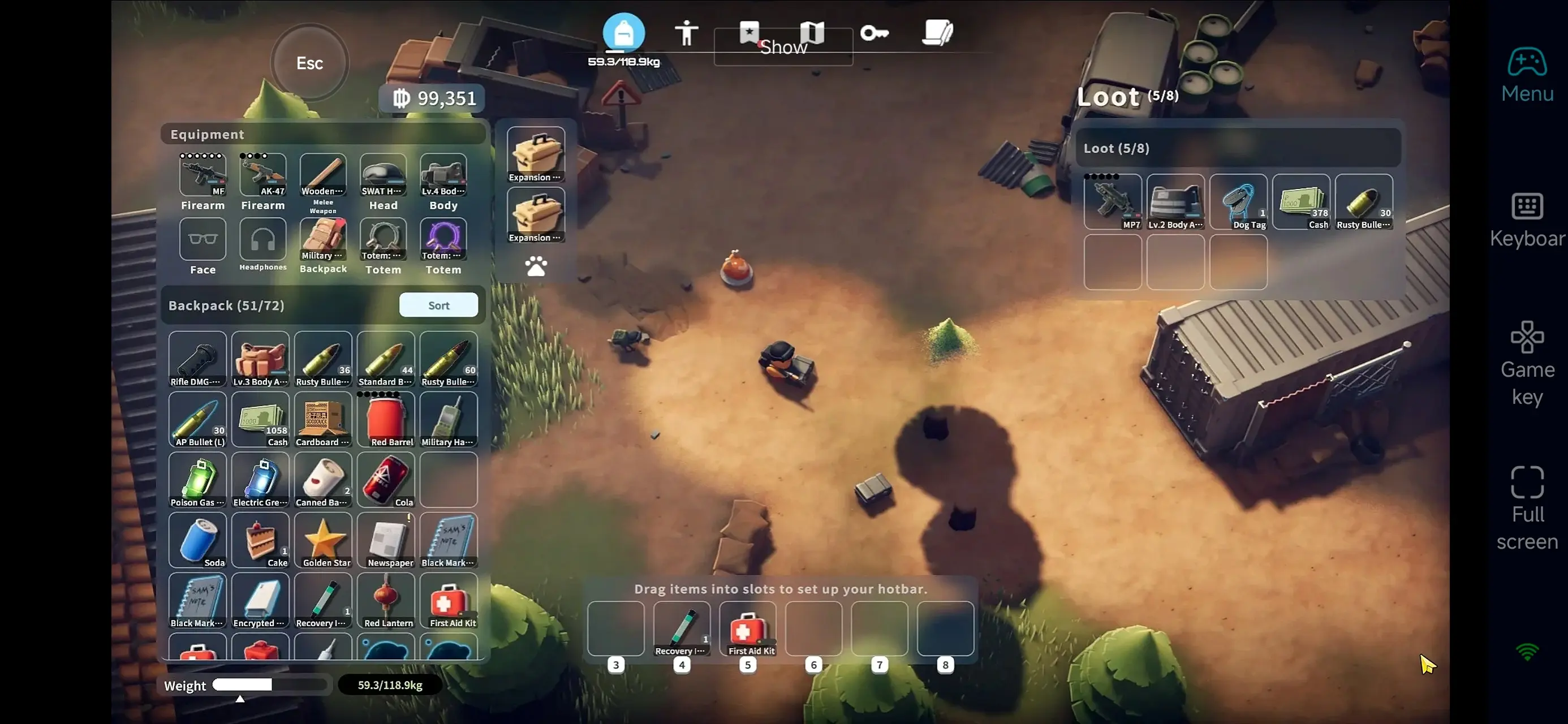
The stress in Escape From Duckov isn’t just the combat—it’s the prep before and after missions: gearing up, reloading, inventory sorting, turning in quests, checking insurance, and trading. These tedious but necessary tasks add up. With OSLink, you can tackle these “necessary evils” during downtime, so when you sit at your PC, you focus fully on high-stakes combat. Breaking down the workload this way makes the game feel lighter and helps reduce mistakes from fatigue.
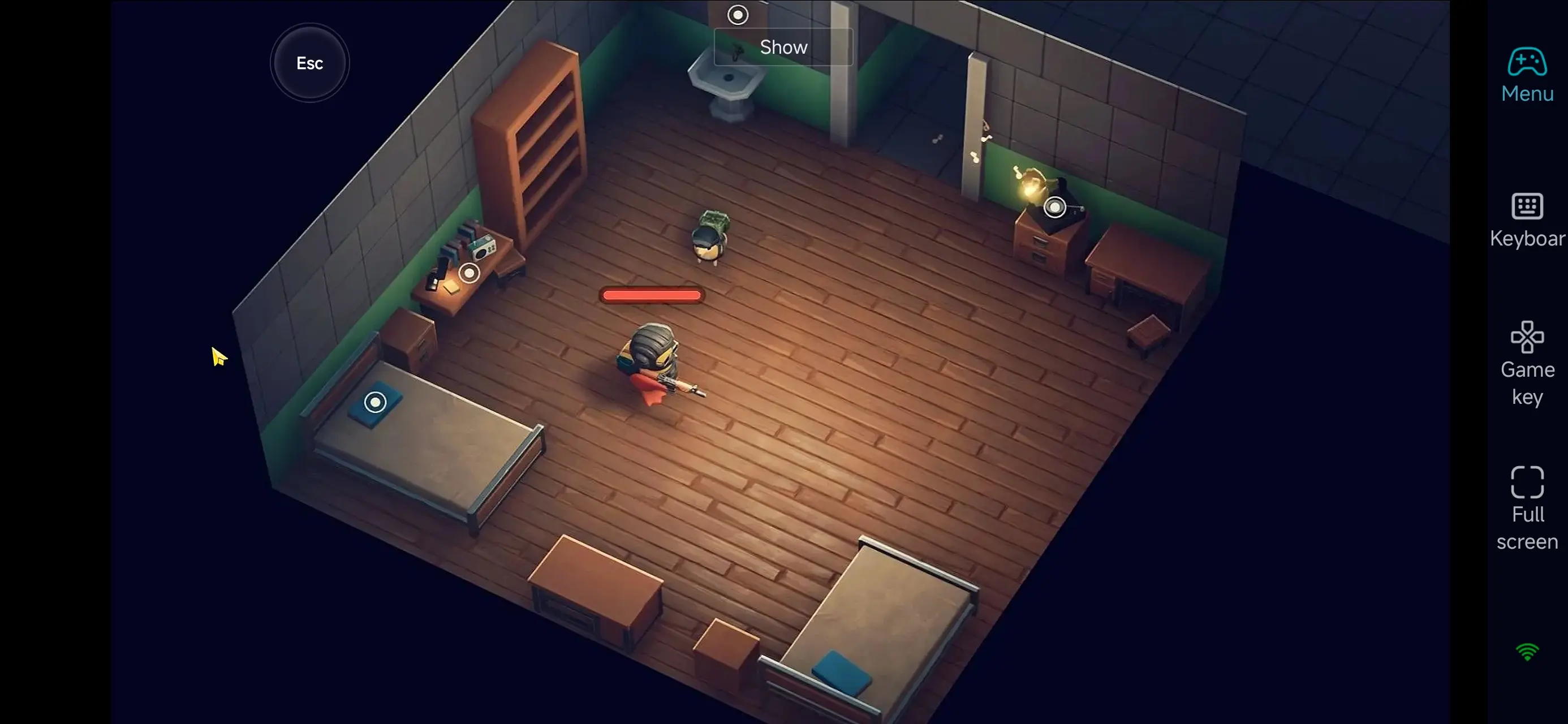
With OSLink, your mobile device extends your Escape From Duckov battlefield. Simply open OSLink to instantly connect to your PC and handle inventory, advance missions, or run low-risk operations anytime. No longer bound by time or place, remote control boosts efficiency for resource grinding and frequent map runs, and frees you from the pressure of always having to be at your PC. Use OSLink to turn spare moments into meaningful progress, making every raid count.
 Download