English

OSLink is a remote gaming and device-control tool that lets you access your PC games, control Android devices, and manage your games across multiple devices. With features such as touchscreen keymapping, Android screen mirroring, and remote LDPlayer management, it offers more than traditional PC game streaming.
Parsec is another popular option, particularly for PC game streaming and remote multiplayer. In this guide, if you’re comparing apps like Parsec, we'll compare OSLink and Parsec across streaming performance, platform support, mobile controls, multiplayer features, and pricing to help you decide which tool best fits your needs.
OSLink vs Parsec: Quick Comparison
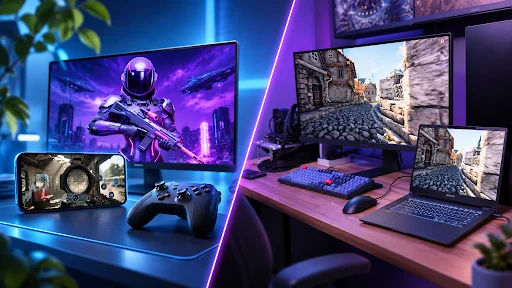
OSLink and Parsec both support remote PC gaming, but their features serve different needs. OSLink combines PC game streaming with mobile gaming controls and remote device management, while Parsec focuses on PC streaming and remote multiplayer. Here's a quick look at how they compare.
|
Feature |
OSLink |
Parsec |
|
Main purpose |
Remote gaming and cross-device control |
PC game streaming and remote desktop |
|
PC game streaming |
Yes |
Yes |
|
Android game mirroring |
Yes, with screen mirroring and game controls |
Not supported natively |
|
Android remote control |
Yes, including Android-to-Android control |
Not supported |
|
iOS support |
Yes, with iPhone and iPad apps |
No official iOS app |
|
Touchscreen controls |
Customizable virtual buttons and keymapping |
Limited mobile input options |
|
Keyboard and mouse |
Supported |
Supported |
|
Game controllers |
Supported |
Supported, including multiplayer controller sharing |
|
Multiplayer features |
Play Together for screen sharing and remote device control |
Remote local multiplayer with multiple players |
|
Multi-instance management |
Yes, with LDPlayer |
Not built in |
|
Pricing |
Free, VIP, and SVIP plans |
Free Personal plan and paid plans for additional features |
OSLink vs Parsec: Feature Comparison
OSLink and Parsec both let you access your PC remotely, but they offer different approaches to remote gaming. OSLink combines PC game streaming with mobile controls and device management, while Parsec focuses on PC streaming and remote multiplayer. Let's look at how their features compare.
How OSLink and Parsec Game Streaming Works
Both OSLink and Parsec stream games directly from your PC to another supported device. Your computer handles the game's processing, while the receiving device displays the gameplay and sends your control inputs back to the host.
OSLink uses an account-based connection system. Install the application on your Windows PC and mobile device, sign in using the same account, and select your connected computer to start a remote session. Its PC Gaming Mode also provides touchscreen keymapping and customizable controls for mobile gaming.
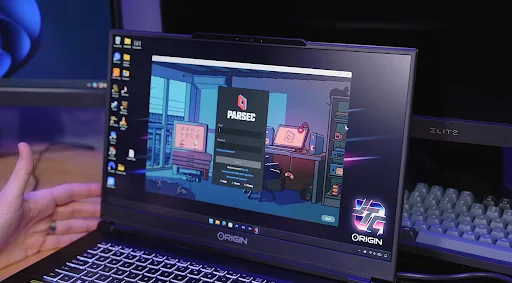
Parsec uses a host-and-client system, with its application running on the host PC and a compatible client receiving the stream. It establishes peer-to-peer connections whenever possible to support responsive remote gaming. Parsec also supports remote local multiplayer, allowing multiple players to connect their controllers and play supported co-op or split-screen games together.
Both tools rely on your own computer to run games, so the host PC must remain powered on and connected to the internet during remote sessions.
iPhone, iPad, and Android Compatibility
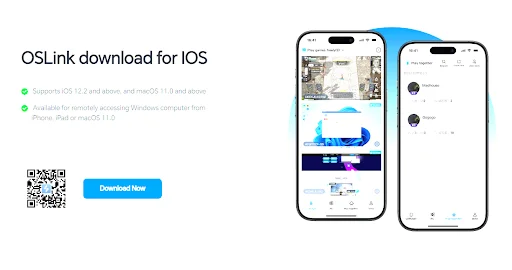
One of the biggest differences between OSLink and Parsec is their support for mobile devices. OSLink for iOS lets you connect your Windows PC to Android phones, iPhones, and tablets, making it easier to access your PC games from different mobile devices.
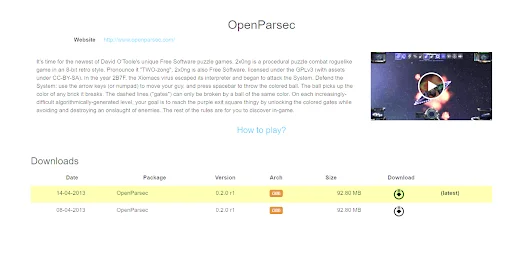
Parsec supports Android devices, but it doesn't offer an official iPhone or iPad app. Its web client also isn't supported through Safari on iOS or iPadOS. While unofficial projects such as OpenParsec provide another option, they aren't official Parsec releases.
OSLink also offers additional mobile device features beyond PC game streaming. Android users can mirror their phone screens to a PC, control other supported Android devices remotely, and access connected devices through the same account. This makes OSLink useful for managing mobile games and applications across multiple devices.
If you want to stream PC games to an iPhone or iPad, OSLink is the more practical choice. Parsec remains an option for Android users and those who prefer accessing their PC from another supported computer.
Touchscreen Controls and Controller Support
OSLink and Parsec support different ways to control PC games remotely, but their mobile input options are quite different.
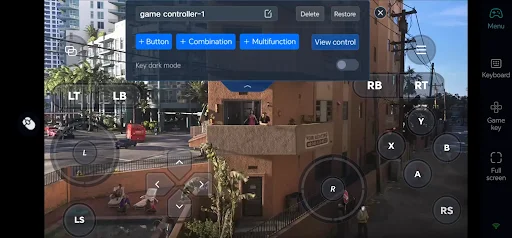
Touchscreen Controls: OSLink offers built-in touchscreen keymapping, allowing you to create custom layouts by assigning keyboard keys to virtual buttons. You can resize and reposition these buttons to match your preferred layout. Parsec's mobile clients primarily use touch gestures for mouse control and don't include an equivalent built-in virtual gamepad or custom keymapping feature.
Game Controllers: Both tools support compatible external game controllers, allowing you to play using a physical controller connected to your mobile device. However, Parsec users may encounter compatibility issues with certain third-party controllers or require additional configuration, depending on the device and controller.
Keyboard and Mouse: Both tools also support keyboard and mouse input through compatible peripherals. OSLink also lets you use touchscreen gestures to control mouse movement, giving you another way to interact with PC games without carrying extra accessories.
Playing PC Games Without a Controller Using OSLink
One of OSLink's biggest advantages for mobile gaming is its customizable touchscreen controls. For example, when playing a PC game like World of Warcraft, you can assign WASD movement keys to virtual buttons, map frequently used abilities to other buttons, and use touchscreen gestures to control the mouse. This lets you play using a layout similar to mobile games, without needing a physical keyboard, mouse, or controller.
Remote Multiplayer: Parsec Co-op vs OSLink Play Together
Parsec and OSLink offer different ways to share gaming sessions with friends. Parsec focuses on bringing local multiplayer games online, while OSLink's Play Together feature lets users share their screens and grant others remote control.
Parsec: Parsec supports remote local multiplayer, allowing multiple players to connect their own controllers to the same PC session. This makes it suitable for playing supported co-op and split-screen games together, even when everyone is in a different location. The host can also manage guest access and input permissions.
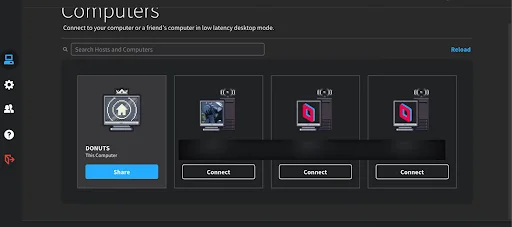
OSLink: Play Together takes a different approach. You can create a room, invite friends, and let them watch your gameplay or take control of the shared device. This is useful for helping someone through a difficult game section, taking turns attempting a challenge, or sharing gameplay with friends who don't have a PC capable of running the game.
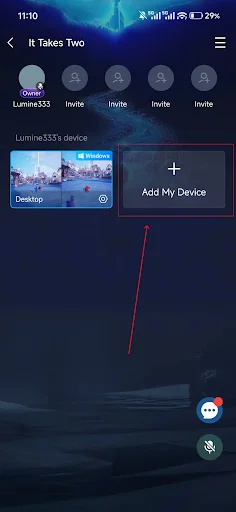
The main difference is that Parsec is designed for simultaneous remote local multiplayer, while OSLink focuses on screen sharing and shared device control. If you want to play co-op games with friends, Parsec is the more suitable option. If you want to share your gameplay or let someone else take control, OSLink's Play Together offers more flexibility.
Streaming Quality and Performance
Both OSLink and Parsec offer adjustable streaming settings to help balance image quality and responsiveness. However, Parsec provides more granular control over streaming performance, while OSLink focuses on a more integrated gaming experience.
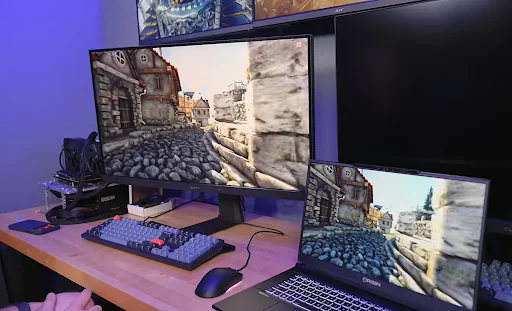
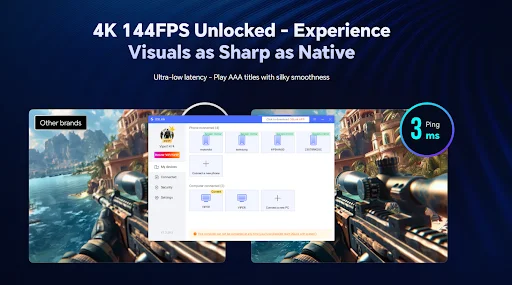
OSLink: Offers PC Gaming Mode with support for up to 60 FPS, along with adjustable streaming quality and bitrate settings. Supported resolution and performance depend on the connected devices, configuration, and network conditions. Its gaming mode also helps make remote PC gaming more convenient on mobile devices.
Parsec: Provides more detailed streaming configuration, supporting resolutions up to 4K and frame rates up to 240 FPS, although 4K streaming is capped at 60 FPS. Users can adjust settings such as resolution, frame rate, bandwidth limits, and video encoding to fine-tune their experience.
Network and Hardware Requirements: Both tools rely on your host PC to run games and encode the video stream. A stable internet connection is essential, especially when playing remotely. Using Ethernet for your host PC and 5 GHz Wi-Fi or a reliable mobile connection on your receiving device can help reduce interruptions. Your actual streaming performance also depends on your PC hardware, network latency, available bandwidth, and the distance between devices.
Overall, Parsec offers more control over streaming quality and performance, making it appealing to users who want to fine-tune their setup. OSLink provides a more integrated experience, particularly for players who want to stream PC games to mobile devices.
Setup, Security, and Remote Access
OSLink and Parsec both let you access your PC remotely, but their setup processes and connection management differ.
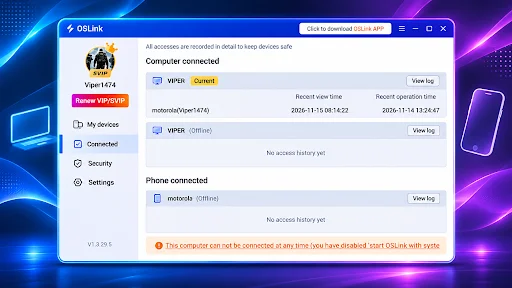
Setup: OSLink uses an account-based setup. Install the application on your supported devices and sign in using the same account. You can then connect a Windows PC to an Android phone, iPhone, or iPad, control one supported mobile device from another, or access a connected phone from your Windows PC.
Parsec uses a host-and-client setup. Install the application on your host and receiving devices, enable hosting on your PC, and connect to your computer. Remote access over the internet may require additional network configuration.
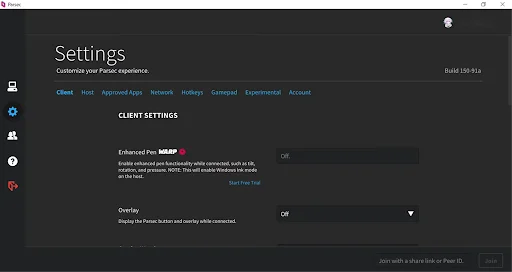
Security: Both tools provide account authentication and controls for managing remote access. OSLink uses TLS encryption for data transmission and lets users manage access to shared devices. Parsec uses encrypted connections and provides host-side controls for managing guest permissions and active sessions. Regardless of which tool you choose, use strong account credentials and only share access with people you trust.
Remote Access Requirements: Both tools rely on your host PC to run games, so it must remain powered on and connected to the internet during remote gaming sessions.
Pricing and Membership Plans
OSLink and Parsec both offer free options, but their paid plans focus on different features. OSLink's VIP and SVIP subscriptions expand remote device control and mobile gaming capabilities, while Parsec Warp adds advanced streaming and display options.
|
Plan |
Main Features |
|
OSLink Free |
Basic remote access and game streaming. |
|
OSLink VIP |
Remote control of the first two LDPlayer instances and streaming quality up to 720p. |
|
OSLink SVIP |
Remote control of multiple LDPlayer instances, Play Together, and streaming quality up to 1080p under suitable network conditions. |
|
Parsec Personal |
Free PC streaming, desktop sharing, keyboard and mouse input, and gamepad support. |
|
Parsec Warp |
Multi-monitor streaming, virtual displays, 4:4:4 color mode, privacy mode, and Wacom tablet support. |
Which Plan Should You Choose?
Parsec Personal is a good starting point if you mainly want free PC game streaming and remote multiplayer. Parsec Warp is more suitable if you need advanced display features or additional streaming capabilities.
If you’re looking for a free Parsec alternative for basic remote desktop access, you can try OSLink's free plan. Its VIP and SVIP plans are worth considering if you need additional LDPlayer management, higher streaming quality, or Play Together features.
Ultimately, the better option depends on which features you actually plan to use rather than the number of features included in each subscription.
OSLink vs Parsec: Strengths and Weaknesses
OSLink and Parsec both offer useful remote gaming features, but their strengths lie in different areas. OSLink focuses on mobile gaming and cross-device control, while Parsec provides a more PC-focused streaming experience with remote multiplayer support.
OSLink
Strengths:
-
Supports remote PC gaming from iPhones, iPads, and Android devices.
-
Offers built-in touchscreen keymapping and customizable virtual controls.
-
Supports remote control between Windows PCs and supported mobile devices.
-
Includes Android screen mirroring and phone-to-phone remote control.
-
Provides Play Together for screen sharing and shared device control.
Limitations:
-
Some advanced features and higher streaming quality limits require VIP or SVIP subscriptions.
-
Remote gaming requires the host device to remain powered on and connected to the internet.
Parsec
Strengths:
-
Offers a free Personal plan for PC game streaming and remote desktop access.
-
Supports detailed streaming configuration, including resolution, frame rate, and bitrate.
-
Provides remote local multiplayer with support for multiple players and controllers.
-
Supports desktop clients for Windows, macOS, and Linux.
-
Offers additional display and streaming features through its Warp subscription.
Limitations:
-
Doesn't offer an official iPhone or iPad application.
-
Mobile touchscreen controls lack built-in customizable virtual gamepad layouts.
-
Some third-party controllers may require additional configuration or compatibility workarounds.
-
Remote access over the internet may require additional network configuration.
FAQs
1. Is OSLink a Good Parsec Alternative?
Yes. OSLink is a great Parsec alternative if you want more than traditional PC game streaming. Along with streaming PC games to mobile devices, OSLink offers customizable touchscreen controls, Android remote access, mobile game mirroring, and LDPlayer management.
While Parsec focuses mainly on PC streaming and remote multiplayer, OSLink provides additional mobile gaming and device-control features in one platform, making it a versatile option for gamers looking for more flexibility.
2. What Is the Best Parsec Alternative for iOS?
OSLink is a good Parsec alternative to consider if you want to access your PC remotely from an iPhone or iPad. It offers remote PC access and is a great Parsec alternative for gaming, allowing you to connect to your computer and enjoy your PC games on an iOS device.
While Parsec is also an option for remote PC streaming, OSLink is worth considering if you want a more mobile-focused experience with additional features for remote gaming and device management.
3. Does OSLink Require Root Access to Control an Android Device?
No. OSLink supports Android remote control without root access, but you must grant the required permissions on the device.
4. Can I Use Parsec on an iPhone or iPad Through a Browser?
No. Parsec does not support accessing its remote desktop service through a web browser on iPhones or iPads. If you want to stream PC games or remotely access your computer from an iOS device, OSLink is a good alternative, offering support for both iPhones and iPads.
Conclusion
OSLink and Parsec are both capable remote gaming tools, but they serve different needs. Parsec is a strong choice for PC game streaming and remote multiplayer, while OSLink offers a broader range of features, including mobile gaming, Android device control, touchscreen keymapping, and LDPlayer management. If you mainly want to stream PC games, Parsec is worth considering. However, if you want to do more than stream your PC and need greater flexibility across multiple devices, OSLink is a good alternative to explore.
 Download